A powerful and highly customizable Flutter package for creating interactive drawing boards with advanced features.





Breaking Changes: After version
0.3.0, text functionality has been removed. For text features, please use

Version 0.9.9+ Behavior Changes:
SimpleLine()now uses Bezier curve smoothing by default (useBezierCurve: true), providing smoother lines. To use the old behavior, setuseBezierCurve: false.- JSON import maintains backward compatibility with
useBezierCurve: falseas default.
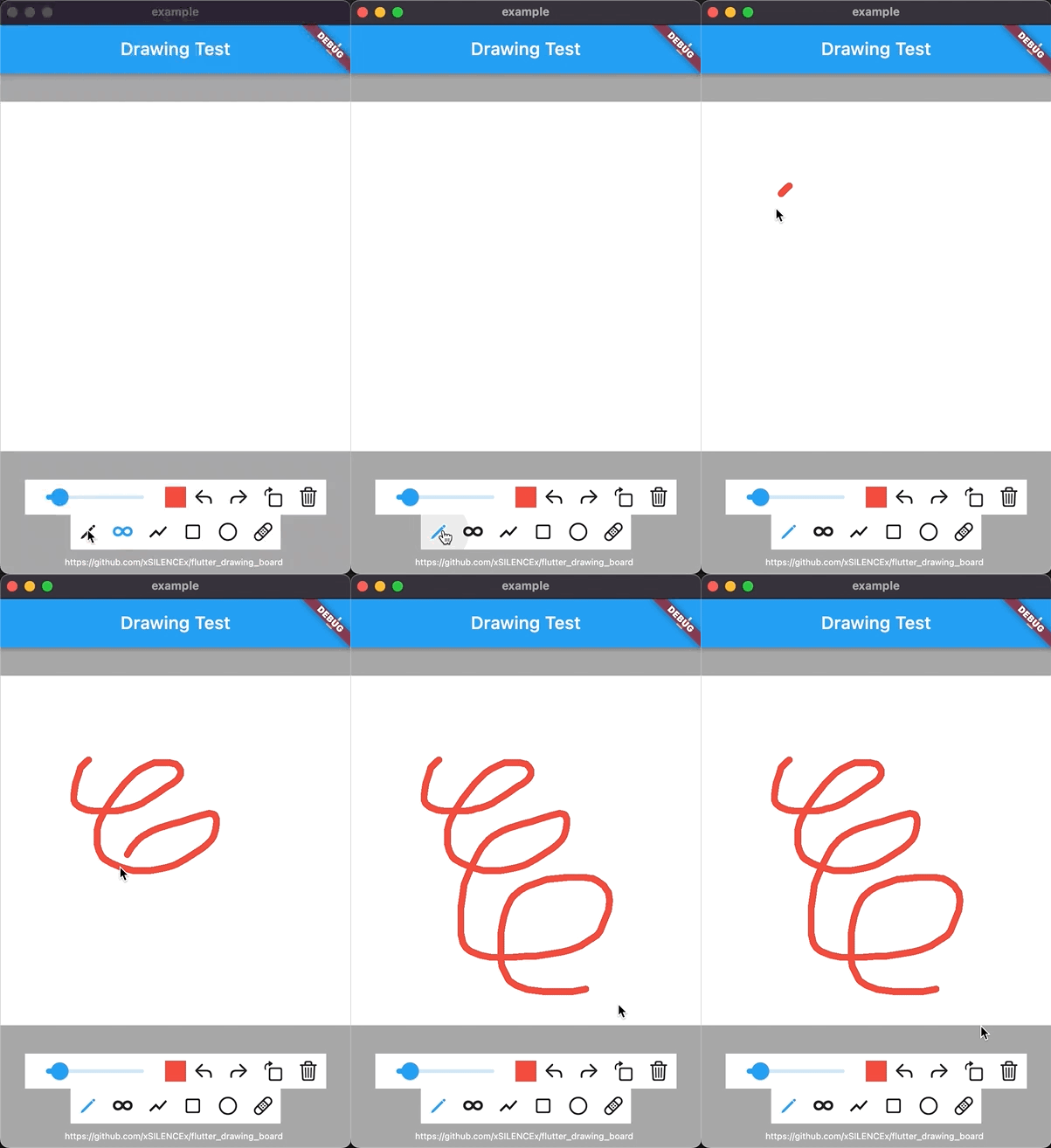
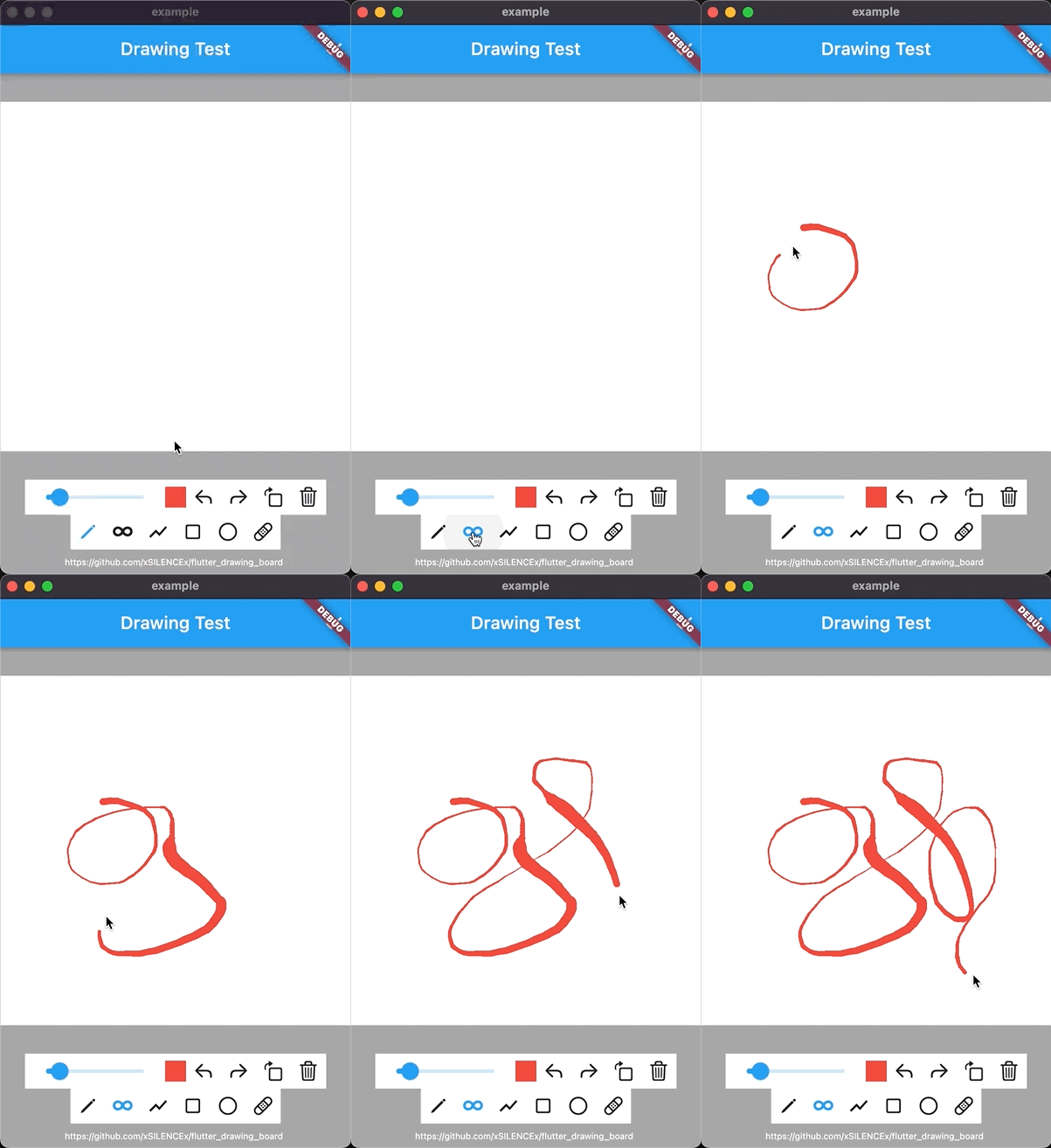
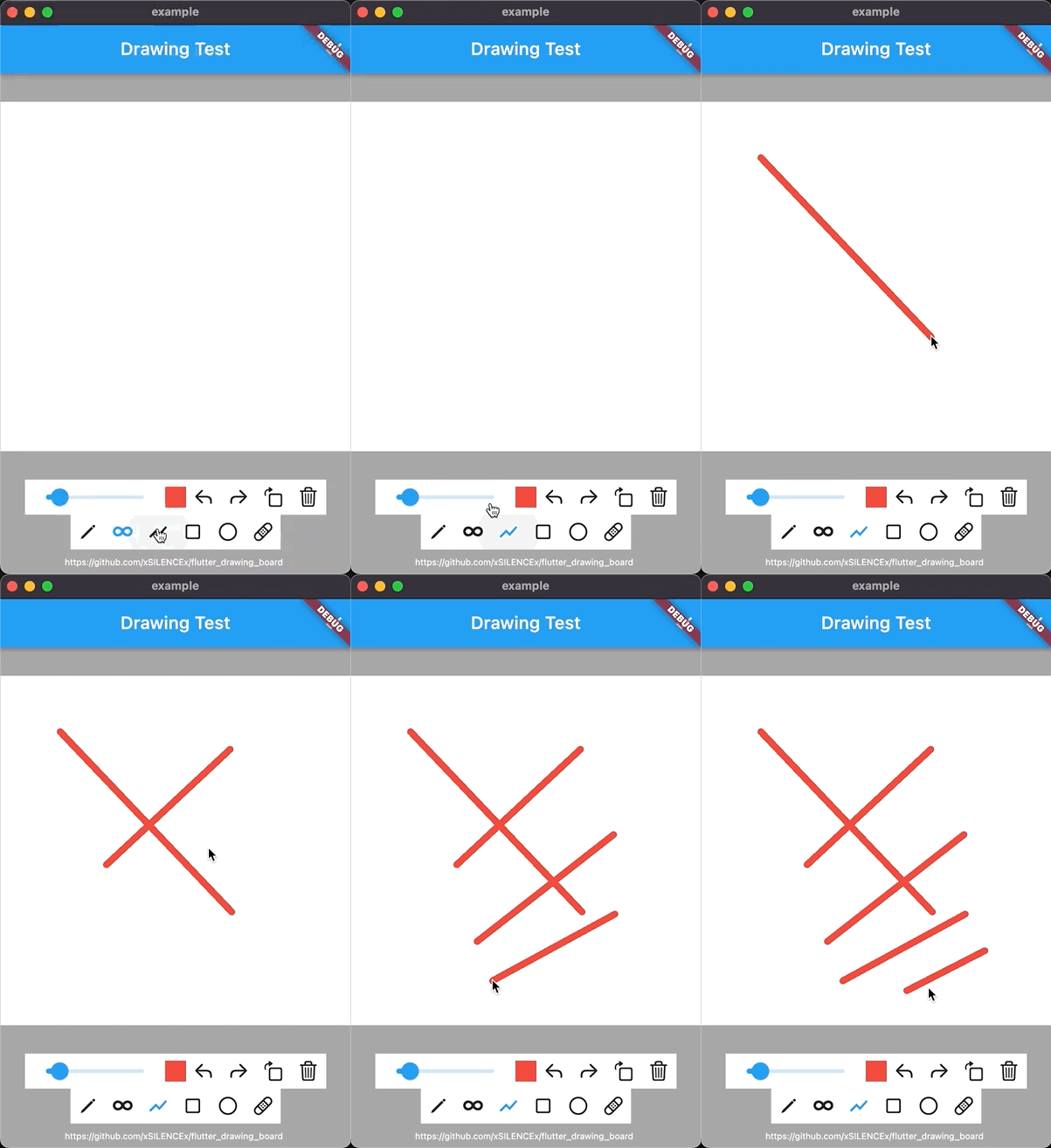
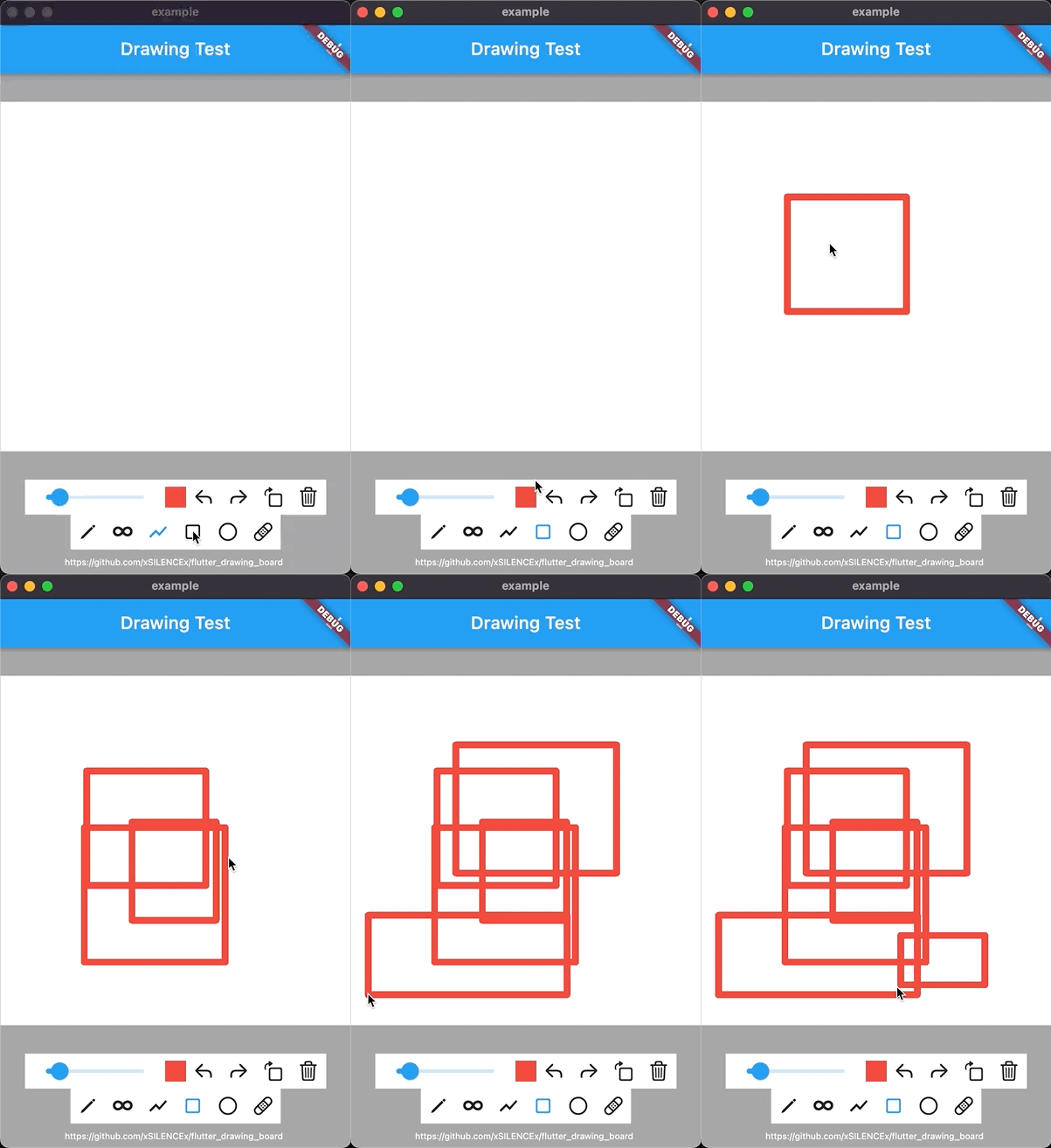
- Rich Drawing Tools - SimpleLine, SmoothLine (brush), StraightLine, Rectangle, Circle, and Eraser
- Advanced Smoothing - Bezier curves and Catmull-Rom spline interpolation for ultra-smooth lines
- Palm Rejection - Prevent accidental palm touches on tablets
- Canvas Operations - Pan, zoom, rotate (90° increments), undo, redo, clear
- Performance Optimized - Point filtering, canvas caching (~70% improvement), optimized eraser (~50% improvement)
- JSON Serialization - Complete save/load support for drawings
- Image Export - Export to PNG and other formats
- Flexible Toolbar System - Built-in toolbars with easy customization
- Highly Extensible - Create custom drawing content types easily
- Configurable History - Limit undo/redo steps to prevent memory growth (default: 100)
Try it online: Demo
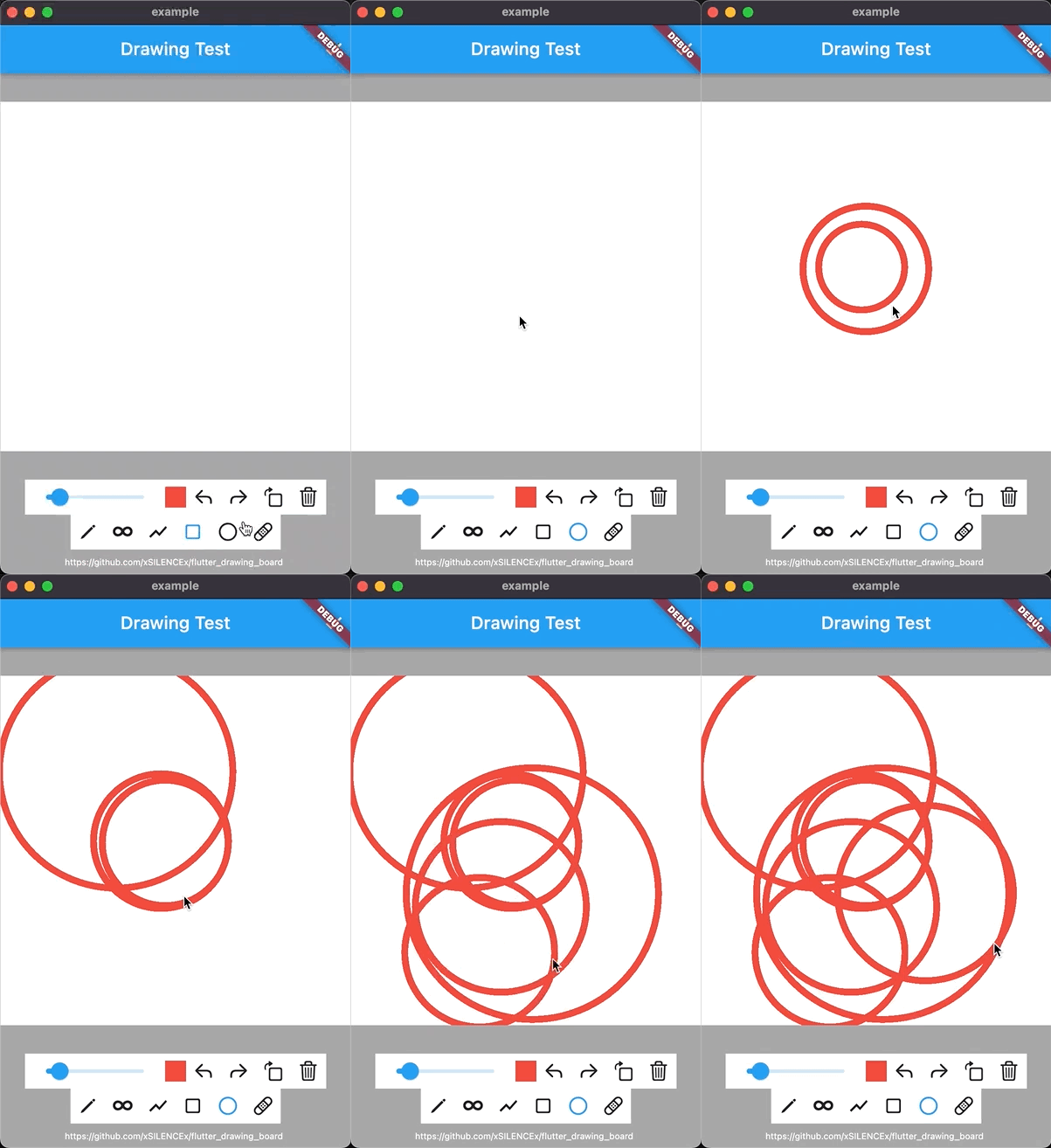
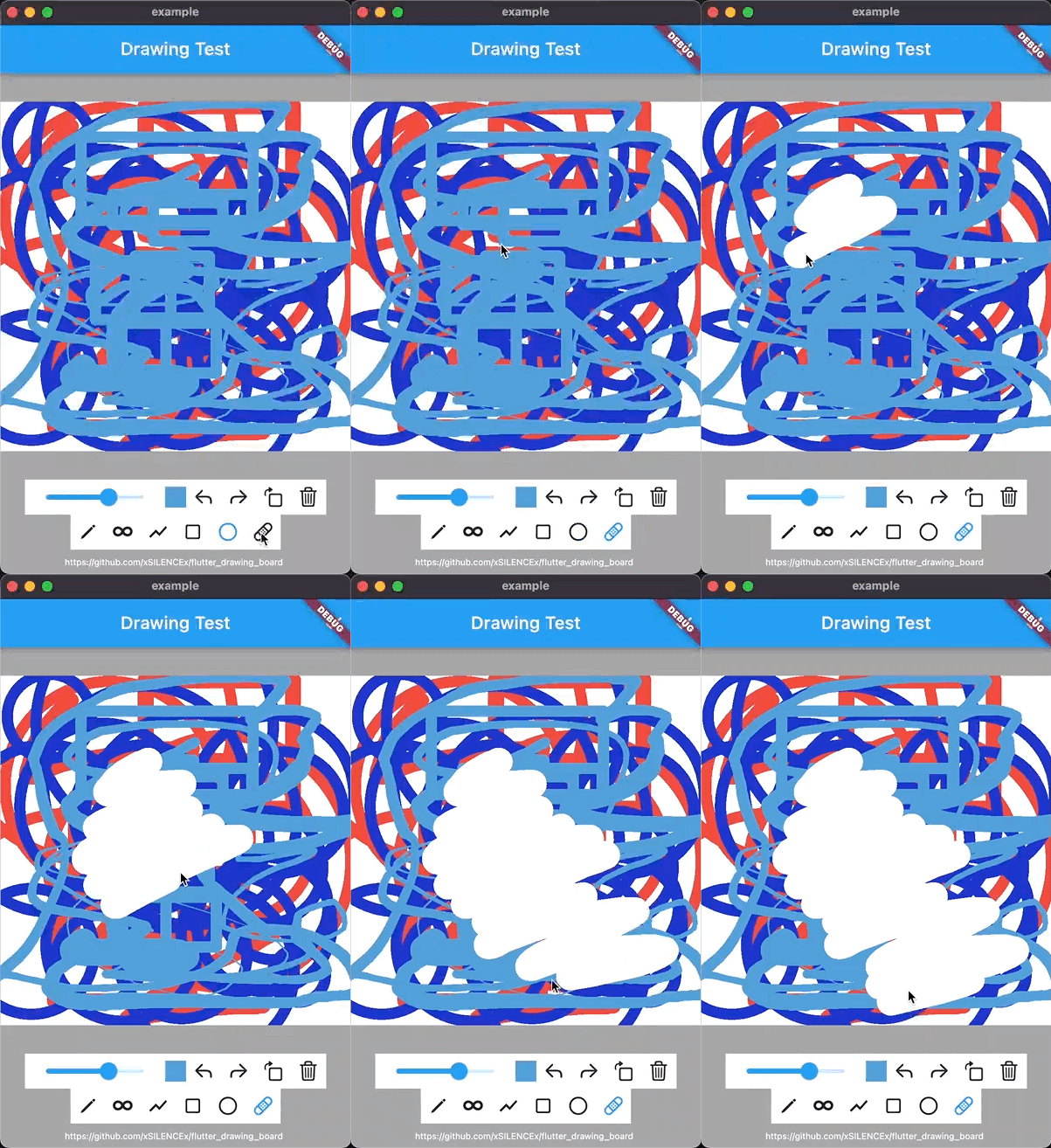
import 'package:flutter_drawing_board/flutter_drawing_board.dart';

class MyDrawingPage extends StatefulWidget {
  @override
  State<MyDrawingPage> createState() => _MyDrawingPageState();
}

class _MyDrawingPageState extends State<MyDrawingPage> {
  final DrawingController _drawingController = DrawingController();

  @override
  void dispose() {
    _drawingController.dispose();
    super.dispose();
  }

  @override
  Widget build(BuildContext context) {
    return Scaffold(
      body: Column(
        children: [
          // Drawing Board
          Expanded(
            child: DrawingBoard(
              controller: _drawingController,
              background: Container(color: Colors.white),
            ),
          ),

          // Action Bar (slider, undo, redo, rotate, clear)
          DrawingBar(
            controller: _drawingController,
            tools: [
              DefaultActionItem.slider(),
              DefaultActionItem.undo(),
              DefaultActionItem.redo(),
              DefaultActionItem.turn(),
              DefaultActionItem.clear(),
            ],
          ),

          // Tool Bar (pen, brush, shapes, eraser)
          DrawingBar(
            controller: _drawingController,
            tools: [
              DefaultToolItem.pen(),
              DefaultToolItem.brush(),
              DefaultToolItem.rectangle(),
              DefaultToolItem.circle(),
              DefaultToolItem.straightLine(),
              DefaultToolItem.eraser(),
            ],
          ),
        ],
      ),
    );
  }
}The package provides several built-in drawing content types:
Draws smooth free-form lines with optional Bezier curve smoothing.
_drawingController.setPaintContent = SimpleLine(
  useBezierCurve: true,  // Enable Bezier smoothing (default: true since v0.9.9)
  minPointDistance: 2.0, // Filter points closer than this distance (default: 2.0)
);Note: Since v0.9.9,
useBezierCurvedefaults totruefor smoother lines. Set tofalsefor the old straight-line behavior.
Draws brush strokes with pressure-like width variation and advanced smoothing.
_drawingController.setPaintContent = SmoothLine(
  brushPrecision: 0.8,   // Line smoothness factor (smaller = smoother, default: 0.8)
  useBezierCurve: true,  // Enable Bezier curves (default: true)
  minPointDistance: 2.0, // Filter redundant points (default: 2.0)
  smoothLevel: 1,        // 0: fast, 1: balanced, 2: ultra-smooth (default: 1)
);
Smooth Levels:
0: Fast - No additional smoothing1: Balanced - Basic smoothing (recommended)2: Ultra-smooth - Catmull-Rom spline interpolation for silky smooth curves
_drawingController.setPaintContent = StraightLine();_drawingController.setPaintContent = Rectangle();_drawingController.setPaintContent = Circle(
isEllipse: false, // false: circle, true: ellipse (default: false)
startFromCenter: true, // true: start from center, false: diagonal (default: true)
);_drawingController.setPaintContent = Eraser();final DrawingController _drawingController = DrawingController(
config: DrawConfig(
contentType: SimpleLine,
strokeWidth: 4.0,
color: Colors.black,
),
maxHistorySteps: 100, // Limit undo/redo history (default: 100)
);_drawingController.setStyle(
color: Colors.blue,
strokeWidth: 6.0,
strokeCap: StrokeCap.round,
strokeJoin: StrokeJoin.round,
blendMode: BlendMode.srcOver,
isAntiAlias: true,
);// Undo last action
_drawingController.undo();
// Redo last undone action
_drawingController.redo();
// Rotate canvas 90° clockwise
_drawingController.turn();
// Clear entire canvas
_drawingController.clear();
// Check operation availability
bool canUndo = _drawingController.canUndo();
bool canRedo = _drawingController.canRedo();
bool canClear = _drawingController.canClear();// Add single content
_drawingController.addContent(StraightLine.fromJson(jsonData));
// Add multiple contents
_drawingController.addContents([
SimpleLine.fromJson(line1Json),
Rectangle.fromJson(rect1Json),
]);Export as Image:
// Get complete image (with background)
Future<void> _exportImage() async {
  final ByteData? data = await _drawingController.getImageData(
    format: ui.ImageByteFormat.png,
  );

  if (data != null) {
    final Uint8List bytes = data.buffer.asUint8List();
    // Save or display the image
  }
}

// Get surface image (drawing only, faster)
Future<void> _exportSurface() async {
  final ByteData? data = await _drawingController.getSurfaceImageData();
  // Use the image data
}
Export as JSON:
void _exportJson() {
  final List<Map<String, dynamic>> jsonList = _drawingController.getJsonList();
  final String jsonString = const JsonEncoder.withIndent('  ').convert(jsonList);
  // Save or share the JSON
}
Import from JSON:
void _importJson(List<Map<String, dynamic>> jsonData) {
  final contents = jsonData.map((json) {
    final type = json['type'] as String;
    switch (type) {
      case 'SimpleLine':
        return SimpleLine.fromJson(json);
      case 'StraightLine':
        return StraightLine.fromJson(json);
      case 'Rectangle':
        return Rectangle.fromJson(json);
      case 'Circle':
        return Circle.fromJson(json);
      case 'Eraser':
        return Eraser.fromJson(json);
      default:
        return null;
    }
  }).whereType<PaintContent>().toList();

  _drawingController.addContents(contents);
}DrawingBoard(
controller: _drawingController,
background: Container(color: Colors.white),
// Interaction callbacks
onPointerDown: (PointerDownEvent event) { /* ... */ },
onPointerMove: (PointerMoveEvent event) { /* ... */ },
onPointerUp: (PointerUpEvent event) { /* ... */ },
// Canvas interaction
boardPanEnabled: true, // Enable panning (default: true)
boardScaleEnabled: true, // Enable zooming (default: true)
minScale: 0.2, // Minimum zoom scale (default: 0.2)
maxScale: 20, // Maximum zoom scale (default: 20)
panAxis: PanAxis.free, // Pan direction constraint (default: free)
// Advanced features
enablePalmRejection: false, // Enable palm rejection for tablets (default: false)
// Layout
alignment: Alignment.topCenter,
clipBehavior: Clip.antiAlias,
boardClipBehavior: Clip.hardEdge,
// Transformation controller for external manipulation
transformationController: _transformationController,
)The DrawingBar widget provides a flexible toolbar layout with automatic controller passing.
// Horizontal toolbar (default)
DrawingBar(
  controller: _drawingController,
  style: HorizontalToolsBarStyle(
    mainAxisAlignment: MainAxisAlignment.center,
    spacing: 8.0,
  ),
  tools: [ /* tool widgets */ ],
)

// Vertical toolbar
DrawingBar(
  controller: _drawingController,
  style: VerticalToolsBarStyle(
    mainAxisAlignment: MainAxisAlignment.start,
    spacing: 8.0,
  ),
  tools: [ /* tool widgets */ ],
)

// Wrap toolbar (auto-wrapping)
DrawingBar(
  controller: _drawingController,
  style: WrapToolsBarStyle(
    spacing: 8.0,
    runSpacing: 8.0,
  ),
  tools: [ /* tool widgets */ ],
)Pre-built tool buttons for switching drawing content:
DefaultToolItem.pen()          // SimpleLine tool
DefaultToolItem.brush()        // SmoothLine tool
DefaultToolItem.straightLine() // StraightLine tool
DefaultToolItem.rectangle()    // Rectangle tool
DefaultToolItem.circle()       // Circle tool
DefaultToolItem.eraser()       // Eraser tool
Custom tool item:
DefaultToolItem(
  icon: Icons.star,
  content: MyCustomContent,
  onTap: (controller) {
    // Custom action
  },
  color: Colors.grey,
  activeColor: Colors.blue,
  iconSize: 24,
)Pre-built action buttons:
DefaultActionItem.slider()     // Stroke width slider
DefaultActionItem.undo()       // Undo button
DefaultActionItem.redo()       // Redo button
DefaultActionItem.turn()       // Rotate 90° button
DefaultActionItem.clear()      // Clear canvas button
Custom action item:
DefaultActionItem(
  childBuilder: (context, controller) {
    return Icon(Icons.save);
  },
  onTap: (controller) async {
    // Save drawing
    await _saveDrawing(controller);
  },
)Prevents accidental palm touches on tablets by detecting large touch areas and rapid successive touches.
DrawingBoard(
  controller: _drawingController,
  background: Container(color: Colors.white),
  enablePalmRejection: true, // Enable palm rejection
)
How it works:
- Rejects touches with size > 15.0 (likely palm)
- Rejects rapid successive touches within 100ms (palm + finger)
Control memory usage by limiting undo/redo history:
final DrawingController _drawingController = DrawingController(
  maxHistorySteps: 50, // Limit to 50 steps (default: 100)
);// Set color with custom opacity
_drawingController.setStyle(
color: Colors.red.withValues(alpha: 0.5),
);Extend PaintContent to create your own drawing tools:
class Triangle extends PaintContent {
  Triangle();

  Triangle.data({
    required this.startPoint,
    required this.A,
    required this.B,
    required this.C,
    required Paint paint,
  }) : super.paint(paint);

  factory Triangle.fromJson(Map<String, dynamic> data) {
    return Triangle.data(
      startPoint: jsonToOffset(data['startPoint'] as Map<String, dynamic>),
      A: jsonToOffset(data['A'] as Map<String, dynamic>),
      B: jsonToOffset(data['B'] as Map<String, dynamic>),
      C: jsonToOffset(data['C'] as Map<String, dynamic>),
      paint: jsonToPaint(data['paint'] as Map<String, dynamic>),
    );
  }

  Offset startPoint = Offset.zero;
  Offset A = Offset.zero;
  Offset B = Offset.zero;
  Offset C = Offset.zero;

  @override
  void startDraw(Offset startPoint) => this.startPoint = startPoint;

  @override
  void drawing(Offset nowPoint) {
    A = Offset(
      startPoint.dx + (nowPoint.dx - startPoint.dx) / 2,
      startPoint.dy,
    );
    B = Offset(startPoint.dx, nowPoint.dy);
    C = nowPoint;
  }

  @override
  void draw(Canvas canvas, Size size, bool deeper) {
    final Path path = Path()
      ..moveTo(A.dx, A.dy)
      ..lineTo(B.dx, B.dy)
      ..lineTo(C.dx, C.dy)
      ..close();

    canvas.drawPath(path, paint);
  }

  @override
  Triangle copy() => Triangle();

  @override
  Map<String, dynamic> toContentJson() {
    return <String, dynamic>{
      'startPoint': startPoint.toJson(),
      'A': A.toJson(),
      'B': B.toJson(),
      'C': C.toJson(),
      'paint': paint.toJson(),
    };
  }
}
Add to toolbar:
DrawingBar(
  controller: _drawingController,
  tools: [
    ...DefaultToolItem.values, // All default tools
    DefaultToolItem(
      icon: Icons.change_history,
      content: Triangle,
      activeColor: Colors.purple,
    ),
  ],
)
Preview:
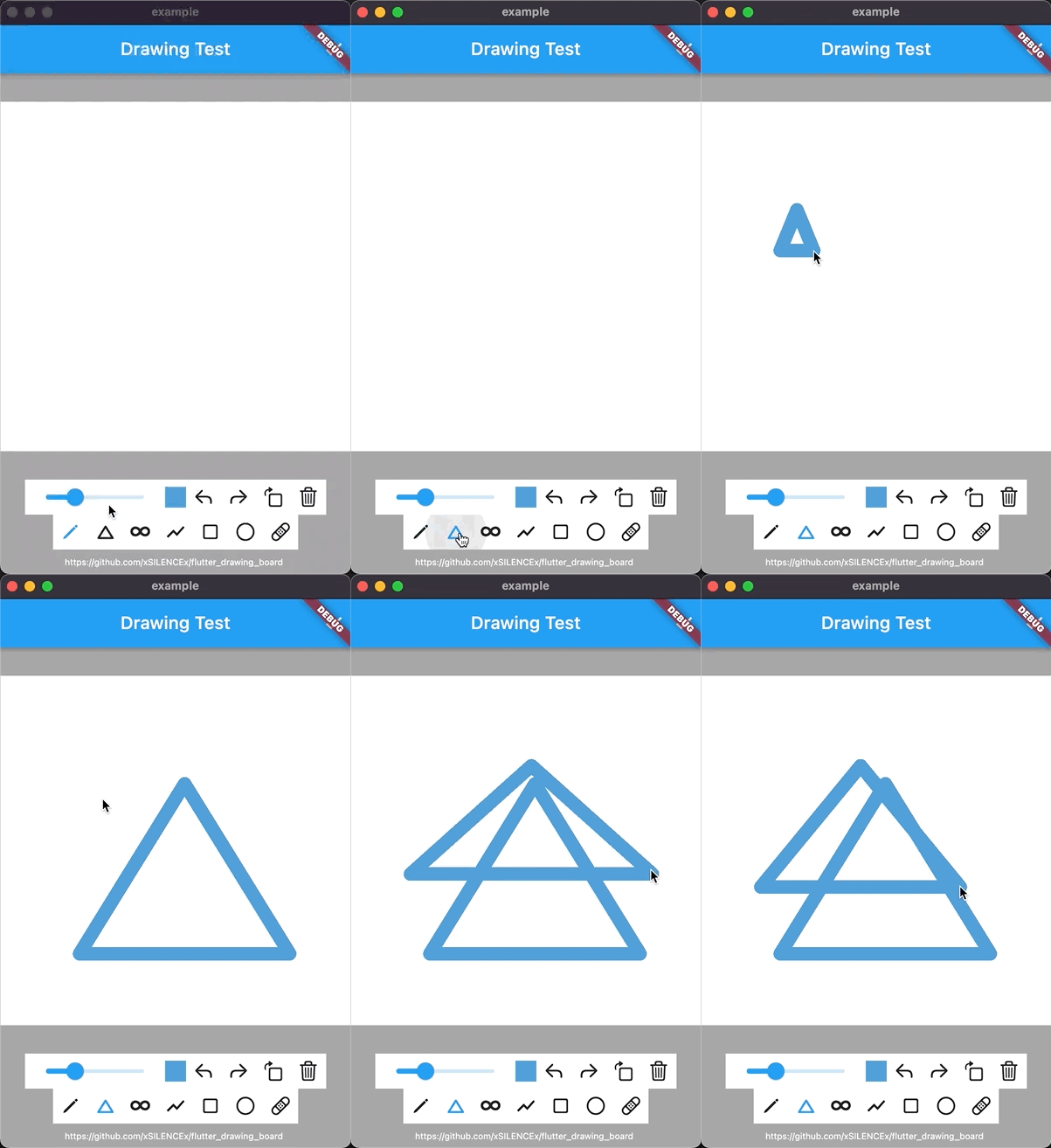
The package includes several performance optimizations (introduced in v0.9.9+):
- Canvas Cache (~70% improvement) - Avoids redundant image generation through cache version control
- Eraser Optimization (~50% improvement) - Reduces double refresh during eraser operations
- Point Filtering (30-50% reduction) - Filters redundant points via
minPointDistance, reducing data by 30-50% - Bezier Smoothing - Eliminates jagged lines without sacrificing performance
- Overall - 30-50% improvement in rendering and memory usage
[
  {
    "type": "StraightLine",
    "startPoint": {"dx": 114.56, "dy": 117.50},
    "endPoint": {"dx": 252.93, "dy": 254.91},
    "paint": {
      "blendMode": 3,
      "color": 4294198070,
      "filterQuality": 3,
      "invertColors": false,
      "isAntiAlias": false,
      "strokeCap": 1,
      "strokeJoin": 1,
      "strokeWidth": 4.0,
      "style": 1
    }
  },
  {
    "type": "SimpleLine",
    "points": [
      {"dx": 100.0, "dy": 100.0},
      {"dx": 150.0, "dy": 120.0},
      {"dx": 200.0, "dy": 110.0}
    ],
    "useBezierCurve": true,
    "minPointDistance": 2.0,
    "paint": { /* ... */ }
  }
]| Method | Description |
|---|---|
setStyle({...}) |
Update paint style (color, width, etc.) |
setPaintContent(PaintContent) |
Switch drawing tool |
undo() |
Undo last action |
redo() |
Redo last undone action |
turn() |
Rotate canvas 90° |
clear() |
Clear canvas |
addContent(PaintContent) |
Add single content |
addContents(List<PaintContent>) |
Add multiple contents |
getImageData() |
Export as image (with background) |
getSurfaceImageData() |
Export surface image (faster) |
getJsonList() |
Export as JSON |
| Type | Description | Parameters |
|---|---|---|
SimpleLine |
Free-form line | useBezierCurve, minPointDistance |
SmoothLine |
Brush stroke | brushPrecision, smoothLevel, useBezierCurve, minPointDistance |
StraightLine |
Straight line | - |
Rectangle |
Rectangle | - |
Circle |
Circle/Ellipse | isEllipse, startFromCenter |
Eraser |
Eraser | - |
Check out the example folder for complete examples including:
- Basic drawing board
- Custom drawing content (Triangle, Image)
- Color picker integration
- JSON import/export
- Image export
Contributions are welcome! Here's how you can help:
- Report bugs - Open an issue describing the bug and how to reproduce it
- Suggest features - Open an issue describing your feature request
- Submit PRs - Fork the repo, make your changes, and submit a pull request
Please ensure your code follows the existing style and includes tests where applicable.
This project is licensed under the MIT License - see the LICENSE file for details.
Join our QQ group:
See CHANGELOG.md for version history.


