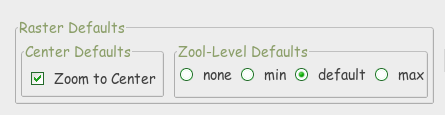
RasterDefaults Wms General
RasterDefaults as used in LibreWms and wmslite
[--> 'List of Sql-Commands'] (Home#commands)
[<-- 'Index Page for RasterLite2 - Commands'] (RasterLite2-Index#commands)
[<-- 'Cutline / RasterDefaults Index'] (Cutline-Index#librewms)
As described in the ['RasterDefaults'] (RasterDefaults-Intention) Page
- the major goal of
RasterDefaultswas to assist Database Designers- in fine tuning a RasterLite2 Database for production/final use
RasterLite2 offers 2 tools to display the result of a raster_coverage
- which, in this proposed patch, have been adapted to also view
- the result of the
RasterDefaultssettings
- the result of the
[[wmslite|https://www.gaia-gis.it/fossil/librasterlite2/wiki?name=wmslite]] is defined as:
... a simple WMS server based on RasterLite2.

...

WmsLite does not require any external configuration;
it will directly publish any Raster Coverage found within
the target database currently connected,
and any related detail is expected to be found within the same DB.
All this makes elementary simple and immediate deploying
a someway limited but absolutely genuine WMS server
(i.e. for testing purposes).
Here, the GetCapabilities, was adapted to include 5 attributes in Layer
- that are not defined in the Wms-Specification
center_xcenter_yzoom_minzoom_defaultzoom_max
Also wmslite.c has been extended to support
- Wms 1.1.1 : ScaleHint
- calculated with a hypotenuse of 0.35mm (using 2004.40)
- which brings result more similar to Min/Max-ScaleDenominator
- int scale_hint_min=(int)min_scale_denominator/2004.40;
- int scale_hint_max=(int)max_scale_denominator/2004.40;
- calculated with a hypotenuse of 0.35mm (using 2004.40)
- Wms 1.3.0 : Min/Max-ScaleDenominator
- which uses ['RL2_GetRasterCoverageDefaults(coverage_name)'] (RL2_GetRasterCoverageDefaults)
- to retrieve these values
- which uses ['RL2_GetRasterCoverageDefaults(coverage_name)'] (RL2_GetRasterCoverageDefaults)
Note:
- The RasterLite2 Database will read when WmsLite is started
- any changes made to the original Database will not be noticed
- to show the effects of any ['RL2_SetRasterCoverageDefaults(coverage_name)'] (RL2_SetRasterCoverageDefaults) that may have been made
- WmsLite must be restarted
- to show the effects of any ['RL2_SetRasterCoverageDefaults(coverage_name)'] (RL2_SetRasterCoverageDefaults) that may have been made
- any changes made to the original Database will not be noticed
[[LibreWms|https://www.gaia-gis.it/fossil/librewms/wiki?name=LibreWmsDoc]] is defined as:
... is a light-weight, elementary simple free software application implementing
the functionalities of an almost complete standard compliant WMS client;
in other worlds, you can use this simple tool in order to
directly access an external WMS server.
LibreWMS simply is a thin GUI level encapsulating the WMS client
internally implemented by the librasterlite2 library ...
Goals:
- no changes to the functionality of the original program
- add additional information to assist Database Designers
- in fine tuning a RasterLite2 Database
To display the usage of RasterDefaults
- 2 existing Dialog's have been adapted:
-
Open WMS Datasource -
WMS Map User Scale-
 
-
Wms-Sources:
-
RasterLite2
- the Center and Zoom-Levels found in the Database will be used
- the Zoom-Levels
- should be a reasonable reflection of the Min/Max resolutions
- should, however, be checked
- since each Map may 'react' differently to the default calulations
- should, however, be checked
- should be a reasonable reflection of the Min/Max resolutions
-
External with ScaleDenominator or ScaleHint
- the Center will be based on the Center of the Map-Extent reported
- Exceptions
- Berlin Area:
Quadriga, Brandenburg Gate, Berlin, Germany - Toscana Area:
Palazzo Medici Riccardi, Firenze, Italia
- Berlin Area:
- Exceptions
- the Zoom-Levels will be based of the received ScaleDenominator
- MaxScaleDenominator as zoom_min
- using 1:4000 as Zoom-Level 17 : zoom_default
- MinScaleDenominator as zoom_max
- the Center will be based on the Center of the Map-Extent reported
-
External without ScaleDenominator or ScaleHint
- the Center as with ScaleDenominator or ScaleHint
- the Zoom-Levels will be calculated
-
MaxScaleDenominator will be based on the
- Application ClientSize and Extent
- and should bring reasonable results
- Application ClientSize and Extent
-
MinScaleDenominator will be set to 100
- due to a complete lack of information
- and should therefor be considered very unreliable
- using the Trial and Error method
- will be the only way to resolve this properly
- due to a complete lack of information
-
MaxScaleDenominator will be based on the
Note:
-
ScaleDenominator
- my impression is, that most providers
- do not set this value with very much care
- many Providers use the same values for all maps
- irrespective of the original Map-Resolution
- which only they know
- irrespective of the original Map-Resolution
- many Providers use the same values for all maps
- do not set this value with very much care
- my impression is, that most providers
Note:
- since both WmsLite and LibreWms are passiv applications
- no change can be made to the original Database
[<-- 'Cutline / RasterDefaults Index'] (Cutline-Index#librewms)
2015-11-14: Mark Johnson, Berlin Germany
-