




TS-VIS(Tianshu Visualization) is a visualization tool kit of Tianshu AI Platform. , which support visualization of the most popular deep learning frameworks, such as TensorFlow, PyTorch, OneFlow, etc.
Document (Chinese): https://feyily.github.io/tsvis-document/
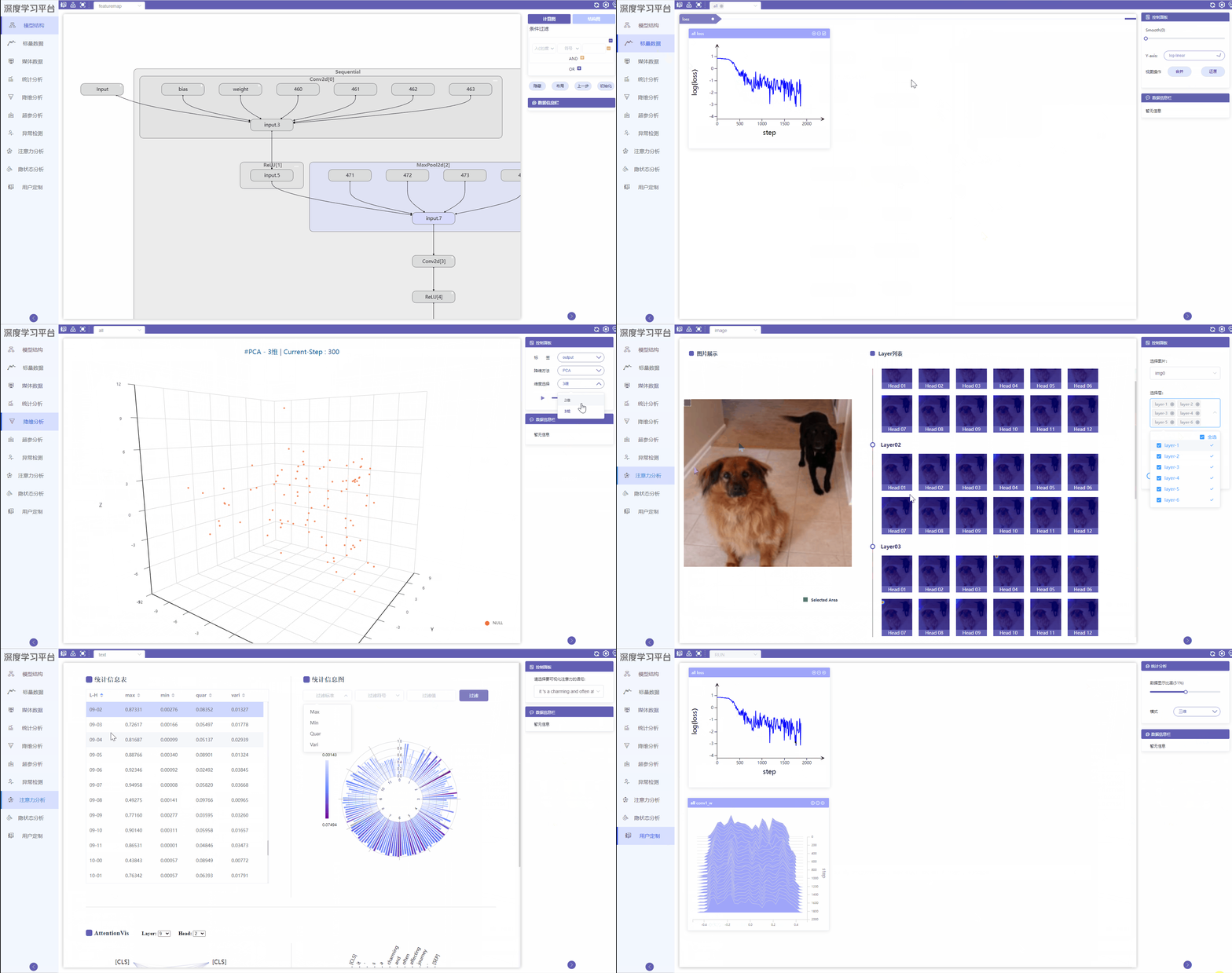
- Framework-independent, support visualization of the most popular deep learning frameworks, such as TensorFlow, PyTorch, OneFlow, etc.
- Faster response speed
- Support the visualization of large-scale data
- Support real-time visualization during training
- Support embedding sample visualization
- Support neural network exception visualization
- Supports multiple feature map visualizations
- Support Transformer visualization
- Support RNN hidden state visualization
- Graph: Visualize neural network structure, including computational graph and structure graph
- FeatureMap:Visualize convolutional features of convolutional neural networks
- Scalar: Visualize arbitrary scalar data including
accuaryandloss - Media: Visualize media data including images, text, and audio
- Distribution: Visualize the distribution of weights, biases, etc. in neural network
- Embedding: Visualize arbitrary high-dimensional data through dimensionality reduction algorithm
- Hyperparameter: Visualize neural network indicators under different hyperparameters
- Exception: Map neural network tensor data to two dimensions, visualize tensor data statistics
- Custom: Move the charts in
Scalar,Media, andDistributionto this module for comparison and viewing - Attention:Visualize Attention Data for Image and Text Transformer Models
- HiddenState:Visualize RNN hidden state values and perform matching analysis
We provide two installation methods: install by pip and install from source. No matter which method you pick, you need to make sure that your Python version is 3.6 or higher, otherwise please upgrade Python first.
pip install tsvis
TS-VIS adopts the architecture of separation of frontend and backend, so you need to build the frontend and backend separately
-
Build frontend from source:
cd webappInstall dependencies first
npm installPackage frontend to generate static files
npm run build -
Build backend from source:
To install the backend, you need to first move the static files generated by previous step to
tsvis/server/frontendfolderThen install the Python dependency package
setuptoolspip install setuptoolsRun
setup.pyto install TS-VIS to your Python environmentpython setup.py install
After installation, you can run the following command. If the version information is output in the console, it means that you have installed TS-VIS correctly.
tsvis -v
Then you can run the visualization with the following command
tsvis --logdir path/to/logdir/
By default, the visualization service will start at http://127.0.0.1:9898, open the browser to access the visualization content.