Home
Welcome to the Desktop4Kids OS Wiki 👋
This wiki is the central documentation hub for Desktop4Kids OS, a safe, offline-first desktop environment designed specifically for children.
Whether you are a parent, educator, developer, or contributor, this wiki will help you understand how Desktop4Kids OS works and how to use or extend it safely.
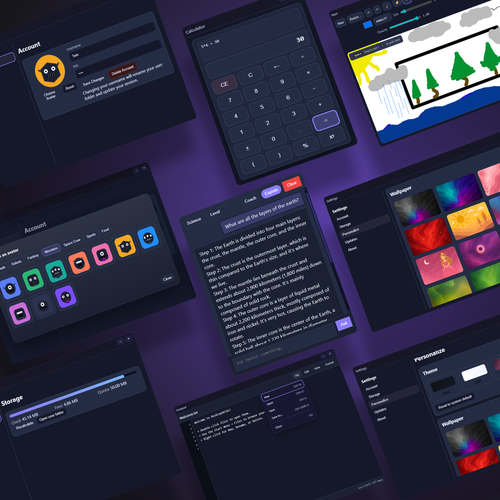
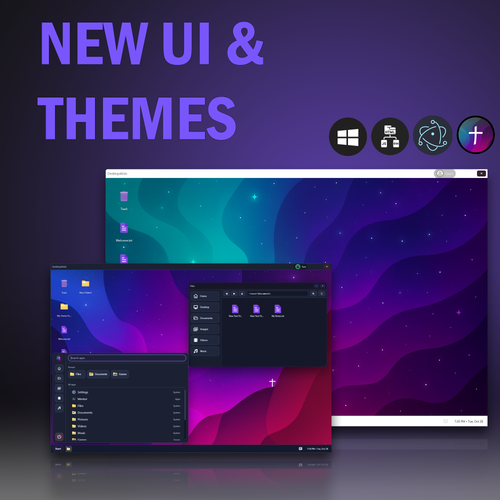
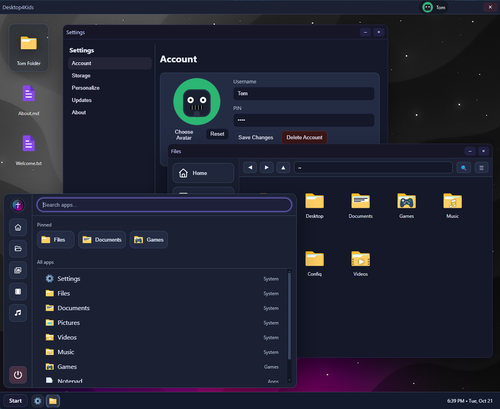
Desktop4Kids OS is a browser-based desktop simulation built with Electron that runs entirely offline.
It provides children with:
- A real desktop experience (windows, apps, files)
- A sandboxed, child-safe environment
- No ads, no tracking, and no internet dependency
- A fully local AI learning assistant (Mentor AI)
The goal is to teach computer literacy, creativity, and problem-solving in a secure and privacy-first way.
Desktop4Kids OS is designed with safety as a core principle:
- 🚫 No network access required
- 🚫 No telemetry or analytics
- 🚫 No cloud services
- 📁 All files stay local on the device
- 🤖 AI runs locally using GGUF models
This makes Desktop4Kids OS suitable for offline learning environments and privacy-conscious households.
Use the links below to navigate the documentation:
-
Getting Started
- Installation (Windows / Linux)
- System Requirements
- Quick Start Guide
-
Mentor AI
- What Mentor AI is
- Supported models
- Safety rules and limitations
-
Built-In Applications
- File Explorer
- Paint
- Calculator
- Media Center
- Settings
-
Parental Controls
- Current features
- Planned safety tools
-
Contributing
- Project structure
- Security guidelines
- How to add apps safely
- Parents looking for a safe learning desktop
- Educators teaching computer basics offline
- Developers interested in secure Electron apps
- Contributors who want to help build kid-friendly software
-
📘 Main Repository:
https://github.com/iSev7n/Desktop4Kids-OS -
🐞 Bug Reports & Feature Requests:
https://github.com/iSev7n/Desktop4Kids-OS/issues -
📜 License:
GNU General Public License v3.0
Desktop4Kids OS follows three guiding principles:
- Offline-First – Learning should not depend on the internet
- Privacy by Design – Children’s data stays on their device
- Approachable Technology – Real systems, simplified safely
Thanks for checking out Desktop4Kids OS ❤️
Feel free to explore the wiki, open issues, or contribute!