
The command center for developers who juggle multiple projects, branches, and environments.
Website · Download · Features · Quick Start · Contributing




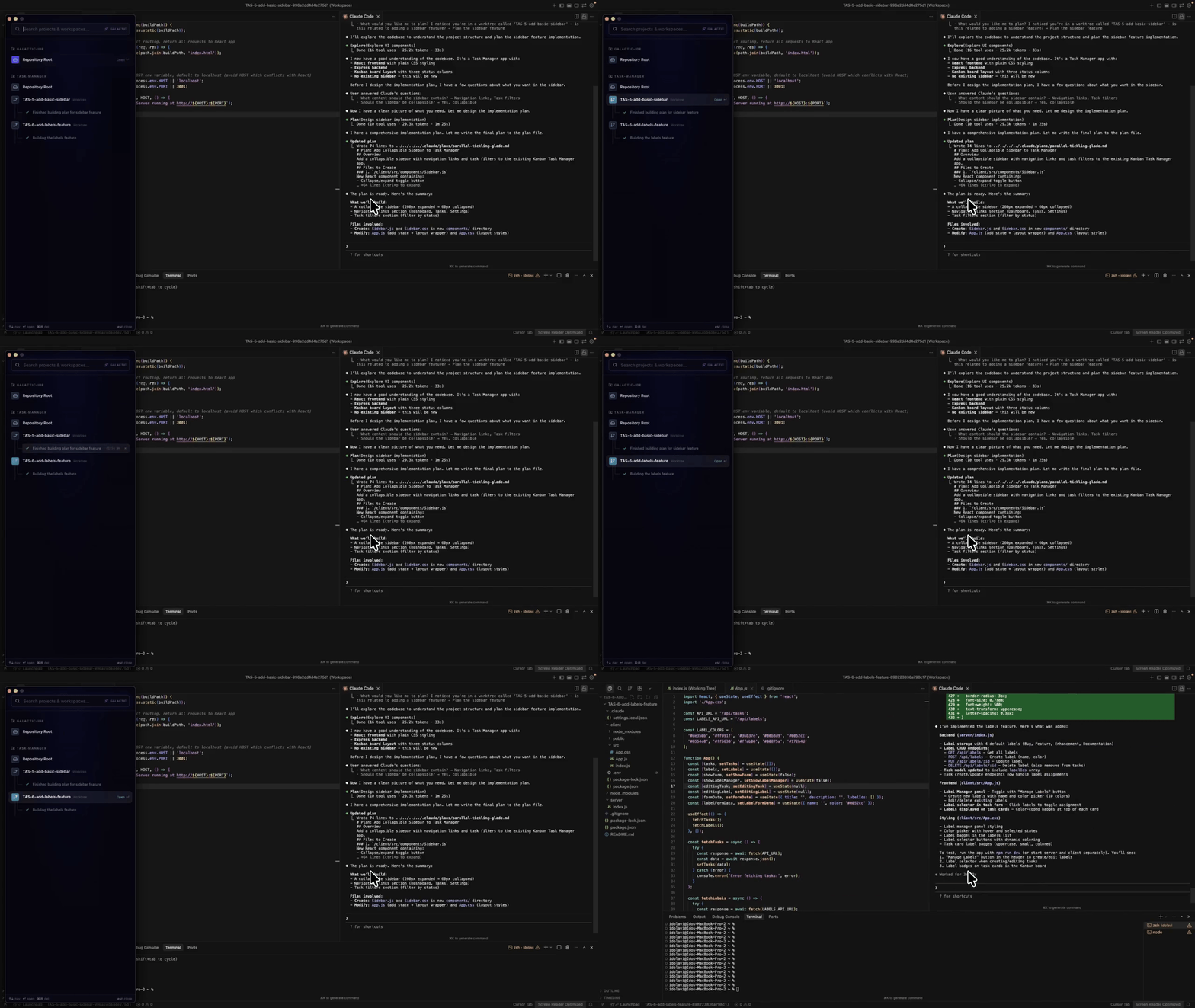
Modern development means working across multiple repositories, branches, microservices, and AI coding agents, often at the same time. Context-switching between them is slow, error-prone, and eats into flow state.
Galactic gives you a single native desktop app to manage it all:
- Launch any project in Cursor or VS Code with one click
- Create isolated Git worktrees so you can work on multiple branches simultaneously without stashing
- Run parallel environments on the same ports using network isolation, no Docker or VMs needed
- Monitor your AI agents (Cursor, Claude, Codex) in real time through MCP integration
- Jump to anything instantly with a global hotkey launcher
Create fully isolated worktrees for any branch with a single click. Each worktree gets its own .code-workspace file and can optionally inherit config files from the main repo. Work on a hotfix while your feature branch stays untouched.
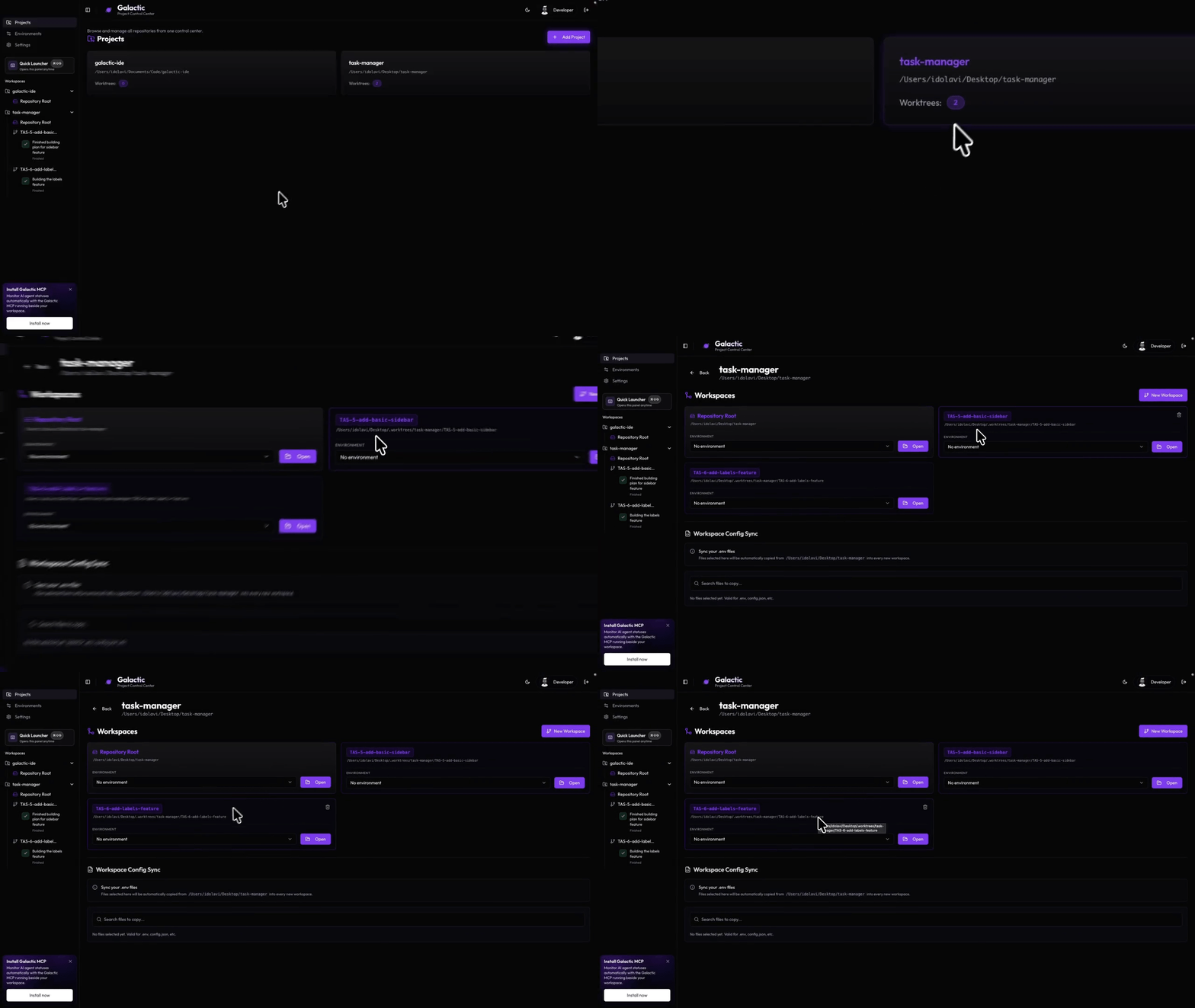
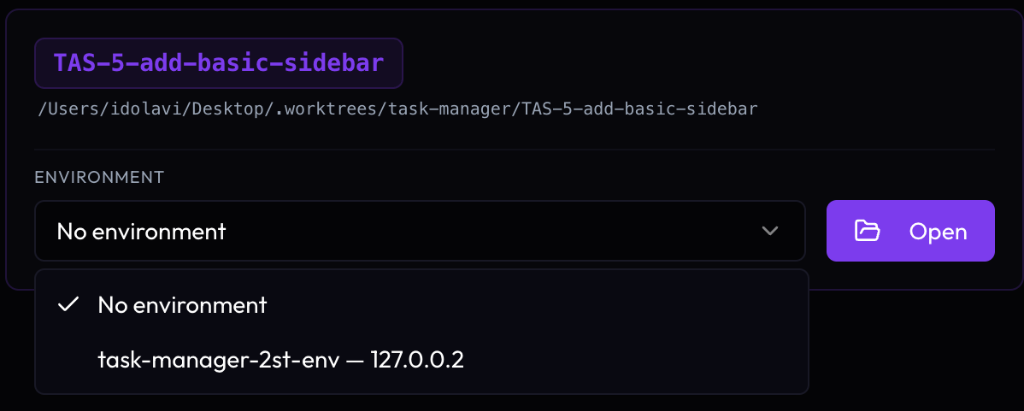
The standout feature. Galactic assigns unique loopback addresses (127.0.0.2, 127.0.0.3, ...) to each environment, letting you run multiple instances of the same stack on the same ports without conflicts. No containers, no port juggling.
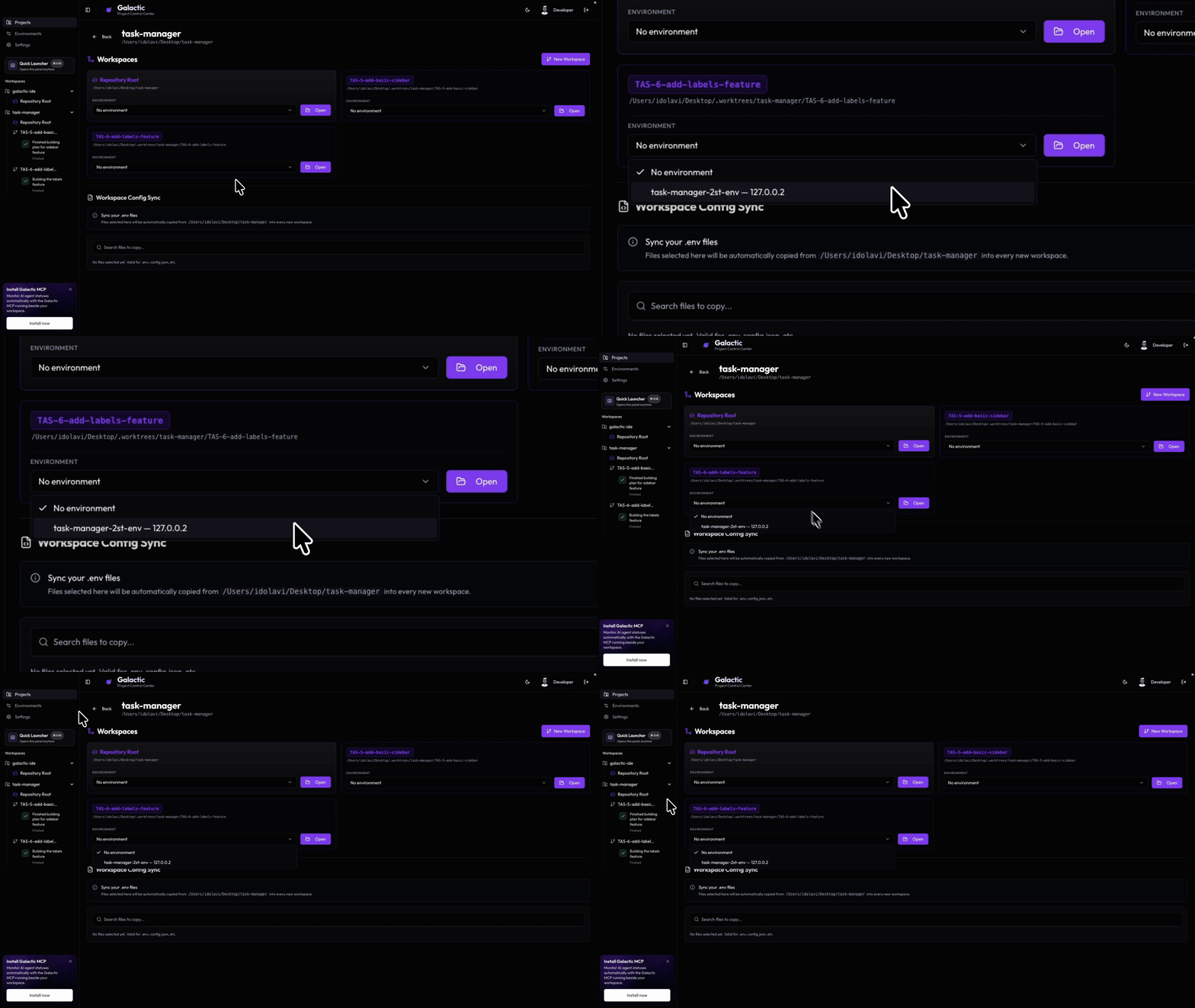
Galactic runs an MCP server that connects to your AI-powered editors. See active agent sessions from Cursor, VS Code, Claude, and Codex in one place. Get notified when a session finishes, takes too long, or needs your attention.
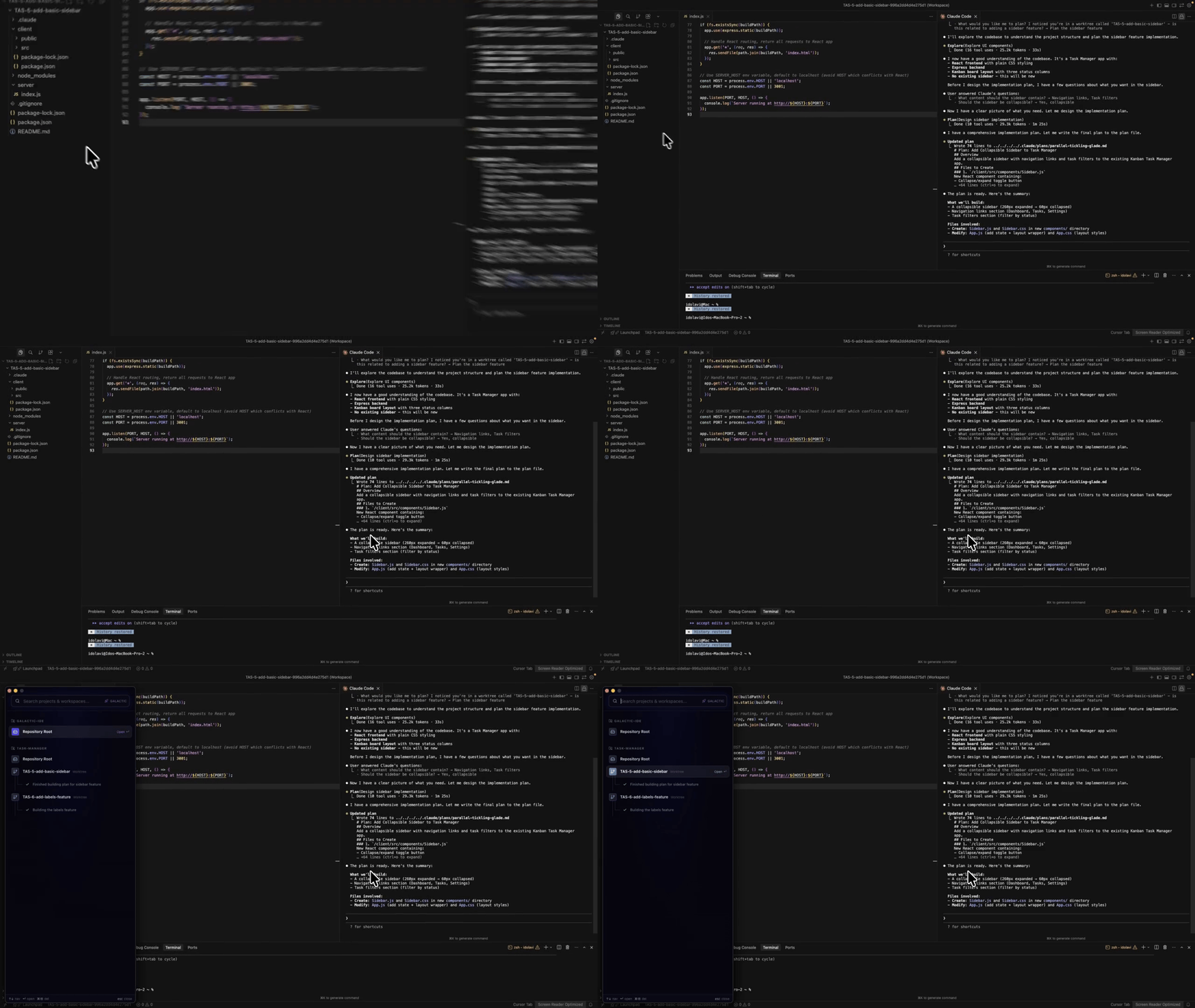
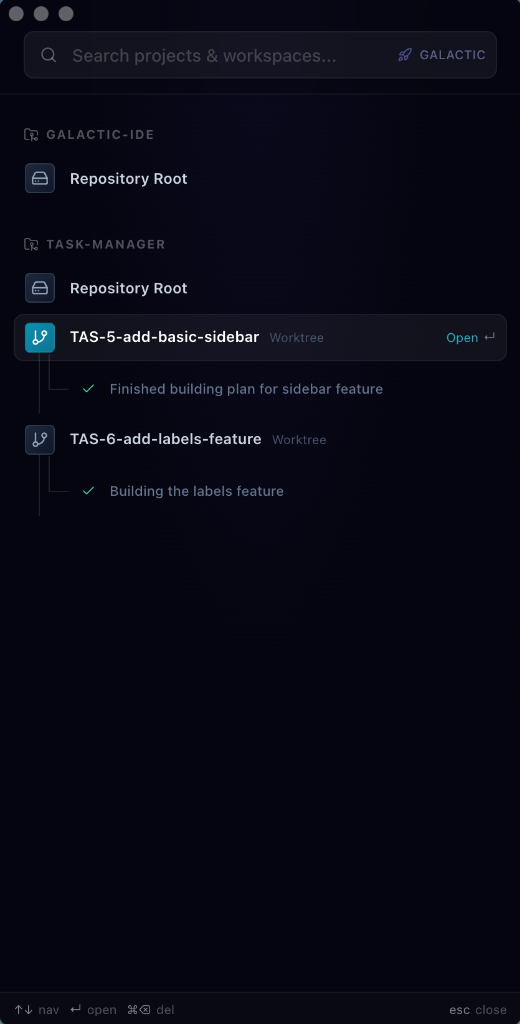
Press Cmd+Shift+G anywhere on your Mac to summon a floating sidebar with all your projects, workspaces, and active agent sessions. Jump into any workspace instantly without switching to Galactic first.
First-class support for both Cursor and VS Code. Choose your preferred editor globally, and Galactic handles workspace file generation, environment binding, and smart launch logic for either one.
Attach environments to projects and worktrees. Galactic writes .code-workspace files with your environment variables baked in, and detects when variables change so you know to relaunch.
Grab the latest signed .dmg from galactic-dev.com.
Prerequisites: macOS Sonoma or newer, Node.js >= 18, Xcode Command Line Tools
# Clone the repo
git clone https://github.com/idolaman/galactic-ide.git
cd galactic-ide

# Install dependencies
npm install

# Start in development mode
npm run dev
This launches Vite (renderer), the Electron main process compiler, and Electron itself concurrently. Hot reload is enabled for the renderer; Electron restarts automatically when main-process files change.
npm run buildOutputs a signed .dmg and .zip to the release/ directory (arm64 + x64).
galactic-ide/
├── electron/            # Main process, preload, MCP server
│   ├── main.ts          # Electron entry point & IPC handlers
│   ├── preload.ts       # Secure bridge to renderer
│   └── mcp-server.ts    # Model Context Protocol server
├── src/                 # React renderer (Vite)
│   ├── pages/           # Top-level routes
│   ├── components/      # React components + shadcn/ui
│   ├── services/        # Business logic & IPC bridges
│   ├── hooks/           # Custom React hooks
│   ├── stores/          # Zustand state
│   └── types/           # TypeScript definitions
├── electron-builder.yml # Build & packaging config
└── package.json
| Layer | Technology |
|---|---|
| Desktop Shell | Electron 32 |
| Frontend | React 18, TypeScript 5.8, Vite 5 |
| UI Components | shadcn/ui + Radix UI |
| Styling | Tailwind CSS 3 |
| State | Zustand, TanStack React Query |
| Validation | Zod |
| Icons | Lucide React |
| Auto-Updates | electron-updater |
| Command | Description |
|---|---|
npm run dev |
Launch Electron + Vite in development mode |
npm run build |
Production macOS build (dmg + zip) |
npm run build:ui |
Vite production build only |
npm run build:main |
Compile Electron TypeScript |
npm run lint |
Run ESLint |
Contributions are welcome! Please read CONTRIBUTING.md before opening a PR.
# Fork & clone, then:
npm install
npm run dev
npm run lint   # Must pass before submitting
See CLAUDE.md for detailed coding conventions (file size limits, styling rules, import patterns, naming, etc.).
- Windows and Linux support
- Plugin system for custom integrations
- Project templates and scaffolding
- Team workspace sharing
- Built-in terminal with environment awareness
Have an idea? Open an issue to start a discussion.
Galactic is open-source software licensed under the GNU Affero General Public License v3.0.
Built by Galactic Dev
