A smart travel guide mobile application developed for Sri Lanka, featuring a mobile app, admin portal, and backend server.
Watch the demo of the Smart Travel Guide App:
The project has four main components:
-
Backend Server
-
Admin Portal
For a detailed user guide on using the admin portal, please refer to this document: Smart Travel Guide App - User Guide admin portal


- Mobile Application
For a detailed user guide on using the mobile application, please refer to this document: Smart Travel Guide App - User Guide mobile application


- Web Application
For a detailed user guide on using the web application, please refer to this document: Smart Travel Guide App - User Guide web application


git clone https://github.com/indunil-19/Smart-travel-guide-app
cd Smart-travel-guide-app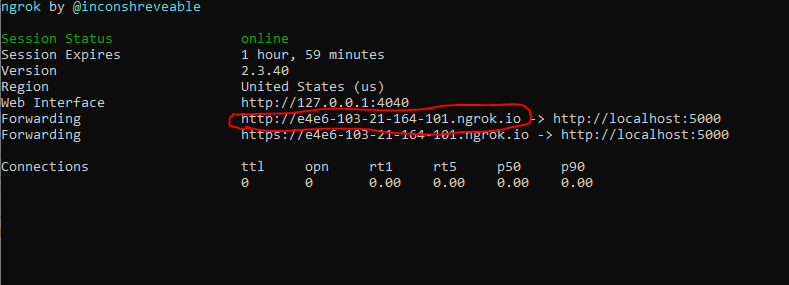
cd Servernpm installnodemon app # If nodemon is installed
node app.js # Otherwise✅ You should see:
app is working on port 5000
cd webappnpm installnpm start🌐 Open http://localhost:3000/ in your browser to access the landing page.
🌐 Open http://localhost:3000/travelPlan in your browser to access the travel plan web app.
🌐 Open http://localhost:3000/admin/signin in your browser to access the admin portal.
cd Smart-travel-guide-app/smart_travel_guideexpo install
# or
npm installYou need ngrok to expose your local backend server to the internet:
npm install -g ngrokngrok http 5000📸 Example output:\
Copy the ngrok HTTPS forwarding URL and update the following file:
Smart-travel-guide-app/smart_travel_guide/src/config/config.jsReplace the localhost URL at line 2 with your ngrok URL.
Start the Expo development server:
expo start📱 You can now preview the mobile app on your Android/iOS device using Expo Go or an emulator.