
SCR.RCD is a web-based screen recording application that allows users to record their screens directly in the browser. Unlike traditional screen recording tools that save recordings on servers, SCR.RCD stores recorded videos locally on the client-side using IndexedDB, ensuring user privacy and security.
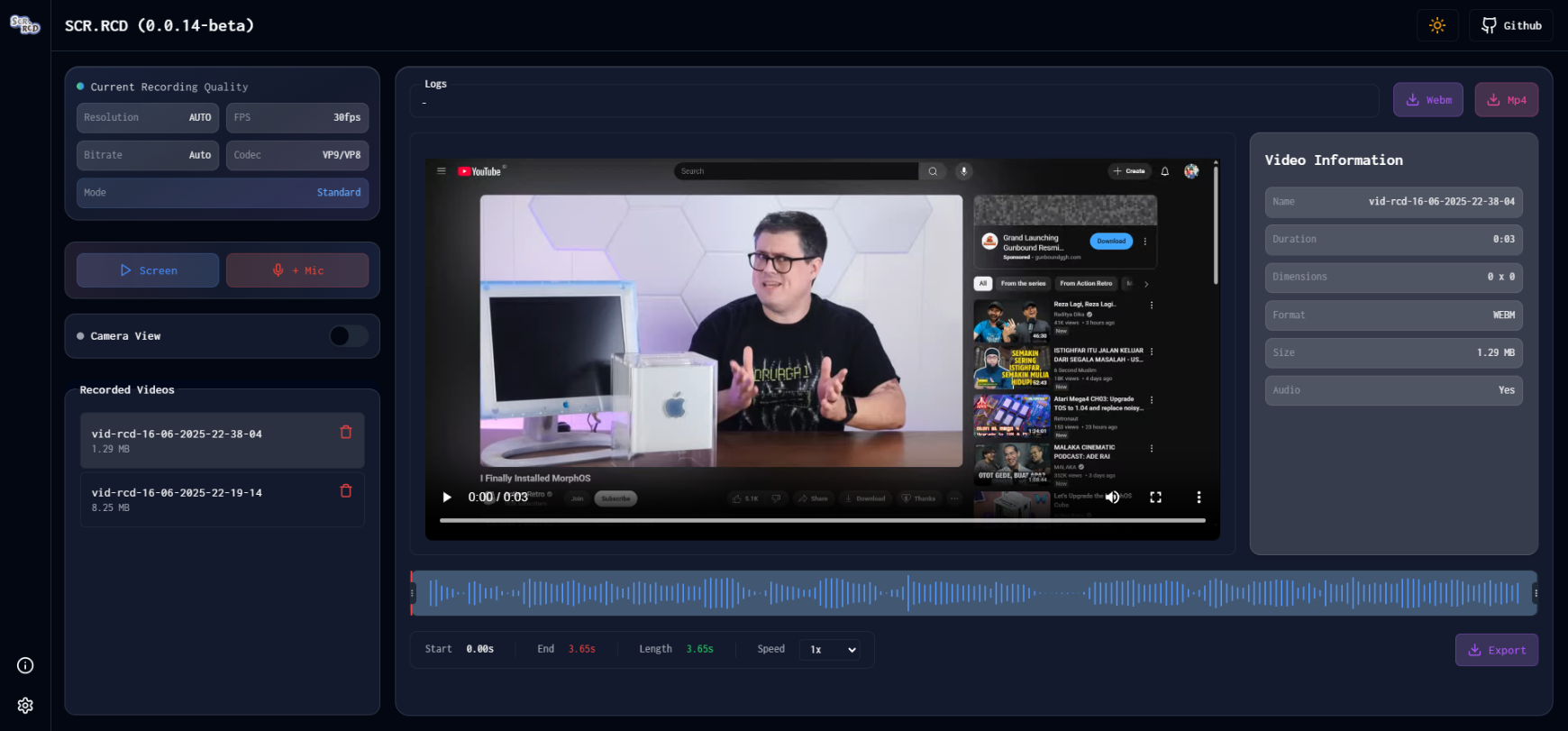
- Browser-based: SCR.RCD is entirely browser-based, eliminating the need for users to install additional software or plugins.
- Screen Recording: Record your screen with ease directly within your browser window.
- Local Storage: Recorded videos are stored locally on the client-side using IndexedDB, providing enhanced privacy and security.
- Simple Interface: The user interface is intuitive and easy to use, making screen recording accessible to everyone.
- CameraView: Enable camera view (currently using PiP, only recorded if the user select capture entire screen).
- Video Cutter: Added ability to trim video in mp4 format.
- Customizable Settings: Customize recording settings such as frame rate, resolution, and audio options.
- Multi-Resolution Support: Choose from various resolutions including Auto, HD (720p), Full HD (1080p), 2K, 4K, and Maximum.
- Advanced Bitrate Control: Select between Auto, High Quality (8 Mbps video + 256 Kbps audio), and Ultra Quality (15 Mbps video + 320 Kbps audio).
- Codec Optimization: Support for VP9, VP8, and H.264 with auto-detection of the best supported codec.
- Advanced Video Mode: Enhanced video constraints with aspect ratio optimization and improved recording quality.
- Auto-Optimization: Smart device capability detection and automatic application of optimal settings.
- Enhanced Audio Quality: CD quality audio (44.1 kHz) with improved bitrate and echo cancellation.
- Quality Information Display: Real-time display of active recording quality settings.
- Playback Speed Control: Adjust video playback rates in both VideoCutter and VideoPlayer components.
- whats next ...?
This template should help get you started developing with Vue 3 and TypeScript in Vite. The template uses Vue 3 <script setup> SFCs, check out the script setup docs to learn more.
-
VS Code + Vue - Official (previously Volar) and disable Vetur
-
Use vue-tsc for performing the same type checking from the command line, or for generating d.ts files for SFCs.
- see here
To get started with SCR.RCD, follow these steps:
- Clone the repository:
git clone https://github.com/iqbaladinur/scr.rcd.git - run
npm installinside scr.rcd directory - run
npm run devto start local development
SCR.RCD is compatible with modern web browsers that support the necessary APIs for screen recording and IndexedDB storage. We recommend using the latest versions of browsers such as Google Chrome, Mozilla Firefox, or Microsoft Edge for the best experience.
We welcome contributions from the community to improve SCR.RCD. If you'd like to contribute, please follow these guidelines:
- Fork the repository.
- Create a new branch:
git checkout -b feature/my-feature. - Make your changes and commit them:
git commit -am 'Add new feature'. - Push to the branch:
git push origin feature/my-feature. - Submit a pull request.
Please ensure that your code adheres to our coding standards and includes appropriate documentation for any new features or changes.
If you encounter any issues or have any questions about SCR.RCD, please feel free to open an issue on GitHub, and we'll be happy to assist you.
This app is open-sourced software licensed under the MIT LICENSE.