

I created this workflow from a need to quickly open a specific Trello board.
We use a different board per project, have a lot of projects and thus a lot of boards to jump around to all day, so being able to quickyl access a board is a really timesaver.
Note that using Workflows (like this one) with Alfred requires that you have a Powerpack license.
Note: update 1.4.0 adds support for the newly released Alfred 3. It should also be backwards compatible with Alfred 2, if you see any issue, please report those here.
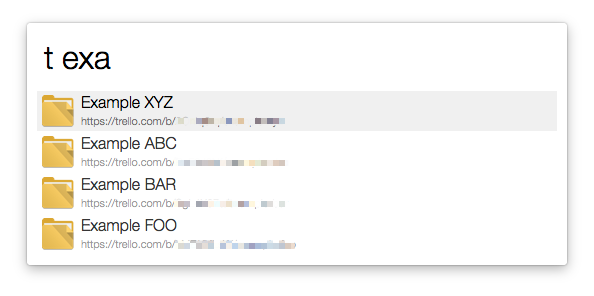
Run these command to configure the workflow and start using it:
-
"trello setup" - will prompt you to give the workflow access to your Trello account. When you confirm this, you'll see a 64 characters long string on the screen. ❗ Copy that string to the clipboard. ❗
-
"trello save" - and paste the key you copied in step 1 and press enter. After a few seconds you'll see a notification and then you're ready to go
- "t [boardname]" - will search all your board names for the string and list all results
- "t [boardname] me" - will show you all cards you are added/subscribed to on that board
- "t [boardname] [listname]" - will show you all the cards in that list on that board. (listnames are converted to lowercase and spaces are stripped)
- "t [boardname] [listname] me" - will show you all the cards you're subscribed to in that list on that board
- "t [boardname]-[cardnumber]" - will take you directly to that card. Every card has a number, find it in the url
- "ts [boardname] query" - will search all titles on the given board for the query
- "ts [boardname] me" - will show you all cards assigned to you on the given board.
More extended examples of the commands can be found here
The software is provided "as is", without warranty of any kind, express or implied, including but not limited to the warranties of merchantability, fitness for a particular purpose and noninfringement. In no event shall the authors or copyright holders be liable for any claim, damages or other liability, whether in an action of contract, tort or otherwise, arising from, out of or in connection with the software or the use or other dealings in the software.