Program a Turing Machine.
Alan Turing was an
English computer scientist, mathematician, logician, cryptanalyst, philosopher, and theoretical biologist. Turing was highly influential in the development of theoretical computer science
Turing formalised important concepts such as algorithm and computation by introducing the concept now known as a Turing machine.
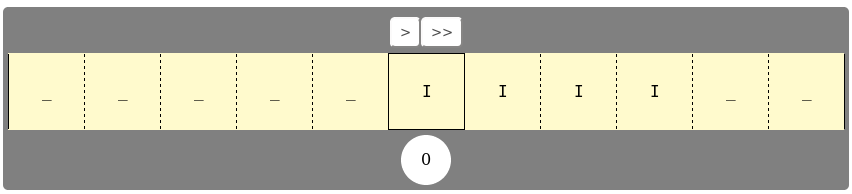
A turing machine can be thought of as a machine with
- An infinite tape which can be read from and written to.
- A IO head does the reading and writing.
- An internal state, which influences the actions of the machine.
- A transition table that together with the state determines the next action.
The transition table and the state the machine is determine the next action in the following way. For a state the machine can be in, and for a symbol that the head can read from the tape there is a row in the transition table. That row describes
- which state the machine should transition in.
- What symbol to write to the tape.
- Which way to move the head.
Below is an example of a transition table.
| Current state | Symbol read | Next state | Symbol to write | Head movement |
|---|---|---|---|---|
| 0 | 'A' | 0 | 'A' | R(ight) |
| 0 | 'B' | 1 | 'B' | R |
| 1 | '_' | 2 | 'B' | L(eft) |
| 2 | 'A' | 2 | 'A' | L |
| 2 | '_' | 3 | '_' | R |
If a combination of a state and a symbol is not present in the table, the machine halts.
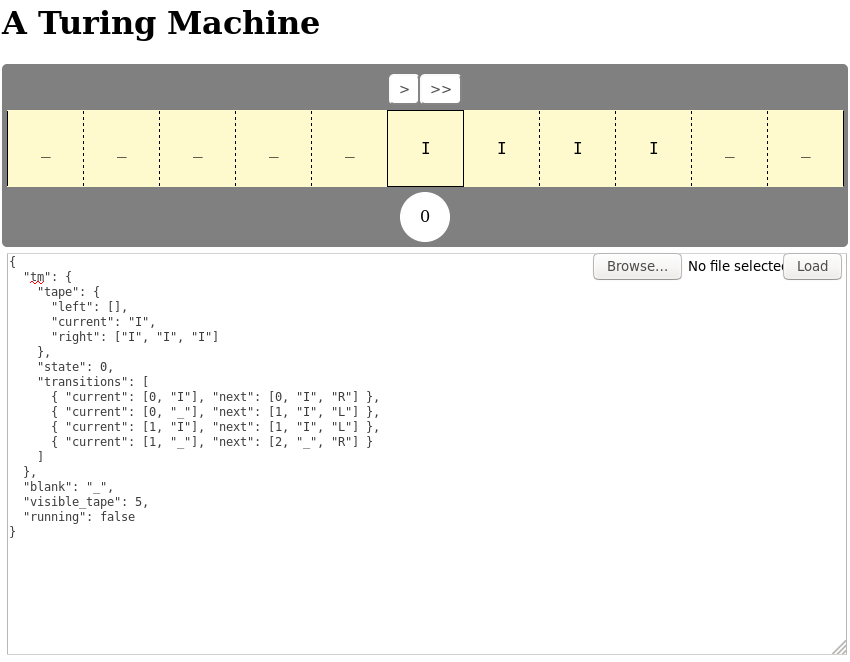
In this assignment you are going to program a Turing Machine. The Turing Machine accepts a JSON file. Below you can find the above transition table translated into a loadable JSON file.
{
  "tm": {
    "tape": {
      "left": [],
      "current": "A",
      "right": ["A", "A", "A"]
    },
    "state": 0,
    "transitions": [
      { "current": [0, "A"], "next": [0, "A", "R"] },
      { "current": [0, "B"], "next": [1, "B", "R"] },
      { "current": [1, "_"], "next": [2, "B", "L"] },
      { "current": [2, "A"], "next": [2, "A", "L"] },
      { "current": [2, "_"], "next": [3, "_", "R"] }
    ]
  },
  "blank": "_",
  "visible_tape": 5,
  "running": false
}
There are two buttons on the Turing Machine. One button labelled >. This allows one to step through the operation of the machine.
The other button is labelled >>. When pressed the machine will automatically step through the its program. Pressing it again will pauze the machine.
You can paste a JSON program into the textarea. The load button loads the program in the Turing machine. An other option is to select a JSON program file, which then get loaded automatically.
Take your pick of the problems below and write a Turing Machine program for it.
Given a number
nwritten down in binary, determine the binary representation of the successor, i.e. the binary representation ofn+.
37 is 10101 in binary. The succcessor of 37 is 38, which is 10110 in binary.
Given a binary number, e.g.
10101for 37, determine the parity of the number of ones in the representation.
In 10101 there are 3 1s. 3 is an odd number so the parity of the number of 1s in 10101 is 1. If the number of 1s would be even the parity should be 0.
Copy a given string of
AandB
When the string ABBA is found on the tape, the copy program would leave the tape as ABBA_ABBA when the program finishes.
Determine if a string of
AandBs is a palindrome.
ABBA is a palindrome, ABAB is not a palindrome.