Straightforward planning poker. Create a room, share the link, vote instantly. No fuzz.
- Free forever - No limits, no premium tiers, no hidden costs
- No sign-up required - Create a room and start voting immediately
- Privacy-first - No tracking cookies, no IP addresses stored, all data stays in your browser's localStorage
- GDPR compliant - Privacy by design, hosted on a private German VPS
- Unlimited - No cap on participants, rooms, or votes
- Mobile-friendly - Works on any device
- Battle-tested - Stable in production with hundreds of daily users
- Open source - Inspect the code yourself
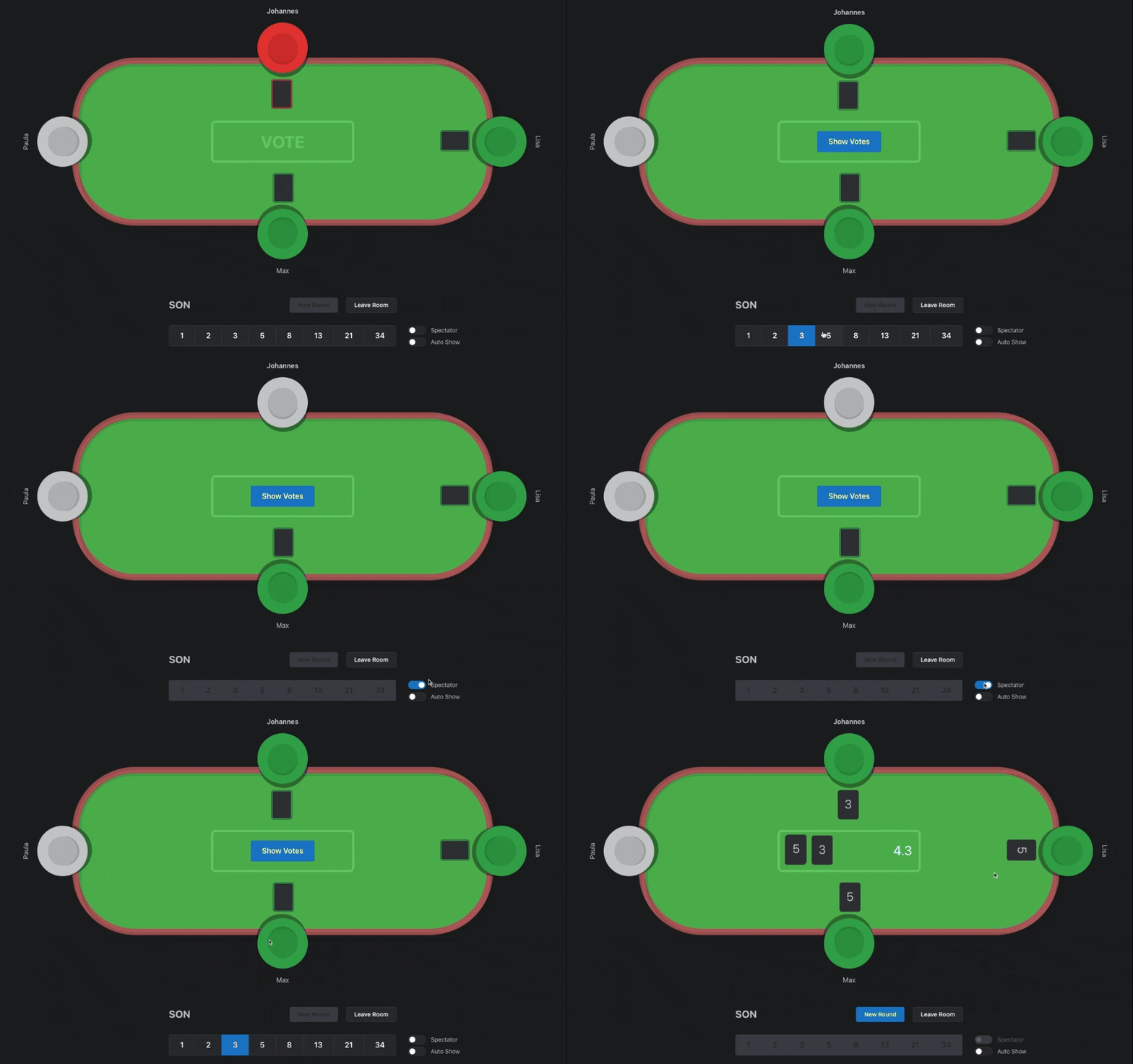
Based on Next.js, tRPC, Drizzle and Mantine UI components.
Uses a three-service architecture: Next.js app (port 3001), Bun WebSocket server (port 3003) for real-time features, and FastAPI analytics (port 5100). Self-hosted MariaDB using my sideproject-docker-stack.
Free Planning Poker runs on three services. Start all at once with npm run dev:all or individually:
| Service | Runtime | Port | Command | Config |
|---|---|---|---|---|
| Next.js App | Node 22 | 3001 | doppler run -- npm run dev |
Doppler |
| WebSocket Server | Bun | 3003 | cd fpp-server && bun dev |
.env file |
| Analytics API | Python 3.12 (uv) | 5100 | cd fpp-analytics && uv run uvicorn main:app --reload --port 5100 |
.env file |
For detailed architecture, see ARCHITECTURE.md and fpp-server/CLAUDE.md, fpp-analytics/CLAUDE.md
Note: Run cd fpp-analytics && uv run python update_readmodel.py once before first start to generate Parquet files.
The project uses comprehensive validation across all three services.
# Validate all services in parallel (fastest)
npm run validate

# Validate individual services
npm run validate:nextjs       # Next.js: format, lint, type-check, build
npm run validate:fpp-server   # fpp-server: format, lint, type-check, build
npm run validate:fpp-analytics # fpp-analytics: format, lint, type-checkNext.js:
npm run format        # Auto-fix formatting
npm run lint:fix      # Auto-fix linting
npm run type-check    # TypeScript check
npm run build         # Next.js build
npm run pre           # All checks combined
fpp-server:
cd fpp-server
bun run format        # Auto-fix formatting
bun run lint:fix      # Auto-fix linting
bun run type-check    # TypeScript check
bun run build         # Bun build
bun run validate      # All checks combined
fpp-analytics:
npm run fpp-analytics:format       # Auto-fix formatting
npm run fpp-analytics:lint:fix     # Auto-fix linting
npm run fpp-analytics:type-check   # mypy check
npm run fpp-analytics:validate     # All checks combined

# Or directly:
cd fpp-analytics
uv run ruff format .       # Auto-fix formatting
uv run ruff check --fix .  # Auto-fix linting
uv run mypy . # Type checkingGitHub Actions validates all services in parallel on every PR:
- Next.js: 4 jobs (formatting, linting, type-checking, build)
- fpp-server: 4 jobs (formatting, linting, type-checking, build)
- fpp-analytics: 3 jobs (formatting, linting, type-checking)
Total: 11 parallel jobs
- Install any Node 20 version (exact 20.11.1) and Docker and Docker Compose and Doppler CLI
- Clone sideproject-docker-stack
- Request access to the Doppler Dev projects
sideproject-docker-stackandfree-planning-poker - Run
sideproject-docker-stackby following the instructions in the README - Set up the
free-planning-pokerDoppler project by runningdoppler setup - Install dependencies with
npm ci - Run
doppler run -- npm run dev
The project uses Drizzle Kit for database migrations. Available commands:
npm run db:generate- Generate migration files from schema changesnpm run db:migrate- Apply pending migrations to databasenpm run db:studio- Open Drizzle Studio database GUInpm run db:check- Check if schema and database are in sync
Important: Before running any migration commands, verify that your .env file contains the correct DATABASE_URL - ensure it points to your local development database, not production!
Migration workflow:
- Make changes to
src/server/db/schema.ts - Run
npm run db:generateto create migration files - Review the generated SQL in
drizzle/folder - Switch the
.envURL to use local database - Run
npm run db:migrateto apply changes to local database - Validate locally if nothing breaks (functionality and data)
- Switch the
.envURL to use prod database - Run
npm run db:migrateto apply changes to prod database
- Install Bun if not already installed
- Create
.envfile infpp-server/directory (seefpp-server/.env.example):TRPC_URL=http://localhost:3001/api/trpc FPP_SERVER_SECRET=dev-secret # Or from Doppler: doppler secrets get FPP_SERVER_SECRET --plain SENTRY_DSN= # Optional NODE_ENV=development
- Run
cd fpp-server && bun dev
- Install uv:
curl -LsSf https://astral.sh/uv/install.sh | sh - Install dependencies:
cd fpp-analytics && uv sync - Copy
.env.exampleto.envand populate variables (seefpp-analytics/.env.example) - Generate Parquet files (first time only):
uv run python update_readmodel.py - Run the API:
uv run uvicorn main:app --reload --port 5100
Releases are created via npm run release (release-it) or /release-fpp Claude Code command for AI-enhanced release notes.