







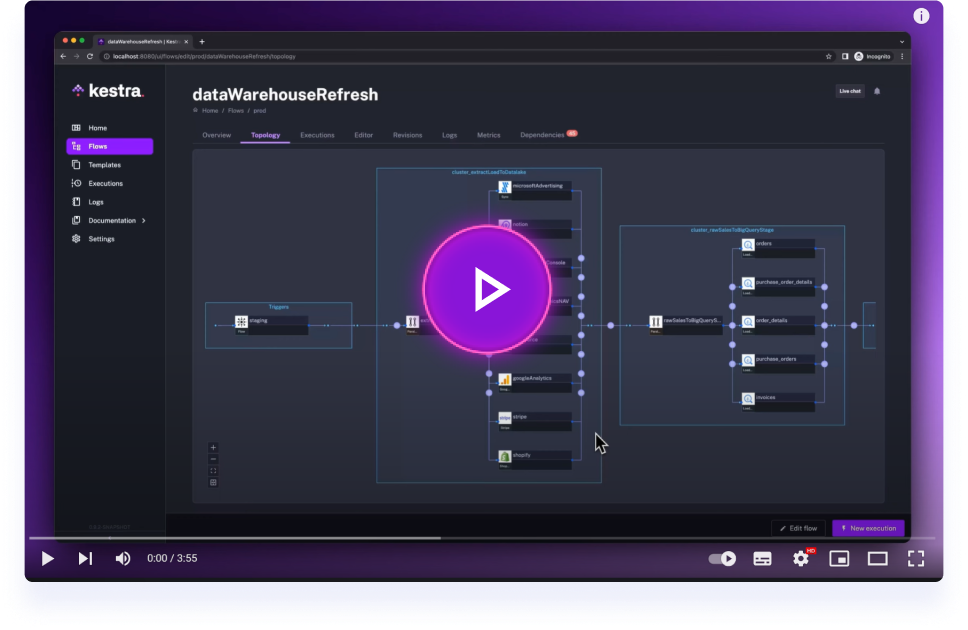
Get started with Kestra in 4 minutes.
Integrate with Odoo ERP system via XML-RPC API
This plugin allows Kestra to interact with Odoo ERP systems using the XML-RPC API. It provides tasks for querying, creating, updating, and deleting records in Odoo models, enabling seamless integration between your data workflows and Odoo business processes.
- Query Odoo Models: Search and read records from any Odoo model using flexible domain filters
- Create Records: Create new records in Odoo models with custom field values
- Update Records: Modify existing records by ID with new field values
- Delete Records: Remove records from Odoo models
- Count Records: Get the count of records matching specific criteria
- Flexible Authentication: Secure connection using username/password authentication
- Dynamic Properties: Support for Kestra's templating engine in all parameters
| Operation | Description | Required Parameters |
|---|---|---|
search_read |
Search and retrieve records | model, optional: filters, fields, limit, offset |
create |
Create new records | model, values |
write |
Update existing records | model, ids, values |
unlink |
Delete records | model, ids |
search |
Get record IDs matching criteria | model, optional: filters, limit, offset |
search_count |
Count records matching criteria | model, optional: filters |
All tasks require these basic connection parameters:
Production Environment:
tasks:
  - id: odoo
    type: io.kestra.plugin.odoo.Query
    url: https://your-odoo-instance.com  # Odoo server URL
    db: your_database                    # Database name
    username: your_username              # Odoo username
    password: your_password              # Odoo password
    model: res.partner                   # Odoo model to operate on
Local Development:
tasks:
  - id: odoo
    type: io.kestra.plugin.odoo.Query
    url: http://localhost:8069           # Local Odoo Docker instance
    db: demo                             # Database name created in setup
    username: test@demo.com              # Email used during database creation
    password: admin                      # Password used during database creation
    model: res.partner                   # Odoo model to operate on
Production Environment:
Task:
  - id: query_partners
    type: io.kestra.plugin.odoo.Query
    url: https://my-odoo.com
    db: production
    username: api_user
    password: "{{ secret('ODOO_PASSWORD') }}"
    model: res.partner
    operation: search_read
    filters:
      - ["is_company", "=", true]
      - ["customer_rank", ">", 0]
    fields: ["name", "email", "phone", "country_id"]
    limit: 100
Local Development:
Task:
  - id: query_partners
    type: io.kestra.plugin.odoo.Query
    url: http://localhost:8069
    db: demo
    username: test@demo.com
    password: admin
    model: res.partner
    operation: SEARCH_READ
    filters:
      - ["is_company", "=", true]
      - ["customer_rank", ">", 0]
    fields: ["name", "email", "phone", "country_id"]
    limit: 100
Production Environment:
tasks:
  - id: create_customer
    type: io.kestra.plugin.odoo.Query
    url: https://my-odoo.com
    db: production
    username: api_user
    password: "{{ secret('ODOO_PASSWORD') }}"
    model: res.partner
    operation: CREATE
    values:
      name: "Acme Corporation"
      email: "contact@acme.com"
      is_company: true
      customer_rank: 1
      supplier_rank: 0
Output includes created record ID:
# The task output will include:
{
  "size": 1,
  "ids": [42],  # The ID of the created record
  "row": null,
  "rows": null,
  "uri": null
}
Local Development:
tasks:
  - id: create_customer
    type: io.kestra.plugin.odoo.Query
    url: http://localhost:8069
    db: demo
    username: test@demo.com
    password: admin
    model: res.partner
    operation: CREATE
    values:
      name: "Acme Corporation"
      email: "contact@acme.com"
      is_company: true
      customer_rank: 1
      supplier_rank: 0
Using static IDs:
tasks:
  - id: update_partners
    type: io.kestra.plugin.odoo.Query
    url: https://my-odoo.com
    db: production
    username: api_user
    password: "{{ secret('ODOO_PASSWORD') }}"
    model: res.partner
    operation: WRITE
    ids: [1, 2, 3]
    values:
      category_id: [[6, 0, [1, 2]]]  # Odoo many2many format
      active: true
Using dynamic ID from previous CREATE task:
tasks:
  - id: create_customer
    type: io.kestra.plugin.odoo.Query
    url: https://my-odoo.com
    db: production
    username: api_user
    password: "{{ secret('ODOO_PASSWORD') }}"
    model: res.partner
    operation: CREATE
    values:
      name: "New Customer"
      email: "new@customer.com"
      is_company: true

  - id: update_customer
    type: io.kestra.plugin.odoo.Query
    url: https://my-odoo.com
    db: production
    username: api_user
    password: "{{ secret('ODOO_PASSWORD') }}"
    model: res.partner
    operation: WRITE
    ids: ["{{ outputs.create_customer.ids[0] }}"]  # Reference created ID
    values:
      phone: "+1-555-0123"
      website: "https://newcustomer.com"
This example demonstrates how to chain operations using the ids field:
id: odoo_crud_workflow
namespace: io.kestra.plugin.odoo.examples

tasks:
  # Step 1: Create a new partner
  - id: create_partner
    type: io.kestra.plugin.odoo.Query
    url: "{{ vars.odoo_url }}"
    db: "{{ vars.odoo_db }}"
    username: "{{ vars.odoo_username }}"
    password: "{{ vars.odoo_password }}"
    model: res.partner
    operation: CREATE
    values:
      name: "Workflow Test Partner"
      email: "workflow@test.com"
      is_company: true
      customer_rank: 1

  # Step 2: Update the created partner using its ID
  - id: update_partner
    type: io.kestra.plugin.odoo.Query
    url: "{{ vars.odoo_url }}"
    db: "{{ vars.odoo_db }}"
    username: "{{ vars.odoo_username }}"
    password: "{{ vars.odoo_password }}"
    model: res.partner
    operation: WRITE
    ids: ["{{ outputs.create_partner.ids[0] }}"]
    values:
      phone: "+1-555-WORKFLOW"
      comment: "Updated via workflow chaining"

  # Step 3: Read the updated partner to verify changes
  - id: read_partner
    type: io.kestra.plugin.odoo.Query
    url: "{{ vars.odoo_url }}"
    db: "{{ vars.odoo_db }}"
    username: "{{ vars.odoo_username }}"
    password: "{{ vars.odoo_password }}"
    model: res.partner
    operation: READ
    ids: ["{{ outputs.create_partner.ids[0] }}"]
    fields: ["name", "email", "phone", "comment", "write_date"]

  # Step 4: Clean up - delete the test partner
  - id: delete_partner
    type: io.kestra.plugin.odoo.Query
    url: "{{ vars.odoo_url }}"
    db: "{{ vars.odoo_db }}"
    username: "{{ vars.odoo_username }}"
    password: "{{ vars.odoo_password }}"
    model: res.partner
    operation: UNLINK
    ids: ["{{ outputs.create_partner.ids[0] }}"]

variables:
  odoo_url: http://localhost:8069
  odoo_db: demo
  odoo_username: test@demo.com
  odoo_password: admin
Add this plugin to your Kestra instance:
./kestra plugins install io.kestra.plugin:plugin-odoo:LATEST
For local development and testing, you can run Odoo using Docker Compose:
- Docker and Docker Compose installed
- Port 8069 available
-
Start Odoo and PostgreSQL containers:
docker-compose -f odoo-docker-compose.yml up -d -
Access Odoo Database Manager: Open your browser and go to
http://localhost:8069 -
Create Database:
- Master Password:
admin - Database Name:
demo - Email:
test@demo.com - Password:
admin - Check "Demo Data" for sample records
- Master Password:
-
Use these credentials in your workflows:
- URL:
http://localhost:8069 - Database:
demo - Username:
test@demo.com - Password:
admin
- URL:
docker compose -f docker-compose.yml down
Two comprehensive example workflows are available:
1. odoo_example.yml - Production-Ready Examples
- Demonstrates all operations with proper error handling
- Shows workflow chaining using the
idsfield - Includes both local and production configurations
- Features advanced filtering and multiple record operations
2. local-odoo-test-workflow.yml - Integration Testing
- Complete CRUD cycle testing
- Verification of all operations against local Odoo
- Designed for CI/CD pipeline integration
To run the example workflows:
- Ensure your local Odoo instance is running (for local examples)
- Import the workflow into your Kestra instance
- Configure variables for your environment
- Execute manually or set up triggers
- Java 21
- Docker
./gradlew check --parallel
VSCode: Follow the README.md within the .devcontainer folder for development setup.
Other IDEs:
./gradlew shadowJar && docker build -t kestra-odoo . && docker run --rm -p 8080:8080 kestra-odoo server local
Visit http://localhost:8080 to test your plugin.
- Full documentation can be found under: kestra.io/docs
- Documentation for developing a plugin is included in the Plugin Developer Guide
Apache 2.0 © Kestra Technologies
We release new versions every month. Give the main repository a star to stay up to date with the latest releases and get notified about future updates.