Documentation for integrating python-broadlink with openhab
- openhab - how to use python-broadlink
- In the OP, I followed the Setup section up to Check connection section
- When you run the discovery cli, make sure to note the device info returned, for example:
- 0x62be 192.168.1.120 a57c4fa7df24
- Add Broadlink Map mini_split.map
- Add Broadlink Items broadlink.items
- Add Broadlink Rules broadlink.rules
- Add AC Control in Sitemap default.sitemap
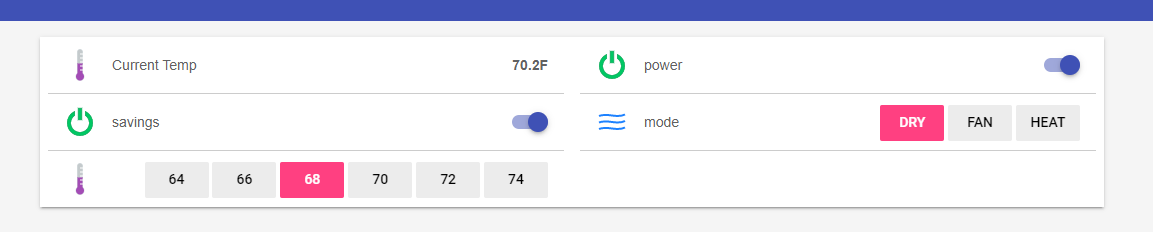
-
Learn command
cd python-broadlink-master\cli
python broadlink_cli --device "0x5f36 10.0.0.42 24dfa7dee9ca" --learn
- Send command
cd python-broadlink-master\cli
python broadlink_cli --device "0x5f36 10.0.0.42 24dfa7dee9ca" --send 2600060164380c0f0c100c2a0c100b2b0c0f0c100c100b2b0c2a0c100c0f0c100c2a0c2a0c100c100b100c100c0f0c100c0f0c100c100b100c100b100c100c2a0c100b100c100c0f0c100c0f0c100c2a0c100c0f0c100c100b2b0c2a0c2b0b2b0b2b0c2a0c2a0c2b0c0f0c100c2a0c100b100c100c0f0c100c100b100c100b2b0c2a0c100c0f0c100c0f0c100c100b2b0c0f0c2b0c0f0c100c2a0c100c0f0c100c0f0c100c100b100c100b100c100c0f0c100c100b100c100b100c100c0f0c100c100b100c100b100c100c0f0c100c0f0c100c100b100c100c0f0c100c0f0c100c100b100c100b100c100c0f0c100c100b2b0c0f0c100c0f0c2b0c2a0c2a0c2b0b100c2a0c100c000d05
- I've had some RM mini 3s connect to my wifi right away. I had my most recent one take a couple of minutes.
- patience is key.
- I usually have my device list in my router on screen to see if a new IP address shows up
- it's valuable to have all my connected devices named in my device list.
- Any new devices would show up with no name at the top when I have the list sorted by name
- after a couple of minutes, if there isn't any response
- power off the broadlink device
- perform a reset
- try again!