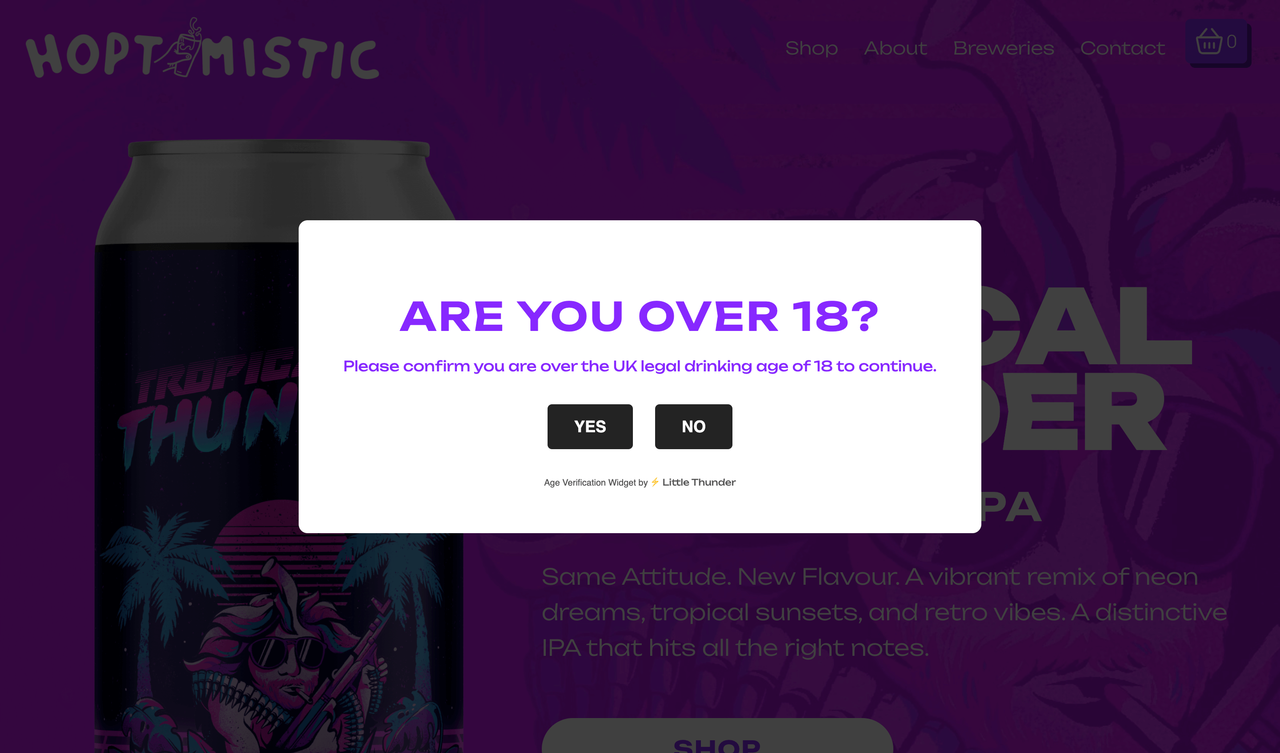
View a live example of the age verification widget.
- Log into Squarespace.
- Using the side Navigation, select
Website>Website Tools>Code Injection. - Copy the contents of
index.htmlto theHeadersection in Code Injection.
You can configure the following options of the Popup:
Change the text within the tags on lines 59 and 60 to your desired message for the popup.
<h3>Are you over 18?</h3>
<p>Please confirm you are over the UK legal drinking age of 18 to continue.</p>
On Line 81 you can configure the destination when the "No" button is pressed. By default, it directs users to the Drink Aware website. To amend this, simply replace the URL between the single quotes with your preferred destination.
window.location.href = 'https://www.drinkaware.co.uk/facts/information-about-alcohol/alcohol-and-the-law/buying-alcohol#under18s';
Each time a user clicks "Yes" on the popup, a cookie is stored on their device. This cookie will expire after a set period, prompting the user again. The default expiry is 24 hours. To modify this, replace 24 on line 89 with your desired number of hours (e.g., 48 for 2 days, 72 for 3 days, etc.). Ensure the other values remain unchanged.
date.setTime(date.getTime() + (days*24*60*60*1000));
Age Verification Popup Widget for Squarespace created by ⚡ Little Thunder