


— Dead Simpe Dropdown Menu
A simple drop-down menu written in Swift.
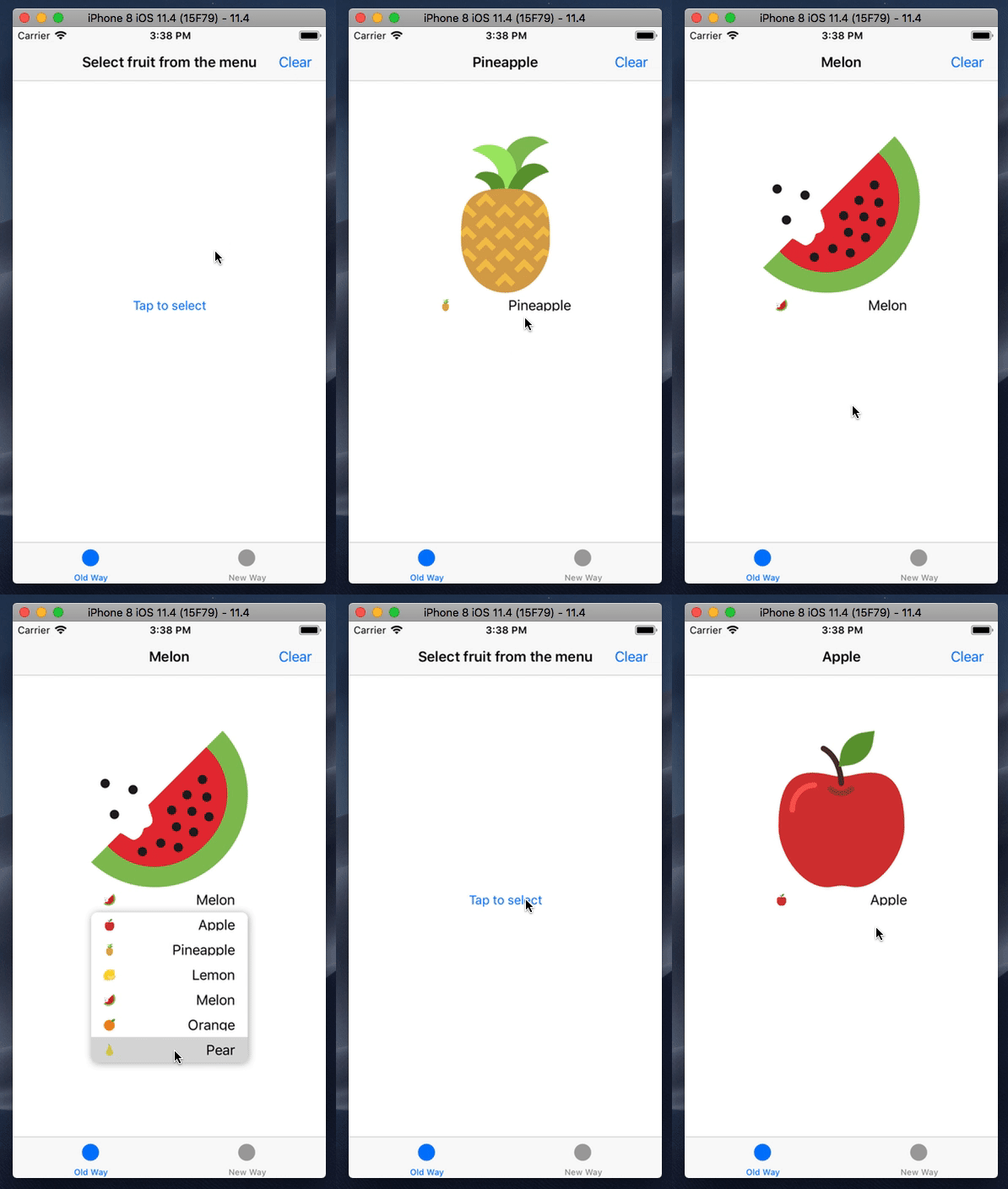
- Automatically update menu button content based on selected cell
- Use delegate or configuration closure to setup menu
- Use default or custom menu cells (with and without NIBs)
- Create menu programmatically or in the Interface Builder
- iOS 9.0+
- Xcode 9.0+
- Swift 4.0+
To run the example project, clone the repo, and run pod install from the Example directory first.
DSDMenu is available via CocoaPods.
CocoaPods is a dependency manager for Swift and Objective-C Cocoa projects. You can install it with the following command:
$ sudo gem install cocoapodsTo integrate DSDMenu, simply add the following line to your Podfile:
pod 'DSDMenu'Then, run the following command:
pod install-
Use convenience initializer:
init(title: String, frame: CGRect = CGRect.zero)
-
Place a
UIButtonobject on the storyboard and change custom class as pictured below: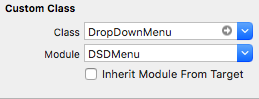
DSDMenu can be customized and controlled using two ways (mutually exclusive!):
-
Confrom to
DropDownDelegateprotocol and assign delegate:-
Programmatically:
menu.delegate = self
-
Using Interface Builder:

-
-
Instantiate menu instance, then pass closure with a
DropDownMenuConfiguratorinstance inside, configured within this closure, to theconfigure(using: (DropDownMenuConfigurator) -> Void)method:menu.configure { configurator in configurator.cellClass(DropDownCell.self) .numberOfItems(10) .updateThumbnailOnSelection(true) .didSelectItem { index in print(index) } .willDisplayCell { (cell, index) in print(cell, index) } }
| Delegate method | Configuration method equivalent | Description |
|---|---|---|
numberOfItems(in:) |
numberOfItems(_:) |
Asks the delegate for the number of items in menu |
cellClass(for:) |
cellClass(_:) |
Asks the delegate for the cell class used in menu |
dropDownMenu(_:didSelectItemAt:) |
didSelectItem(_:) |
Tells the delegate that the item in the menu was tapped |
dropDownMenu(_:willDisplay:forRowAt:) |
willDisplayCell(_:) |
Tells the delegate that the cell in the menu is about to be displayed |
updateThumbnailOnSelection(in:) |
updateThumbnailOnSelection(_:) |
Asks the delegate whether the menu should update thumbnail image automatically on selection |
- Configure using closure instead of delegate
- Auto-update view based on selected cell's content
- Setup constraints in
updateConstraints()(see also) - Setup Pod
- Complete README
- Correct handling of orientation changes when
updateThumbnailOnSelection = true - Use POP for cells instead subclassing (if possible?)
- Allow to customize menu's appearance (shadows, colors, etc)
- Unit and UI tests
- Rx extension
Contributing is always welcomed, just follow these steps:
- Fork
- Create your feature branch (
git checkout -b my-new-feature) - Commit your changes (
git commit -am 'Add some feature') - Push to the branch (
git push origin my-new-feature) - Create new Pull Request
That's it!
DSDMenu is released under an MIT license. See LICENSE for more information.