EN - English (Versão em Português Brasil aqui)
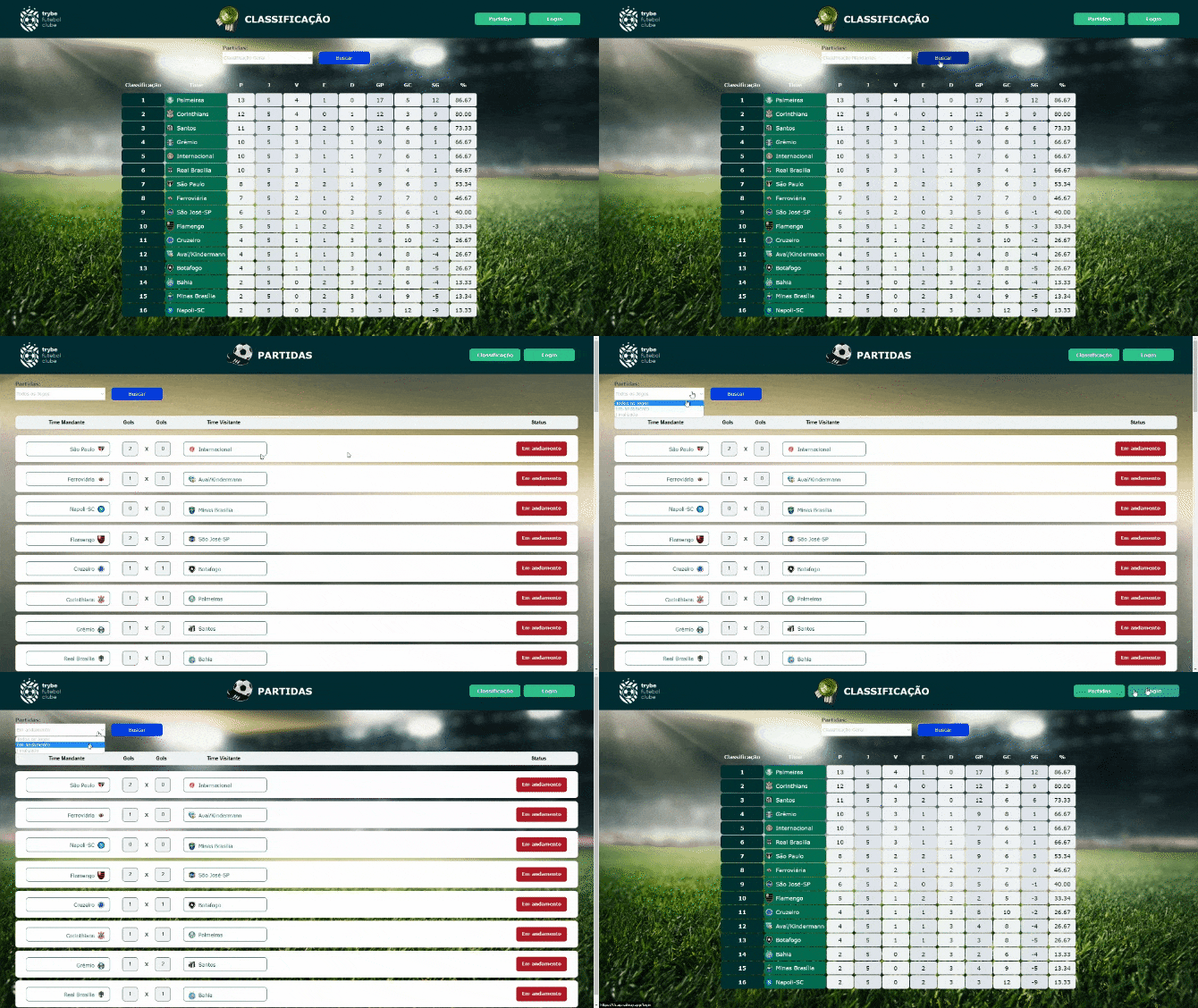


Project developed during the back-end module of the Trybe full-stack web development course.
TFC is an informational website about football matches and rankings!⚽
An API was developed (using the TDD method) and also integrated through docker-compose the applications so that they work consuming a MySQL database.
In this project, a dockerized back-end was built using data modeling through Sequelize. Business rules were respected for the API to connect correctly with the Front-End.
To add a match you need a token, so the person must be logged in to make the changes. It has a relationship between teams and matches tables to make updates to matches
The backend follows business rules to properly populate the table available in the frontend that will be displayed to the person using the system
- ✅It's a dockerMySQL container already configured in docker-compose through a service defined as db.
- ✅Has the role of providing data to the backend service.
- ✅EndPoint for user to login with their email and password validated by token via Jwt
- ✅EndPoint to list all registered matches, using the GET method
- ✅EndPoint to register a new game, using the POST method.
- ✅EndPoint to update the goals of a match, using the PATCH method.
- ✅EndPoint to update the status of a match, using the PATCH method.
- ✅EndPoint for lists the information of the matches played at home by the teams and their classification in the general scoreboard, using the GET method
- ✅EndPoint for lists information on matches played away by teams and their ranking on the overall scoreboard, using the GET method
- ✅EndPoint for lists the information of all matches and the ranking of teams on the overall scoreboard, using the GET method
- ✅Developed in React
- ✅Communicates with the backend service via the url http://localhost:3001 through the endpoints created in the backend.
- ✅docker-compose is responsible for uniting all containerized services (backend, frontendb) and uploading the complete project with the command npm run compose:up or npm run compose:up:dev
1️⃣Database
2️⃣Back-End
3️⃣Front-End
4️⃣Docker
🐋 Running on Docker
ℹ️ Install dependencies with
npm run install:apps.
1.26.0 with 1.29.2.
ℹ️ Run the
backend,frontendanddbservices with thedocker-compose up -d --buildcommand.
-
Remember to stop
mysqlif you are using it locally on the default port (3306), or adapt it, if you want to use the application in containers; -
These services will initialize a container named
app-backend,app-frontendand another nameddb; -
From here you can access the application at
http://localhost:3000; -
The back-end endpoints are found at
http://localhost:3001; -
⚠️ Attention: Do not run the npm audit fix command! It updates several project dependencies, and this update causes conflicts. -
✨ Tip: The
Remote - Containersextension is indicated so that you can develop your application in the Docker container directly in VS Code, as you do with your local files.

🎲 ER and Entities Diagram
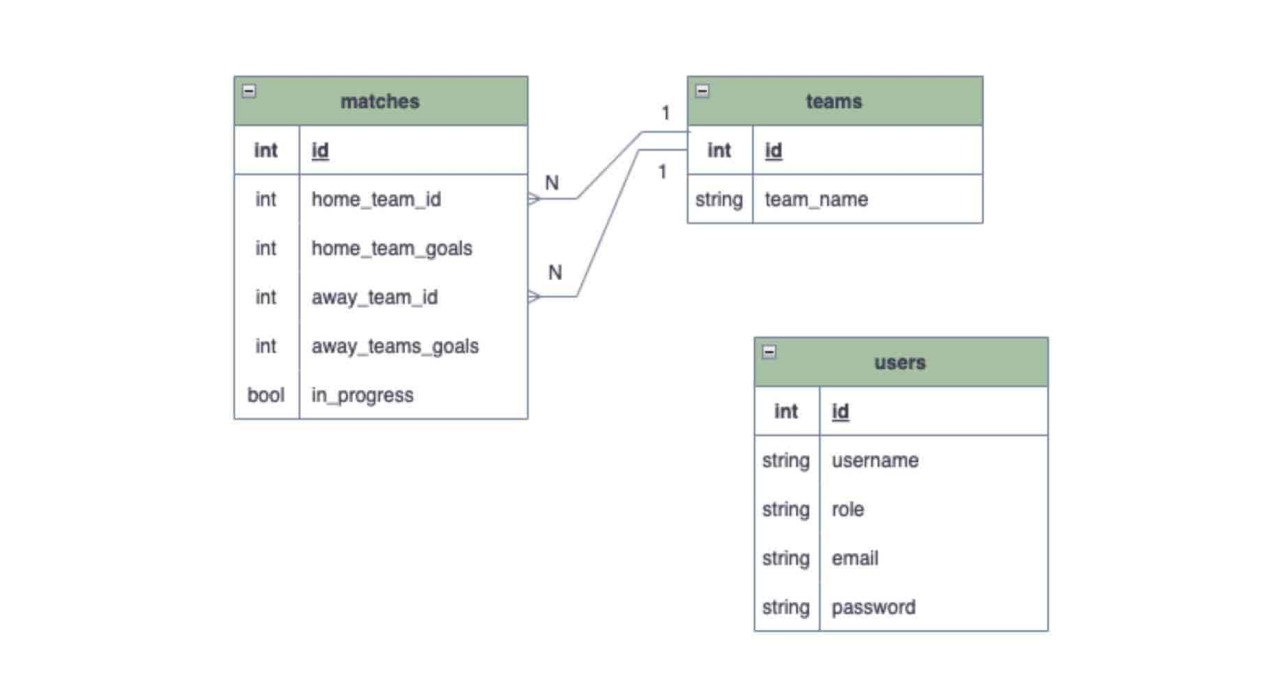
app/backend directory contains a scriptdb:reset which is responsible for "dropping" the database, recreating and executing the migrations and seeders. You can execute it with the command npm run db:reset if for some reason you need to recreate the database.
app/backend directory. Make sure that before running sequelize commands there already exists a compiled back-end version (app/build directory), otherwise just run npm run build to compile. Sequelize will only work correctly if the project is compiled .
sequelize init again.
🏦 Users and Passwords
The application has a pre-registered default user and password and with its admin permissions activated in the bank. Use to test the application.
Email: [email protected]
Password: secret_admin
🧪 Running backend coverage tests
To run coverage tests on the backend, use the command: `npm run test:coverage`.
.env file in the root of the back-end with the environment variables below.
   JWT_SECRET =jwt_secret
   APP_PORT=3001
   DB_USER=your_user
   DB_PASS=your_password
   DB_HOST=localhost
   DB_PORT=3306