Read this in other languages: English, Русский.
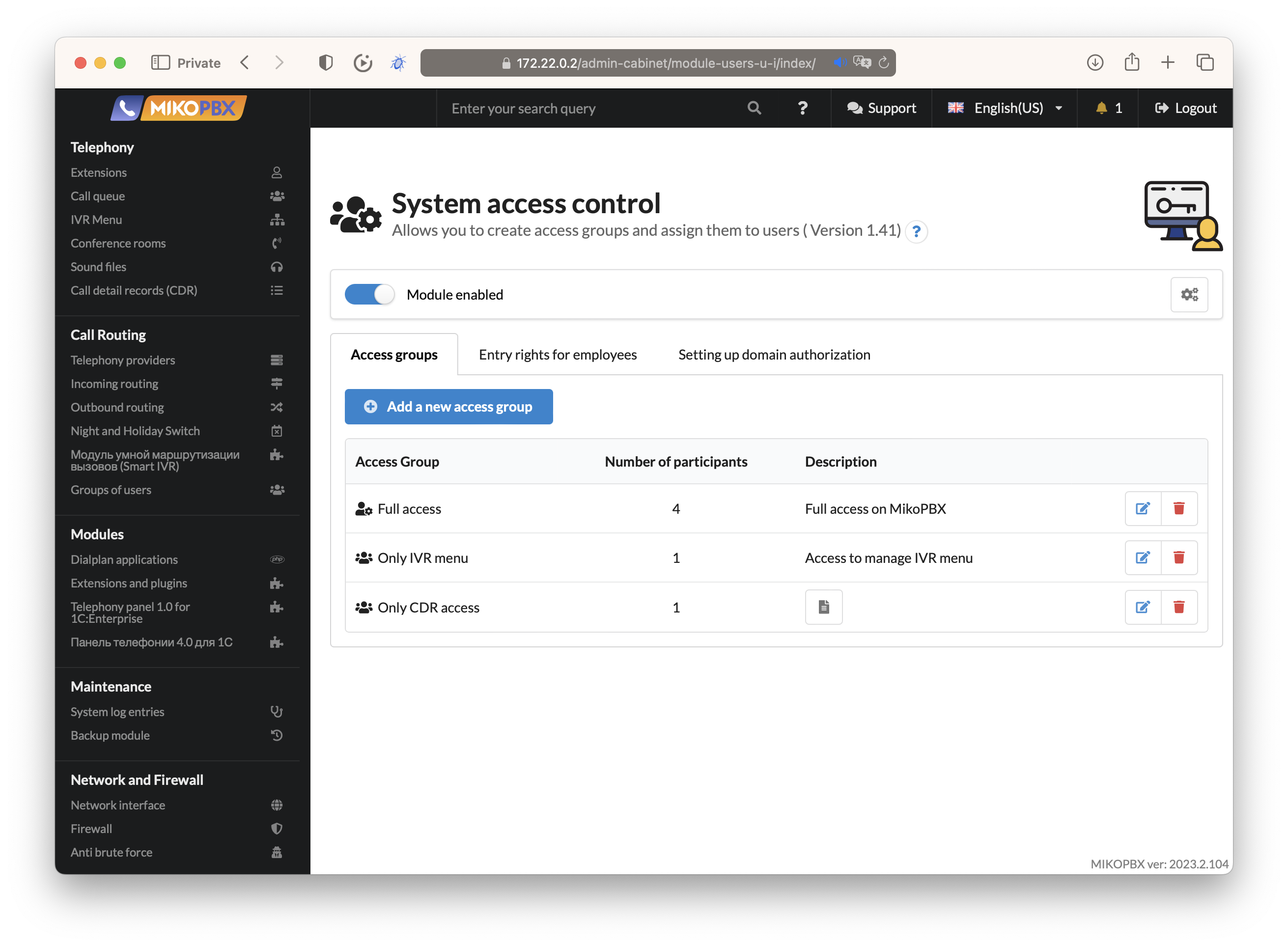
ModuleUsersUI is a comprehensive access control module for MikoPBX that enables multi-user access with role-based permissions. It provides granular control over web interface sections, REST API endpoints, and call history visibility.
- Role-Based Access Control (RBAC): Create unlimited access groups with specific permissions
- Full Access Mode: Option to grant unrestricted access for administrator groups
- Custom Home Page: Configure landing page after login for each group
- Granular Permissions: Control access to individual interface sections and actions
- Local Authentication: Username/password stored in MikoPBX database
- LDAP/Active Directory: Integration with corporate directory services
- Support for OpenLDAP and Microsoft Active Directory
- Configurable user filters and attribute mapping
- Automatic user synchronization
Fine-grained control over MikoPBX admin panel sections:
- View: Access to list and index pages
- Modify: Ability to open and view record details
- Edit/Delete: Create, update, and remove records
Supported sections include:
- Employees and Extensions
- Call Queues and Conference Rooms
- IVR Menus and Dialplan Applications
- Incoming/Outgoing Routes
- Providers (SIP/IAX)
- Sound Files
- Call History (CDR)
- System Settings
- And more...
Control which API endpoints users can access:
- Standard CRUD operations (getList, getRecord, saveRecord, delete)
- Custom actions per endpoint
- Automatic linking between UI and API permissions
Restrict call record visibility based on employee assignments:
- No Filter: Show all call records
- Only Selected: Show only calls involving specific employees
- Outgoing Only: Show only outgoing calls from selected employees
- Except Selected: Hide calls from specific employees
- Password change for local users
- Passkey (WebAuthn) management for passwordless authentication
| Model | Description |
|---|---|
AccessGroups |
Access group definitions with permissions |
AccessGroupsRights |
Granular permission assignments |
AccessGroupCDRFilter |
CDR filter rules per group |
UsersCredentials |
User authentication data |
LdapConfig |
LDAP server configuration |
- UsersUIACL: Core ACL modification logic integrating with MikoPBX
- UsersUIAuthenticator: Handles local and LDAP authentication
- AutoLinkedActionsResolver: Automatic UI↔API permission linking
- UsersUICDRFilter: CDR visibility filtering
- Download module from MikoPBX Marketplace or GitHub Releases
- Upload via Modules → Install Module in MikoPBX admin panel
- Enable the module
- Configure access groups and assign users
- MikoPBX 2025.1.1 or higher
- PHP 8.3+
- Valid license (commercial module)
- Navigate to Modules → User Access Control
- Click Add New Access Group
- Configure:
- Group name and description
- Full access toggle (for admin groups)
- Home page after login
- Interface permissions
- REST API permissions
- CDR filter settings
- Go to Extensions section
- Edit an employee
- In MikoPBX Login tab:
- Enable login access
- Set username and password
- Select access group
- Optionally enable LDAP authentication
- Navigate to LDAP Settings tab in module
- Configure:
- Server address and port
- Admin credentials for directory queries
- Base DN
- User filter and attributes
- Test connection and user retrieval
The module automatically manages permissions for REST API v3 endpoints:
GET  /pbxcore/api/v3/{resource}          → getList
GET  /pbxcore/api/v3/{resource}/{id}     → getRecord
POST /pbxcore/api/v3/{resource}          → create
PUT  /pbxcore/api/v3/{resource}/{id}     → update
DELETE /pbxcore/api/v3/{resource}/{id}   → delete
# Unit tests (PHP)
./vendor/bin/phpunit

# Integration tests (Python)
cd Tests/Integration
pip install -r requirements.txt
cp .env.example .env
# Configure .env with your MikoPBX instance
pytestModuleUsersUI/
├── App/
│ ├── Controllers/ # MVC Controllers
│ ├── Forms/ # Phalcon Forms
│ └── Views/ # Volt Templates
├── Lib/
│ ├── ACL/ # Access Control Logic
│ └── *.php # Core Libraries
├── Models/ # Phalcon ORM Models
├── Messages/ # i18n Translations
├── Setup/ # Installation Scripts
├── Tests/ # Test Suites
└── public/assets/ # Frontend Resources
Full documentation available at:
- English: docs.mikopbx.com
- Russian: docs.mikopbx.ru
- Telegram: @mikopbx_dev
- Email: help@miko.ru
- Issues: GitHub Issues
GPL-3.0-or-later - see LICENSE file for details.
Copyright © 2017-2025 MIKO LLC