


A Custom Lovelace Card for Home Assistant designed to visualize electric toothbrushes via Bluetooth LE integrations.
| Brand | Integration | Status |
|---|---|---|
| Oral-B | oralb (built into HA Core) |
✅ |
| Oral-B | oralb_live (custom component) |
✅ |
| Philips Sonicare | philips_sonicare_ble (custom component) |
✅ |
| Xiaomi | xiaomi_ble (built into HA Core) |
✅ |
| Laifen | laifen_ble (custom component) |
✅ |
| Oclean | oclean_ble (custom component) |
⏸️ |
| Playbrush | — | ⏸️ |
✅ supported · ⏸️ not yet sensible
The readings the card can show depend on what each integration provides:
| Reading | Oral-B ⁵ | Sonicare | Xiaomi | Laifen |
|---|---|---|---|---|
| Live timer | ✓ | ✓ | ○ ¹ | ✓ |
| Sectors | device-reported | integration-derived ⁴ | time-based ¹ | time-based ² |
| Battery | ✓ | ✓ | ✓ | ✓ |
| Pressure | ✓ | ✓ | — | ✓ ³ |
| Intensity | — | ✓ | — | — |
| Mode | ✓ | ✓ + select | — | ✓ + select |
| Score | — | — | ✓ | — |
| Brush head | days · brushing hours left ⁷ | wear · type · sessions | wear | — |
| Ring color | ✓ ⁶ | — | — | — |
| Connection | ✓ | ✓ + ESP bridge | ✓ | ✓ |
¹ the Xiaomi broadcast has no live timer/sectors — the card synthesizes a session timer with time-based quadrants
² aligned with the handle's 30s pacer when enabled; the routine length comes from Brushing Duration — the sensor on Wave Pro, the number entity on Wave (needs laifen_ble 3.0.3+)
³ pressure warning, Wave Pro only (needs laifen_ble 3.0.2+)
⁴ anatomical sectors provided by the integration's sector sensor, including revisit modes (e.g. White+); the card falls back to its own time-based calculation if the sensor is absent. Where the integration also publishes how the routine paces itself, the progress bar is divided into one segment per pacing step rather than per zone — a mode that revisits takes more steps than it has zones (Gum Health: ten over six), so a segment per zone would put every boundary in the wrong place
⁵ applies to both oralb and oralb_live — the latter mirrors the built-in integration's entities, so the card reads it identically. Its smiley sensor is shown in the done badge as the handle's own verdict on the finished session (icon reference); values that are not decoded yet display their raw name so they can be reported in #20. Its battery time remaining is not shown yet, same issue
⁶ oralb_live 0.7.22+ only — the color the handle's own light ring is set to; the card paints it as the accent when no accent color is configured (see Header)
⁷ oralb_live only — the handle counts a brush head down rather than up, in days and in brushing hours, and reports no lifetime total behind either, so the card shows the remainder itself instead of deriving a wear percentage from it (icon reference)
Tested devices
- Oral-B: iO Series 6, iO 7/8/9 (Type 3758), iO 10, Pro Series D601
- Sonicare: DiamondClean 9000 (HX992x), Prestige 9900 (HX999x), 7400 series (HX742x), HX960x, HX993x, Sonicare for Kids
- Xiaomi: T700 · T500 uses the same integration and is expected to work — test reports welcome!
- Laifen: Wave / Wave Pro
- Oclean (
oclean_ble) — rich per-zone statistics, but only after a session ends; no live brushing state the card could animate. Will revisit if a live status entity becomes available. - Playbrush — no Home Assistant integration available yet.
Want support for another brush? Open an issue — an integration with a live brushing state is the main requirement.


The compact view (tooth_style: none) — shown here with the header and chips still enabled:

Wondering what a specific icon or colour means? The icon & colour reference shows every state icon the card can display, with its trigger condition and colour.
| Language | Code | Comment |
|---|---|---|
| English | en | |
| Dansk | da | |
| Deutsch | de | |
| Nederlands | nl | |
| Русский | ru | |
| Slovenščina | sl |
The card automatically detects the language configured in your Home Assistant instance (per-user profile setting). A specific language can also be forced per card with the language YAML option. If your language is not yet supported, it falls back to English. Contributions for additional languages are welcome — just add a new JSON file in src/locales/.
- Real-time brushing visualization with animated tooth SVG (4 or 6 sectors)
- Chip-based display for battery, pressure/intensity, brushing mode, score, brush head and head time
- Configurable layout: place every reading as a chip or a corner marker — or hide it
- Compact panel mode: hideable header and tooth ring with a large standalone timer (two cards fit side by side on a 480×480 wall panel)
- Bluetooth connection status indicator (Pantone 285 blue)
- Sector-segmented progress bar based on the brushing target (uses the device routine length when available)
- Session recap banner: green when the routine was completed, amber with partial progress when brushing stopped early — read from the brush's own record where an integration exposes one, otherwise rebuilt from recorder history, so it shows on any browser or device
- A verdict on the finished session: the Oral-B display face or the Xiaomi score where the handle reports one — and on a handle that reports neither but records its own sessions, one the card works out from how far the session got and how much of it was brushed too hard (icon reference)
- Automatic entity discovery — no manual YAML required
- Sector tracking: device-reported (Oral-B), integration-derived (Sonicare) or time-based calculation (Xiaomi, Laifen)
- Configurable title, subtitle, and accent color — left unset, the accent follows the color the brush's own light ring is set to, converted from the handle's LED drive levels so it matches what the ring shows
- Configurable tooth, active-sector, and completed-sector colors
- Configurable sector order with drag & drop and up/down buttons
- Responsive layout with container queries (icon-only chips on narrow cards)
- State-driven icons: battery, pressure, score and brush head step their icon shape and colour with the value, so they stay readable even icon-only — see the icon & colour reference
- Multi-language support (auto-detects Home Assistant language)
- Light and dark mode support via HA CSS variables
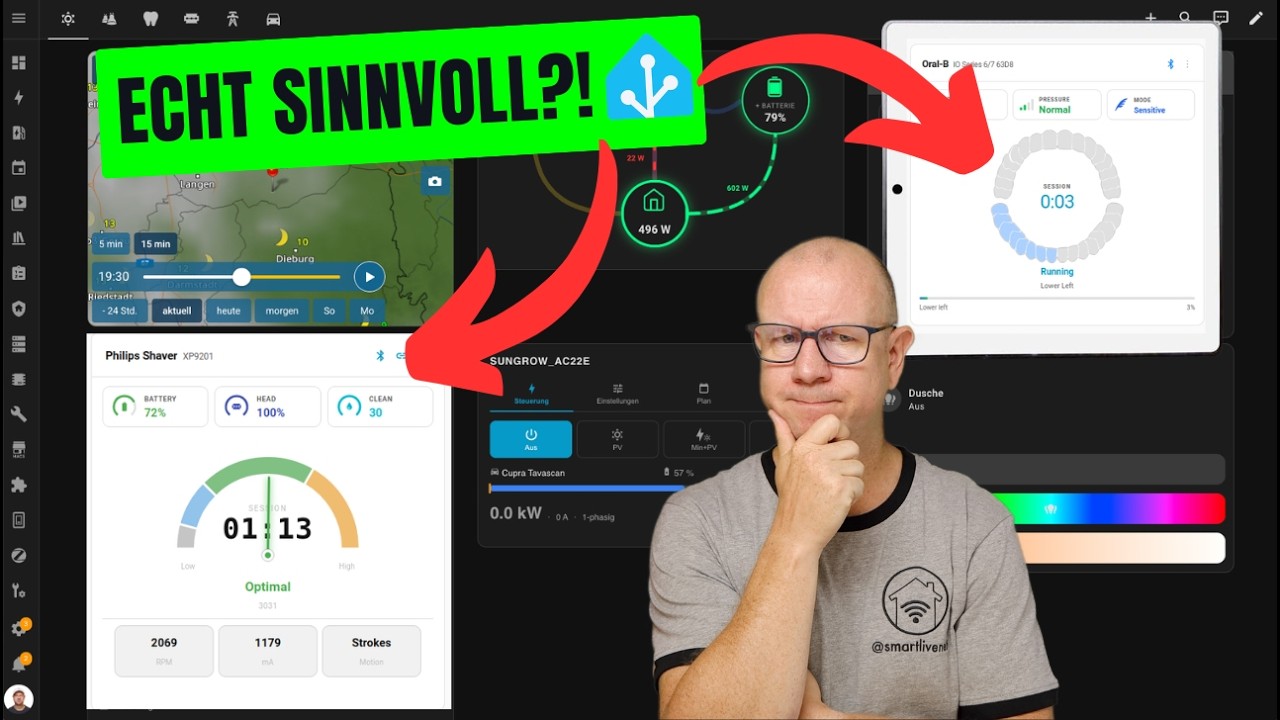
Smartes Badezimmer? So hilft dir ein Shelly Wall Display beim Zähneputzen & Rasieren! — Video by @smartmatic showing the card on a Shelly Wall Display alongside the Philips Shaver integration (German)
Toothbrushing Notification System (Morning/Evening) — a blueprint by @CoatsyJnr that reminds you to brush morning and evening, at deliberately unpredictable times so the reminder does not fade into background noise. It triggers on the same live brushing state this card visualizes, so the two go well together: the blueprint reminds, the card shows what is going on. On the Sonicare side, point it at the Brushing binary sensor — the other sensors its description suggests never fire, see CoatsyJnr/home-assistant-blueprints#1.
This card is available in the default HACS store — just click the button below, or search HACS for "Toothbrush Card".

Then refresh your Home Assistant dashboard.
Manual installation
- Download
dist/toothbrush-card.jsfrom the latest release - Copy it to
/config/www/community/toothbrush-card/ - Add as a Lovelace resource:
resources:
  - url: /local/community/toothbrush-card/toothbrush-card.js
type: moduleThe card is configured via the UI — just add it and select your toothbrush device. The options below are grouped the same way as in the card editor.
| Option | Type | Default | Description |
|---|---|---|---|
| device_id | string | — | (required) Toothbrush device to use |
| Option | Type | Default | Description |
|---|---|---|---|
| show_header | boolean | true | false hides the whole card header (title, connection icons, menu) — useful for compact wall-panel dashboards |
| title | string | — | Custom title (default: manufacturer) |
| show_subtitle | boolean | true | Show device name as subtitle |
| accent_color | string | — | Header accent color (hex, e.g. #0085FF). Left unset, the card follows the brush's own light-ring color where the device reports one (see below) |
Some handles carry a light ring whose color can be set on the device, and some
integrations read that color back — today that is oralb_live (0.7.22+) on
Oral-B iO handles. Where a color is reported, an accent color left unset follows
it: the card on the wall takes the color of the handle in the bathroom,
and a household with several brushes tells them apart without configuring
anything. Picking a color in the editor overrides it again; the Reset button
next to the swatches clears the choice and hands the accent back to the brush.
Where no color is reported — or while the sensor reads unknown or
unavailable — the card stays with its own default.
What an Oral-B handle stores is not a screen color but the drive level of the
three LEDs behind its ring, and they are not equally bright per unit of drive —
which is why the handle's own "white" reads as #44CF63. The card converts
before it paints, scaling each channel by what white says it is worth. The
factors come from white alone, and they put the handle's yellow at hue 60° and
its orange at hue 32°, exactly where those names belong; the values were read
off two handles by stepping through the colour menu one name at a time. Values
from an integration that reports an ordinary screen color are painted
unchanged.
For integration authors: the ring color is picked up through its
translation_key (ring_color) on the toothbrush device, and its state must be
a six-digit hex color with the leading # (#0F5BCC). Anything else is
ignored. The entity has to be enabled by default to be visible to the card at
all; entity_category: diagnostic is fine. Report what the device stores — the
card owns the conversion to a screen color, so a value corrected on the
integration side would be corrected twice.
| Option | Type | Default | Description |
|---|---|---|---|
| tooth_style | teeth | none |
teeth |
none hides the tooth ring and shows a large standalone timer instead; the segmented progress bar still shows where you are |
| tooth_color | string | divider color | Idle tooth color (hex). Set this if the teeth are invisible against your theme background |
| active_color | string | #93c5fd |
Color of the currently-brushing sector (hex) |
| done_color | string | #bbf7d0 |
Color of completed sectors (hex) |
| progress_size | string | slim |
Height of the progress bar: slim (4 px), bold (8 px) or xl (12 px) — the bigger sizes keep the bar readable from a distance on wall panels. |
| scale | number | 1.0 |
Scales the visual area — tooth ring, timer, status, corner markers and progress bar — between 0.8 and 2.0 for at-a-distance readability. Header and chips keep their size. |
| Option | Type | Default | Description |
|---|---|---|---|
| num_sectors | 4 | 6 | auto | Override sector count. Auto-detected from the integration (Oral-B and Sonicare both expose it); manual override only needed as a fallback (e.g. unknown model or the diagnostic entity disabled) |
| sector_order | string[] | — | Custom sector order (drag & drop in UI) |
| Option | Type | Default | Description |
|---|---|---|---|
| head_display | string | remaining |
What the brush-head reading shows: remaining (% left), used (% worn), or sessions (estimated sessions left — needs the integration's Sessions Left sensor, falls back to remaining without it). |
| layout | object | — | Place the readings (battery, pressure, intensity, mode, score, brush_head, head_time, head_type) freely: up to four chips in the top row (layout.chips) and four corner markers (layout.corners.top_left … bottom_right). Each reading can be used once; omitting layout keeps the classic arrangement. Editable in the UI. |
After a session ends the card keeps showing it as a banner: green "Brushing complete!" for a (nearly) full routine, amber "Brushing stopped early — x of y quadrants finished" for an aborted one. The × on the banner dismisses it in the current browser until the next session.
Where the recap comes from, in that order: the handle's own record of its last session, if the integration exposes one (a Last Session sensor) — it is the device's own account, it survives a Home Assistant restart, and it covers a session brushed while Home Assistant was off; otherwise a rebuild from recorder history, which works on any browser or device; otherwise the session the card watched end. Hovering the banner title says which one it was.
| Option | Type | Default | Description |
|---|---|---|---|
| hold_duration | number | 0.5 | How long to keep showing the recap banner, in hours: 0.25–24, or 0 = until the next brushing session starts. |
| hold_completed | boolean | true | Whether the summary is shown at all: false turns the banner off, and with it everything below. |
| device_recap | boolean | true | Use the handle's own record of the session, where the integration exposes one (a Last Session sensor). false ignores it and leaves the card with what it watched or can rebuild. |
| history_recap | boolean | true | Rebuild the summary from recorder history when the card loads with nothing else to show (fresh browser or other device, sensor values already cleared by the brush). Uses one history query for the duration sensor; false disables it. Independent of device_recap: turning the reconstruction off does not refuse the handle's own account of itself. |
| show_verdict | boolean | true | Show the verdict on the badge — the Oral-B display face (oralb_live), read from the session record where it carries one and otherwise from the live display, or the Xiaomi score, whichever the device reports. On a handle that reports neither but records its own sessions, the card works one out instead, from how much of its routine the session ran and — where the record carries it — how much of it was brushed too hard; hovering that face says so. The best of the four faces needs the pressure figure: without it a full session reads one step below, since "ran its course" and "ran its course and was brushed gently" are different sessions and only that reading tells them apart. false keeps the banner and drops only the glyph. It is one switch rather than a choice because no handle offers more than one of them. |
For integration authors: a Last Session sensor is picked up through its
translation_key (last_session). Its state is the time the session began —
that is what handles stamp on their own records — with duration_seconds as an
attribute or as a second entity (last_session_duration); the card works the
ending out from the two. target_duration_seconds, session_id, superseded,
time_source, display_face and source are used where present — source
because a record read from the handle's own store (retained_session) and one
the integration added up itself both arrive through this reading, and the badge
says which of the two it is showing.
display_face is the verdict the handle's display showed when the session
ended, in the same values as a live face reading. It is worth filing: the
display sleeps about a minute later, so a dashboard opened after that — or one
loaded after a restart — has no other way to the result. The card reads a
missing attribute and an empty one differently, so please leave it empty rather
than filling it in: absent means the integration does not report faces at all,
and a face the card watched the display show still stands; empty means this
session was recorded and no verdict was captured for it, and nothing is put in
its place. A face that only arrives a moment after the record is picked up when
it does.
| Option | Type | Default | Description |
|---|---|---|---|
| routine_length | number | auto | Override the routine length in seconds (YAML only). Normally read from the device; mainly for brushes without one (e.g. Xiaomi, default 120) whose session timer is synthesized. Also the way out when a device has a routine-length reading but cannot fill it in: the card declines to judge a session against a guess, so the summary stays away until this is set. |
| language | string | auto | Force the card language (YAML only): en, da, de, nl, ru or sl. Defaults to your Home Assistant profile language. Useful for shared wall panels or trying out a translation without changing your profile. |
type: custom:toothbrush-card
device_id: 1234567890abcdef
title: My Toothbrush
show_subtitle: true
accent_color: "#0085FF"
tooth_color: "#d1d5db"
active_color: "#93c5fd"
done_color: "#bbf7d0"Two of these fit side by side on a 480×480 panel (e.g. NSPanel Pro) — no header, no tooth ring, big timer, battery and mode flanking the status line:
type: custom:toothbrush-card
device_id: 1234567890abcdef
show_header: false
tooth_style: none
layout:
  chips: []
  corners:
    bottom_left: battery
    bottom_right: mode
A screenshot of the compact view is in the Screenshots section at the top.
- 6-sector brushes (IO Series) on Home Assistant before 2026.8: Versions of the oralb_ble library up to 1.1.0 only map sectors 1–4, so 6-sector brushes see sectors 5/6 reported as sector 4 or as
unknown_sector_code_N. This is fixed upstream (oralb-ble#180) and ships with Home Assistant 2026.8, which bundles oralb-ble 1.1.3 — there the card uses the reported sector directly. On older installations the card falls back to its built-in workaround, which tracks brushing progress and auto-advances past duplicate sectors. - iO Series 10 + iOsense charger: The iOsense smart charger pairs with the brush and holds its own Bluetooth connection to it whenever the charger is powered (that is how it shows real-time feedback on its LEDs). While that connection is active, the brush stops broadcasting the advertisements that the Home Assistant Oral-B integration listens for — so no entities update during brushing, regardless of how good your Bluetooth proxy or adapter is. Workaround: power the charger only when you actually want to charge (e.g. via a smart plug). See #3 for details.
git clone https://github.com/mtheli/toothbrush-card.git
cd toothbrush-card
npm install
npm run build
npm test
npm test replays a real captured brushing session through the built card and
checks what it renders, so it runs after npm run build. It needs no
dependencies beyond Node itself — see test/.
Contributing a BLE capture for a protocol issue? See scripts/oralb/.
Cutting a release? See docs/RELEASING.md.
This is an independent community project and is not affiliated with, endorsed by, or sponsored by Philips or Oral-B. All product names, trademarks, and registered trademarks are property of their respective owners.
MIT License — see LICENSE