Powerful blog listing for Sanity Studio v3 with an optional ready-made React (Next.js) client component. Posts, categories, and authors in Studio and render them in your site with grid/list layout, sorting, filtering, pagination, and more.
-
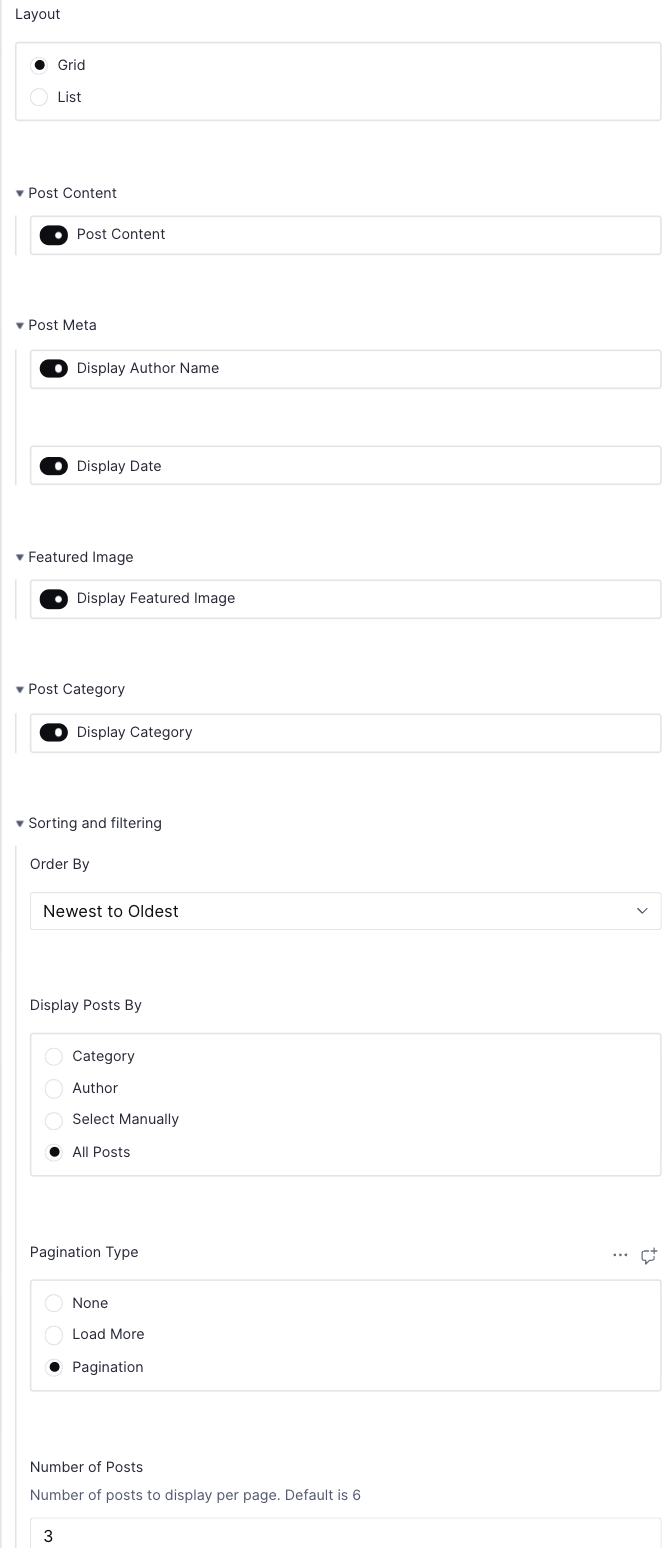
Configurable listing:
- Layout options: Switch between grid or list view
- Featured image: Show/hide and control image sizing
- Meta information: Display/hide author name and publish date
- Category display: Show/hide post categories
- Content preview: Toggle excerpt visibility
- Customizable styling: Apply your own CSS classes and styles
-
Sorting & filtering:
- Date-based sorting: Newest to oldest or oldest to newest
- Alphabetical sorting: A to Z or Z to A
- Category filtering: Show posts from specific categories
- Author filtering: Display posts by selected authors
- Manual selection: Hand-pick specific posts to display
- Post limit: Control number of posts shown
-
Pagination:
- No pagination: Show all posts at once
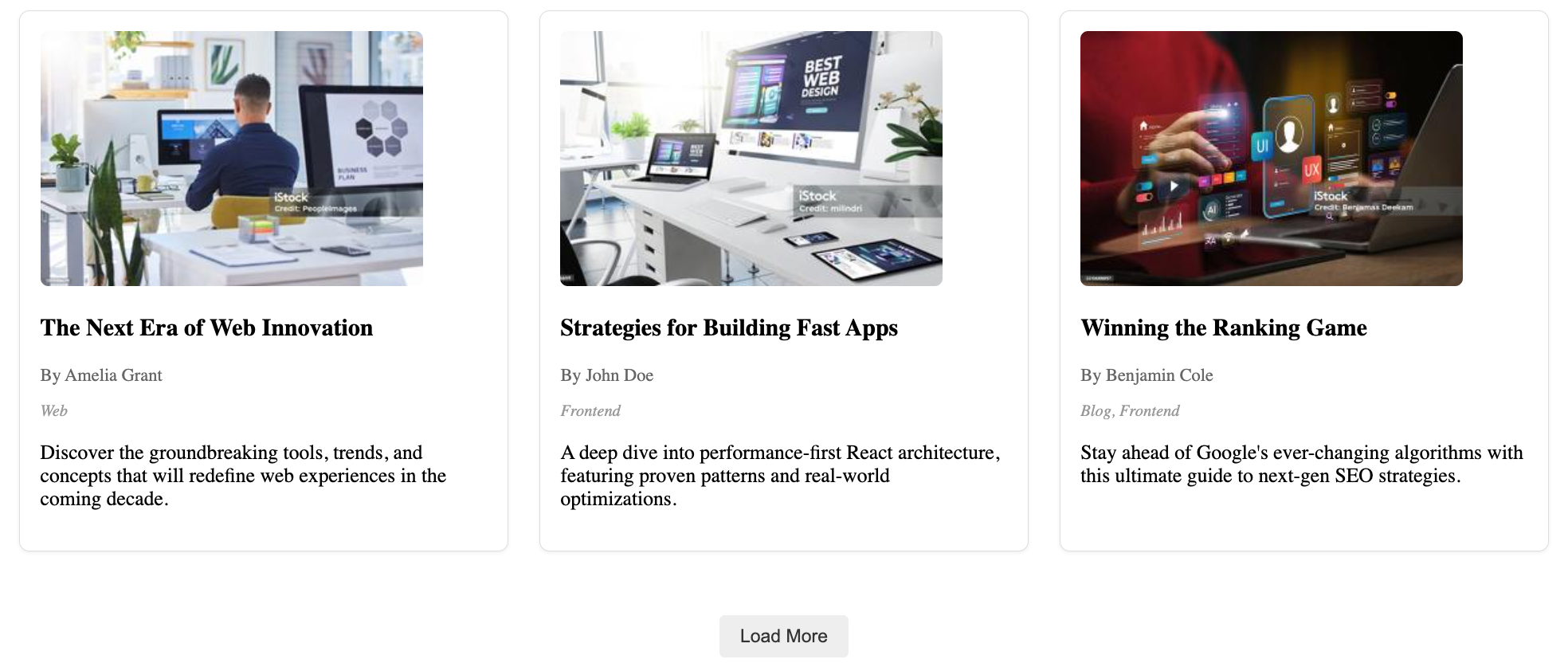
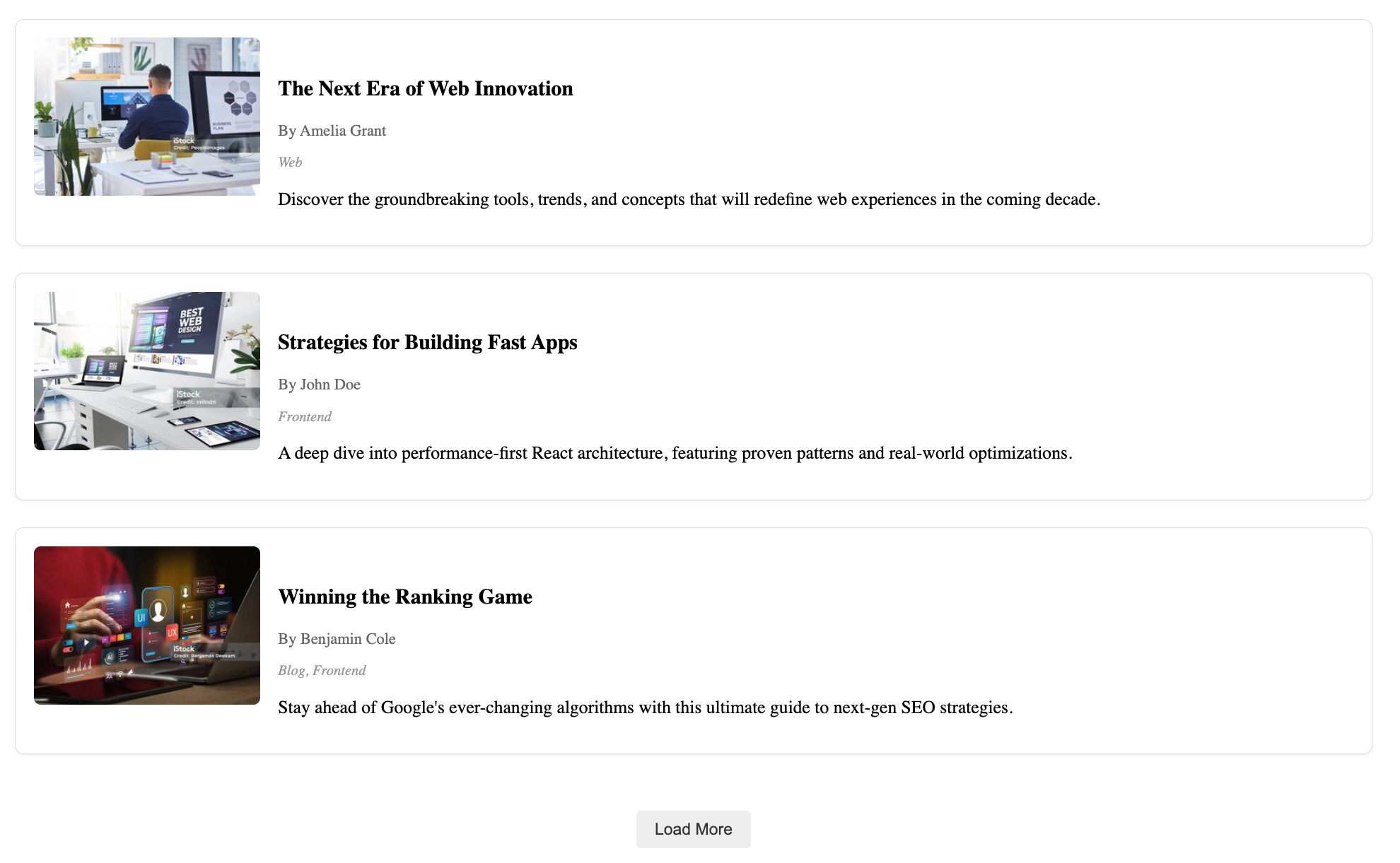
- Load more: Add button to load additional posts
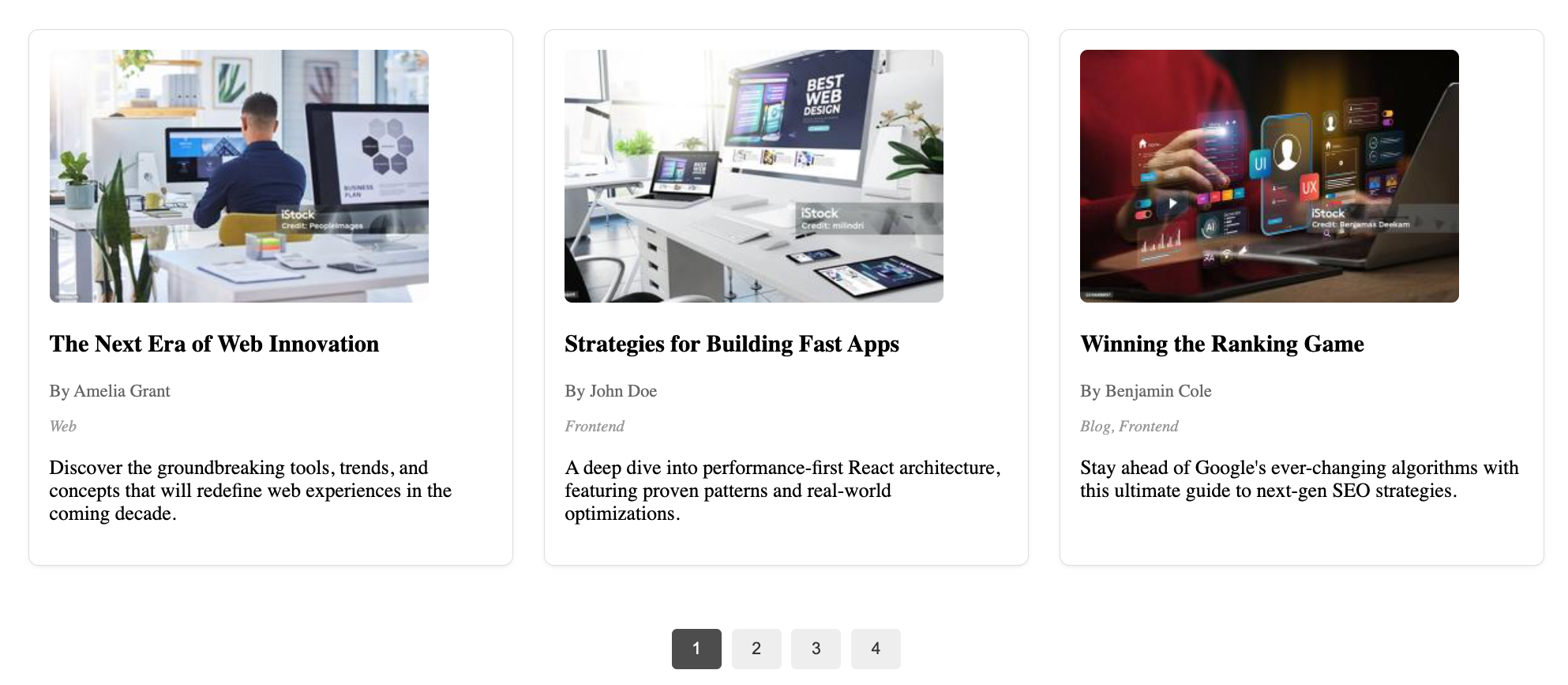
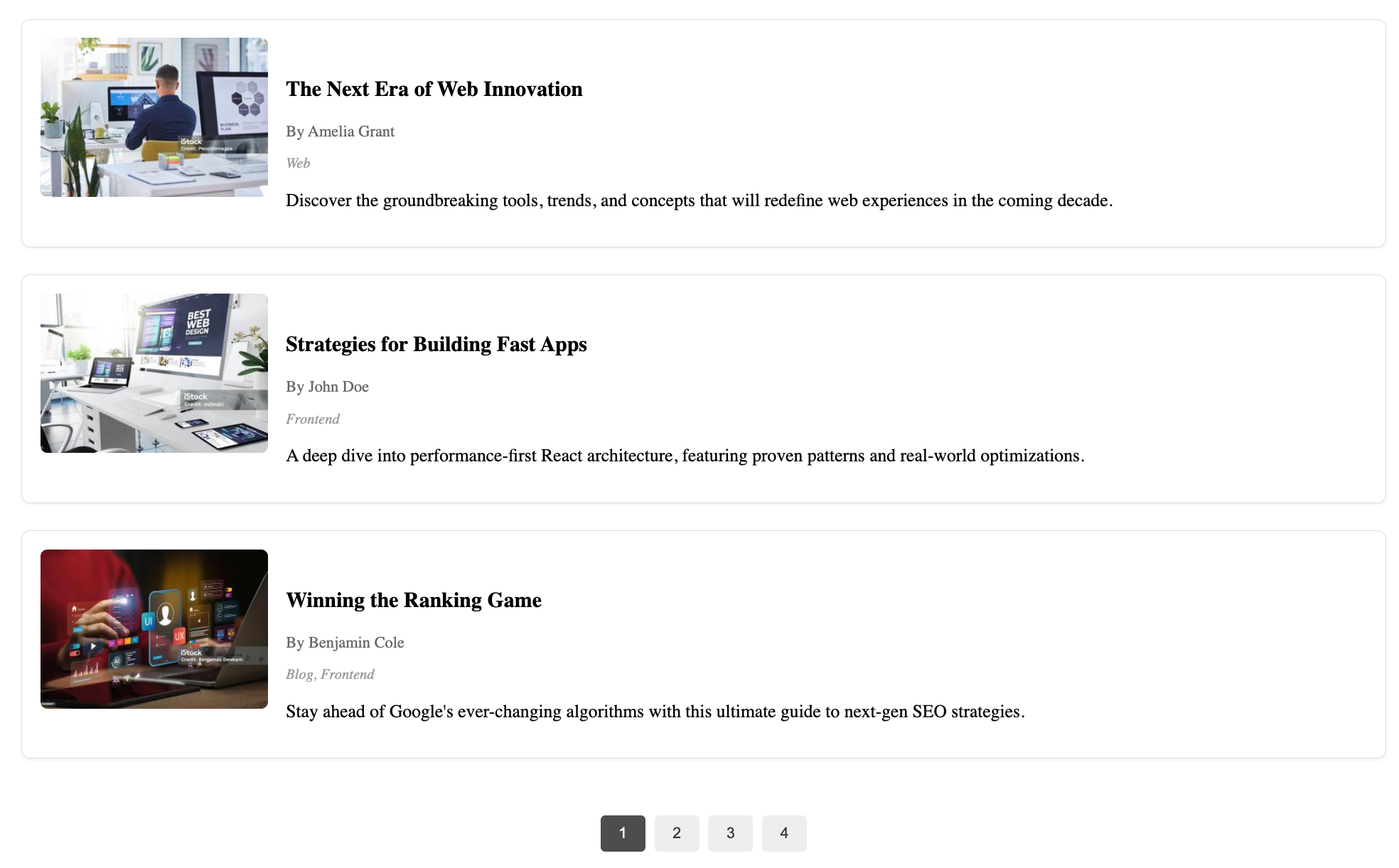
- Numbered pagination: Navigate through pages with numbered controls
- Customizable items per page
-
Client component:
- Ready-to-use
PostListingWrapperReact component - Built for Next.js applications
- Fully typed with TypeScript
- Handles data fetching from Sanity
- Ready-to-use
-
Schemas included:
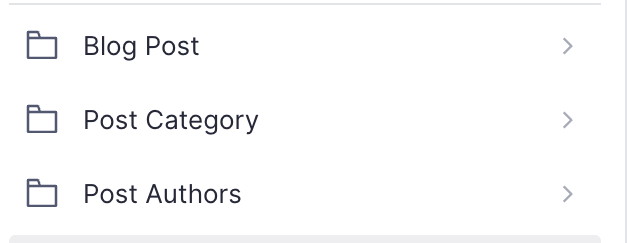
mdPost: Complete blog post document schema with title, slug, author reference, featured image, category references, publish date, excerpt and body contentmdPostCategory: Category document schema with title, slug and descriptionmdPostAuthor: Author document schema with name, slug, profile image and biographymdPostListing: Configurable object schema for customizing how posts are displayed
npm install @multidots/sanity-plugin-blog-listingPeer requirements in your frontend (if using the React component):
npm install @sanity/client @sanity/image-urlAdd the plugin in sanity.config.ts (or .js):
import {defineConfig} from 'sanity'
import {MDBlogListing} from '@multidots/sanity-plugin-blog-listing'

export default defineConfig({
  // ...your studio config
  plugins: [MDBlogListing()],
})
Example: add a listing section to a Page schema
// page.ts
import {defineType, defineField} from 'sanity'

export default defineType({
  name: 'page',
  title: 'Page',
  type: 'document',
  fields: [
    defineField({name: 'title', type: 'string'}),
    defineField({
      name: 'blogListing',
      type: 'mdPostListing',
      title: 'Blog Listing',
      description: 'Display a list of blog posts.',
    }),
  ],
})type MdPostListingConfig = {
layout?: 'grid' | 'list'
postContent?: {showContent?: boolean}
postMeta?: {displayAuthorName?: boolean; displayDate?: boolean}
featuredImage?: {showFeaturedImage?: boolean}
postCategory?: {showCategory?: boolean}
sortingAndFiltering?: {
orderBy?: 'newestToOldest' | 'oldestToNewest' | 'AtoZ' | 'ZtoA'
displayPostBy?: 'category' | 'author' | 'selectManually' | 'allPosts'
filterByCategory?: Array<{_ref?: string; _id?: string}>
filterByAuthor?: Array<{_ref?: string; _id?: string}>
selectPosts?: Array<{_ref?: string; _id?: string}>
numberOfPosts?: number
paginationType?: 'none' | 'loadMore' | 'pagination'
}
}Recommended approach: create a small Client Component wrapper, then render it from a Server Component page.
Client wrapper (ensure it runs on the client):
'use client'
import { PostListingWrapper } from '@multidots/sanity-plugin-blog-listing/client'
import type { MdPostListing } from '@/sanity/types'

export default function PostListing({ config }: { config?: MdPostListing | null }) {
  return <PostListingWrapper config={config} />
}
Server page usage:
const getPage = async (params: RouteProps['params']) =>
  sanityFetch({
    query: PAGE_QUERY,
    params,
  })

export default async function Page({ params }: RouteProps) {
  const { data: page } = await getPage(params)

  return (
    <>
      <PostListing config={page?.blogListing} />
    </>
  )
}
Sample page query:
const PAGE_QUERY = defineQuery(`*[_type == "page" && slug.current == $slug][0]{
  ...,
  title,
  blogListing
}`)
Environment variables required:
NEXT_PUBLIC_SANITY_PROJECT_IDNEXT_PUBLIC_SANITY_DATASET
To display individual blog posts, you'll need to create dynamic routes for the mdPost detail pages. The PostListingWrapper component automatically links to /mdPost/[slug] for each post.
Create the following folder structure in your Next.js app:
app/
└── mdPost/
    └── [slug]/
        └── page.tsx
Create a query to fetch a single post by slug:
// queries/mdPost.ts
import { defineQuery } from 'next-sanity'

export const MDPOST_QUERY = defineQuery(`
  *[_type == "mdPost" && slug.current == $slug][0]{
    _id,
    title,
    slug,
    publishedAt,
    excerpt,
    featuredImage,
    body,
    author->{
      name,
      slug,
      image,
      bio
    },
    categories[]->{
      _id,
      title,
      slug,
      description
    }
  }
`)

export const MDPOST_SLUGS_QUERY = defineQuery(`
  *[_type == "mdPost" && defined(slug.current)][]{
    "slug": slug.current
  }
`)Create the detail page component:
// app/mdPost/[slug]/page.tsx
import { notFound } from 'next/navigation'
import { sanityFetch } from '@/sanity/lib/client'
import { MDPOST_QUERY, MDPOST_SLUGS_QUERY } from '@/queries/mdPost'
import imageUrlBuilder from '@sanity/image-url'
import { PortableText } from '@portabletext/react'
import type { SanityImageSource } from '@sanity/image-url/lib/types/types'

const builder = imageUrlBuilder({
  projectId: process.env.NEXT_PUBLIC_SANITY_PROJECT_ID!,
  dataset: process.env.NEXT_PUBLIC_SANITY_DATASET!,
})

const urlFor = (source: SanityImageSource) => builder.image(source)

type Props = {
  params: { slug: string }
}

export async function generateStaticParams() {
  const posts = await sanityFetch({
    query: MDPOST_SLUGS_QUERY,
  })

  return posts.map((post) => ({
    slug: post.slug,
  }))
}

export default async function MdPostPage({ params }: Props) {
  const post = await sanityFetch({
    query: MDPOST_QUERY,
    params,
  })

  if (!post) {
    notFound()
  }

  return (
    <article className="max-w-4xl mx-auto px-4 py-8">
      {/* Featured Image */}
      {post.featuredImage && (
        <div className="mb-8">
          <img
            src={urlFor(post.featuredImage).width(800).height(400).url()}
            alt={post.featuredImage.alt || post.title}
            className="w-full h-64 md:h-96 object-cover rounded-lg"
          />
        </div>
      )}

      {/* Title */}
      <h1 className="text-4xl md:text-5xl font-bold mb-4">{post.title}</h1>

      {/* Meta information */}
      <div className="flex flex-wrap items-center gap-4 mb-8 text-gray-600">
        {post.author && (
          <div className="flex items-center gap-2">
            {post.author.image && (
              <img
                src={urlFor(post.author.image).width(40).height(40).url()}
                alt={post.author.name}
                className="w-8 h-8 rounded-full"
              />
            )}
            <span>By {post.author.name}</span>
          </div>
        )}

        {post.publishedAt && (
          <time dateTime={post.publishedAt}>
            {new Date(post.publishedAt).toLocaleDateString('en-US', {
              year: 'numeric',
              month: 'long',
              day: 'numeric',
            })}
          </time>
        )}
      </div>

      {/* Categories */}
      {post.categories && post.categories.length > 0 && (
        <div className="mb-8">
          <div className="flex flex-wrap gap-2">
            {post.categories.map((category) => (
              <span
                key={category._id}
                className="px-3 py-1 bg-gray-100 text-gray-700 rounded-full text-sm"
              >
                {category.title}
              </span>
            ))}
          </div>
        </div>
      )}

      {/* Excerpt */}
      {post.excerpt && (
        <div className="mb-8 text-xl text-gray-600 leading-relaxed">
          {post.excerpt}
        </div>
      )}

      {/* Body Content */}
      {post.body && (
        <div className="prose prose-lg max-w-none">
          <PortableText value={post.body} />
        </div>
      )}
    </article>
  )
}Backend Settings: https://share.cleanshot.com/fNLW59VtVKzTf3Fys960
Additional Backend Settings: https://share.cleanshot.com/9CXj7sk0nx8V1BsVBD5D
Grid Layout with Load More Button: https://share.cleanshot.com/gVgdhJXhdvSGMNtyr2t4
Grid Layout with Pagination: https://share.cleanshot.com/RMh0BmF1R6YHM0GMPlns
List Layout with Load More Button: https://share.cleanshot.com/P8j9N6xlSKXLH9XK6PhF
List Layout with Pagination: https://share.cleanshot.com/K1s98B9klCFJrhMPRQLl
You can style the plugin using the following CSS classes:
post-listingpost-cardpost-contentpost-titlepost-metapost-categoryload-more-btnpagination-btn
-
Error: defineLive can only be used in React Server Components
- Ensure you import the wrapper from
sanity-plugin-blog-listing/client. - Do not import your own
defineLiveutilities (from next-sanity) into client components. Keep those in server files (e.g.live.server.ts) and only use them in Server Components.
- Ensure you import the wrapper from
-
No posts found
- Create some
mdPostdocuments and assign categories/authors as needed.
- Create some
- Studio plugin:
MDBlogListingfromsanity-plugin-blog-listing - Client component entry:
PostListingWrapper(and its types) fromsanity-plugin-blog-listing/client
This plugin uses @sanity/plugin-kit for build & watch scripts.
Local development tips:
npm run link-watchornpm run watchto develop against a local Studio- Publish with
npm publish(build runs onprepublishOnly)
MIT © Multidots