In this tutorial I'll show you how to build your own awkward silence breaker, in the form of an SMS app that will reply to you with terrible festive jokes and one-liners that you can throw out to the table, quickly breaking the tension.
Getting large groups of family members together at any time of year can sometimes get a little awkward. Like when Uncle Bill has been mixing his drinks and he ultimately says something about cousin Roberta that leaves everyone uncomfortably munching on parsnips.
Awkward. Fire up your code editor and let's get started.
My own version of this app is live, so you can message it right now and see the results before we dig into the code.
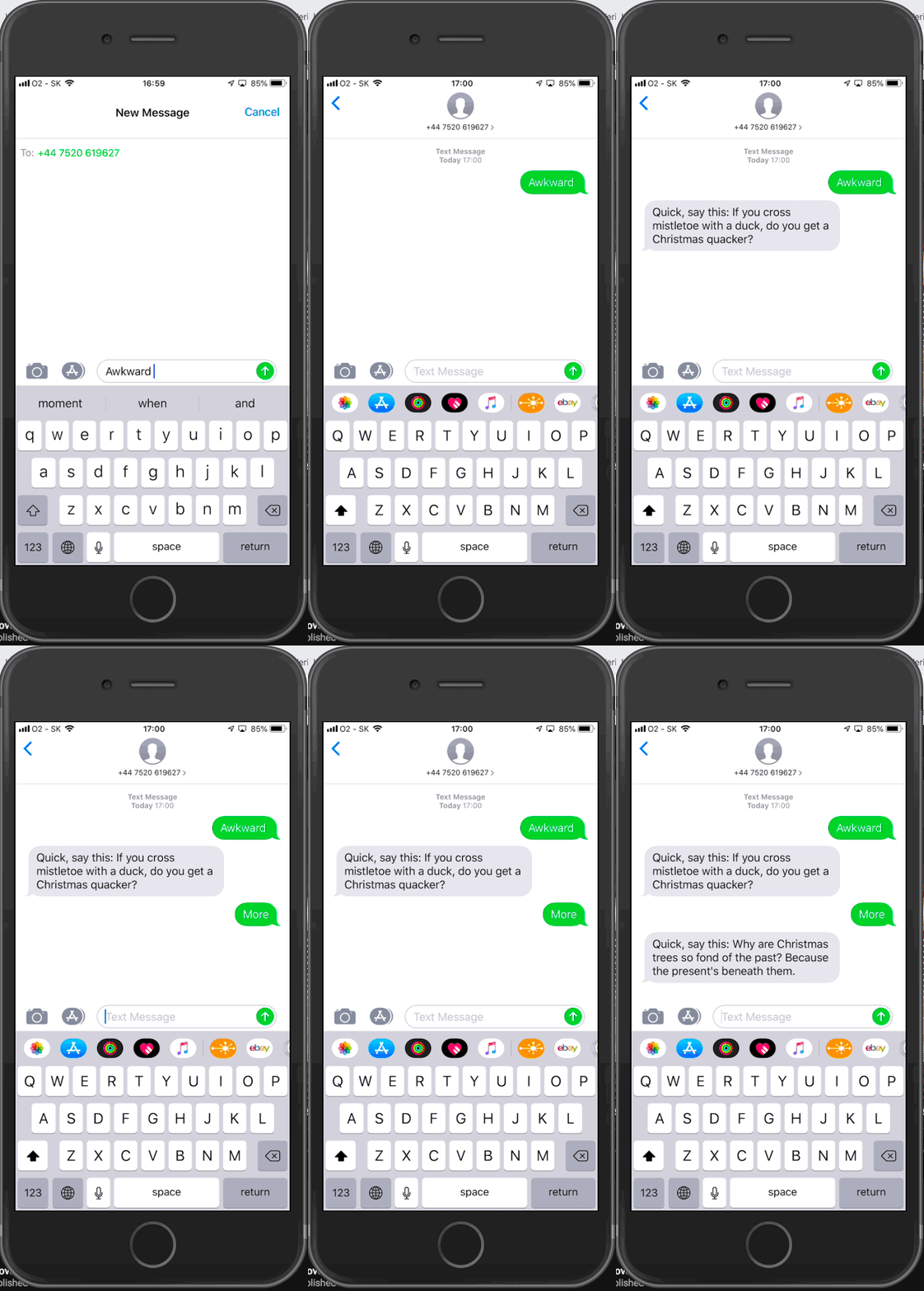
Send an SMS containing the word 'awkward' to +44 7520619627 if you're in the UK, or +1 201 844 9627 if you're in the US and bust out laughing at the genius lines you'll be sent in return... maybe.
(The keen of eye will have already spotted that the last 4 digits of each of those numbers spell out X-M-A-S on a telephone keypad.)
One line didn't break the grim, grim silence? Okay, SMS the word 'more' in reply and get another line that might help.
The app we're going to build uses Node.js, the Koa framework (which is just a more modern implementation of Express), and the Nexmo Messages API.
The code is available in a repository on the Nexmo Community GitHub account, and also in remixable form on Glitch.
- The Nexmo Command Line Interface
- A Nexmo account
- A fresh SMS capable number
- Node.js version 8 or above
- A selection of terrible jokes and one-liners
- An awkward situation
Using the Nexmo CLI, buy a new number for the app:
nexmo number:buy GB --sms #replace the gb with your own country codeIn any directory clone a copy of the code from our nexmo-community repository on GitHub:
git clone git@github.com:nexmo-community/xmas-jokes-nodejs.gitThen change to the directory to access the code:
cd xmas-jokes-nodejsOpen this festive package of wonder up in your editor and we'll get on with the configuration.
In order to configure this app, it needs to be reachable from the outside world. Use Ngrok to expose port 3000 and note down the https URL you are given:
ngrok http 3000If you haven't used Ngrok before follow the guide in this blog post to get up and running.
The first piece to configure is the .env.sample file. Start by renaming it to .env.
Add all the following pieces of information:
NEXMO_API_KEY="" # from your account dashboard
NEXMO_API_SECRET="" # from your account dashboard
Next up is the application specific detail. Set that up using the CLI:
nexmo application:create "Xmas Jokes" https://<your_ngrok_url>/inbound https://<your_ngrok_url>/status --keyfile private.key --type messagesThis command will set up a new Messages & Dispatch application on your account. It outputs the Application ID to the screen and will also write a file called private.key into the directory you're currently in. Both are needed for the next step of the config:
NEXMO_APPLICATION_ID="" # The new App ID you just generated
NEXMO_APPLICATION_PRIVATE_KEY="./private.key" # No need to change this unless you called your keyfile something different
Finally, add in your new SMS capable number:
NEXMO_FROM_NUMBER="" # If you have a Non-US number put it here, otherwise blank
NEXMO_FROM_NUMBER_US="" # If you have a US number, put it here, otherwise blank
With all those fields filled out you can save your .env and close it.
The app you have cloned has two endpoints in it:
/inboundreceives new SMS messages/statusis a a required URL for any Messages & Dispatch application, it receives read receipts and other information about the messages you send
So that the app can receive SMS messages, your number needs to know about your app. You do this by providing it with a callback URL:
nexmo link:sms <your number> http://<your_ngrok_url>/inboundOnce that is set, connect your application to the number as well:
nexmo link:app <your number> <your application id>That's it. Set up complete!
Nexmo now knows where everything is going and how to route new messages over to your application. There's only one thing left to do:
npm run devOnce the server is running, ensure that your Ngrok connection is still up and running on the same URL you used in the callbacks and then SMS the word 'awkward' to your new number.
Your next steps are to deploy this app to a server. Heroku is a good choice for this and the app won't require any code changes in order to work there.
Remember, when you deploy the app elsewhere you will need to update the callbacks for the SMS number, and both the URLs for your Messages & Dispatch application.
The CLI commands you need to do this are:
nexmo link:sms <your number> http://<your_new_deployed_url>/inboundnexmo app:update <your_application_id> "Xmas Jokes" https://<your_new_deployed_url>/inbound https://<your_new_deployed_url>/statusThen you're good to go.
If you're looking for an even quicker route to playing with the code for this application, you can remix it on Glitch by clicking the button below: