

 ░▒▓███████▓▒░▒▓█▓▒░░▒▓█▓▒░▒▓████████▓▒░▒▓█▓▒░      ░▒▓████████▓▒░
░▒▓█▓▒░      ░▒▓█▓▒░░▒▓█▓▒░▒▓█▓▒░      ░▒▓█▓▒░      ░▒▓█▓▒░
░▒▓█▓▒░      ░▒▓█▓▒░░▒▓█▓▒░▒▓█▓▒░      ░▒▓█▓▒░      ░▒▓█▓▒░
 ░▒▓██████▓▒░░▒▓████████▓▒░▒▓██████▓▒░ ░▒▓█▓▒░      ░▒▓██████▓▒░
       ░▒▓█▓▒░▒▓█▓▒░░▒▓█▓▒░▒▓█▓▒░      ░▒▓█▓▒░      ░▒▓█▓▒░
       ░▒▓█▓▒░▒▓█▓▒░░▒▓█▓▒░▒▓█▓▒░      ░▒▓█▓▒░      ░▒▓█▓▒░
░▒▓███████▓▒░░▒▓█▓▒░░▒▓█▓▒░▒▓████████▓▒░▒▓████████▓▒░▒▓█▓▒░
Django Shelf is meant to be a simple way to categorize your model admins instead of relying on creating new apps for each category.
The main reason is simply to avoid creating new apps for each category of model admins. This is especially useful if you got legacy applications that will break if you try to split them into new apps.
Yes, I know that this is not the best practice, but sometimes you just need to do it.
- Install the package using
pip install django-admin-shelf. - Add
admin_shelfto yourINSTALLED_APPSin your Django settings. - Create categories in your
admin.pyfile as follows:
from admin_shelf.admin import Category
from example.models import Model1

custom_category = Category(name="Custom Category")

@custom_category.register(Model1)
class Model1Admin(admin.ModelAdmin):
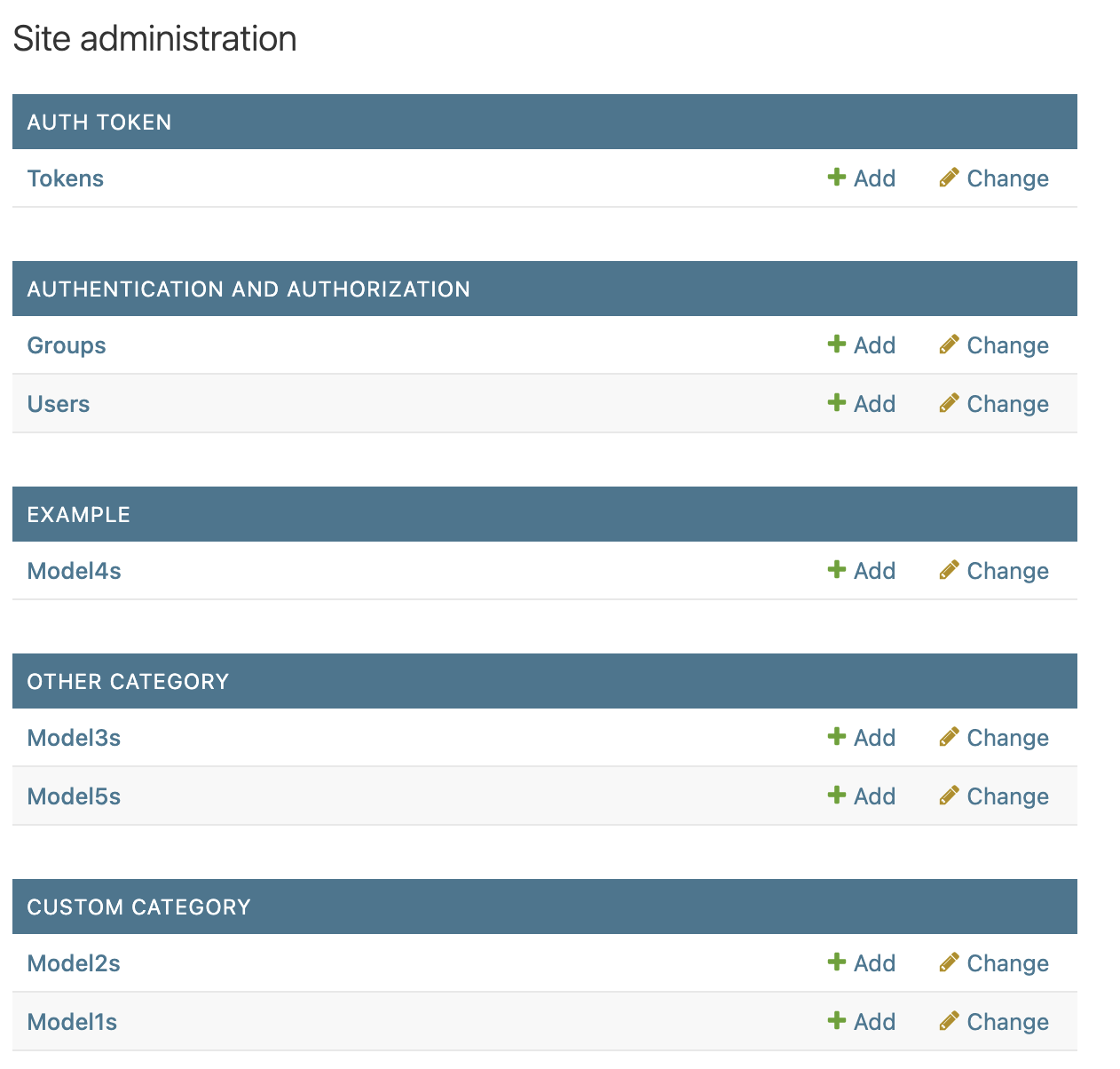
passThe admin_shelf.admin.Category class is used to create categories for your model admins. You can register your model admins to these categories using the @category.register(Model) decorator.
You can set a order for both the categories and the model admins by passing an order argument to the Category class and the @register decorator, respectively.
Example:
from admin_shelf.admin import Category
from example.models import Model1, Model2

custom_category = Category(name="Custom Category", order=1)

@custom_category.register(Model1, order=2)
class Model1Admin(admin.ModelAdmin):
    pass

@custom_category.register(Model2, order=1)
class Model2Admin(admin.ModelAdmin):
    pass
Yes, it is just that simple. You can also use the @register decorator without passing a category, in which case it will be registered to the default category. Or use the default register from django admin if you want to register your model admin without a category.
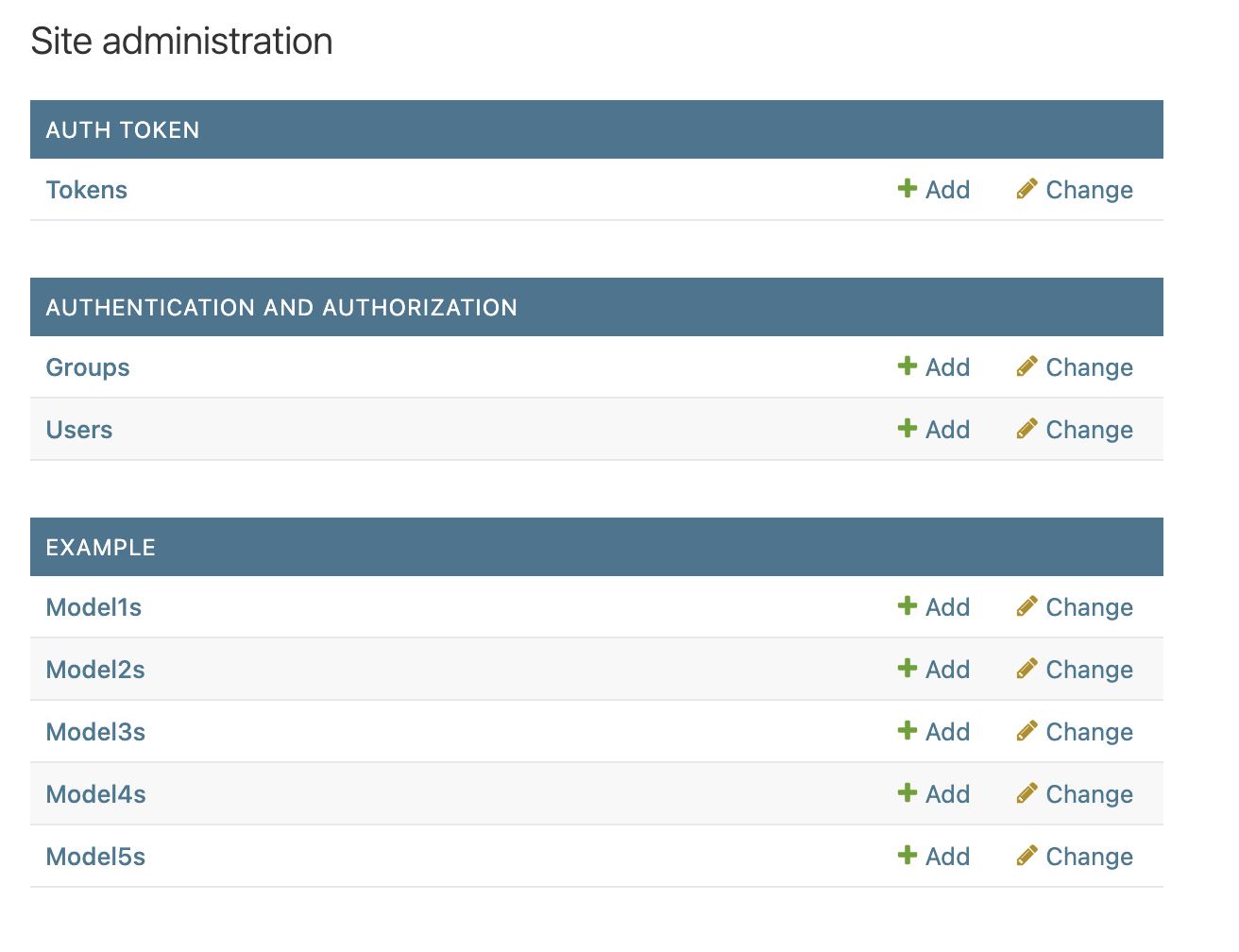
Before shelf:
After shelf:
To run the example app, you can use the following commands:
# You need to have docker installed
docker compose up exampleTo run the tests, you can use the following commands:
# You need to have docker installed
docker compose up testIf you want to contribute to this project, you can do so by creating an issue! And if you want to contribute with code, you can fork the repository and create a pull request.
Check the CONTRIBUTING.md file for more information on how to contribute.
Yes.