Authors: Nima Najafian & Noah Pursell
This project is a decentralized software lending platform built as part of CS-5833. It demonstrates how Ethereum smart contracts, Dockerized development environments, and client-server interactions can be used to manage software licensing in a permissionless, programmable way.
The platform includes:
- A smart-contract system for renting and purchasing software (games)
- A Dockerized client interface for interacting with the platform
- Development tooling for rapid iteration on both client and smart-contract layers
📄 Read the full project report for a detailed explanation of the architecture, design decisions, and implementation.
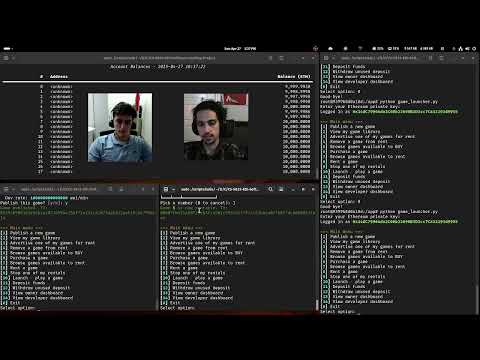
Watch the Demo Video
Update the .env file to match your setup.
-
Install and start Docker:
- Docker Desktop for Windows and Mac
dockerpackage for Linux distributions
-
To build and start the production container (from the top directory):
-
On Linux or Mac (Unix systems):
./scripts/unix/deploy-smart-contracts.sh
-
On Windows (Command Prompt):
scripts\windows\deploy-smart-contracts.bat
This will:
- Build the Docker image if it has not been built yet
- Deploy one container to run the HardHat ETH Network
- Deploy a second container that uses the HardHat Ignition Framework to deploy the GameRental smart-contract
-
Install and start Docker:
- Docker Desktop for Windows and Mac
dockerpackage for Linux distributions
-
To build and start the production container (from the top directory):
-
On Linux or Mac (Unix systems):
./scripts/unix/dev-client.sh
-
On Windows (Command Prompt):
scripts\windows\dev-client.bat
-
-
Run the client with
python game_launcher.py.
This project uses Docker to provide a consistent Python development environment.
-
Install and start Docker:
- Docker Desktop for Windows and Mac
dockerpackage for Linux distributions
-
To build and start the development container (from the top directory):
-
On Linux or Mac (Unix systems):
./scripts/unix/dev-client.sh
-
On Windows (Command Prompt):
scripts\windows\dev-client.bat
This will:
- Build the Docker image if it has not been built yet
- Mount your project directory into the container
- Start a bash shell inside the container, ready to run Python commands
-
Install and start Docker:
- Docker Desktop for Windows and Mac
dockerpackage for Linux distributions
-
To build and start the development container (from the top directory):
-
On Linux or Mac (Unix systems):
./scripts/unix/dev-smart-contracts.sh
-
On Windows (Command Prompt):
scripts\windows\dev-smart-contracts.bat
This will:
- Build the Docker image if it has not been built yet
- Mount your project directory into the container
- Start a bash shell inside the container, ready to run npm/npx commands
- Files edited on the host machine are immediately available inside the container.
- When you exit the container (
exitorCtrl+D), it will automatically clean up. - To add new Python dependencies, update
requirements.txtand rebuild the image.