A dynamic Lively Wallpaper that responds to music playback with audio visualization and album cover color extraction.

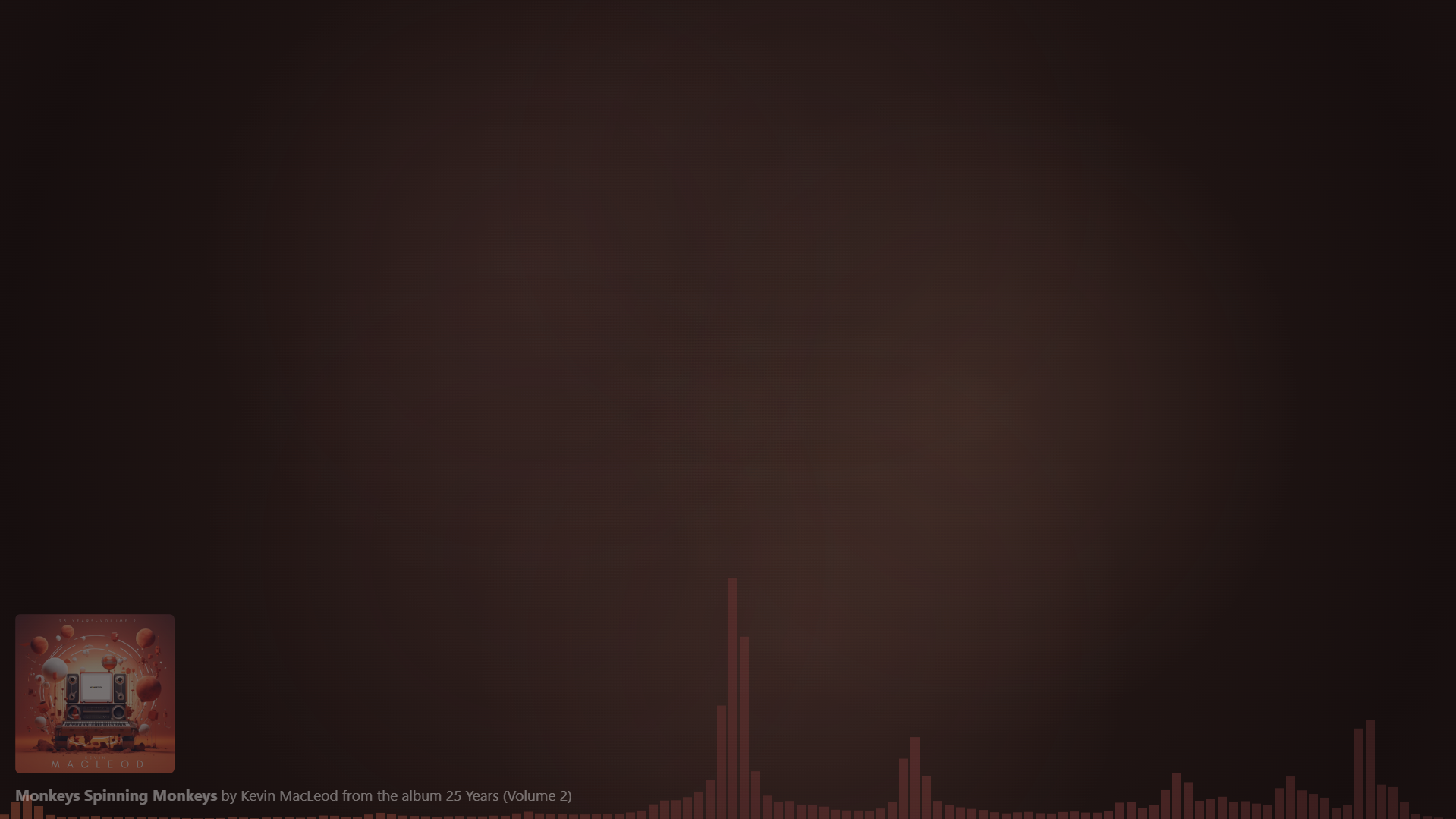
→ Download this repository as .zip and drag it onto your lively wallpaper window.
- Real-time audio visualization with 128 frequency bars
- Multiple color modes:
- Album Cover Colors: Horizontal gradient using colors extracted from the current album cover
- White Illusion: Random light colors for a subtle effect
- Spectrum: Rainbow gradient across the visualizer
- Based on Value: Dynamic colors based on audio intensity (blue → cyan → green → yellow → red)
- Custom Color: Choose your own color
- Adjustable height scaling
- Adjustable opacity
- Toggle on/off
- Automatic color extraction from album artwork (using color.js)
- Smooth transitions when album cover changes (1.5s fade)
- Radial gradient with subtle blur effects
- Adjustable saturation (desaturation slider)
- Adjustable opacity
- Toggle on/off
- Shows current track information (Title, Artist, Album)
- Auto-hides when no music is playing
- Adjustable opacity
- Adjustable size scaling
- Toggle on/off
- Adaptive Audio Scaling: Visualizer intensity is calculated relative to the average maximum loudness over the last 60 seconds, ensuring consistent visualization regardless of track volume
- Smooth Color Transitions: Album cover color changes fade smoothly over 1.5 seconds
- Debug Mode: View real-time statistics including:
- Average loudness
- Current max loudness (60s rolling average)
- Number of extracted colors
- Background saturation level
- Playback type
- Color swatches with RGB values (top-left corner)
Uses color.js to extract the 5 most prominent colors from album artwork. Colors are sampled and grouped for optimal visual results. - IMPORTANT: color.js is licensed under the MIT License by Luuk de Vlieger.
- Receives 128-band frequency data (0-255 values)
- Tracks rolling maximum loudness over 60 seconds
- Calculates relative intensity for adaptive visualization
Custom RGB desaturation algorithm that interpolates between original colors and their grayscale equivalents based on the saturation slider (0 = grayscale, 1 = full saturation).
- Uses HTML5 Canvas for rendering
- Efficient gradient caching for album cover color mode
- RequestAnimationFrame for smooth color transitions
- Responsive to window resize events
All settings are available through Lively Wallpaper's customization panel:
| Setting | Type | Default | Range | Description |
|---|---|---|---|---|
| Show Audio Visualizer | Toggle | On | - | Enable/disable visualizer |
| Audio Visualizer Opacity | Slider | 0.5 | 0-1 | Transparency of visualizer bars |
| Audio Visualizer Height Scale | Slider | 1.0 | 0.1-3.0 | Scale factor for bar heights |
| Audio Visualizer Color Mode | Dropdown | Album Cover | - | Color scheme selection |
| Audio Visualizer Custom Color | Color | #FFFFFF | - | Custom color (when mode = Custom) |
| Show Now Playing | Toggle | On | - | Enable/disable track info |
| Now Playing Opacity | Slider | 0.8 | 0-1 | Transparency of track info |
| Now Playing Size | Slider | 1.0 | 0.5-3.0 | Scale factor for track info |
| Show Background Colors | Toggle | On | - | Enable/disable album color background |
| Background Colors Opacity | Slider | 0.25 | 0-1 | Transparency of background |
| Background Colors Saturation | Slider | 0.5 | 0-1 | Color saturation (0=gray, 1=full) |
| Enable Debug Mode | Toggle | Off | - | Show debug information |
minimalistic/
├── index.html          # Main HTML structure
├── style.css           # Styling and layout
├── wallpaper.js        # Main application logic
├── color.js            # Color extraction library
├── LivelyInfo.json     # Lively Wallpaper metadata
├── LivelyProperties.json  # Customization settings
└── README.md           # This file
- Requires HTML5 Canvas support
- Uses ES6+ JavaScript features
- Tested with Chromium-based browsers (Edge, Chrome)
- Color Extraction: color.js by Luuk de Vlieger
- Platform: Lively Wallpaper by Dani John
This wallpaper is free to use and modify for personal use.