Home
Nabbix is a passive agent that responds to TCP requests from the Zabbix Server.
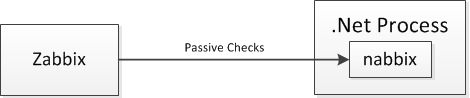
Nabbix has been tested with Zabbix 3.0, 2.4, 2.2, 2.0 and 1.8.
Here's a complete example that monitors a single long value that is incremented once.
private class MyCounter
{
   private long _incrementing;
   internal void Increment() { Interlocked.Increment(ref _incrementing); }

   [NabbixItem("long_example")]
   public long Incrementing => Interlocked.Read(ref _incrementing);
}


private static void Main()
{
   var counters = new MyCounter();
   var agent = new NabbixAgent(10052, counters);
   counters.Increment();
   // Wait for Zabbix to passively check the counter.
   Console.ReadKey();
   agent.Stop();
}
Nabbix can monitor .Net base types such as int, long, float, double and decimal.
Create a class with properties and assign NabbiItem attributes to the properties.
// It's fine to have any number of properties and NabbixItems
// on a single class.
public class FloatCounter
{
    // It's important to synchronize access to the float. The Zabbix
    // passive checks will be querying the value of the base types in
    // parallel with updates being made to them from your application.
    private float _float;
    private readonly object _floatLockObj = new object();

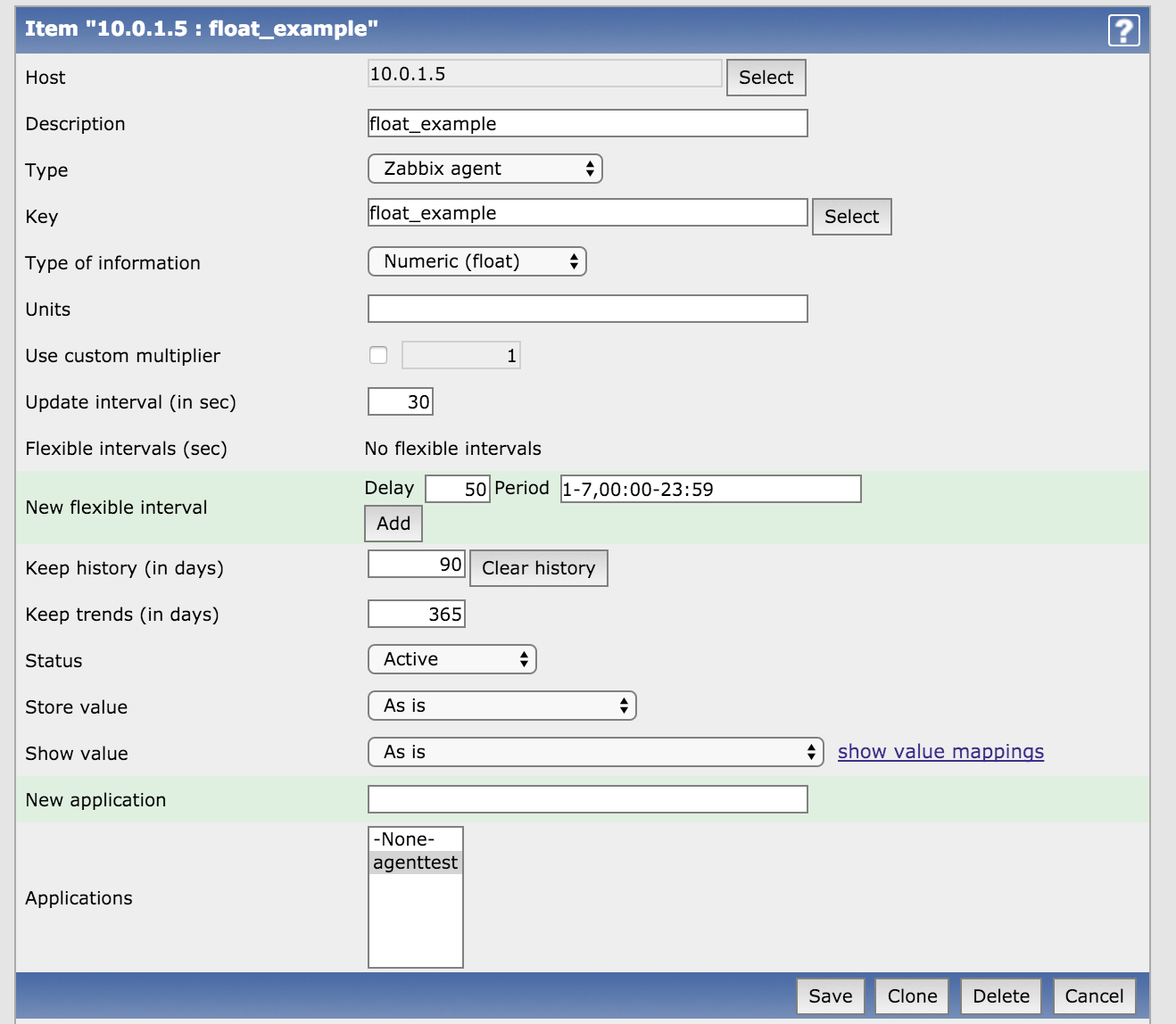
    // float_example is the key configured in zabbix for this item.
    [NabbixItem("float_example")]
    public float FloatExample
    {
        get { lock (_floatLockObj) return _float; }
        set { lock (_floatLockObj) _float = value; }
    }
}
Add the item to Zabbix.
The NabbixAgent includes support for Windows Performance Counters.
The format of Zabbix keys for Windows Performance Counters is the same as the first example from the Zabbix documentation: https://www.zabbix.com/documentation/1.8/manual/config/windows_performance_counters
Examples:
- perf_counter["\Memory\Available Bytes"]
- perf_counter["\Memory\Committed Bytes"]
- perf_counter["\Processor Information(_Total)% Processor Time"]
Memory Performance Counters

CPU Performance Counter

Nabbix can monitor total disk space, free disk space and the volume label of the disk using the NabbixDiskSpace and NabbixDiskSpaceItem classes.
    [NabbixDiskSpaceItem("c_available_free", "c_total_free", "c_total_size",
          "c_volume_label")]
    public NabbixDiskSpace DiskSpace { get; } = new NabbixDiskSpace(@"C");
Nabbix can monitor the number of files in a directory using the NabbixFileCount and NabbixFileCountItem classes.
    [NabbixFileCountItem("all_files")]
    public NabbixFileCount NabbixAllFiles { get; } = new NabbixFileCount(@"C:\git\nabbix");

    [NabbixFileCountItem("csharp_files")]
    public NabbixFileCount NabbixFiles { get; } = new NabbixFileCount(@"C:\git\nabbix", "*.cs");