


Xamarin.Android bindings for RxFFmpeg. (Kudos @microshow) This Java Bindings Library provides performant audio and video processing / editing powered by FFmpeg 4.0 + X264 + mp3lame + fdk-aac.
| Platform | Support | Sample |
|---|---|---|
| Xamarin.Android | ✔ | ✔ |
| Xamarin.Forms | ✔ | ⏳ |
Using FFmpeg in (Xamarin.)Android seems easy at first - there are some projects around, but there are some gotchas like getting compilation for different ABIs right and adding support for hardware acceleration. RxFFmpeg is doing a great job of making it easy to run commands against ffmpeg. I was struggling with getting FFmpeg performance right on Xamarin.Android that's way I started binding RxFFmpeg since they have support for Android MediaCodec. One goal with this Java Bindings Library is to make it as easy as possible to call into the native ffmpeg commands from Xamarin.Android.
Major credits to @microshow for doing the hard work 👍.
XDroidFFmpeg is up on NuGet and GitHub
https://www.nuget.org/packages/XDroidFFmpeg
https://github.com/nor0x/XDroidFFmpeg/packages
Start by adding a reference to RxFFmpeg_Bindings.csproj to the Xamarin.Android project. Set API Level and supported ABIs in the project properties. Hint: use arm64-v8a for best performance on supported devices.
Running commands against ffmpeg is as simple as:
var command = cmd.Split(" ");
RxFFmpegInvoke.Instance.RunCommand(command, null);
For getting callbacks an implementation of IFFmpegListener can be passed to RunCommand
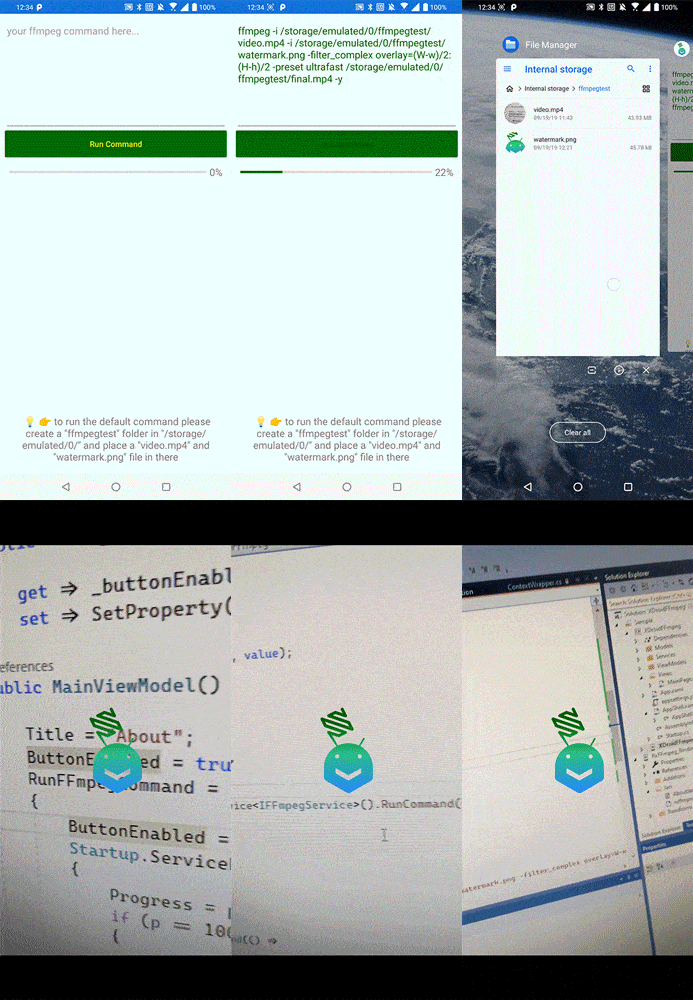
There is also a demo project which demonstrates adding .PNG watermark to an .MP4 video. To get the demo working you need to create a ffmpegtest folder in /storage/emulated/0/ and add a video.mp4 and watermark.png file to this folder.
More demo scenarios might be added in the future. Head over to ffmpeg documentation for more.
Feel free to create issues and PRs 😃