


A modern web reader for MDict dictionaries — React 19 SPA with dark mode, wordbook, and faithful dictionary rendering.
基于 React 19 的现代 MDict 词典 Web 阅读器 — 暗色模式、生词本、忠实词典渲染。
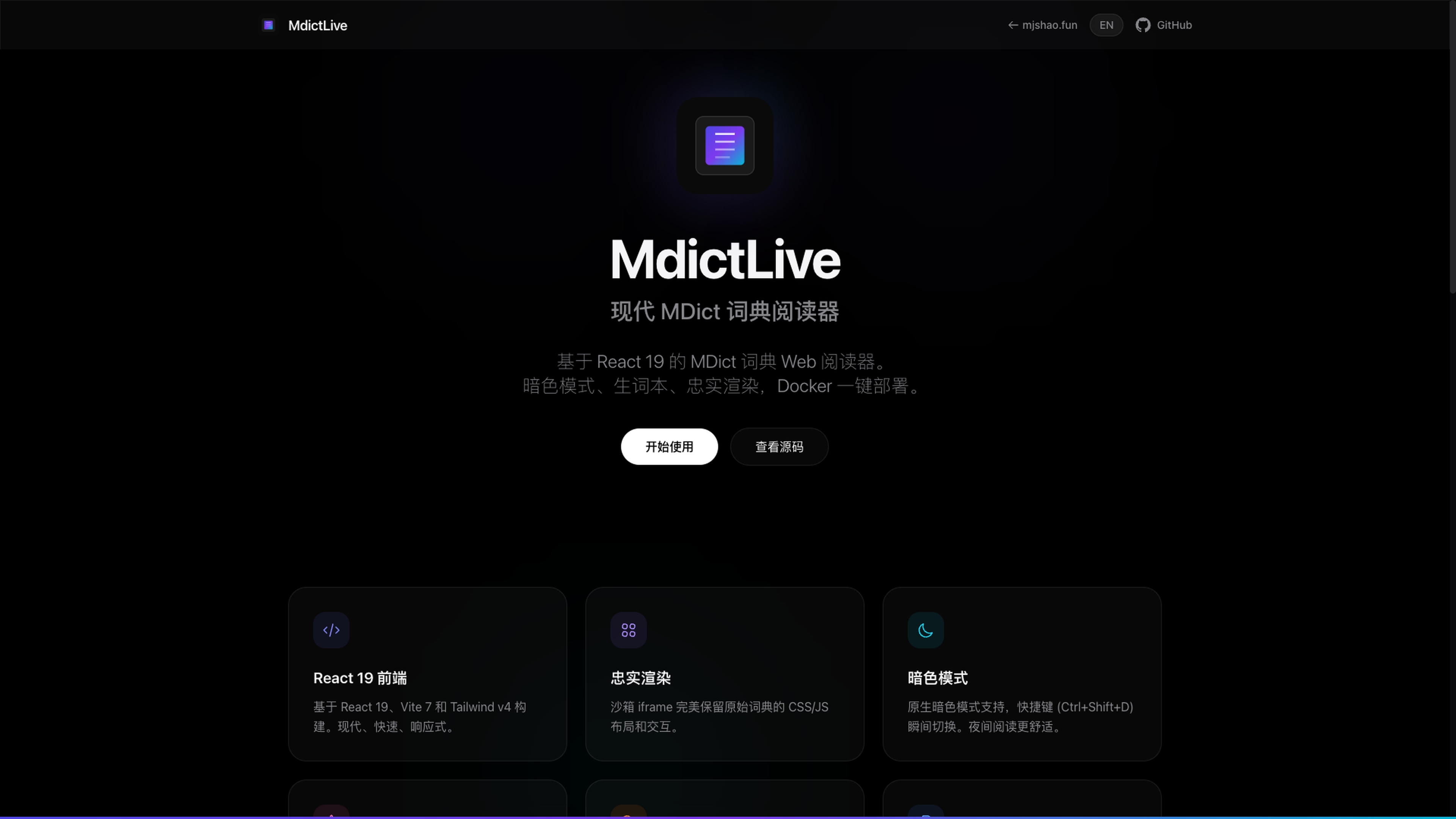

MdictLive is a complete overhaul of the classic flask-mdict project, rebuilding the frontend as a modern Single Page Application (SPA) while preserving the robust Python backend for MDict file parsing.
MdictLive 是经典 flask-mdict 项目的全面重构,使用现代 SPA 重建前端,同时保留了稳健的 Python 后端用于 MDict 文件解析。
It solves the biggest problem with existing web MDict viewers: faithful rendering. Instead of trying to sanitize or restyle the dictionary content (which breaks complex layouts), MdictLive treats each entry as a sovereign document, rendering it exactly as the dictionary author intended, while wrapping it in a modern, responsive interface.
它解决了现有 Web MDict 阅读器最大的问题:忠实渲染。MdictLive 不会清理或重写词典内容(这会破坏复杂排版),而是将每个词条视为独立文档,完全按照词典作者的意图渲染,同时包裹在现代响应式界面中。
- Modern Tech Stack / 现代技术栈: React 19, Vite 7, Tailwind v4.
- Dark Mode / 暗色模式: Toggle with
Ctrl+Shift+D. / 快捷键切换。 - Sidebar / 侧边栏: Manage multiple dictionaries, toggle visibility. / 管理多本词典,切换可见性。
- Wordbook / 生词本: Star/favorite words for later review. / 收藏生词,随时复习。
- Instant Search / 即时搜索: Auto-suggestions and local search history. / 自动补全和本地搜索历史。
- Word Frequency / 词频: Integrated COCA/BNC frequency data. / 集成 COCA/BNC 词频数据。
- Faithful Rendering / 忠实渲染: Sandboxed iframes preserve original dictionary CSS/JS. / 沙箱 iframe 保留词典原始排版。
- LZO Support: Native support for LZO-compressed
.mdxfiles. / 原生支持 LZO 压缩词典。 - Reverse Proxy Ready: Handles
X-Forwarded-Protocorrectly. / 正确处理反向代理。 - Multi-Arch / 多架构:
linux/amd64andlinux/arm64(Apple Silicon).
Bash (Mac/Linux)
docker run -d \
  --name mdict-live \
  -p 5248:5248 \
  -v $(pwd)/library:/app/content \
  tardivo/mdict-live:latest
PowerShell (Windows)
docker run -d `
  --name mdict-live `
  -p 5248:5248 `
  -v ${PWD}/library:/app/content `
tardivo/mdict-live:latestversion: '3.8'
services:
mdict-live:
image: tardivo/mdict-live:latest
container_name: mdict-live
restart: unless-stopped
ports:
- "5248:5248"
volumes:
- ./library:/app/content
- ./config:/config| Path / 路径 | Description / 说明 |
|---|---|
/app/content |
Required / 必需. Place .mdx and .mdd files here. Subdirectories supported. / 放置词典文件,支持子目录。 |
/config |
Optional / 可选. Stores config and database (history/favorites). / 持久化配置和数据库。 |
MdictLive caches dictionary lookups in memory (LRU, zero config). For heavy usage, you can optionally connect a Valkey/Redis instance for a larger shared cache.
MdictLive 默认使用内存 LRU 缓存词典查询(零配置)。重度使用可选配 Valkey/Redis 实例。
| Env Var / 环境变量 | Default / 默认值 | Description / 说明 |
|---|---|---|
CACHE_SIZE |
4096 |
Max entries in the in-memory LRU cache. / 内存 LRU 缓存最大条目数。 |
REDIS_URL |
(empty) | Optional. Valkey/Redis URL to enable external cache. / 可选,设置后启用外部缓存。 |
With Valkey (docker-compose example):
services:
  mdict-live:
    image: tardivo/mdict-live:latest
    ports:
      - "5248:5248"
    volumes:
      - ./library:/app/content
    environment:
      - REDIS_URL=redis://valkey:6379/0

  valkey:
    image: valkey/valkey:8-alpine
    command: valkey-server --maxmemory 200mb --maxmemory-policy allkeys-lru --save ""
When REDIS_URL is not set, the app uses an in-memory LRU cache — no extra containers needed.
未设置 REDIS_URL 时,应用使用内存 LRU 缓存,无需额外容器。
Use the XML template mdict-live.xml — place it in /boot/config/plugins/dockerman/templates-user/ and import via Docker tab. See the Landing Page for detailed guide.
使用 XML 模板 mdict-live.xml,放入 /boot/config/plugins/dockerman/templates-user/ 后在 Docker 标签页导入。详细指南请查看 项目主页。
- Frontend / 前端: React 19, Vite 7, Tailwind CSS v4, Zustand, React Query, Framer Motion, Lucide React.
- Backend / 后端: Python 3.11, Flask,
mdict-utils(modified for LZO). - Container / 容器: Alpine Linux multi-stage build (Node.js build → Python runtime).
git clone https://github.com/nxxxsooo/mdict-live.git
cd mdict-live
docker-compose up -d --build
The app will be available at http://localhost:5248. / 应用启动后访问 http://localhost:5248。
Forked from liuyug/flask-mdict. Major frontend rewrite and rebranding by Mingjian Shao.
基于 liuyug/flask-mdict 二次开发,前端全面重构 by Mingjian Shao。
- Landing Page / 项目主页
- Author / 作者
- GitHub
- Docker Hub (also available as / 也可用
tardivo/flask-mdict)