Blackpants
The Blackpants are a carrier board for the Flipper Blackhat, removing the requirement for the Flipper Zero. It has a 480x480 screen, adds two additional USB-A ports and full backlit keyboard.

Failure to read this can result in permanent damage to your Blackpants or Flipper Blackhat. Please read and understand this before proceeding with installation.
- Perform inspection of the board. Ensure..
- USB Contact pins (1) look alright. They should not be flattened and not be shorted to each other. These are the pins that connect the USB-A on the Flipper Blackhat to the Blackpants
- Kapton tape is installed (2)
- FFC Cable (3) is installed properly
- FFC Cable (4) is installed properly
- "Holder downer" (5) is loose
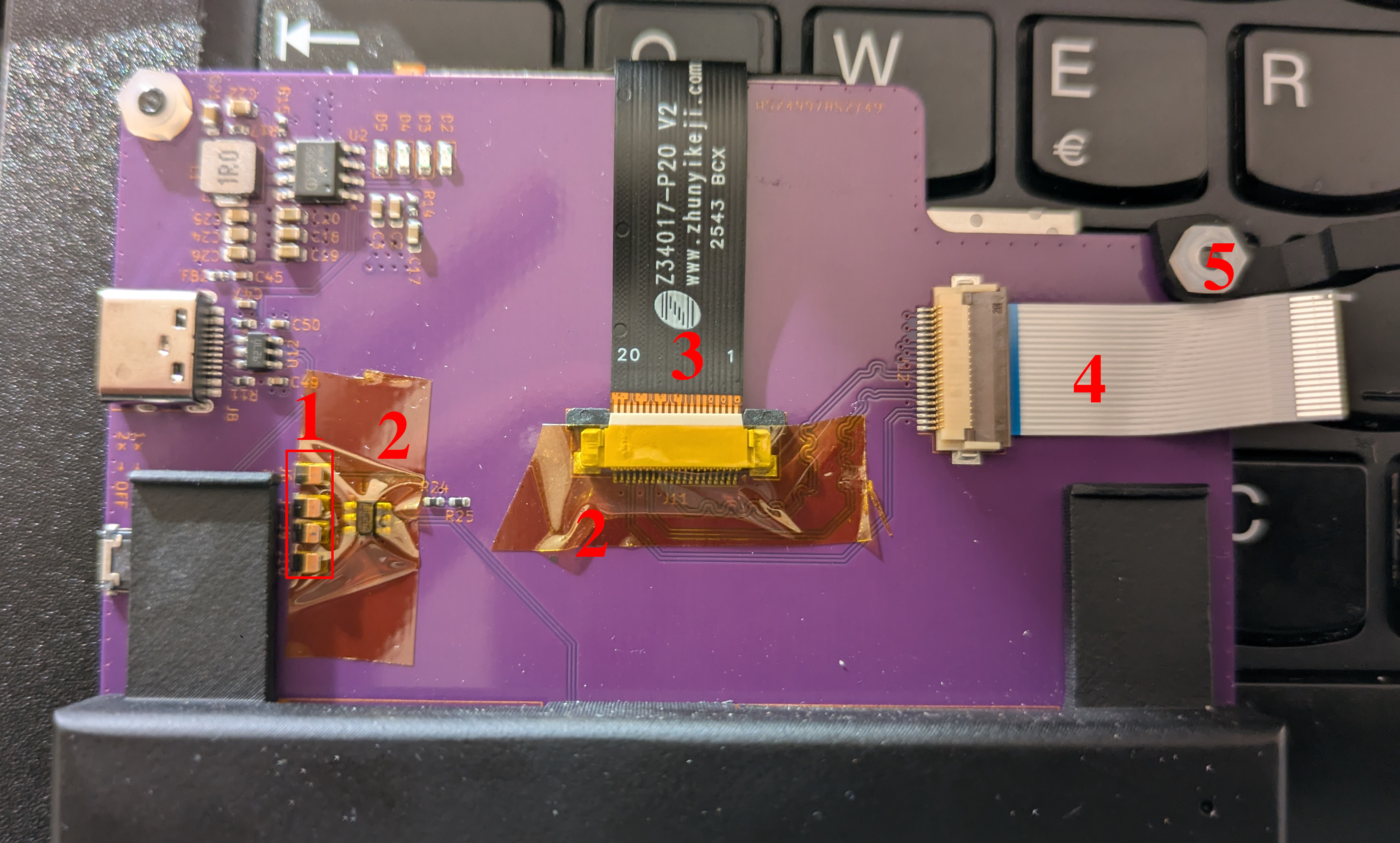
- Remove all USB-A dongles from the Flipper Blackhat. When inserted into the Blackpants, NEVER USE USB-A (7) USB-A (8) OKAY to use.
- After inspection you can insert the Flipper Blackhat into the Blackpants. You do NOT want to apply and lateral force on the USB contact pins (1). This is done by inserting at an angle, one it's fully inserted into headers (6) you can push down, enabling contact to the USB contact pins (1)
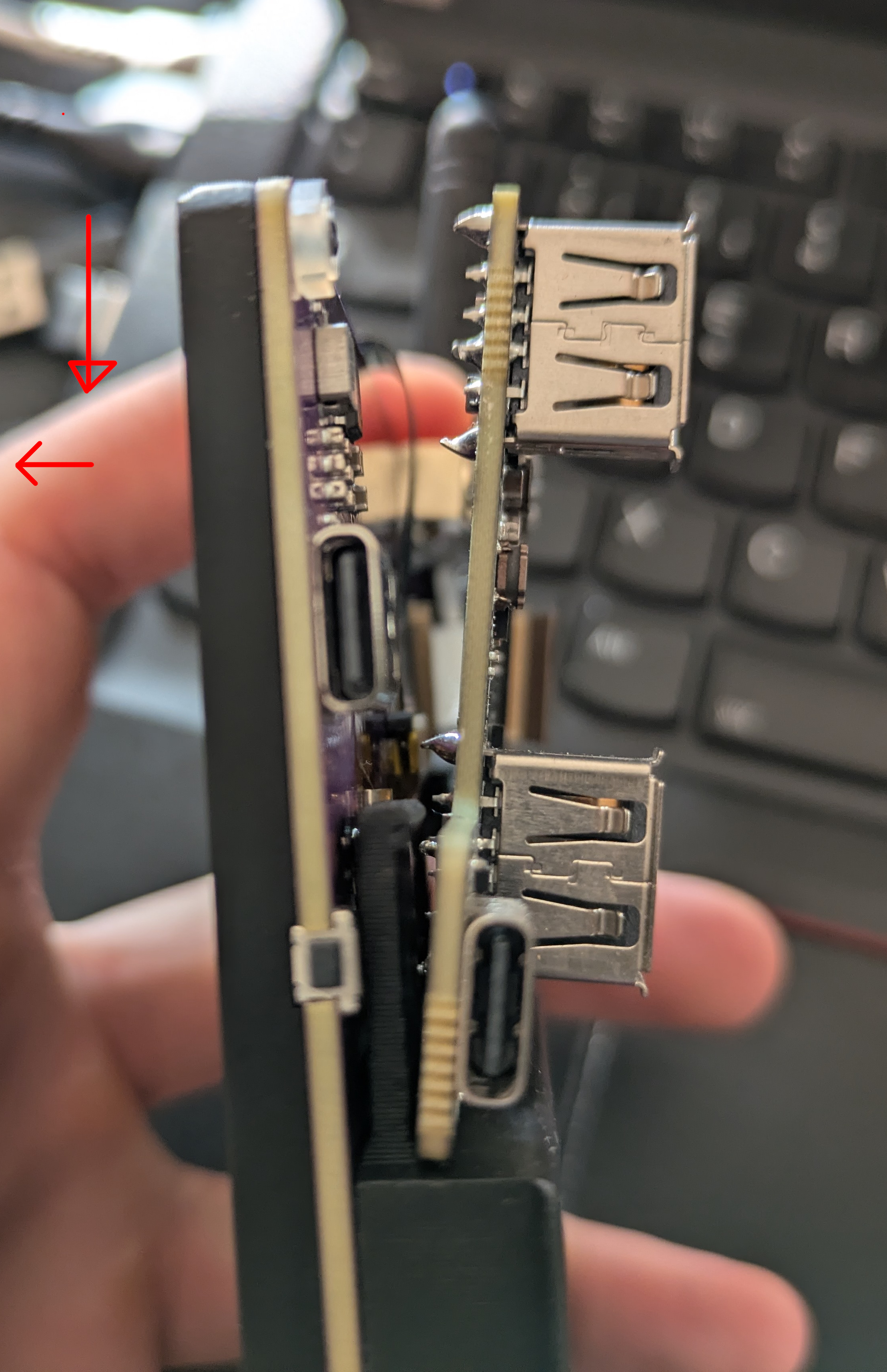
-
After fully inserted, you then push the Flipper Blackhat towards the Blackpants
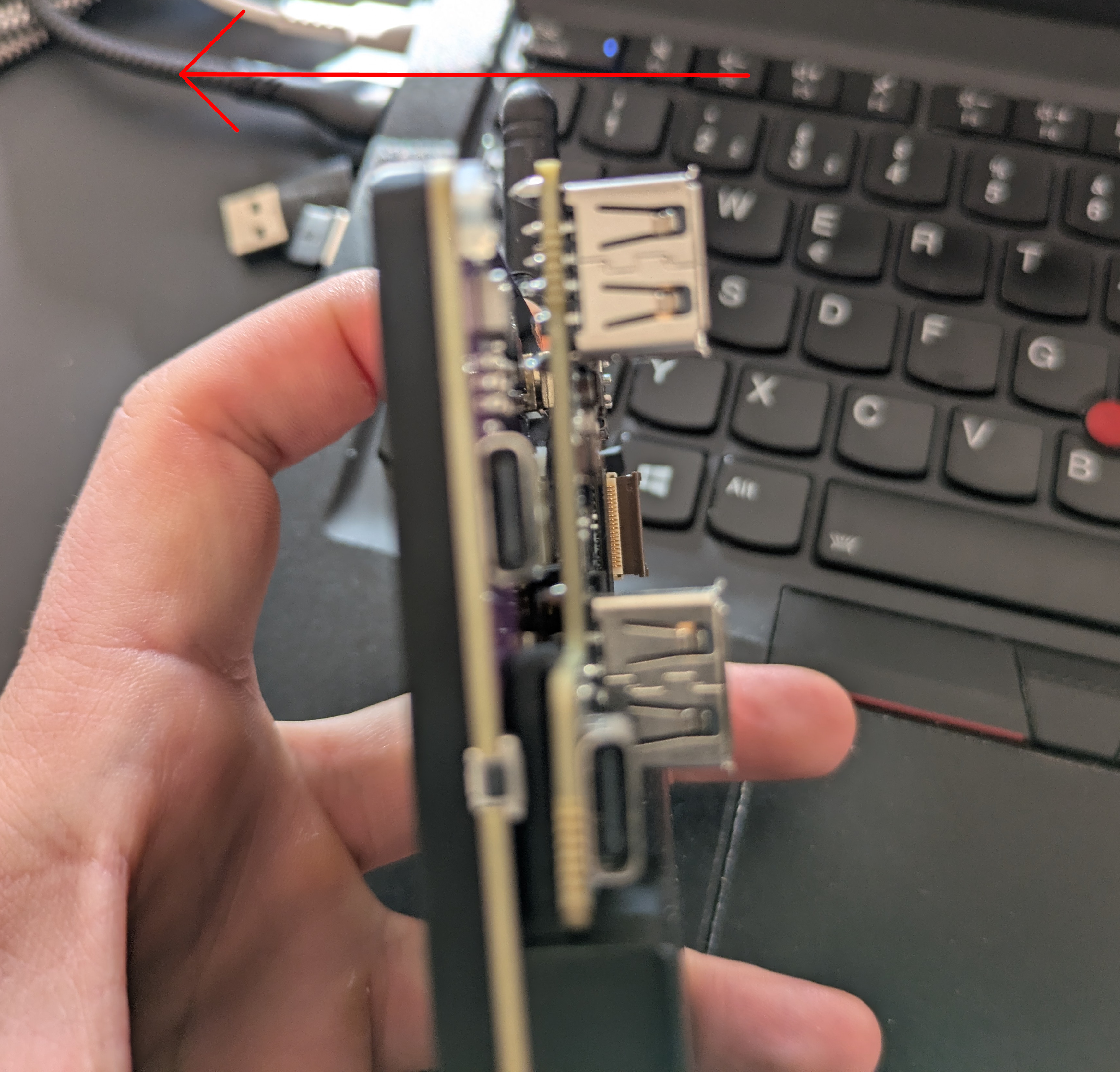
-
Insert the FFC cable (4) into the Flipper Blackhat and close the small latch
-
Tighten down the "Holder downer" (5) screw, this sucks the Flipper Blackhat into the Blackpants

-
Turn on with power button (9). USB-C (11) to charge, while USB-C (10) for serial port. To get the right SD card image, see software guide below.

At the time of writing this there are two OS distributions. The first is the Armbian based OS, this is currently recommended for use with the Blackpants. The seconds is a buildroot based distribution, which is currently recommended for use with the Flipper Zero + Flipper Blackhat. Eventually the Buildroot distro will be retired and the Armbian will be used for both.
Here are the releases, since you're using the Blackpants, please take the Armbian Build. You need to flash this to an SD card, if you don't know how to do this, go to the Getting Started with Flipper Zero + Flipper blackhat section of the wiki, the steps are the same. It's just a DD.
The release is an Armbian build with the follow specs
- Debian Forky (Trixie)
- 6.16.8 Linux Kernel
- uboot
- sources <- Replaced with Kali Linux sources
This means you can apt-get install whatever you like! You have access to all of the Kali Linux tools.
After first power on, you will be greeted with a fbcon shell if you can't type anything, the USB pins are not making proper contact with the Flipper Blackhat. Attempt to re-seat it.
It's possible to live your life in fbcon but I would suggest using the xorg/i3 environment. You enter this with the startx command.
I'm not going to write an extensive guide to using i3, because this is a well used environment. You can find docs here. I will give a short list of commands / usage below.
Note the command button is the little soldering iron button at the bottom left, next to CTRL.
command + return # Open a terminal
command + d # Open dmenu, you can now type the name of any applicatoin
command + 1 # Open workspace 1. You can sub 1 with: 1,2,3,4 etc
command + shift + q # Quit current window
nmtui # Use this to connect to wifi
Change your root password!!!
Have fun :)