


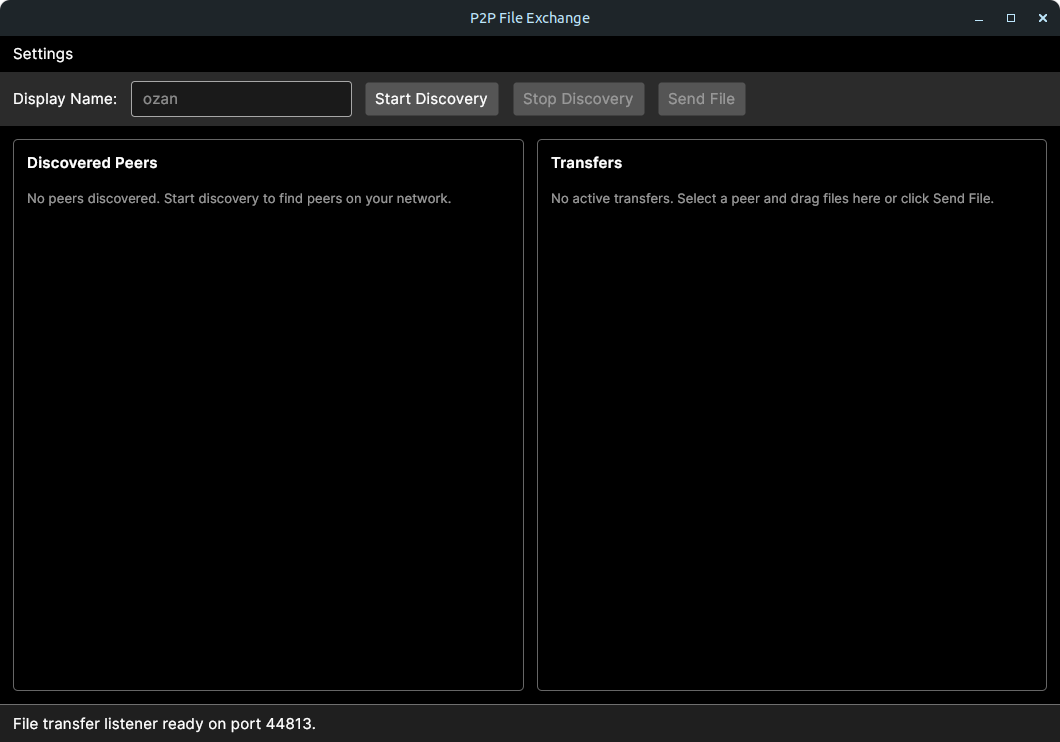
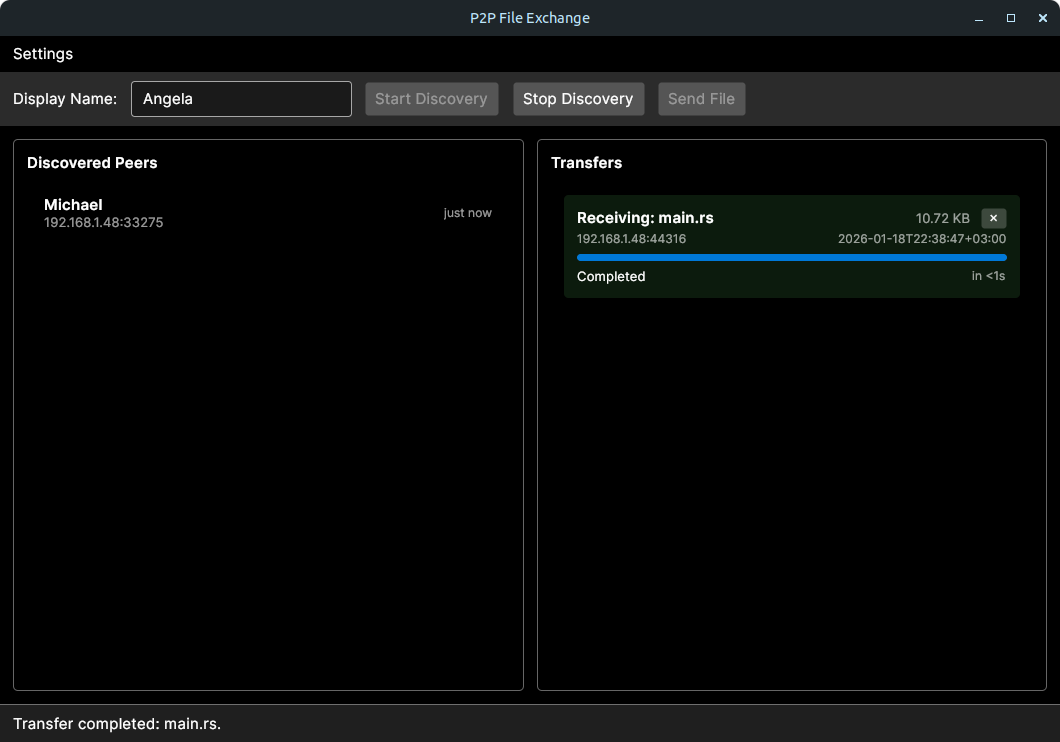
Simple peer-to-peer file sharing for your local network. Run it on two devices on the same Wi‑Fi/LAN, it finds other peers automatically, and can send files through a cross‑platform desktop app.
Warning
This app is not audited for security. Do not use it to transfer sensitive files over untrusted networks.
- Automatic peer discovery on the local network via UDP broadcast
- Ed25519-signed discovery to prevent peer impersonation
- End-to-end encrypted transfers with X25519 + ChaCha20-Poly1305
- TOFU (Trust-On-First-Use) identity verification with persistent trust database
- Per-chunk SHA-256 integrity validation
- Drag-and-drop or file picker sending
- Transfer progress, speed, and ETA tracking
- Automatic download folder and collision-safe file naming
Note
Peer discovery uses UDP broadcast, so devices must be on the same LAN.
- .NET SDK 10.0
dotnet restore
dotnet run --project src/P2PFileExchange.Desktop
Run the app on two machines on the same network, start discovery, and send files between peers.
Inbound files are saved to:
~/Downloads/P2PFileExchange    (Linux)
%USERPROFILE%\Downloads\P2PFileExchange    (Windows)
| Protocol | Port | Purpose |
|---|---|---|
| UDP | 37020 | Peer discovery broadcasts |
| TCP | Dynamic | File transfers (port announced via discovery) |
Note
If discovery or transfers do not work, ensure UDP broadcast and TCP traffic are allowed by your firewall.
For detailed specifications, see:
| Document | Description |
|---|---|
| Security Architecture | Cryptographic design, threat model, trust database |
| Peer Discovery Protocol | UDP broadcast, signed announcements, verification |
| File Transfer Protocol | TCP transport, chunking, integrity checks |
# Restore dependencies
dotnet restore

# Build release
dotnet build -c Release

# Run tests (if any)
dotnet testThis project is licensed under the MIT License - refer to LICENSE file for details.