

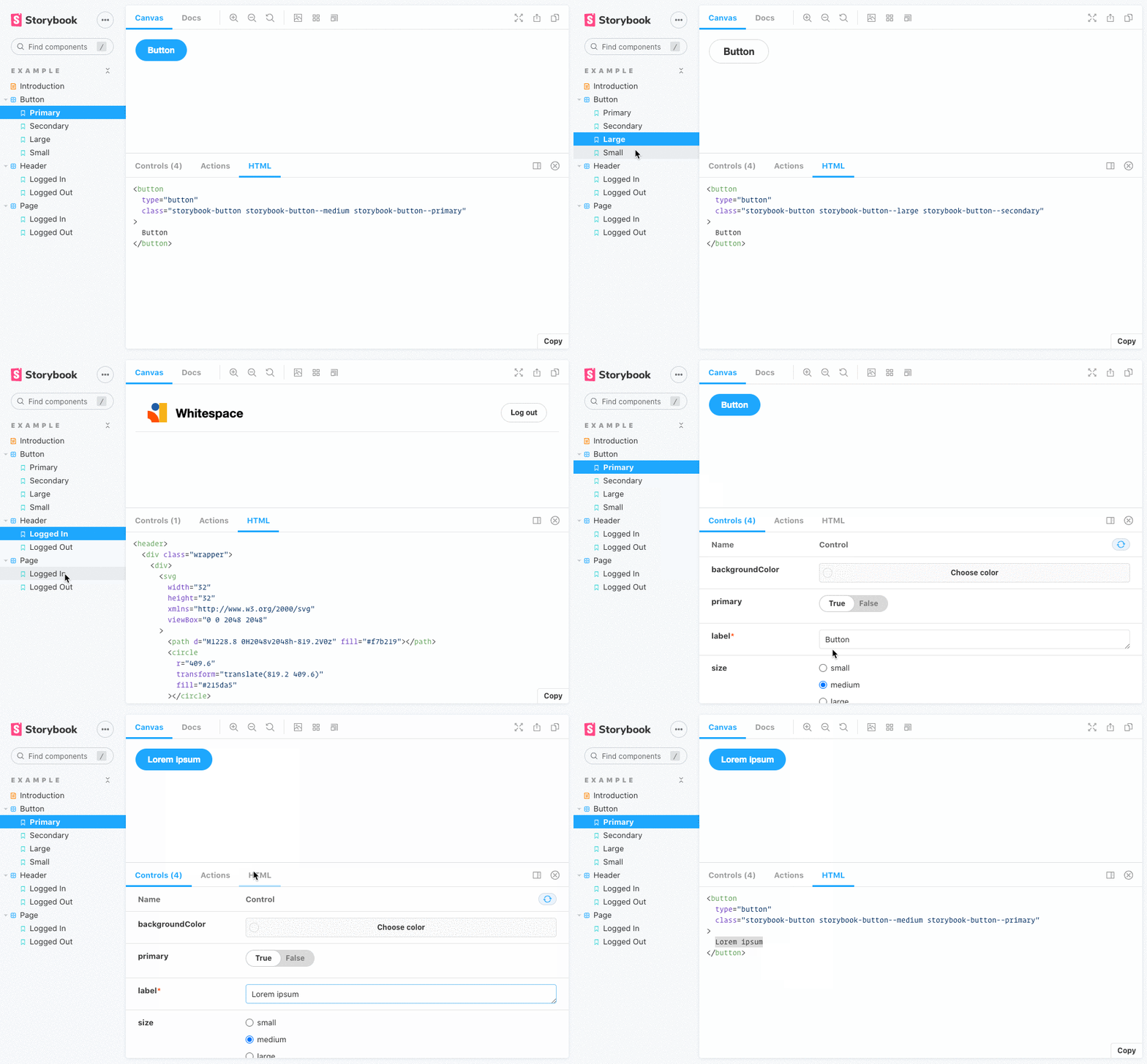
This addon for Storybook adds a tab that displays the compiled HTML for each story.
Use version 9.x of this addon.
Use version 8.x of this addon.
Use version 7.x of this addon.
Install the addon and its dependencies.
With NPM:
npm i --save-dev @whitespace/storybook-addon-htmlWith Yarn:
yarn add -D @whitespace/storybook-addon-htmlWith PNPM:
pnpm add -D @whitespace/storybook-addon-html// .storybook/main.js
module.exports = {
// ...
addons: [
'@whitespace/storybook-addon-html',
// ...
],
};You can override the wrapper element selector used to grab the component HTML.
export const parameters = {
  html: {
    root: '#my-custom-wrapper', // default: #root
  },
};
Some frameworks put comments inside the HTML. If you want to remove these you
can use the removeComments parameter. Set it to true to remove all comments
or set it to a regular expression that matches the content of the comments you
want to remove.
export const parameters = {
  html: {
    removeComments: /^\s*remove me\s*$/, // default: false
  },
};
You can also use the removeEmptyComments parameter to remove only empty
comments like <!----> and <!-- -->.
export const parameters = {
  html: {
    removeEmptyComments: true, // default: false
  },
};
You can override the showLineNumbers and wrapLines settings for the syntax
highlighter by using the highlighter parameter:
export const parameters = {
  html: {
    highlighter: {
      showLineNumbers: true, // default: false
      wrapLines: false, // default: true
    },
  },
};
Another way of hiding unwanted code is to define the transform option. It
allows you to perform any change to the output code, e.g. removing attributes
injected by frameworks.
html: {
  transform: (code) => {
    // Remove attributes `_nghost` and `ng-reflect` injected by Angular:
    return code.replace(/(?:_nghost|ng-reflect).*?="[\S\s]*?"/g, '');
  };
}
You can disable the HTML panel by setting the disable parameter to true.
This will hide and disable the HTML addon in your stories.
html: {
  disable: true, // default: false
}