

A Discord bot that dynamically creates and deletes voice channels as needed.
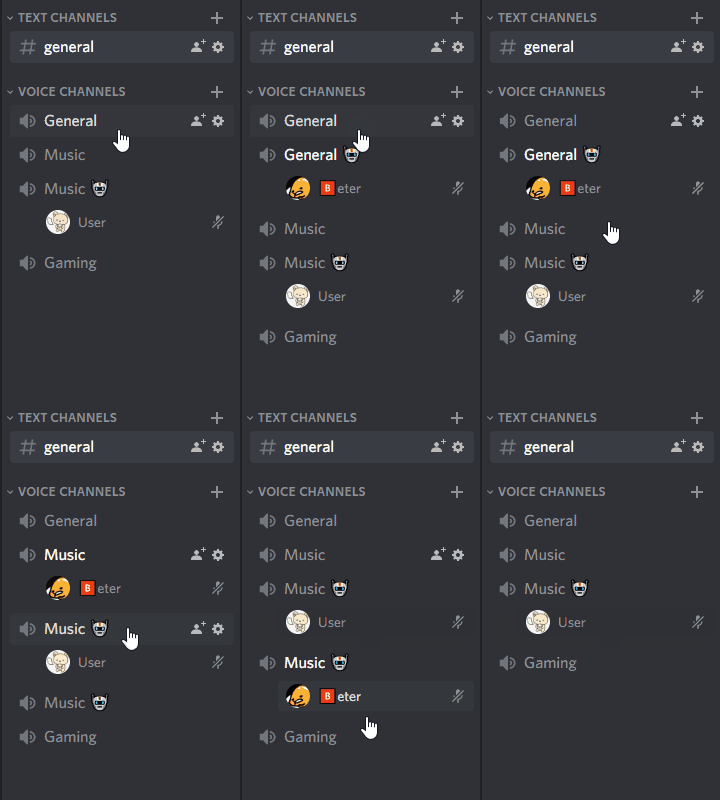
-
Follow the instructions in create-discord-bot.
Don't forget to give your bot the
Manage ChannelsandMove Memberspermissions! -
Download this bot and move the
src-discord-dynamic-voice-channels-botfolder into the /src/bots folder from step 1. -
Open config.json to configure your own settings:
[
  {
    "guildId": "258167954913361930",
    "mainVoiceChannelIds": ["618571553591787554", "266523094015934465"],
    "newVoiceChannelSuffix": "🤖",
    "maxVoiceChannelCount": 5
  }
]
Add as many rules as you want to configure for other servers.
guildIdis the server id.mainVoiceChannelIdsare the voice channel ids the bot watches for users when creating cloned voice channels.newVoiceChannelSuffixis the string appended to the name of the cloned voice channel. Make sure this string is unique among your voice channels, the bot matches against this string when determining which voice channels to delete when they're no longer in use!maxVoiceChannelCountis the max number of cloned voice channels the bot will create.
-
npm startto run the bot.
Visit for more help or information!


