



This crate provides a stateful widget ListView implementation for Ratatui.
The associated ListState, offers functionalities such as navigating to the next and previous items.
The list view support both horizontal and vertical scrolling.
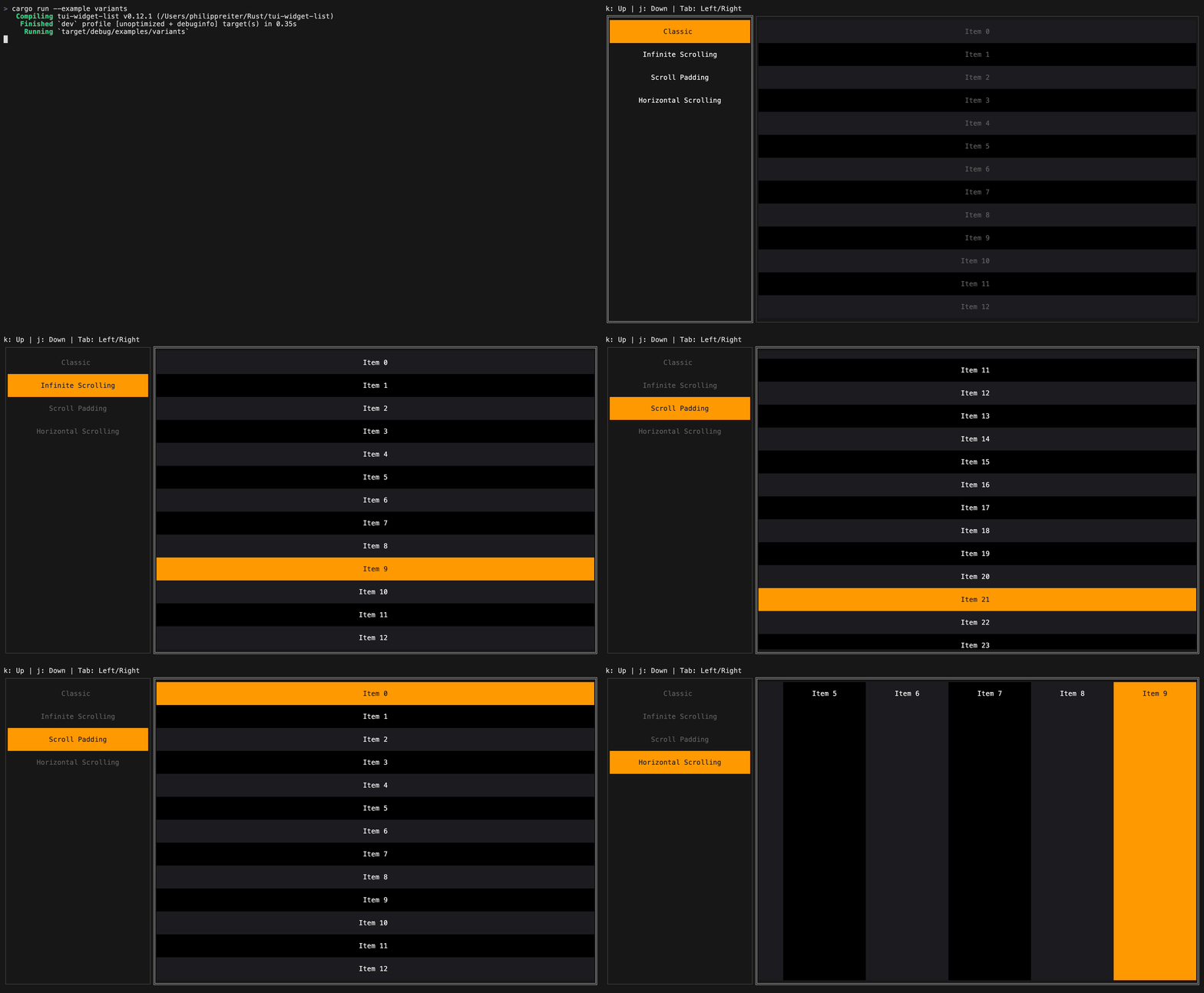
The ListView can be customized with the following options:
ListView::scroll_axis: Vertical or horizontal scrolling.ListView::scroll_direction: Forward or backward layout direction.ListView::scroll_padding: Padding preserved around the selected item while scrolling.ListView::infinite_scrolling: Wrap around when scrolling past the first or last element.ListView::style: Base style of the list.ListView::block: Optional outer block.ListView::scrollbar: Optional scrollbar.
use ratatui::prelude::*;
use tui_widget_list::{ListBuilder, ListState, ListView};

let builder = ListBuilder::new(|context| {
    let mut item = Line::from(format!("Item {}", context.index));
    if context.is_selected {
        item = item.style(Style::default().bg(Color::Rgb(255, 153, 0)));
    }
    (item, 1)
});

let mut state = ListState::default();
let list = ListView::new(builder, 20);You can handle mouse clicks using ListState via hit_test:
use tui_widget_list::hit_test::Hit;

match event::read()? {
    Event::Mouse(MouseEvent {
        kind: MouseEventKind::Down(MouseButton::Left),
        column,
        row,
        ..
    }) => match state.hit_test(column, row) {
        Some(Hit::Item(index)) => state.select(Some(index)),
        Some(Hit::Area) | None => {}
    },
    Event::Mouse(MouseEvent {
        kind: MouseEventKind::ScrollUp,
        ..
    }) => {
        state.previous();
    }
    Event::Mouse(MouseEvent {
        kind: MouseEventKind::ScrollDown,
        ..
    }) => {
        state.next();
    }
    _ => {}
}For more examples see tui-widget-list. For documentation see docs.rs.
License: MIT