Image Rater is a Python-based application that allows users to compare and rate images using an intuitive graphical user interface (GUI). It supports drag-and-drop functionality, EXIF metadata editing, and sorting images into folders based on their ratings. This tool is perfect for photographers, designers, or anyone who needs to organize and rate images efficiently.
- Intuitive GUI: Compare images side-by-side and rate them with ease.
- Drag-and-Drop Support: Quickly add images or saved sets by dragging them into the application.
- EXIF Metadata Editing: Save ratings directly into the image's metadata (JPEG only).
- Folder Organization: Automatically sort images into folders based on their ratings.
- Progress Saving: Save and load rating sessions to continue later.
- Keyboard Shortcuts: Use keyboard Left and Right arrow keys to select the Left or Right image is better
Watch the demo video to see Image Rater in action:
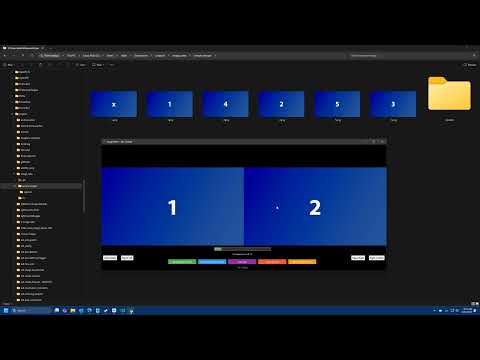
-
Clone the Repository
git clone https://github.com/yourusername/image-rater.git cd image-rater -
Install Dependencies Make sure you have Python 3.7 or later installed. Then, install the required Python packages:
pip install -r requirements.txt
-
Run the Application
python src/image_rater.py
-
Optional: Install
tkinterdnd2for drag-and-drop support:pip install tkinterdnd2
-
Optional: Install
piexiffor EXIF metadata editing:pip install piexif
- Launch the application by running the
image_rater.pyscript. - Select a folder or individual image files to start rating.
- Use the GUI to compare images, rate them, and organize them into folders.
- Save your progress and continue later if needed.
If you find this project helpful and would like to buy me a pizza, you may Donate via PayPal
Contributions are welcome! Feel free to fork the repository and submit a pull request.
This project is licensed under the MIT License. See the LICENSE file for details.