Access OpenCode from Any Device, Anywhere


Use your powerful workstation to run AI coding agents while accessing them from a tablet, phone, or any browser — even across the internet.
AI coding agents like OpenCode need to run on machines with:
- Access to your codebase and development environment
- Proper API keys and configurations
- Sufficient computing power
But what if you want to use your phone on the couch, pair program from an iPad, or access your dev machine from anywhere in the world?
OpenCode Remote solves this by providing a desktop app and web interface that works from any device with a browser.
| Feature | Description |
|---|---|
| Desktop App | Native Electron app for macOS and Windows with bundled OpenCode and Cloudflare Tunnel |
| Remote Access from Any Device | Access OpenCode through a clean web UI from phones, tablets, laptops — any device with a browser |
| One-Click Public Tunnel | Enable internet access with a single toggle using Cloudflare Tunnel — no port forwarding or VPN needed |
| LAN Access | Instantly accessible from any device on your local network |
| QR Code Connection | Scan to connect from mobile devices — no typing URLs |
| Device Management | Manage connected devices, rename them, or revoke access |
| Secure by Default | Device-based authentication with secure token storage |
| Real-time Streaming | Live message streaming via Server-Sent Events |
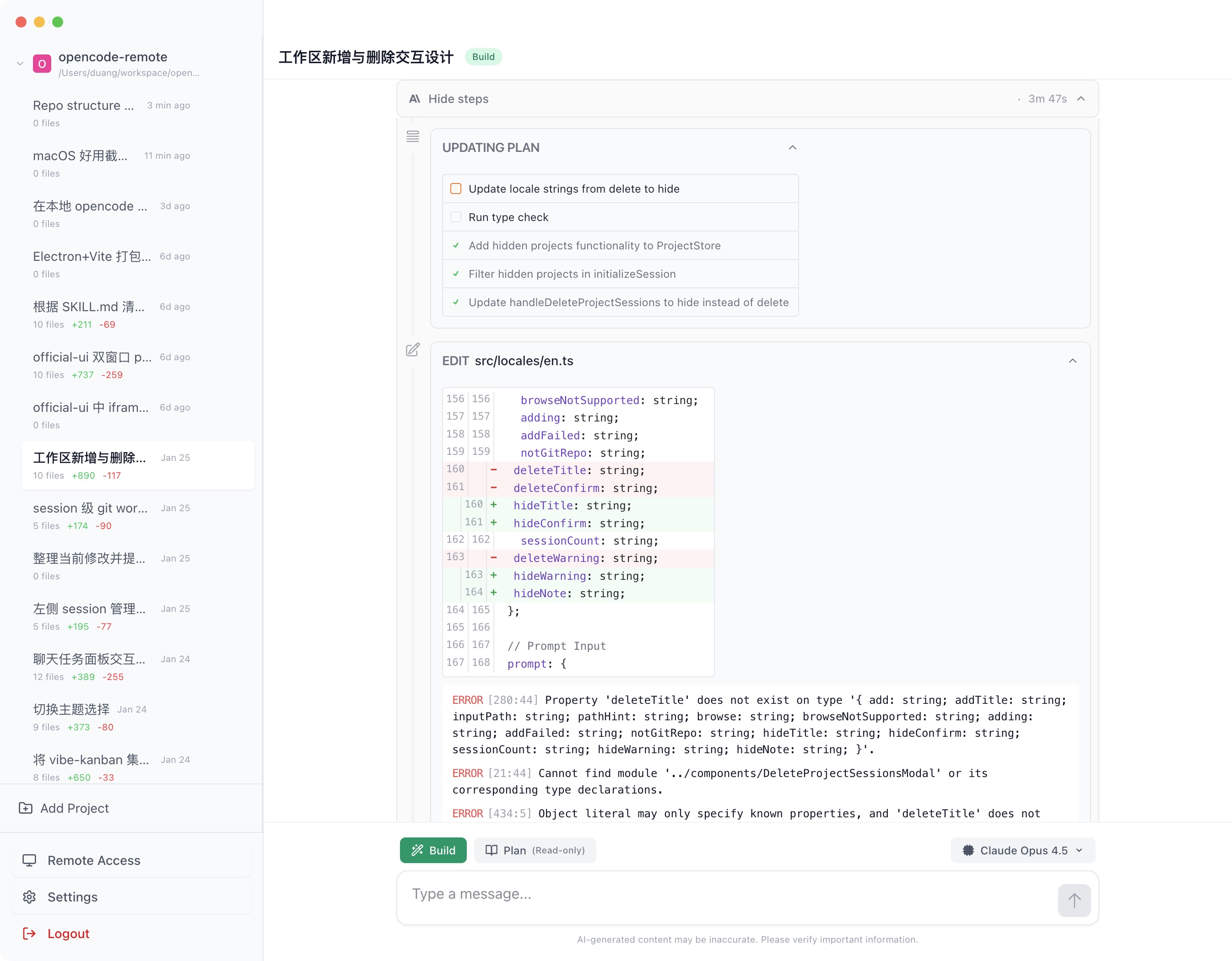
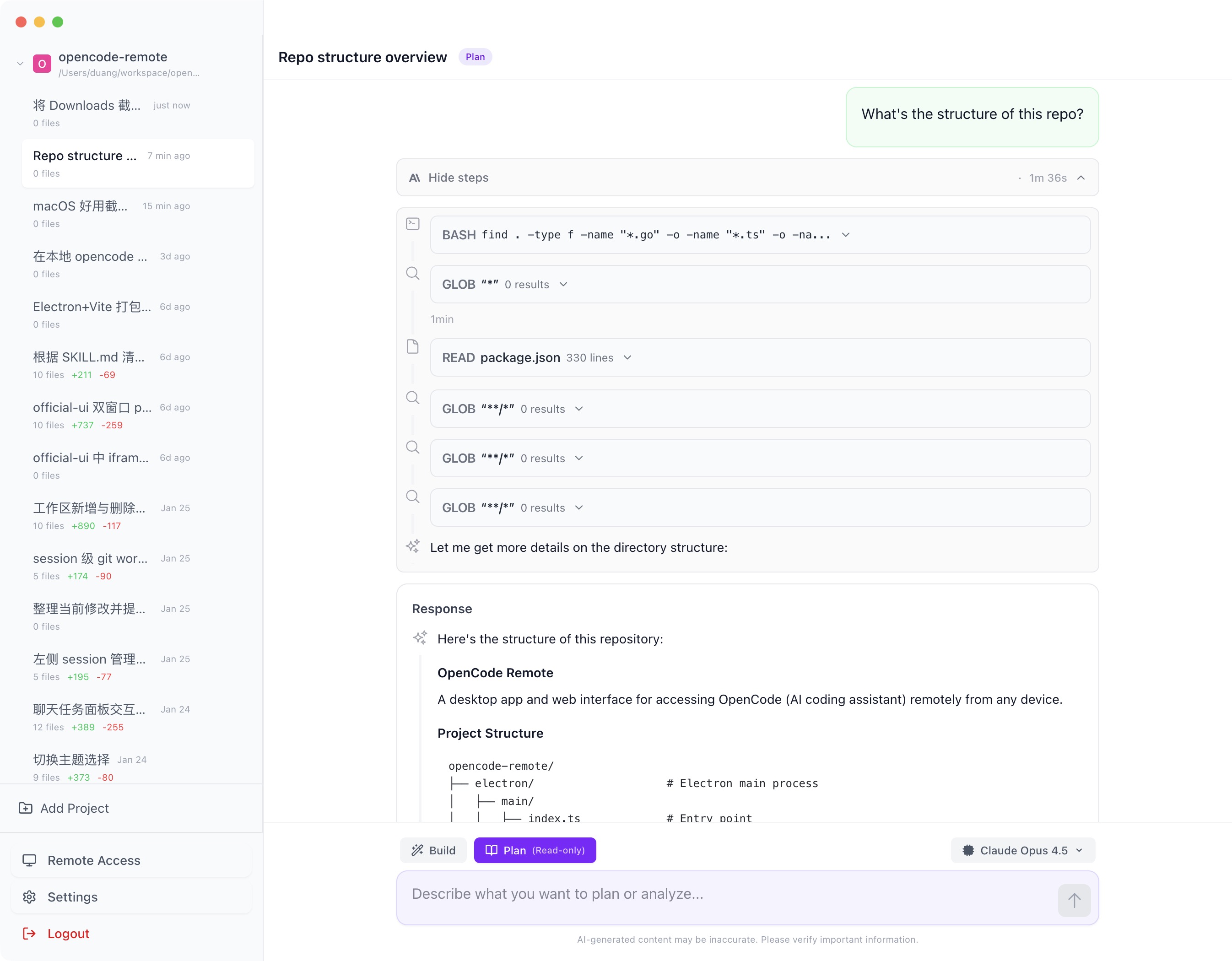
AI assistant with step-by-step execution and dark mode support
Download the latest release for your platform:
- macOS (Apple Silicon):
OpenCode Remote-x.x.x-arm64.dmg - macOS (Intel):
OpenCode Remote-x.x.x-x64.dmg - Windows:
OpenCode Remote-x.x.x-setup.exe
The desktop app bundles everything you need — no additional installation required.
⚠️ macOS Users: The app is not code-signed. macOS may show "App is damaged" error. Run the following command to fix:xattr -cr /Applications/OpenCode\ Remote.app
# Clone the repository
git clone https://github.com/realDuang/opencode-remote.git
cd opencode-remote

# Install dependencies
bun install

# Download bundled binaries
bun run update:opencode
bun run update:cloudflared

# Start in development mode
bun run devAccess from any device on your local network:
- Open the desktop app and go to the Remote Access section
- Find your machine's IP address displayed on the page
- Open
http://<your-ip>:5173from another device - Authenticate with the device code
Or scan the QR code displayed on the Remote Access page.
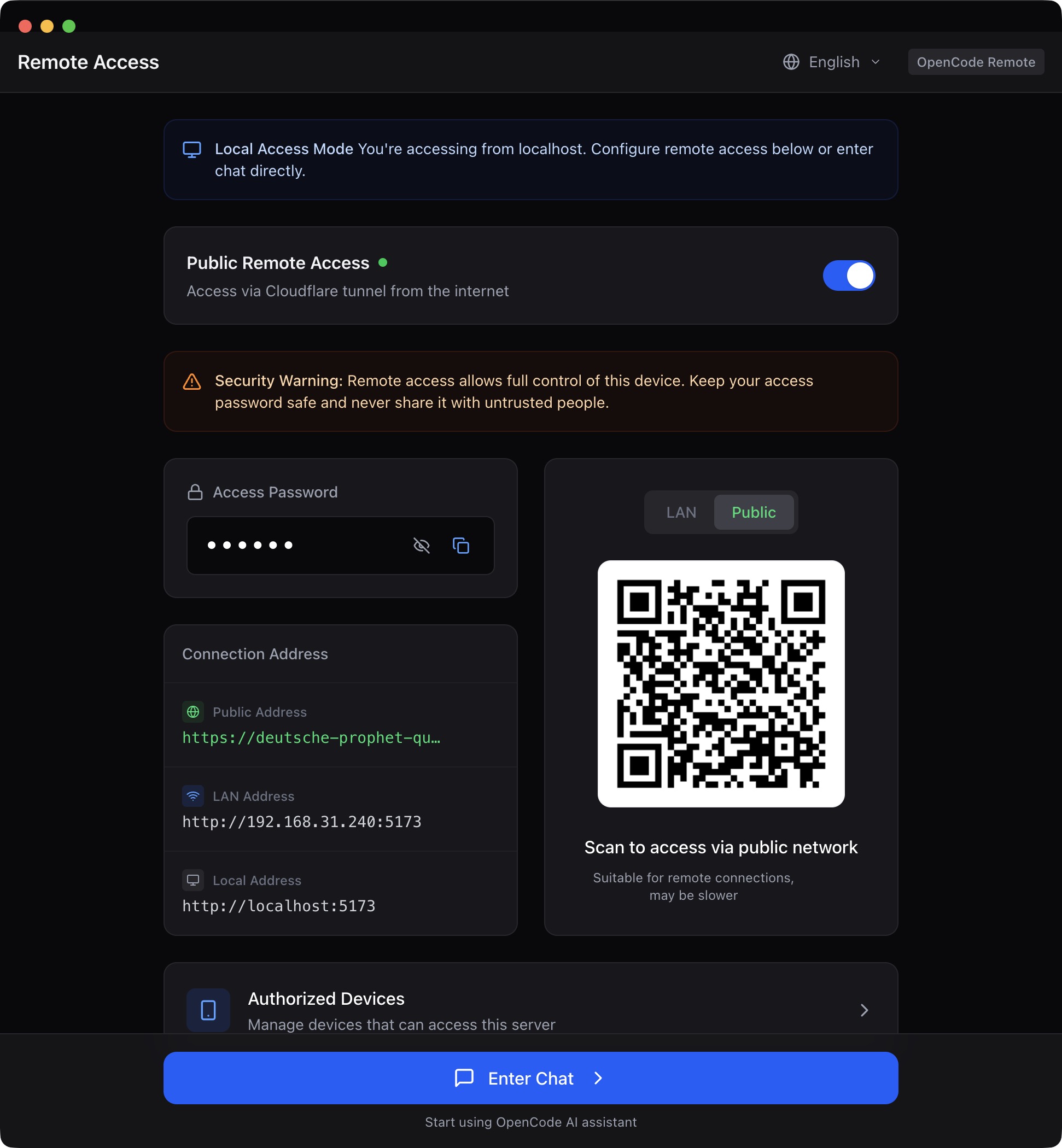
Access from anywhere in the world with Cloudflare Tunnel:
- Go to Remote Access in the desktop app
- Toggle on "Public Access"
- Share the generated
*.trycloudflare.comURL
No port forwarding, no firewall changes, no VPN required.
┌──────────────────────────────────────────────────────────┐
│                    Your Phone/Tablet                      │
│                          ↓                                │
│              https://xyz.trycloudflare.com                │
│                          ↓                                │
│                  Cloudflare Network                       │
│                          ↓                                │
│              Your Workstation (OpenCode)                  │
└──────────────────────────────────────────────────────────┘
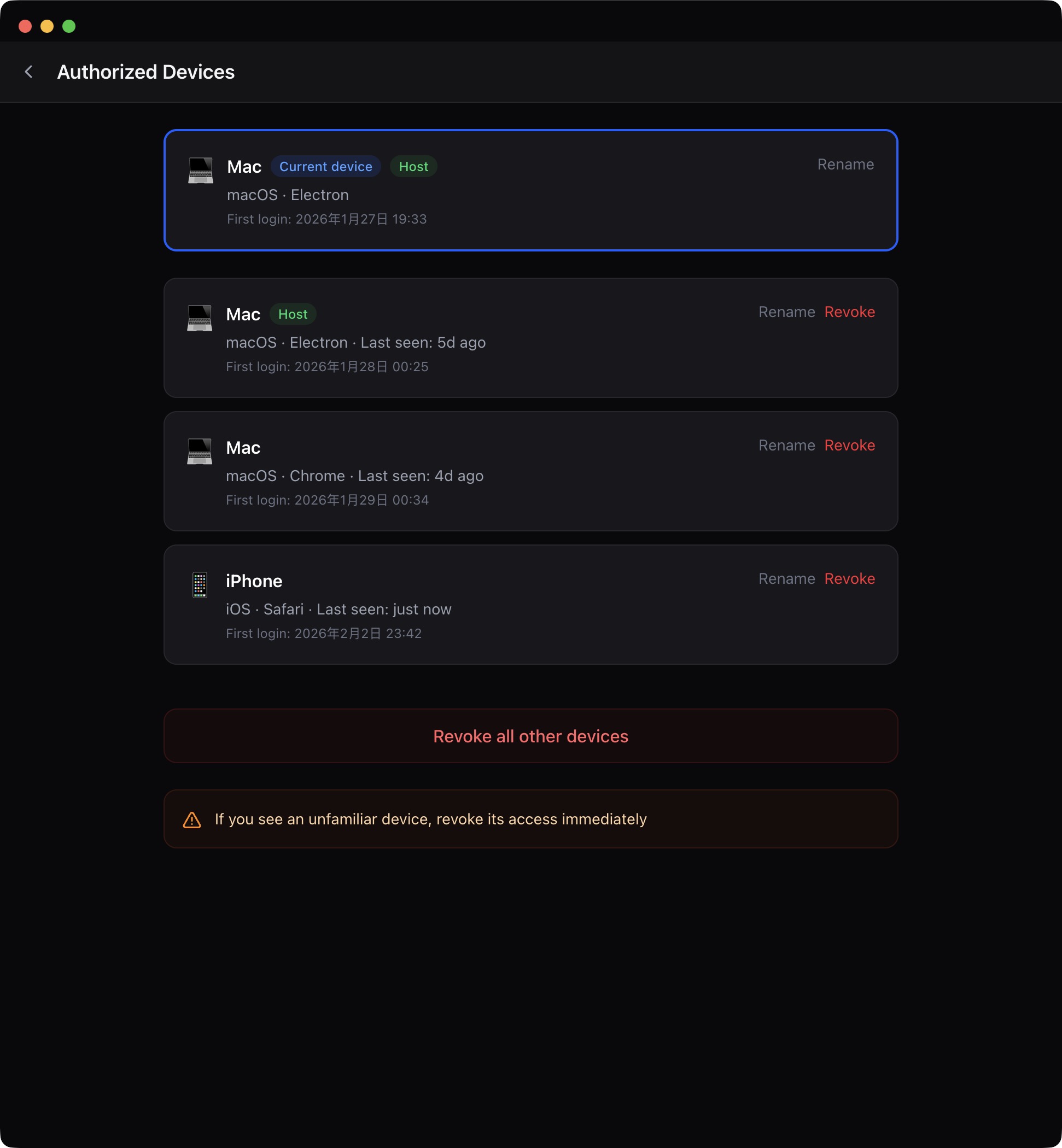
The desktop app includes a device management system:
- View connected devices: See all devices that have accessed your OpenCode instance
- Rename devices: Give meaningful names to your devices
- Revoke access: Remove devices you no longer want to have access
- Revoke all others: Quickly revoke access from all devices except the current one
# Start in development mode (Electron + Vite HMR)
bun run dev

# Build for production
bun run build

# Package for distribution
bun run dist:mac:arm64  # macOS Apple Silicon
bun run dist:mac:x64    # macOS Intel
bun run dist:win        # Windows

# Update bundled binaries
bun run update:opencode
bun run update:cloudflared

# Type checking
bun run typecheckopencode-remote/
├── electron/
│ ├── main/ # Electron main process
│ │ ├── services/ # OpenCode process, tunnel, device store
│ │ └── ipc-handlers.ts
│ └── preload/ # Preload scripts for IPC
├── src/
│ ├── pages/ # Page components (Chat, Settings, Devices)
│ ├── components/ # UI components
│ ├── lib/ # Core libraries (API client, auth, i18n)
│ ├── stores/ # State management
│ └── types/ # TypeScript definitions
├── scripts/
│ ├── update-opencode.ts # Download OpenCode binary
│ └── update-cloudflared.ts
├── electron.vite.config.ts
└── electron-builder.yml
| Category | Technology |
|---|---|
| Framework | Electron + SolidJS |
| Build Tool | electron-vite |
| Styling | Tailwind CSS v4 |
| Language | TypeScript |
| Package Manager | Bun |
| Tunnel | Cloudflare Tunnel |
OpenCode Remote uses multiple layers of security:
| Layer | Protection |
|---|---|
| Device Auth | Each device must be authorized to access |
| Token Auth | Secure tokens stored per-device |
| HTTPS | Public tunnel automatically uses HTTPS via Cloudflare |
| Ephemeral URLs | Public tunnel URLs change each time you start the tunnel |
Best Practices:
- Revoke access from devices you no longer use
- Disable public tunnel when not needed
- Use for personal use only — not designed for multi-user scenarios
# Download the latest OpenCode binary
bun run update:opencode# Download cloudflared binary
bun run update:cloudflaredEnsure you have the required build tools installed for Electron.
Contributions are welcome! Please read our contributing guidelines before submitting PRs.
- TypeScript strict mode
- SolidJS reactive patterns
- Tailwind for styling
feat:New featuresfix:Bug fixesdocs:Documentationrefactor:Code refactoring
- OpenCode — The AI coding agent
- Documentation — OpenCode documentation
- Issues — Report bugs or request features