LazySlide workshop @ scverse conference 2025
LazySlide is a Python framework for whole slide image (WSI) analysis that integrates seamlessly with the scverse ecosystem.
LazySlide adopts standardized data structures and APIs familiar to the single-cell and genomics community, making histological analysis intuitive and reproducible. It supports a broad range of tasks from basic preprocessing to advanced deep learning workflows and enables the integration of histopathology into modern computational biology.
Please ⭐ LazySlide and wsidata if you find these tools useful.
If you want to explore LazySlide in more depth, we provide detailed tutorials:
By the end of the workshop, participants will understand:
-
WSI fundamentals
- What WSIs are and why they are useful
- Common applications of WSI data
-
Creating a wsidata object
- How to open a WSI programmatically
- What metadata and image information can be retrieved
-
Using LazySlide for
- WSI preprocessing
- Feature extraction
- Unsupervised spatial domain identification
- Text-image query
- Zero-shot classification
- Cell segmentation


Clone the repository:
git clone https://github.com/rendeirolab/lazyslide-workshop-scverse-conference-2025.gitUse uv to setup the environment, How to install uv?
uv syncLaunch Jupyter Lab:
uv run --with jupyter jupyter labYou need a Hugging Face account to access many of the models used in LazySlide. If you don't have one yet, please register here.
If you want to experience some features of LazySlide during the workshop, you need to apply for access for two models: Virchow and Prism
Once you're finished, go to your Settings → Access Tokens, click + Create new token, select the Read token type, enter a name such as lazyslide-tutorial, and click Create token. Do not close the pop-up window—copy the token; you'll need it for authentication.
- Local setup
Use the Hugging Face CLI to log in:
uv run hf auth loginThis command prompts you to enter your token to authenticate this machine.
- Google Colab setup
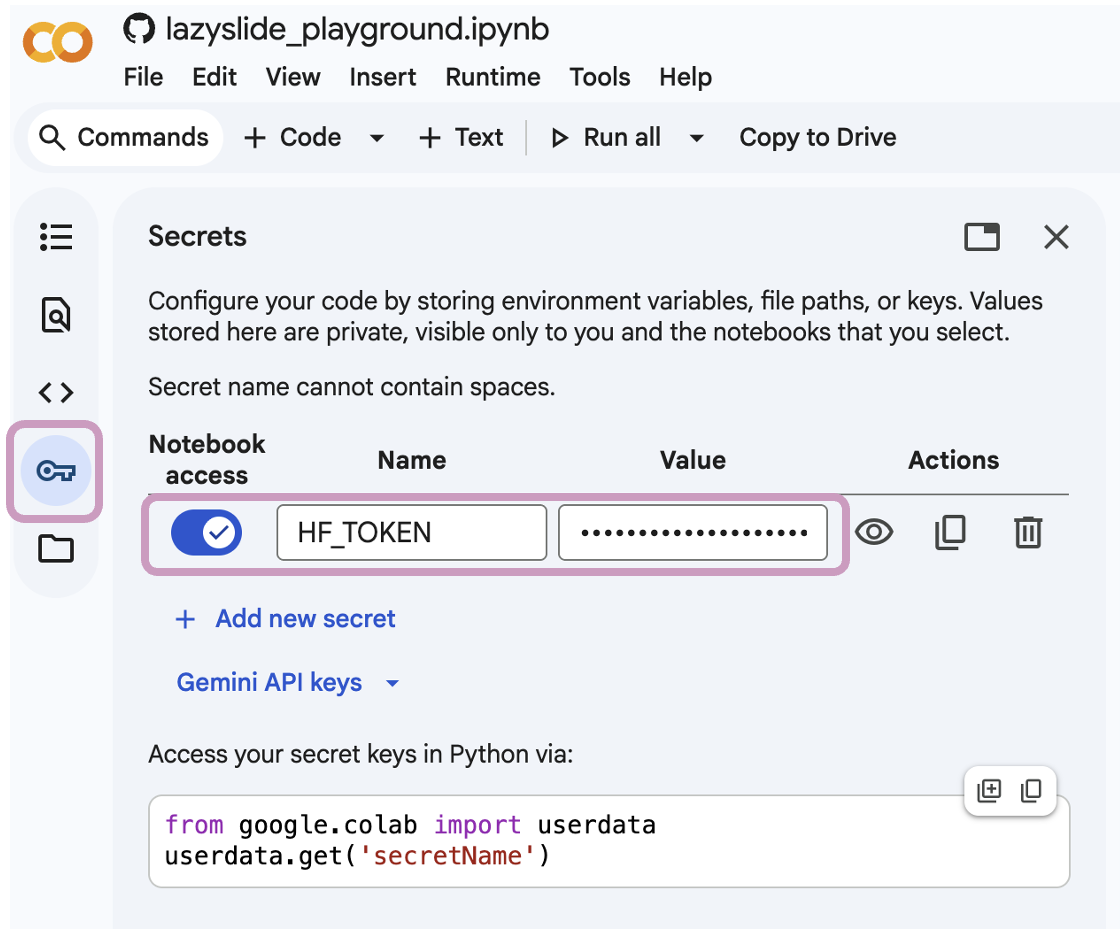
Open the Secrets panel, create an environment variable named HF_TOKEN, paste the token as the value, and enable notebook access. Remember to restart the runtime for the environment variable to take effect.