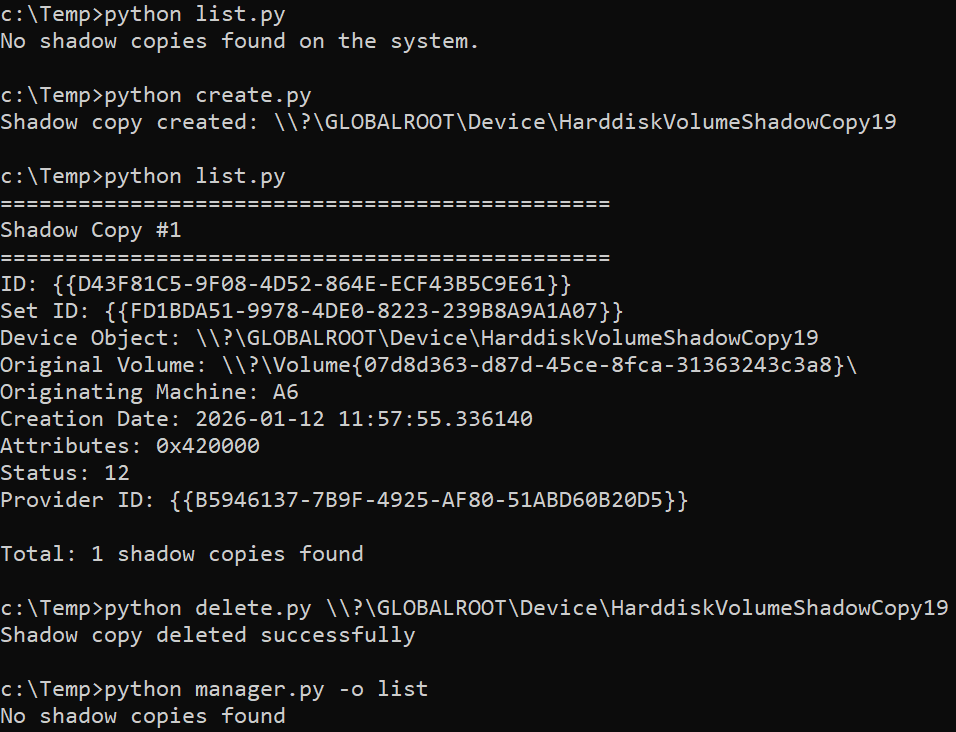
On Windows 11, the built-in vssadmin can list, delete or resize Shadow Copies, but Microsoft removed the ability to create them. However, you can still do it by interacting directly with the Volume Shadow Copy Service (VSS) API, which I already used in my other tool SAMDump.
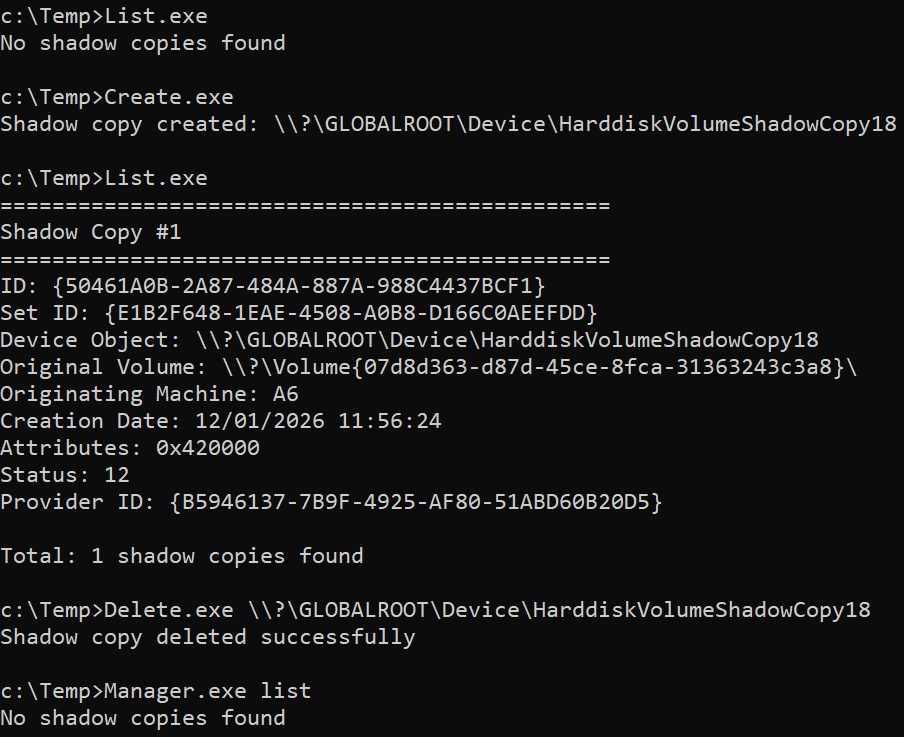
In this repo you can find stand-alone scripts to simply create, list or delete Shadow Copies, along with "manager" scripts which combine the three functionalities. By themselves, they should not be considered malicious by security solutions.
The scripts are implemeneted in C#, C++, Crystal Python, and should also work on other Windows versions.
Create Shadow Copies:
Create.exe
Manager.exe create
List Shadow Copies:
List.exe
Manager.exe list
Delete Shadow Copies:
Delete.exe \\?\GLOBALROOT\Device\HarddiskVolumeShadowCopy12
Manager.exe delete \\?\GLOBALROOT\Device\HarddiskVolumeShadowCopy12
Create Shadow Copies:
python create.py
python manager.py -o create
List Shadow Copies:
python list.py
python manager.py -o list
Delete Shadow Copies:
python delete.py \\?\GLOBALROOT\Device\HarddiskVolumeShadowCopy12
python manager.py -o delete -s \\?\GLOBALROOT\Device\HarddiskVolumeShadowCopy12