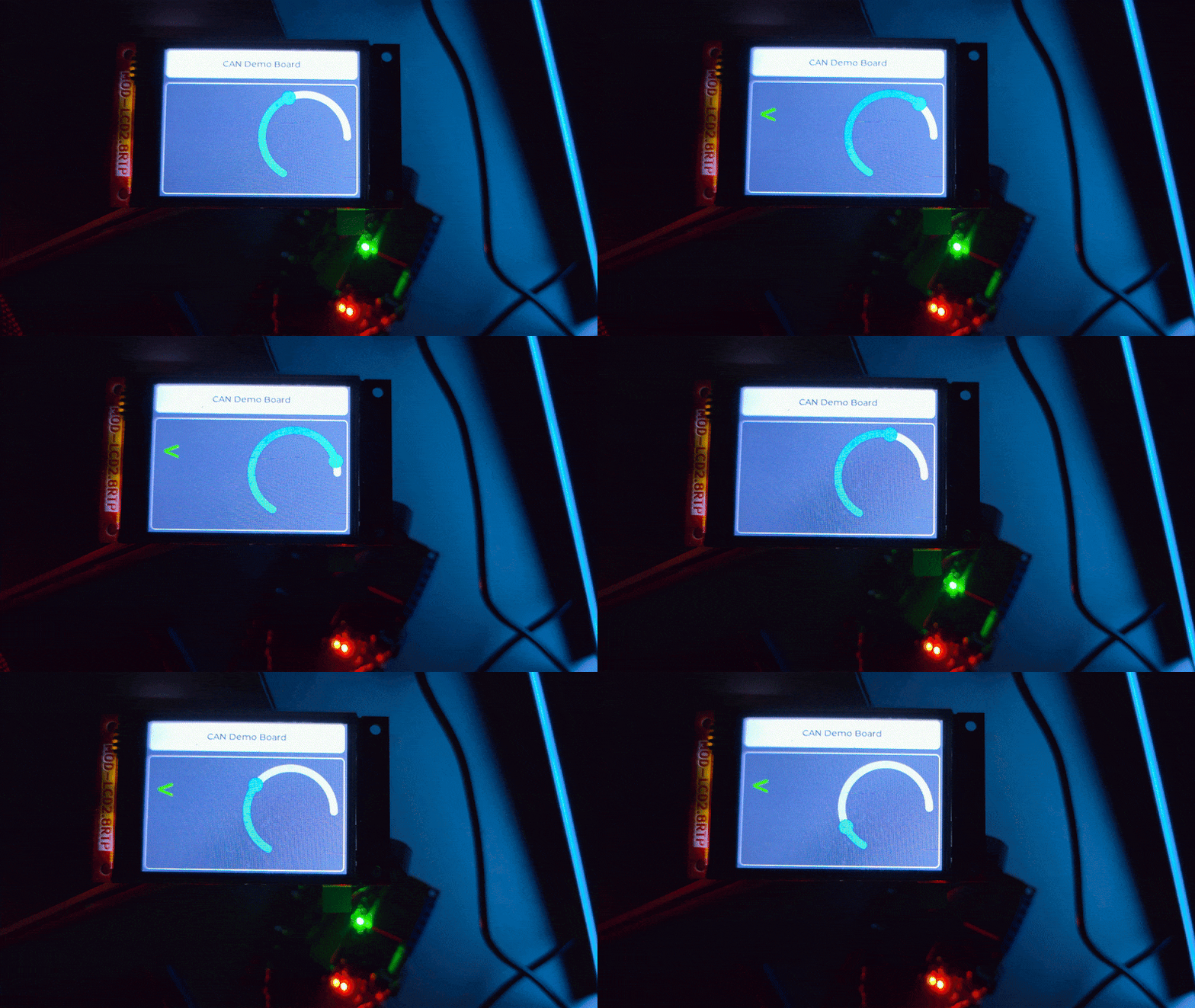
A demonstration project showcasing CAN bus communication between two ESP32 boards with LVGL GUI, DBC-based code generation, and a modular firmware architecture. This project is ideal for learning CAN protocols, embedded UI development, and code generation workflows.
-
CAN Bus Communication
- Dual ESP32 setup: one TX board (transmitter) and one RX board (receiver)
- 500 kbps CAN communication using ESP32's built-in CAN controller
- Message filtering, unpacking, and event-driven processing
-
DBC-Driven Code Generation
- Define CAN messages in a standard
.dbcfile - Auto-generate C code for encoding/decoding using
c-coderdbc - Type-safe message handling with generated structs
- Define CAN messages in a standard
-
LVGL Graphical UI (RX Board)
- Real-time display of CAN data on TFT touchscreen
- SquareLine Studio integration for UI design
- Arc gauge for speed, turn signal indicators
-
Modular Firmware Architecture
- Event-driven state machine with message routing
- Pub/sub pattern for decoupled components
- Health monitoring with automatic degradation and recovery
-
Hardware
- 2x ESP32 boards (e.g., ESP32-EVB or similar)
- CAN transceivers (e.g., SN65HVD230 or MCP2551)
- TFT display with touch (for RX board)
- CAN bus wiring (120Ω termination resistors recommended)
-
Software
- PlatformIO (VS Code extension or CLI)
- Python 3.x (for optional documentation builds)
- Git (to clone this repository)
-
Clone the repository
git clone https://github.com/rvxfahim/CAN-Demo-ESP32.git cd CAN-Demo-ESP32 -
Configure serial ports (if different from defaults)
Editplatformio.iniand set your COM ports:[env:rx_board] upload_port = COM8 ; Change to your RX board port monitor_port = COM8 [env:tx_board] upload_port = COM9 ; Change to your TX board port monitor_port = COM9
-
Build and upload
RX Board (receiver with display):
pio run -e rx_board -t upload
pio device monitor -e rx_board
TX Board (transmitter):
pio run -e tx_board -t upload
pio device monitor -e tx_board
-
Connect the hardware
- Wire CAN_H and CAN_L between boards through transceivers
- Connect 120Ω termination resistors at both ends
- Power both boards
- TX will start sending
Clusterframes; RX display will update
A DBC (CAN Database) file is an industry-standard format for defining CAN messages, signals, and their properties. It serves as the single source of truth for all CAN communication in this project.
Location: tools/Lecture.dbc
This project uses c-coderdbc to auto-generate C encode/decode functions from the DBC file.
The example Lecture.dbc defines a Cluster message (ID 0x65) with signals:
Speed(12-bit): 0–4095 rangeLeft_Turn_Signal(1-bit): booleanRight_Turn_Signal(1-bit): boolean
You can edit this file with any text editor or use tools like CANdb++ Editor or SavvyCAN.
Windows:
cd tools\c-coderdbc
.\build\coderdbc.exe -dbc ..\Lecture.dbc -out ..\..\lib\Generated
This regenerates:
lib/Generated/lib/lecture.candlecture.h(generated code, do not edit)- Helper files in
lib/Generated/conf/,lib/Generated/inc/, etc.
Linux/macOS:
You'll need to compile c-coderdbc from source (see tools/c-coderdbc/README.md).
The firmware uses the generated types exclusively:
#include "lecture.h"  // Generated header

// Packing (TX side)
Cluster_t cluster = {0};
cluster.Speed = 2048;
cluster.Left_Turn_Signal = 1;
cluster.Right_Turn_Signal = 0;

uint8_t data[8];
Pack_Cluster_lecture(&cluster, data, 8);
CAN0.sendFrame({ .identifier = 0x65, .data = data, ... });

// Unpacking (RX side)
Cluster_t received;
Unpack_Cluster_lecture(&received, frame.data, frame.data_length_code);
Key principle: Never manually parse CAN bytes. Always use Pack_* and Unpack_* functions.
CAN-Demo-ESP32/
├── platformio.ini           # Build config (two environments: rx_board, tx_board)
├── tools/
│   ├── Lecture.dbc          # CAN message definitions (source of truth)
│   └── c-coderdbc/          # DBC-to-C code generator
├── lib/
│   ├── Generated/           # Auto-generated C code (from DBC)
│   ├── CanDriver/           # ESP32 CAN driver abstraction
│   ├── Ui/                  # LVGL UI (SquareLine Studio exports)
│   └── TouchLibrary/        # Touch controller drivers
├── src/
│   ├── common/              # Shared code (MessageRouter, etc.)
│   ├── rx/                  # RX board firmware (main + modules)
│   ├── tx/                  # TX board firmware (main only)
│   └── generated_lecture_dbc.c  # Single include wrapper for DBC code
├── include/                 # Global headers (IOPins, TFT config)
├── docs/                    # Sphinx documentation source
└── README.md                # This file
For detailed architecture, sequence diagrams, and API references, see the full documentation:
Topics covered:
- Getting Started: Detailed setup and hardware connections
- Architecture: Component diagrams, state machines, data flow
- CAN & DBC: In-depth DBC workflow and regeneration steps
- Testing: Unit test guidelines and test hooks
- API Reference: Doxygen-generated class/function documentation
- Bitrate: 500 kbps (configurable in
CanInterface.cpp) - Pins: GPIO 35 (RX), GPIO 5 (TX) — change in
CanInterface::Initialize() - Message ID:
0x65forCluster(defined in DBC)
- Screen: Configured in
include/TFTConfiguration.handlib/Ui/ - UI Design: Edit with SquareLine Studio, export to
lib/Ui/ - Widgets: Arc gauge (
ui_Arc1), labels (ui_RightLabel,ui_LeftLabel)
- Pins: GPIO 25 (left), GPIO 26 (right) — see
include/IOPins.h - Blink Rate: 1 Hz (500ms ON/OFF) — adjust in
IOModule::Update()
- Timeout: 1500ms (RX declares
Degradedif no CAN frames) — seeHealthMonitor.cpp
RX display doesn't update:
- Verify TX is sending frames (check TX serial monitor)
- Check CAN wiring and termination resistors
- Ensure both boards have matching bitrate (500 kbps)
Blinkers don't work:
- Confirm relay pins in
include/IOPins.hmatch your hardware - Verify
Left_Turn_Signal/Right_Turn_Signalbits are set in TX
System shows "Degraded":
- Normal behavior when CAN frames stop arriving (timeout threshold)
- Should auto-recover when TX resumes
Missing LVGL or TFT_eSPI:
PlatformIO will auto-install dependencies from lib_deps in platformio.ini.
Linker errors about Cluster_t:
Ensure src/generated_lecture_dbc.c is included in the build (check build_src_filter).
Contributions welcome! Please:
- Fork the repository
- Create a feature branch (
git checkout -b feature/amazing-feature) - Commit changes (
git commit -m 'Add amazing feature') - Push to branch (
git push origin feature/amazing-feature) - Open a Pull Request
This project is licensed under the GPLV3 License. See LICENSE file for details.
- PlatformIO — Cross-platform embedded build system
- LVGL v9.1 — Lightweight graphics library
- TFT_eSPI — Fast TFT display driver
- SquareLine Studio — Drag-and-drop LVGL UI designer
- c-coderdbc — DBC-to-C code generator
- ESP32 Arduino — Arduino framework for ESP32
- Documentation: https://rvxfahim.github.io/CAN-Demo-ESP32/
- Issues: GitHub Issues
- Repository: github.com/rvxfahim/CAN-Demo-ESP32