My company, Amber, is a distribution company. We sell to both customers (B2C) and retailers (B2B). Odoo out-of-the-box provides us the feature to let the customer shop online with the eCommerce module, and we are happy about that. But sadly, it does not allow us to sell effectively for the retailers. Because for retailers, we will allocate them into 3 main groups, Big Retailer, Medium Retailer, and Small Retaier, with each group having a different list of products that they are able to buy, and with different discount.
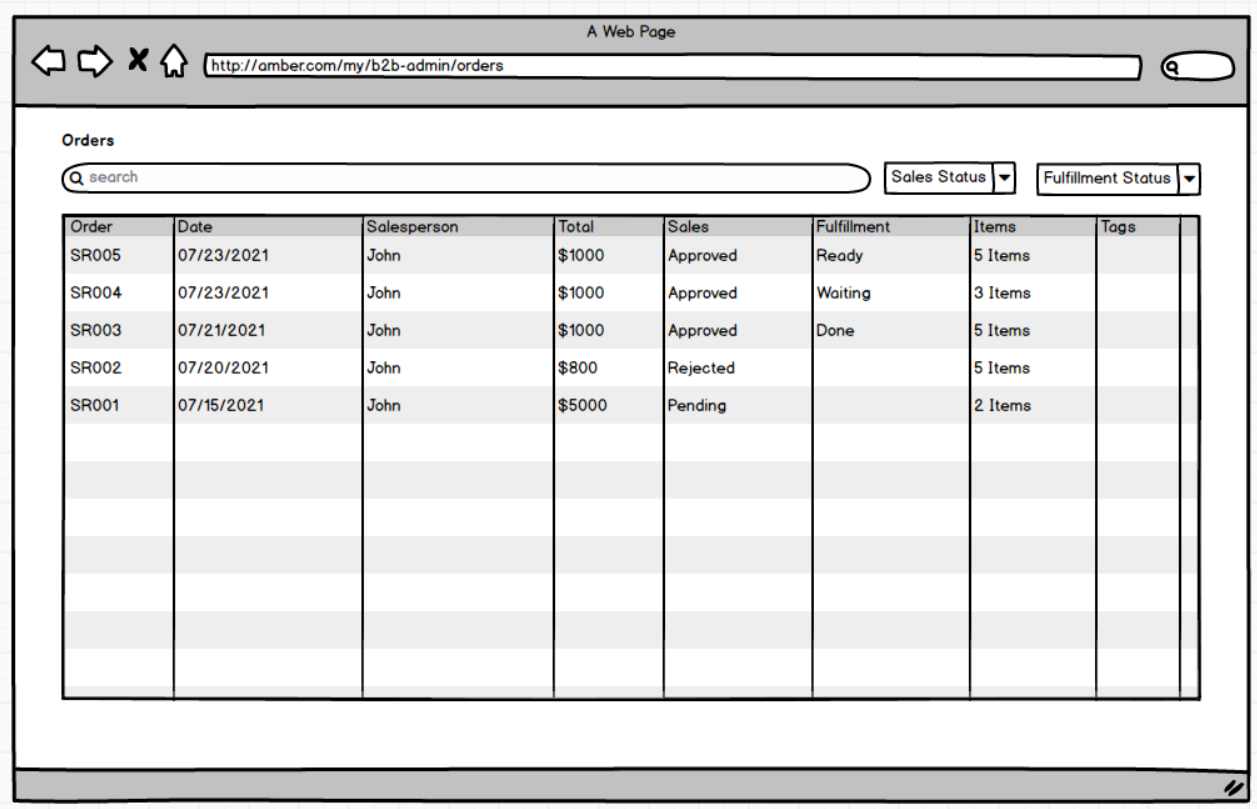
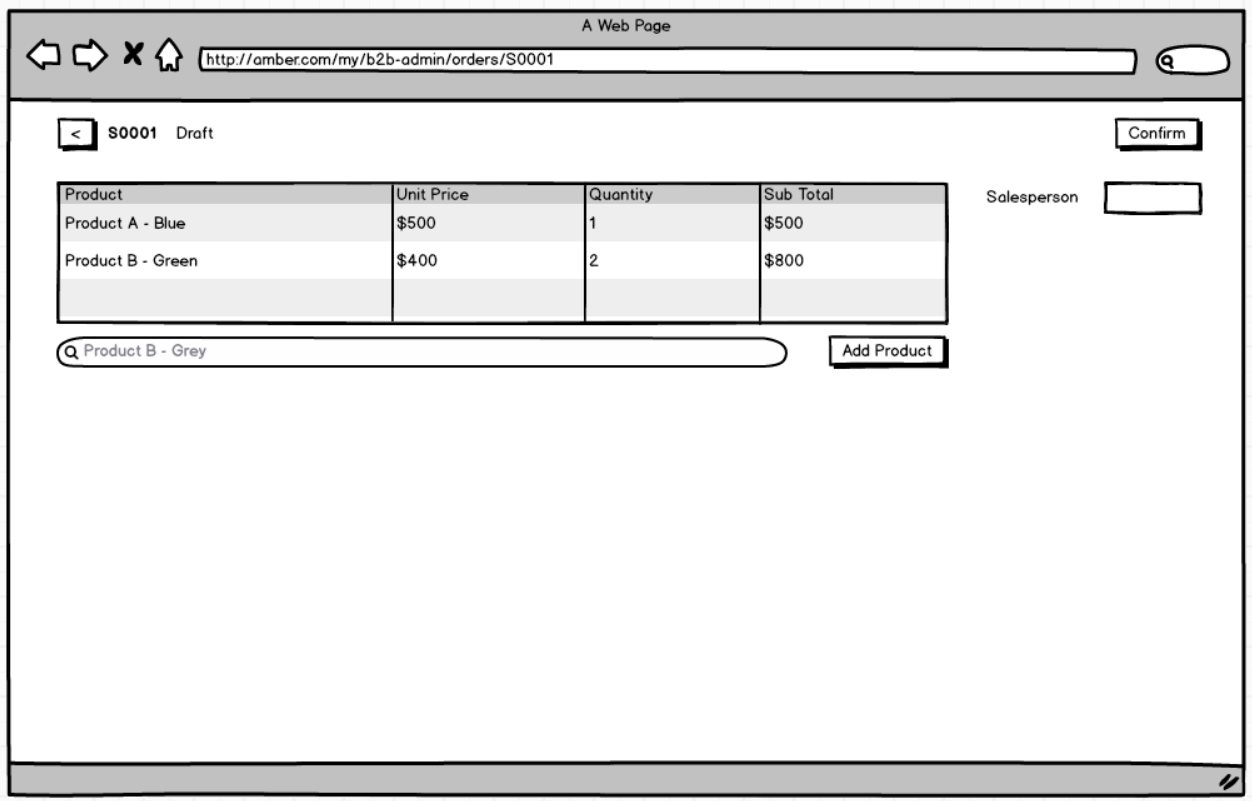
We want to allow our retailers to place the order themselves, by going to B2B portal. They can see the list of products with a quantity of discount corresponding to their retailer group. Once the retailer place the order request, it will create a request in the back-office view, request an Review Activity to a salesperson. The retailer can also integrate their enterprise system to send the order requests to us via APIs. Assume that all the products have the barcode, the client will use that same barcode to place the order.
In the back-office, using the Sales modules, we want to let our salesperson see a list of pending requests which need to be reviewed and approve/reject. The salesperson is allowed to lower the demand of some product or remove them completely from the order, but isn't allowed to sell more than what the retailer requested. Once approved, Odoo will create the Quotation with corresponding demand quantities taken from the order request, and then treat it as normal sale order.
On the portal, retailers can see a list of their requests, with the current state of pending/approved/rejected. Also, on the sale request, if approved, retailers can see the quantity for each product that approved by the salesperson, so they can expect to get those products in the fulfillment. A timeline component will be displayed and present the state of the Order Request, Sale Order, Delivery Order. If approved, they can then navigate to the specific sale orders to view the details (reuse the Sale Order on the portal provided by Odoo out-of-the-box).
Here is an example how to pricelist work for the retailers:
- All the products
| Name | Variant | Price |
|---|---|---|
| Product A | Blue,Green | 1,000,000 |
| Product B | Grey, Blue | 800,000 |
- Big Retailer (discount 50%)
| Name | Variant | Price |
|---|---|---|
| Product A | Blue,Green | 500,000 |
| Product B | Grey, Blue | 400,000 |
- Medium Retailer (discount 30%)
| Name | Variant | Price |
|---|---|---|
| Product A | Blue,Green | 700,000 |
| Product B | Grey, Blue | 560,000 |
- Small Retailer (discount 20%)
| Name | Variant | Price |
|---|---|---|
| Product A | Blue,Green | 800,000 |
- Create a new module,
novobi_sales_b2b - Odoo v14
- Follow Odoo Guidelines
- Create a new model
sale.request, with information as the mockups - Use the pricelist configured on the retailer (partner) for showing the products and showing the price
- Assume that, only products matched the criteria in the pricelist will be shown to the retailer
- Create list, form, and pivot views for
sale.requestin the backend. You can refer to Sale Order view. - Place a menu, before Quotation in the Sales module
- Salesperson cannot modify the request which isn't allocated to him/her
- Adding a wizard, to allow user approve a batch of requests, approved quantities will be the same as demand
- Create a cron job, search for delivery orders done within today, and send an email to inform the retailer that they are going to receive the order soon.
- Create API endpoints, with action for create/update/cancel, to allow retailer place the order using the API.
- Create a page to allow user see a list of request orders that they placed
- Create a page to let the retailer place the order, view the details of the request and the timeline
- The portal is developed using Odoo JS/OWL

- Feel free to ask follow up questions, or you can take assumption yourself. The goal of the final assignment is test both the ability to analyze the requirement and come up with the solution, and the ability to deliver the solution using Odoo
- Fork this repo privately and propose a Pull Request for your source code
- Record a video demo and showcase your solution