A lightweight yet powerful Chrome Extension that helps manage ChatGPT conversations more efficiently by collapsing long responses, offering quick previews, and letting you save important responses for later.
Perfect for power users who regularly work with long conversations and want a cleaner, faster, and more focused experience.
- ✅ Automatically collapses lengthy ChatGPT responses
- 🔄 Toggle expand/collapse with “Show More” / “Show Less” buttons
- 🧩 Preview of user messages (first 5 words shown)
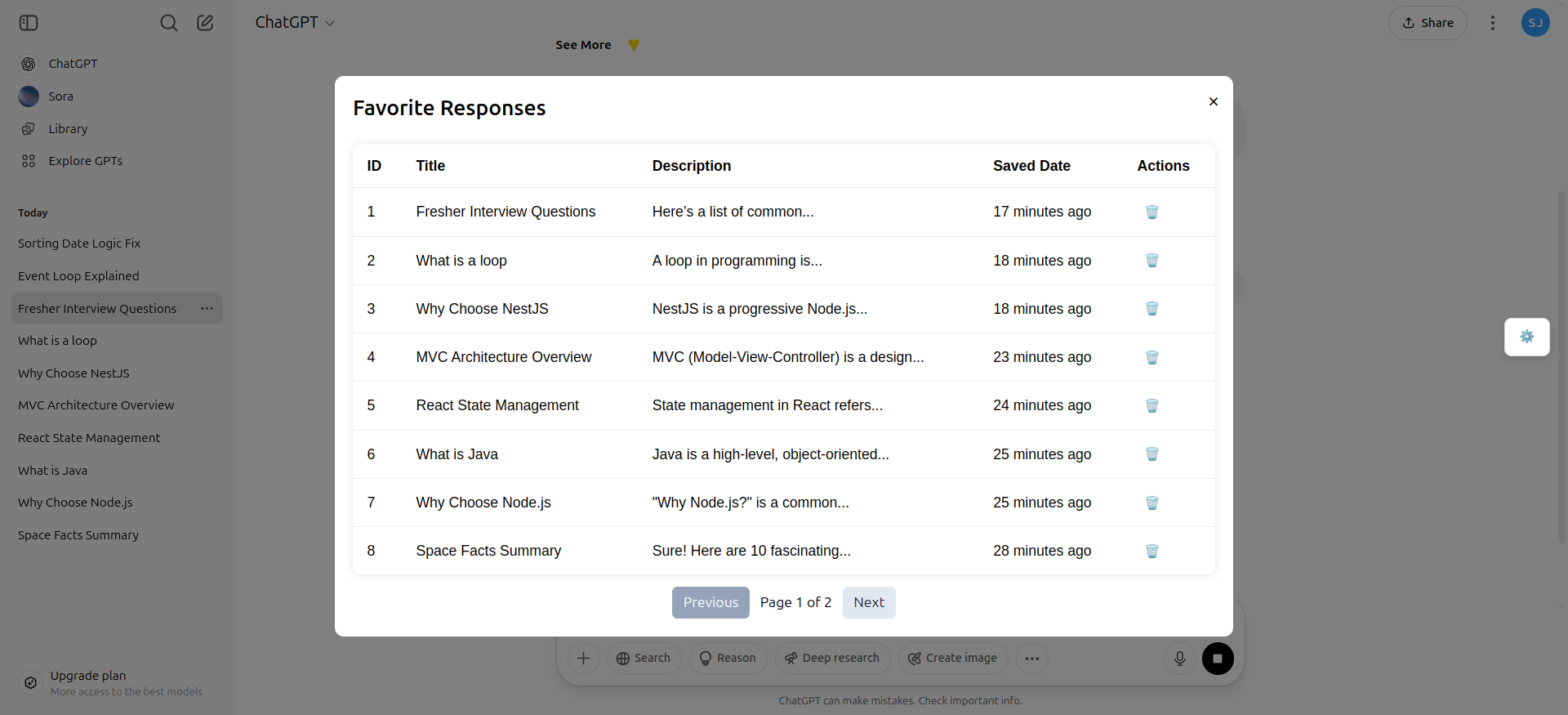
- 📌 Add important responses to a “Card” list for quick access later
- 🚀 Detects and processes new messages in real time
- 💾 Saves state with
localStorageso your preferences persist - ⚙️ Configurable thresholds for collapsing (lines, characters, etc.)
- 🧠 Optimized for minimal DOM manipulation and better performance
This project uses HTML, CSS, and JavaScript for building the Chrome extension.
- Clone the repository
git clone https://github.com/shax26/chatgpt-rm.git cd chatgpt-response-manager - Load in Chrome
- Visit
chrome://extensions/ - Enable Developer Mode
- Click Load Unpacked
- Select the project folder containing the
manifest.json
chatgpt-response-manager/
├── src/
│   ├── assets/
│   │   ├── content/
│   │   │   ├── contentScript.js     # JavaScript for modifying web page content
│   │   │   └── popup.js             # Script for popup functionality
│   │   └── icons/
│   │       └── icon128.png          # Extension icon
├── index.html                       # Main HTML page for the extension
├── manifest.json                    # Chrome Extension manifest file
└── README.md                        # Project documentation
The extension enhances your ChatGPT experience through:
-
Message Collapse
Automatically collapses assistant responses and previews user messages for quick scanning. -
Interactive Controls
Each message gets a "Show More" / "Show Less" toggle, making long threads manageable. -
Add to Card
Important responses can be saved into a persistent “Card” section—great for bookmarking key info or reusable prompts. -
Real-Time Monitoring
AMutationObservertracks updates to the conversation and dynamically applies all functionality. -
Performance Friendly
Designed to minimize DOM updates and keep the page smooth, even during large conversations.
| Browser | Supported |
|---|---|
| Chrome | ✅ |
| Microsoft Edge | 🔜 Coming Soon |
| Firefox | 🔜 Coming Soon |
We welcome PRs and contributions from the community!
- Fork the repo
- Create a feature branch
git checkout -b feature-name
- Make changes and commit
- Push and open a PR
git push origin feature-name
Clone and set up the project:
git clone https://github.com/shax26/chatgpt-rm.git
cd chatgpt-rmLicensed under the MIT License.
Feel free to modify and use for personal or professional use.
Built to improve real-world productivity and focus while working with ChatGPT.
Special thanks to the open-source community for providing tools, inspiration, and guidance.
“Sometimes, small tools make the biggest difference.”