🌏 中文版 | English
Remove Text from Image is an advanced AI-powered online tool designed to effortlessly remove text, watermarks, captions, and typography from photos and images. Whether you need to eliminate watermark text, clean up memes, or remove unwanted captions from your images, our free text remover delivers professional editing results in seconds.
Our intelligent AI technology offers both automatic text detection and manual selection modes, giving you complete control over which text elements to remove while preserving image quality. Perfect for graphic designers, social media managers, content creators, and anyone needing clean, text-free images.
Try it now: https://sora2watermarkremover.net/remove-text-from-image
- Dual Mode Operation: Auto AI detection or precise manual control
- AI-Powered OCR: Automatically detects and removes all text in images
- Free to Use: No subscription or payment required for basic features
- Instant Processing: Get results in just a few seconds
- HD Quality: Maintains original image resolution and quality
- Privacy Secure: Images encrypted and auto-deleted after 24 hours
- 🤖 Auto Text Detection: AI automatically finds and removes all text from images
- ✏️ Manual Selection Mode: Draw precise selections for targeted text removal
- 🖼️ Multi-Format Support: Works with JPG, PNG, WEBP, and other formats
- 📝 Watermark Removal: Specialized for removing text-based watermarks
- ⚡ Quick Processing: Most images processed within 5-10 seconds
- 🔒 Secure & Private: End-to-end encryption protects your content
- 💾 Easy Download: One-click download of text-free images
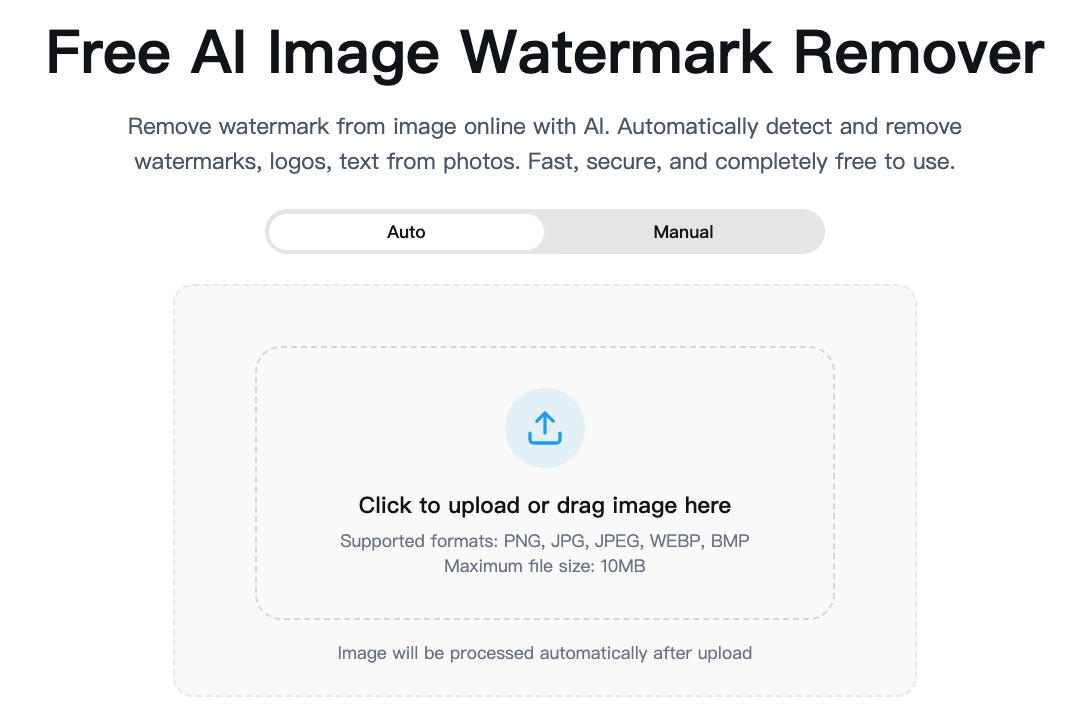
-
Visit the Website
-
Choose Your Mode
- Auto Mode: AI automatically detects and removes all text
- Manual Mode: Select specific text areas to remove
-
Upload Your Image
- Click "Upload Image" or drag and drop your file
- Supports JPG, PNG, WEBP, and other common formats
- Maximum file size: 10MB
-
Mark Text Areas (Manual Mode)
- Use the brush tool to paint over text you want to remove
- Draw precisely around text for best results
- Adjust selections as needed
-
Process Image
- Click "Submit" or "Process" button
- AI will analyze and remove the text
- Processing time: typically 5-10 seconds
-
Download Result
- Preview your text-free image with before/after comparison
- Click "Download" to save the edited image
- Original quality maintained
- Clear Text: Text with clear edges and solid backgrounds is easier to remove
- High Contrast: Text that contrasts well with background produces better results
- Accurate Selection: In manual mode, carefully cover all text areas
- Simple Backgrounds: Text on uniform backgrounds is easier to remove cleanly
Remove watermarks or text from stock images to create clean content for Instagram, Facebook, or Twitter posts.
Clean up source images by removing unwanted text or watermarks for use in design projects and presentations.
Remove existing captions from meme templates to add your own custom text.
Eliminate price tags, labels, or promotional text from product images for cleaner e-commerce listings.
Remove date stamps, camera watermarks, or other text overlays from personal photos and memories.
A: Yes! The basic service is free. Create a free account to access the tool with complimentary editing credits.
A: Auto mode uses AI to automatically detect and remove all text. Manual mode gives you precise control to select only specific text areas.
A: Yes, our AI handles most watermarks well. Simple, text-based watermarks work best. Complex graphic watermarks may require manual refinement.
A: No. We preserve the original image quality and resolution during text removal.
A: We support all popular formats including JPG, PNG, WEBP, BMP, GIF, and TIFF.
A: Most images are processed within 5-10 seconds, depending on image size and text complexity.
A: Absolutely. All uploads are encrypted, securely processed, and automatically deleted after 24 hours.
A: Yes, edited images can be used commercially. Ensure you have legal rights to the source images.
A: While our tool can remove text from images, it's optimized for photos and graphics rather than document editing.
- Official Website: https://sora2watermarkremover.net/remove-text-from-image
- Related Tools:
Built with cutting-edge AI technology:
- Advanced OCR (Optical Character Recognition)
- Deep learning text detection models
- Intelligent image inpainting algorithms
- GPU-accelerated processing
This tool is provided as a free online service. For terms of use, please visit our website.
Keywords: remove text from image, text remover, erase text from photo, remove watermark text, ai text remover, delete text from image, remove caption from image, text removal tool
Made with ❤️ for creators and designers worldwide
