
This python project will automatically sync on call PagerDuty services to Slack User Groups.
For example if you have an on call schedule such as:
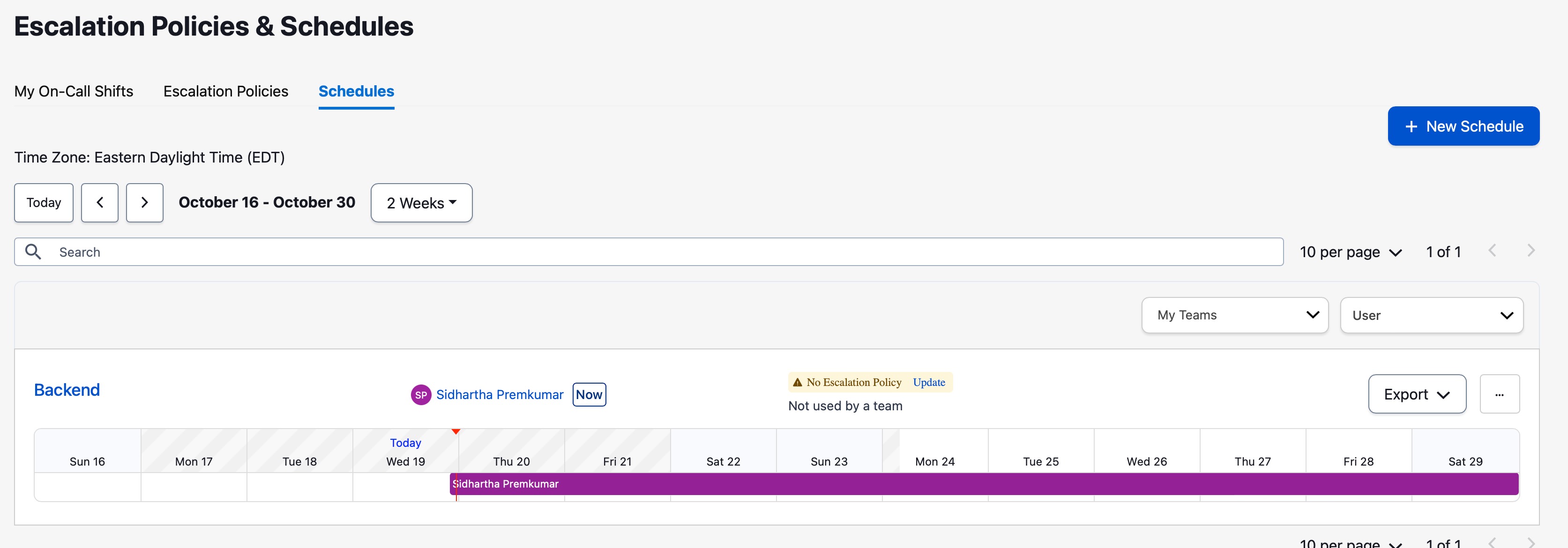
It will automatically create a slack user group as follows

With "Sidhartha Premkumar" as the sole member of @backend-oncall.
The mapping is done via email matching, this assumes the pager duty email matches the slack email.
To run, all you have to do is:
> pip3 install pd2slack
> pd2slack -slackApiKey {SLACK_API_KEY} -pdApiKey {PD_API_KEY} -config {PATH_TO_CONFIG}
We also support environment variable, for example:
> export SLACK_API_KEY=123
> export PD_API_KEY=123
> pd2Slack
You can deploy this program by running the process pd2Slack on a schedule (based on how often you want to update). A cron might be the best way to deploy
Slack token permissions: You will need the following permissions on your slack token:
users:read.emailusers:readusergroups:writeusergroups:read
You can optionally pass -configPath to the command that points to a config (see exampleConfig.json). This mapping will be used to only sync PagerDuty schedules with the name as a key in serviceMapping with the slackGroup that is the corresponding value.
In the example config we will only attempt to sync pager duty schedules with the name Backend Pd Name with the slack alias @slackAliasToUse-oncall.