A simple extension of raycast to upload images to GitHub from clipboard.
GHPic first read the image from the clipboard and upload it to GitHub, then the URL of Image on GitHub is copied to the clipboard.
-
Click
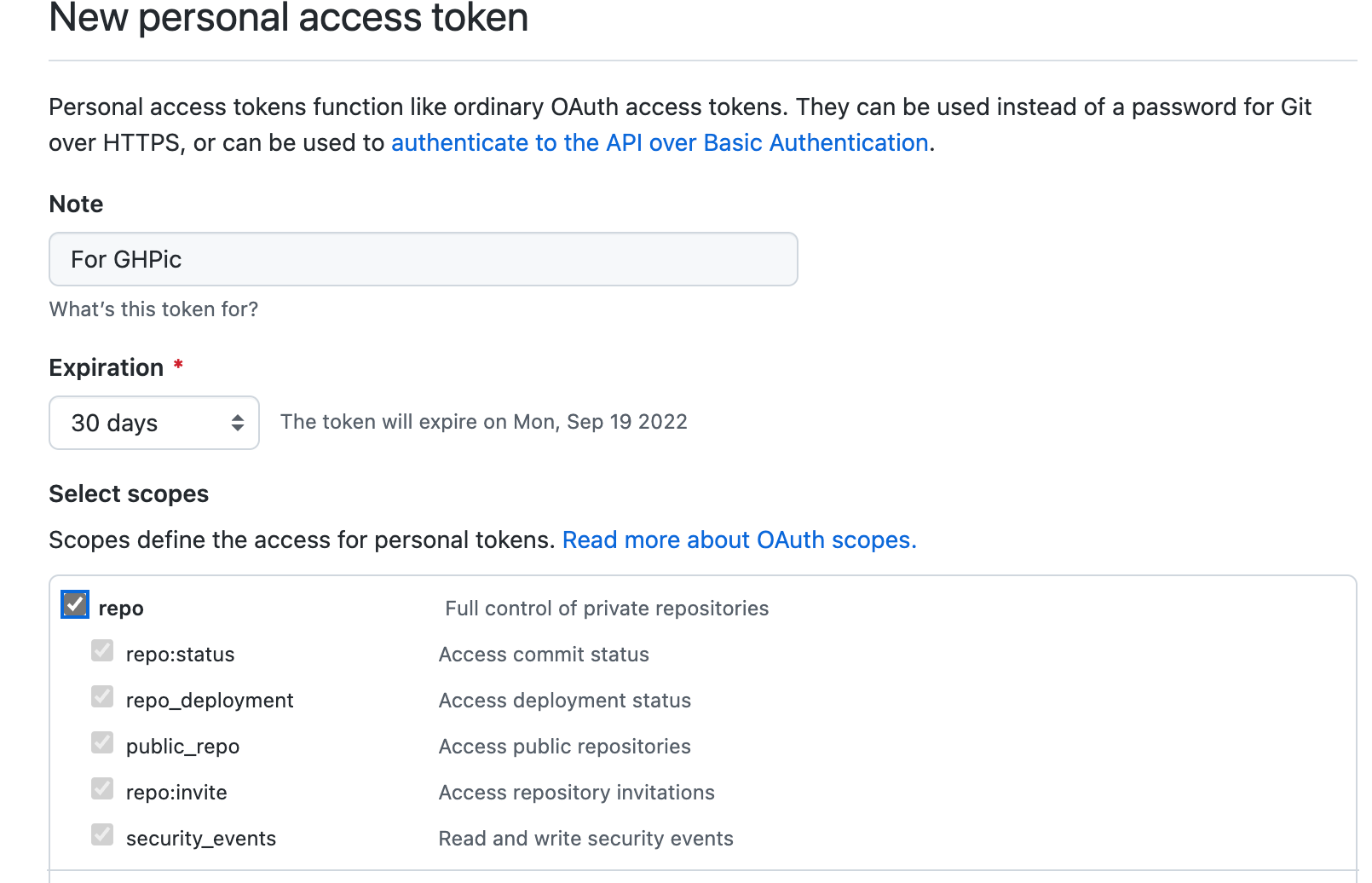
Generate new token. -
Fill the Note, choose
repo, Scroll to the end and clickGenerate Token. -
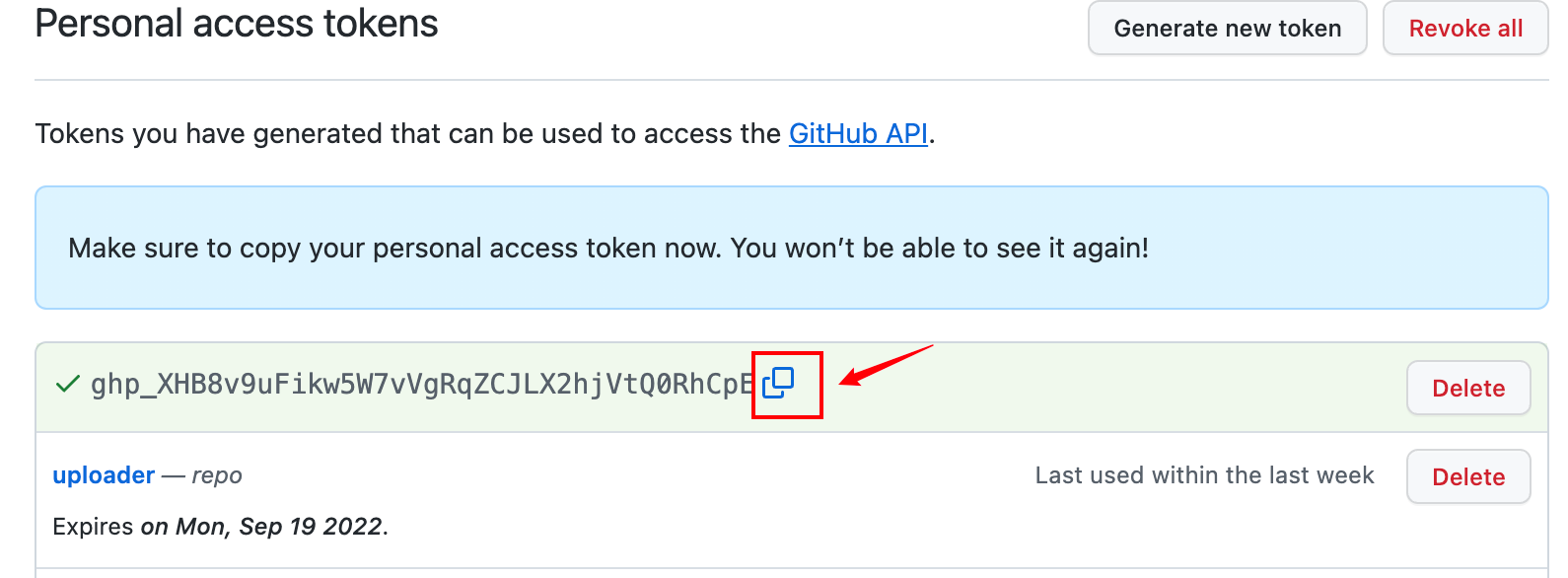
Click to copy the token.
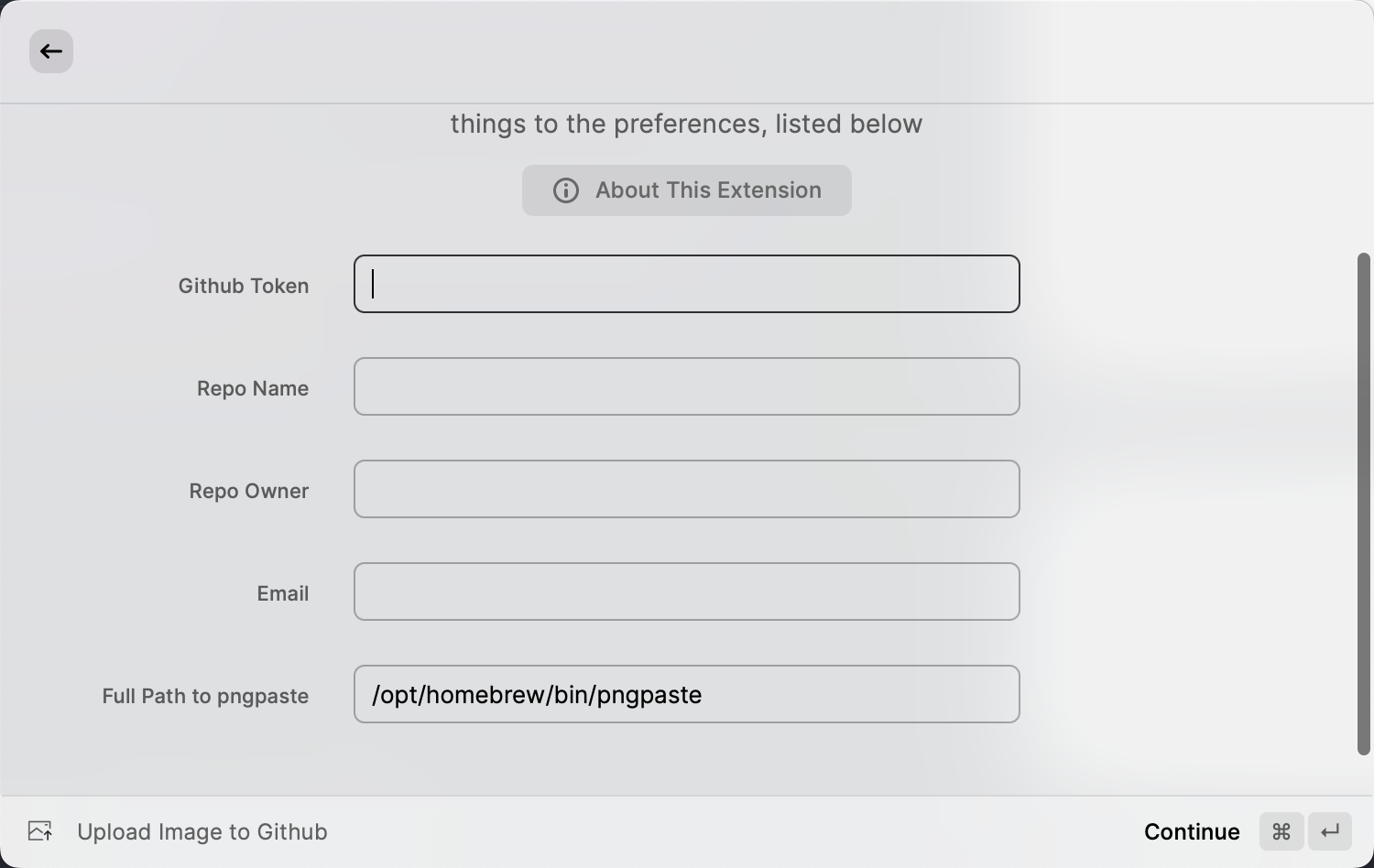
GitHub Token: The token that get from step 2.Repo Name: The name of the repository.Repo Owner: The owner of the repository, generally your username of GitHub.Email: The email of the user.Path: The path to store the image on GitHub.
- Copy a Picture to the clipboard or just copy from the Finder.app.
- Upload to GitHub by this extension.
- Paste the URL to your article.
2022-08-26.21.18.48.mov
2024-04-17.11.44.27.mov
- Inspired By aliyun-oss