

cosmos-transactions-bot is a tool that sends a message to configured channels on new transactions with a specific filter.
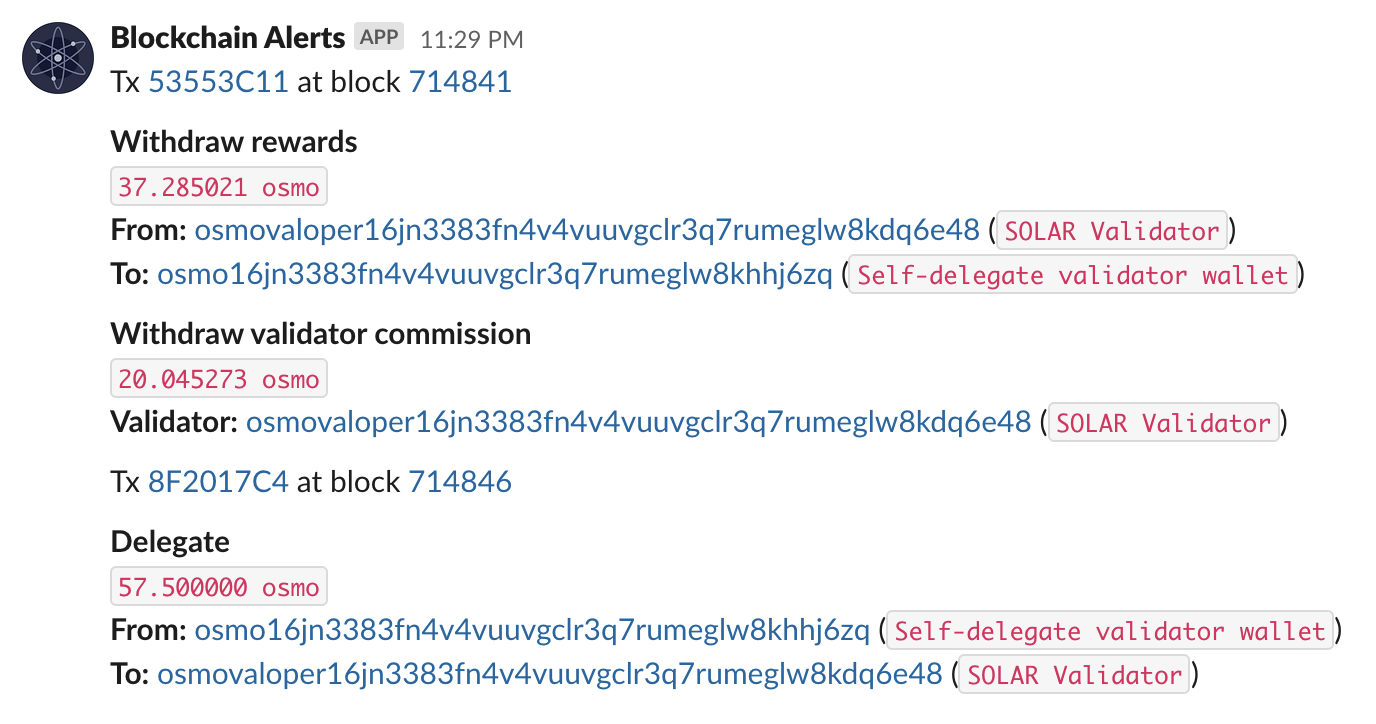
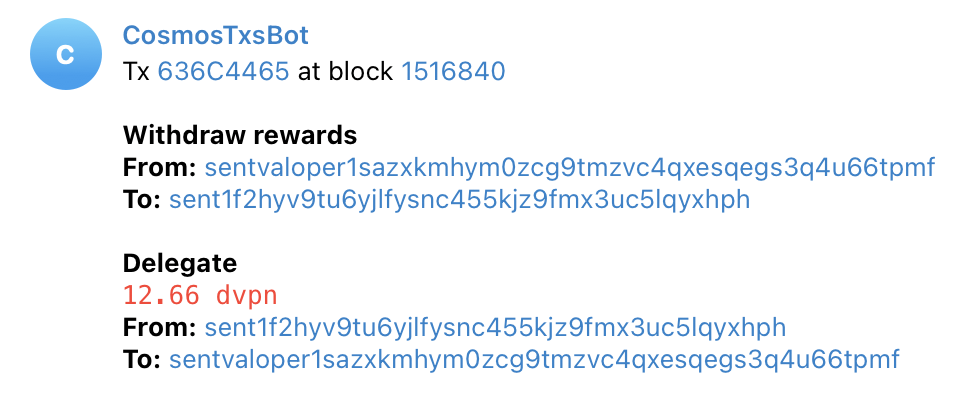
Here's how the notification may look like:
Download the latest release from the releases page. After that, you should unzip it and you are ready to go:
wget <the link from the releases page>
tar xvfz cosmos-transactions-bot_*
./cosmos-transactions-bot <params>
That's not really interesting, what you probably want to do is to have it running in the background. For that, first of all, we have to copy the file to the system apps folder:
sudo cp ./cosmos-transactions-bot /usr/binThen we need to create a systemd service for our app:
sudo nano /etc/systemd/system/cosmos-transactions-bot.serviceYou can use this template (change the user to whatever user you want this to be executed from. It's advised to create a separate user for that instead of running it from root):
[Unit]
Description=Cosmos Transactions Bot
After=network-online.target

[Service]
User=<username>
TimeoutStartSec=0
CPUWeight=95
IOWeight=95
ExecStart=cosmos-transactions-bot <params>
Restart=always
RestartSec=2
LimitNOFILE=800000
KillSignal=SIGTERM

[Install]
WantedBy=multi-user.target
Then we'll add this service to the autostart and run it:
sudo systemctl enable cosmos-transactions-bot
sudo systemctl start cosmos-transactions-bot
sudo systemctl status cosmos-transactions-bot # validate it's running
If you need to, you can also see the logs of the process:
sudo journalctl -u cosmos-transactions-bot -f --output catIt subscribes to Tendermint JSON-RPC endpoint through Websockets (see this for more details). After that, once the new transaction with the specified filter is detected, the full node sends a Websocket message, and this program catches it and sends a message to a specified channel (or channels).
You can pass the artuments to the executable file to configure it. Here is the parameters list:
--node- the gRPC node URL. Defaults tolocalhost:9090.--log-devel- logger level. Defaults toinfo. You can set it todebugor eventraceto make it more verbose.--telegram-token- Telegram bot token--telegram-chat- Telegram user or chat ID--slack-token- Slack bot token--slack-chat- Slack user or chat ID--mintscan-prefix- This bot generates links to Mintscan for validators, using this prefix. Links have the following format:https://mintscan.io/<mintscan-prefix>/validator/<validator ID>.--query- See below.
Additionally, you can pass a --config flag with a path to your config file (we use .toml, but anything supported by viper should work).
You can specify a --query that serves as a filter. If the transaction does not match this filter, this program won't send a notification on that. The default filter is tx.height > 1, which matches all transactions. You would probably want to use your own filter.
For example, we're using this tool to monitor new delegations for our validator and this is what we have in our .toml configuration file:
# sentvaloper1sazxkmhym0zcg9tmzvc4qxesqegs3q4u66tpmf is SOLAR Validator on Sentinel
# sent1sazxkmhym0zcg9tmzvc4qxesqegs3q4u9l5v5q is SOLAR Validator's self delegated wallet on Sentinel
query = [
    # claiming rewards from validator's wallet
    "withdraw_rewards.validator = 'sentvaloper1sazxkmhym0zcg9tmzvc4qxesqegs3q4u66tpmf'",
    # incoming delegations from validator
    "delegate.validator = 'sentvaloper1sazxkmhym0zcg9tmzvc4qxesqegs3q4u66tpmf'",
    # redelegations from and to validator
    "redelegate.source_validator = 'sentvaloper1sazxkmhym0zcg9tmzvc4qxesqegs3q4u66tpmf'",
    "redelegate.destination_validator = 'sentvaloper1sazxkmhym0zcg9tmzvc4qxesqegs3q4u66tpmf'",
    # unbonding from validator
    "unbond.validator = 'sentvaloper1sazxkmhym0zcg9tmzvc4qxesqegs3q4u66tpmf'",
    # tokens sent from validator's wallet
    "transfer.sender = 'sent1sazxkmhym0zcg9tmzvc4qxesqegs3q4u9l5v5q'",
    # tokens sent to validator's wallet
    "transfer.recipient = 'sent1sazxkmhym0zcg9tmzvc4qxesqegs3q4u9l5v5q'",
    # IBC token transferred from validator's wallet
    "ibc_transfer.sender = 'sent1sazxkmhym0zcg9tmzvc4qxesqegs3q4u9l5v5q'",
    # IBC token received at validator's wallet
    "fungible_token_packet.receiver = 'sent1sazxkmhym0zcg9tmzvc4qxesqegs3q4u9l5v5q'",
]
Unfortunately there is no OR operator support. See this and this for context. You can add a few filters in the config though.
See the documentation for more information.
One important thing to keep in mind: by default, Tendermint RPC now only allows 5 connections per client, so if you have more than 5 filters specified, this will fail when subscribing to 6th one. To fix this, change this parameter to something that suits your needs in <fullnode folder>/config/config.toml:
max_subscriptions_per_client = 5
Currently this program supports the following notifications channels:
- Telegram
Go to @BotFather in Telegram and create a bot. After that, there are two options:
- you want to send messages to a user. This user should write a message to @getmyid_bot, then copy the
Your user IDnumber. Also keep in mind that the bot won't be able to send messages unless you contact it first, so write a message to a bot before proceeding. - you want to send messages to a channel. Write something to a channel, then forward it to @getmyid_bot and copy the
Forwarded from chatnumber. Then add the bot as an admin.
Then run a program with --telegram-token <token> --telegram-chat <chat ID>.
- Slack
Go to the Slack web interface -> Manage apps and create a new app.
Give the app the chat:write scope and add the integration to a channel by typing /invite <bot username> there.
After that, run the program with --slack-token <token> --slack-chat <channel name>.
You can add a label to specific wallets, so when a tx is done where the wallet is participating at, there'll be a label in the notification sent by this app. Check the Slack image at the beginning of this README to see how it looks like.
To set it up, you'll need a few things:
- In the app config, set
labels-config- a path to the.tomlfile where all the labels are stored and persistent. - Then you'll need to configure an app to handle commands.
- Create a Slack app, write down a signing secret for it somewhere
- Set up
slack-signing-secretin config with this value. Maybe setslack-listen-addressto override the address Slack slash commands handler is listening to. - Make sure that the Slack slash handler is accessible from the outside (you can open
http://<your-server-IP-or-address>:<slack-handler-listening-port>/slashand if it returns an error and not a connection reset/timeout, it's good) - Create a slash command, the one used for listing aliases (
/list-aliasesby default, you can override it in settings). Specify the address above as commands handler. - Do the same for adding alias handler command(
/set-aliasby default) and clearing alias command (/clear-aliasby default). - It's done, try using these commands in your Slack workspace.
No extra configuration is needed, just write to the bot you are using and use either the default commands (/set-alias, /clear-alias, /list-aliases) or the ones you've overridden in the config.
In theory, it should work on a Cosmos-based blockchains that expose a gRPC endpoint.
Bug reports and feature requests are always welcome! If you want to contribute, feel free to open issues or PRs.