



Execute VSCode tasks with a single click directly from your status bar.
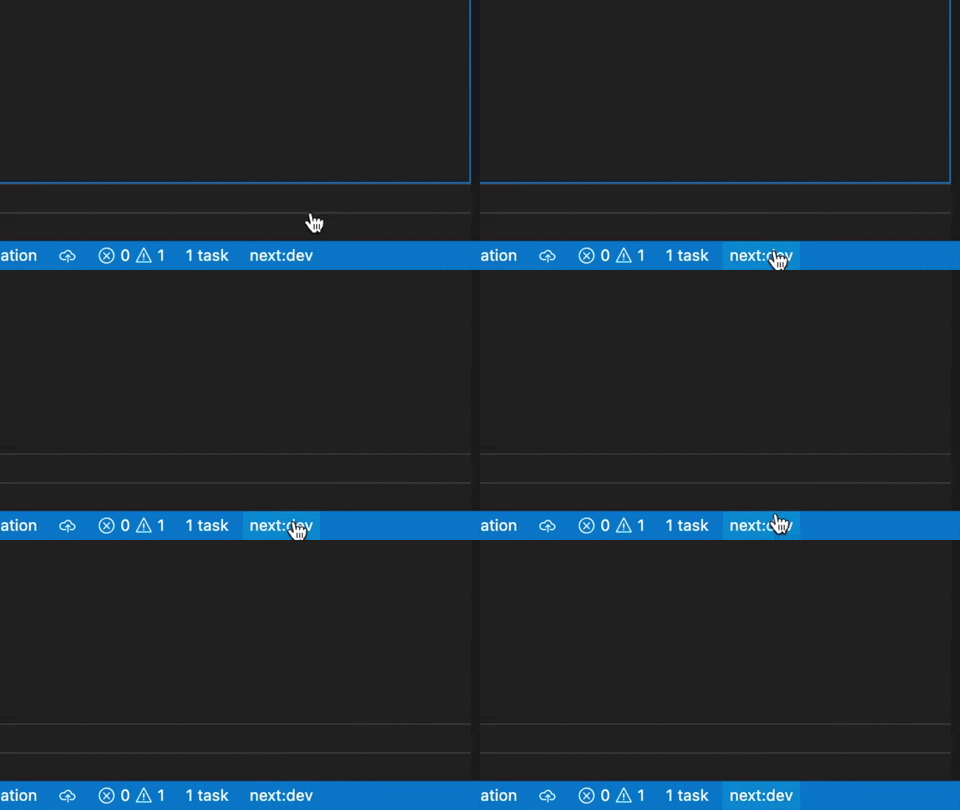
- 🚀 Add task buttons to your VSCode status bar
- 📋 Create quick pick menus for grouped tasks
- 🎨 Customize button appearance with icons and emojis
- 🔄 Dynamic task counter
- ⚙️ Flexible configuration options
- Open VSCode
- Go to Extensions view (Ctrl+Shift+X / Cmd+Shift+X)
- Search for "Task Buttons"
- Click "Install"
code --install-extension spencerwmiles.vscode-task-buttons- Define your tasks in your VSCode
tasks.jsonfile - Configure Task Buttons in your VSCode
settings.jsonfile (see Configuration) - Click the buttons in your status bar to execute tasks
This extension contributes the following settings:
VsCodeTaskButtons.showCounter: Boolean to show/hide the Task counter. Default true.VsCodeTaskButtons.tasks: Array used to define tasks (see format below).
For each button you define the following object:
{
  "label": "Label that appears in the taskbar",
  "alignment": "The alignment of the button in the taskbar. Options: left and right. Default: left",
  "task": "The vscode task to execute. Must be absent when using 'tasks'",
  "tasks": "List of tasks to show in the Quick Pick Menu",
  "tooltip": "Optional tooltip to show when hovering over the button (defaults to task name)",
  "description": "A description of the task when viewing the task list in the Quick Pick Menu",
  "color": "Optional color for the button. Options: default, error (red), warning (yellow). Default: default"
}You can set the color of task buttons to either error (red) or warning (yellow) to highlight important or cautionary tasks:
{
  "VsCodeTaskButtons.tasks": [
    {
      "label": "$(alert) Deploy to Production",
      "task": "deploy-prod",
      "color": "error"
    },
    {
      "label": "$(warning) Run Integration Tests",
      "task": "test-integration",
      "color": "warning"
    }
  ]
}
Note: Due to VSCode's status bar design guidelines, only error (red) and warning (yellow) colors are supported.
You can add icons to your buttons using the following syntax in the text field:
$(icon-name)
A list of all available icon names is here.
Icons are not supported in the tooltip text.
You can add Emoji's to the button text and tooltip text. Just type an emoji as you would any normal character opening your "emoji keyboard" (Windows MacOS)
You can also copy them from Emojipedia
{
  "VsCodeTaskButtons.showCounter": true,
  "VsCodeTaskButtons.tasks": [
    {
      "label": "$(play) Run",
      "task": "run",
      "tooltip": "Start the application"
    },
    {
      "label": "$(beaker) Test",
      "task": "test",
      "tooltip": "Run tests"
    }
  ]
}{
"VsCodeTaskButtons.showCounter": true,
"VsCodeTaskButtons.tasks": [
{
"label": "$(notebook-move-down) Build",
"task": "build",
"tooltip": "🛠️ Start the \"build\" task"
},
{
"label": "$(search-refresh) Re-Build",
"task": "re-build",
"tooltip": "🧹🛠️ Start the \"re-build\" task"
},
{
"label": "$(notebook-delete-cell) Clean build",
"task": "clean",
"tooltip": "🧹 Start a \"clean\" task"
},
{
"label": "$(server-process) Server",
"tasks": [
{
"label": "😀 Start Dev Server",
"task": "start-dev",
"description": "$(debug-start) Boots up the development server"
},
{
"label": "🛑 Stop Dev Server",
"task": "stop-dev",
"description": "$(debug-pause) Shuts down the development server"
}
]
}
]
}{
"VsCodeTaskButtons.showCounter": true,
"VsCodeTaskButtons.tasks": [
{
"label": "$(play) Run",
"task": "run",
"alignment": "left",
"tooltip": "Start the application"
},
{
"label": "$(stop) Stop",
"task": "stop",
"alignment": "right",
"tooltip": "Stop the application"
}
]
}- Ensure your tasks are correctly defined in
tasks.json - Check for errors in your Task Buttons configuration
- Try reloading VSCode (Command Palette > Developer: Reload Window)
- Verify task names match exactly between
tasks.jsonand Task Buttons configuration - Check the Output panel (View > Output) for any errors
- Try running the task directly from the Tasks menu to verify it works
- Ensure icon names are correct and prefixed with
$( - Restart VSCode after making configuration changes
- Check that your VSCode version supports the icons you're using
If you encounter any issues:
- Check the existing issues to see if it's already reported
- If not, create a new issue with:
- A clear description of the problem
- Steps to reproduce
- Expected vs. actual behavior
- VSCode version and extension version
- Screenshots if applicable
Contributions are welcome! See CONTRIBUTING.md for details on how to get started.
For full release notes, see CHANGELOG.md.
This extension is licensed under the MIT License.