Standard line numbers: venerable, but ultimately flawed. Sure, they may have served programmers everywhere throughout the entire history of programming, and perhaps the rest of humanity in every field ever, but their ease of use is haunted by a single Achilles's heel. How often have you been casually adding code to line 300 of a project when the last line rolls past 1000, and experienced that jarring moment when the entire programming file shifts to the right?
This extensions solves this issue in its entirety, replacing such disgraceful behavior with the subtle, barely noticeable effect of unintelligibly renumbering your entire file!
Note: To avoid doubled line numbers, change the setting "editor.lineNumbers" to "Off".
This extension provides two line numbering systems.
Each line number is a of a fixed length, defaulting to 3. We cleverly choose the number's base to be the minimum value such that every line number can be represented within this fixed width.
Benefits: you can be working on line number ΩΩΩ!
Each line number is written in the factorial number system. Yes, admittedly, this system will still occasionally shift your program to the right as the size of line numbers grow. However, it's inverse factorial, not logarithmic, for those sweet O(n) savings!
Benefits: 10x cooler than everyone else.
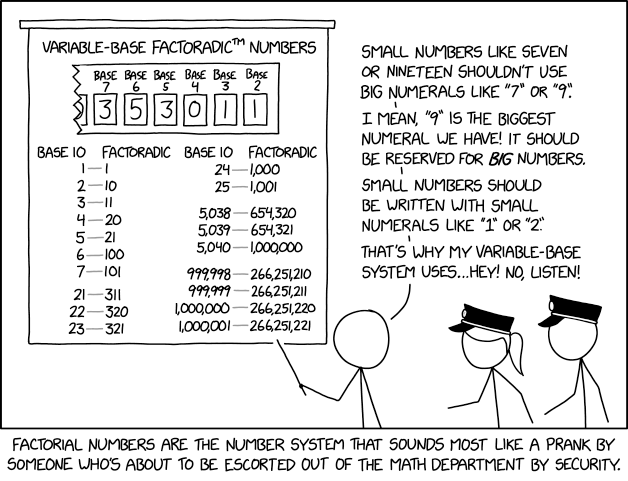
(Source: https://xkcd.com/2835/)
This extension contributes the following settings:
triplicate.system: Either "fixed length" or "factoradic", representing the number system to use for line numbers.triplicate.alphabet: The alphabet used for rendering line numbers.triplicate.length: The length of each line number, if using the fixed length numbering system.
This extension manually renders line numbers directly to the left of your code, as to my knowledge, vscode does not allow modification of standard line number rendering. The manual approach exhibits screen tearing when scrolling quickly or switching between tabs.
Additionally, shows no line numbers for empty files.