Testing Github API using Cypress Framework
This repo contains API Testing using Cypress in Javascript.
Author: Tam Pham (Kyle)
Instruction:
- Clone this Repo and open using Visual Studio Code
- Open Terminal inside Visual Studio Code and run [ npm install ] to install required packages (Make sure your machine got node.js + npm, more information: https://docs.npmjs.com/downloading-and-installing-node-js-and-npm)
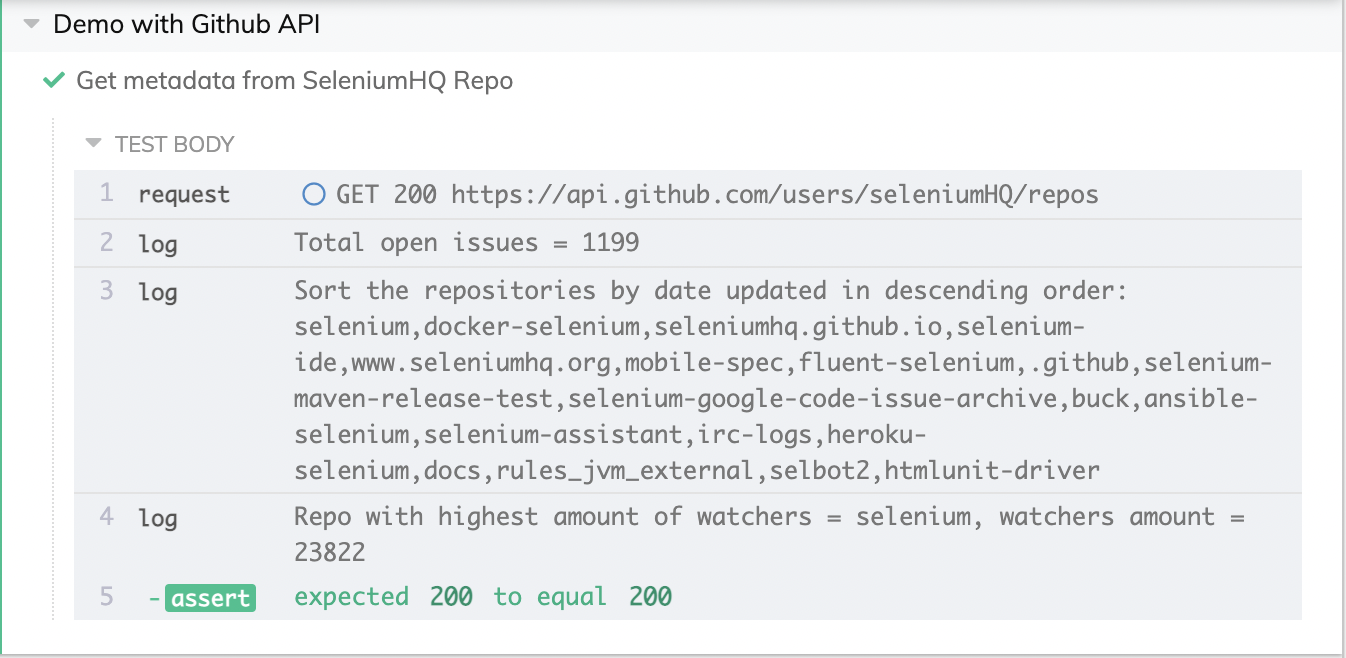
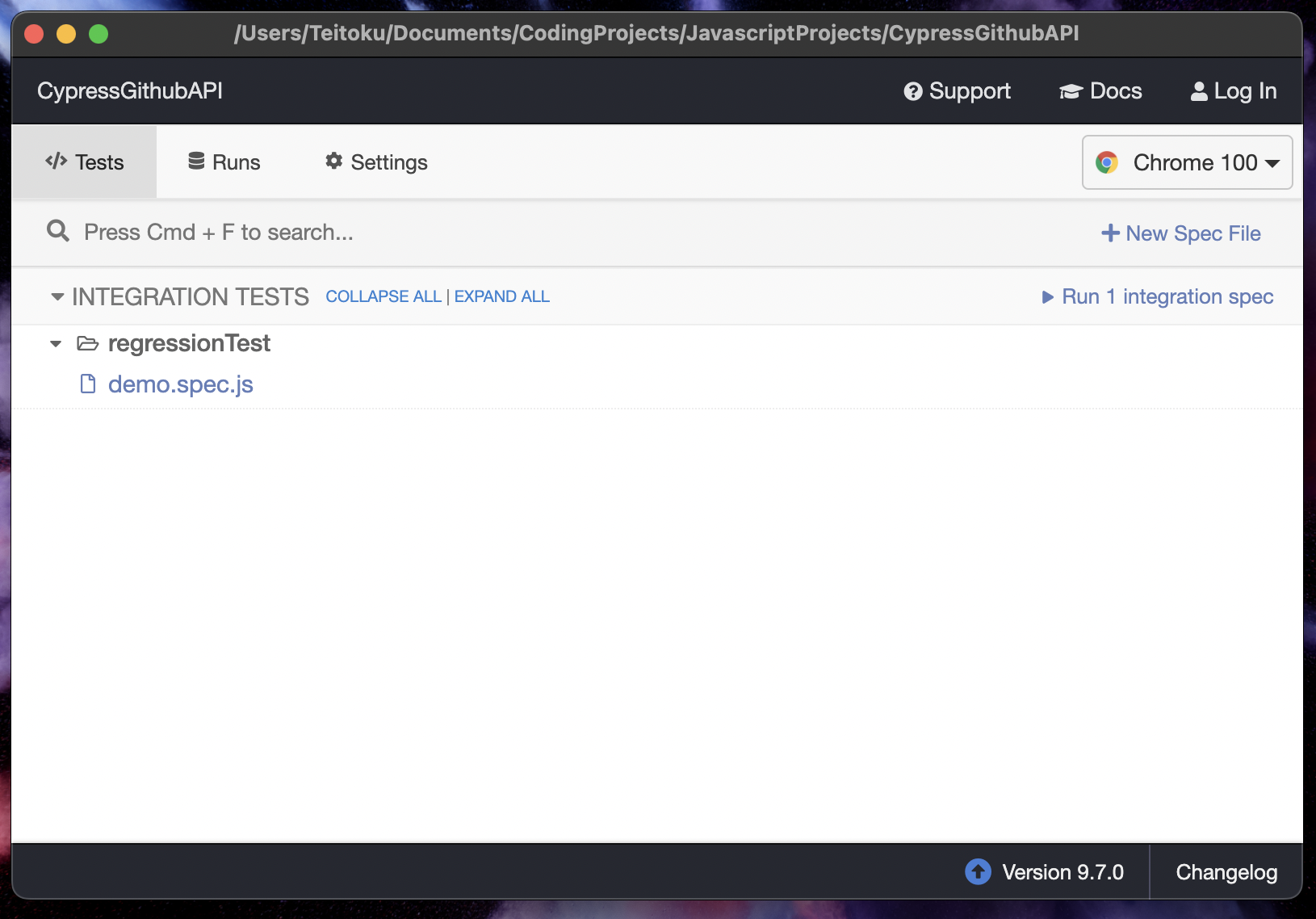
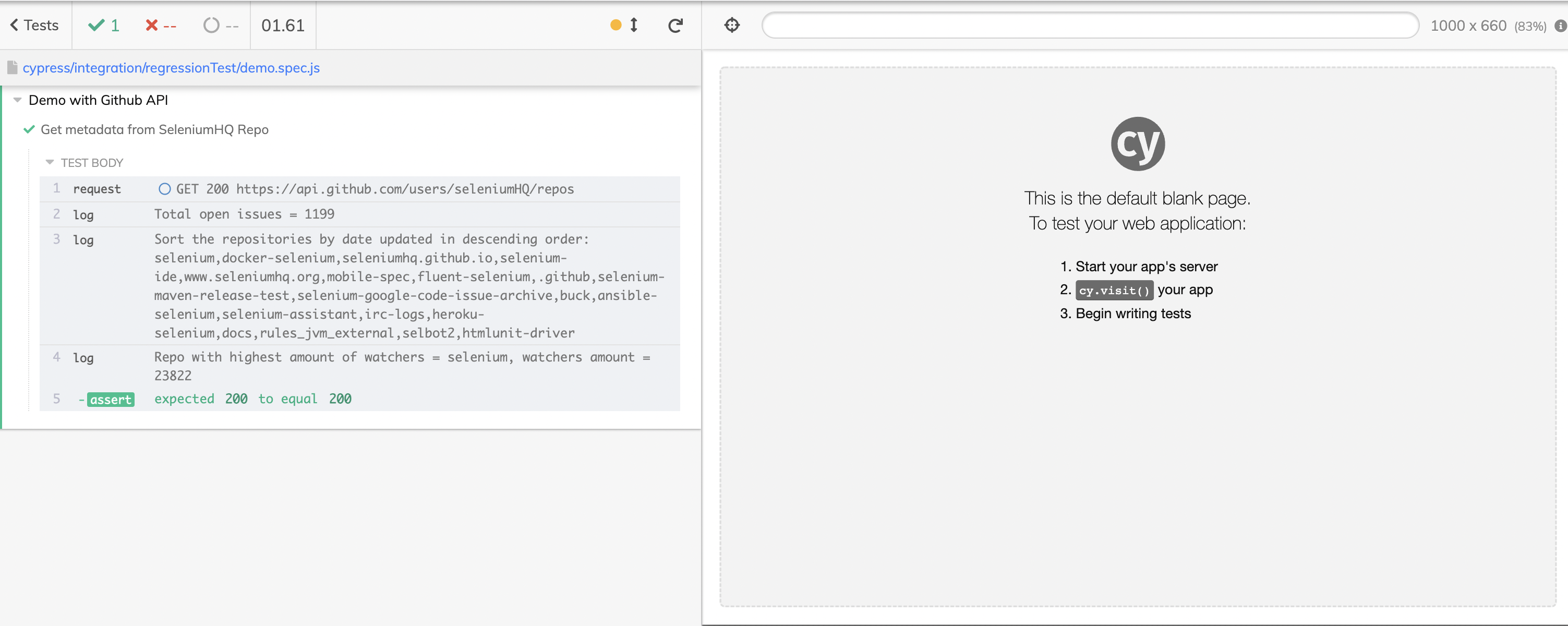
- Open Terminal inside Visual Studio Code, Run command [ npx cypress open ] to start Cypress, select demo.spec.js [Screenshot 4] to start the run and see the log [Screenshot 5]
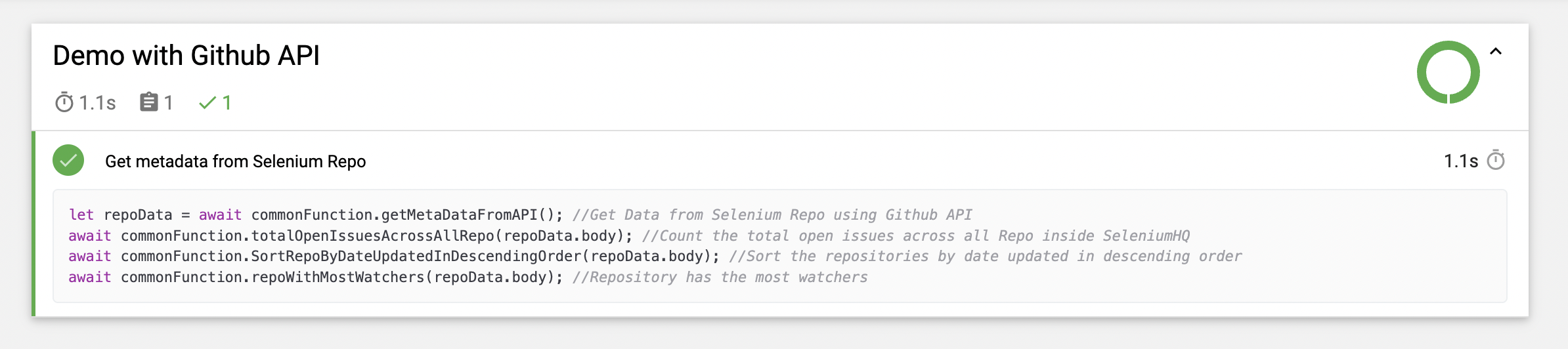
- Open Terminal inside Visual Studio Code, Run command [ npx cypress run --reporter mochawesome ] to start Cypress in Headless mode, let it run and finish by itself, you can also find a report inside the reports folder name as: mochawesome.html (open it using any prefer browser) [Screenshot 6]
Coding Challenge Requirements

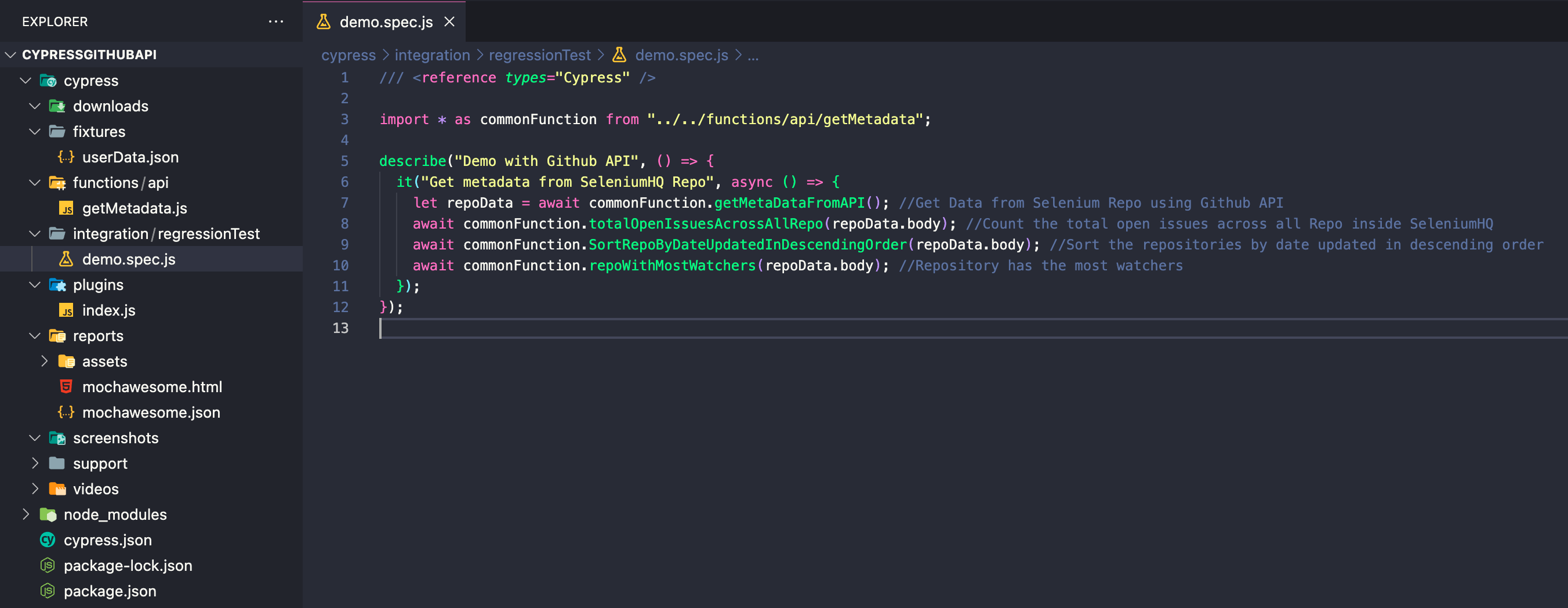
Folder structure - Test File [Screenshot 1]
Result [Screenshot 2]
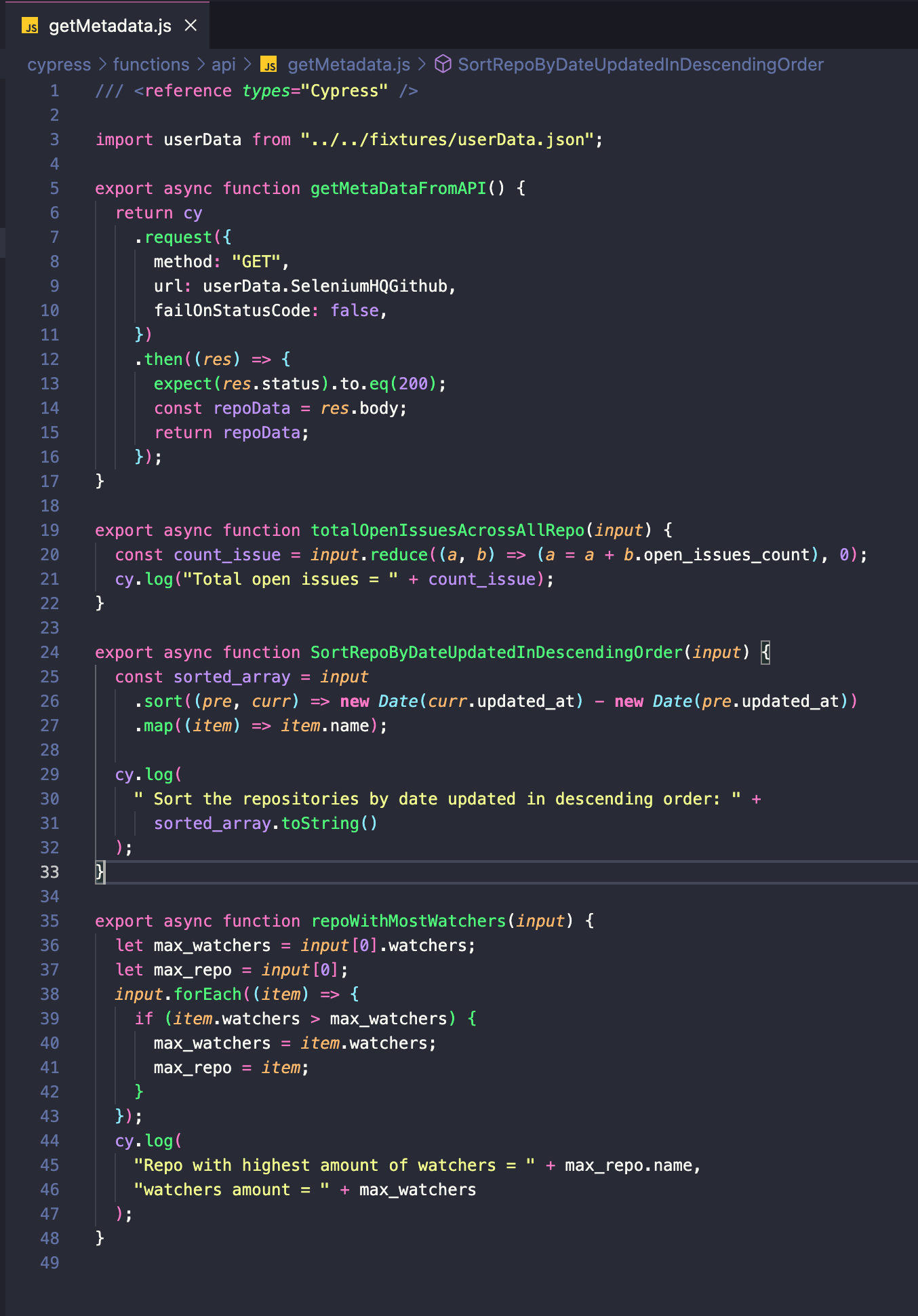
Functions [Screenshot 3]
Select demo.spec.js [Screenshot 4]
Result log in left screen [Screenshot 5]
Report File in html format [Screenshot 6]