Please follow the instructions below to set up the environment: Download two projects CPT202-void-server (Back-end), CPT202-void-web (Front-end) and one database from links above. Install Node.js from https://nodejs.org/en/download/ Install React framework oIt is highly recommended to switch the source from npm to cnpm for stable connection. You can do this by executing “npm config set registry https://registry.npm.taobao.org” in the terminal. oInstall cnpm by executing “npm install -g cnpm --registry=https://registry.npm.taobao.org” in the terminal. oInstall React framework by executing “npm install -g create-react-app” in the terminal. oYou can refer to “https://blog.csdn.net/m0_48837577/article/details/107901663” for more detailed instruction. Start MySQL Workbench and click Server - -> Data Import, and choose our database file to import. Run Back-end project CPT202-void-server oUsing IntelliJ IDEA to open the project. oInstall related libraries and plugins. oGo to application.yml file and change the username and password to your own MySQL account. oRun the SpringBoot project.
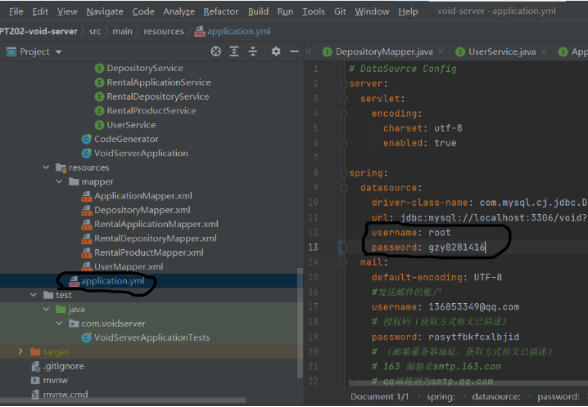
Save the front-end uploaded image to the local, in RentalProductController to change the path to save the file. Images must be saved in the public\images directory of the project.
Run Front-end project CPT202-void-web oUsing IntelliJ IDEA to open the project. oIt is highly recommended to switch the source from npm to cnpm for stable connection. You can do this by executing “npm config set registry https://registry.npm.taobao.org” in the terminal. oEnter “npm install” to install related libraries. oEnter “npm start” to run the project, the web page will automatically open in the browser. You can use this account to login: username: admin password: admin If you want to test the e-mail and verification code function, you can add a new tuple in the user table in MySQL with your own e-mail