
After I read the book Deep Work, by Cal Newport, I started tracking my coding study/work hours in a simple text file. As the file got bigger, I wanted to see things like total hours for a month, or cumulative totals, without having to to the math every time, so I created a Flask app to track and view my deep work time.
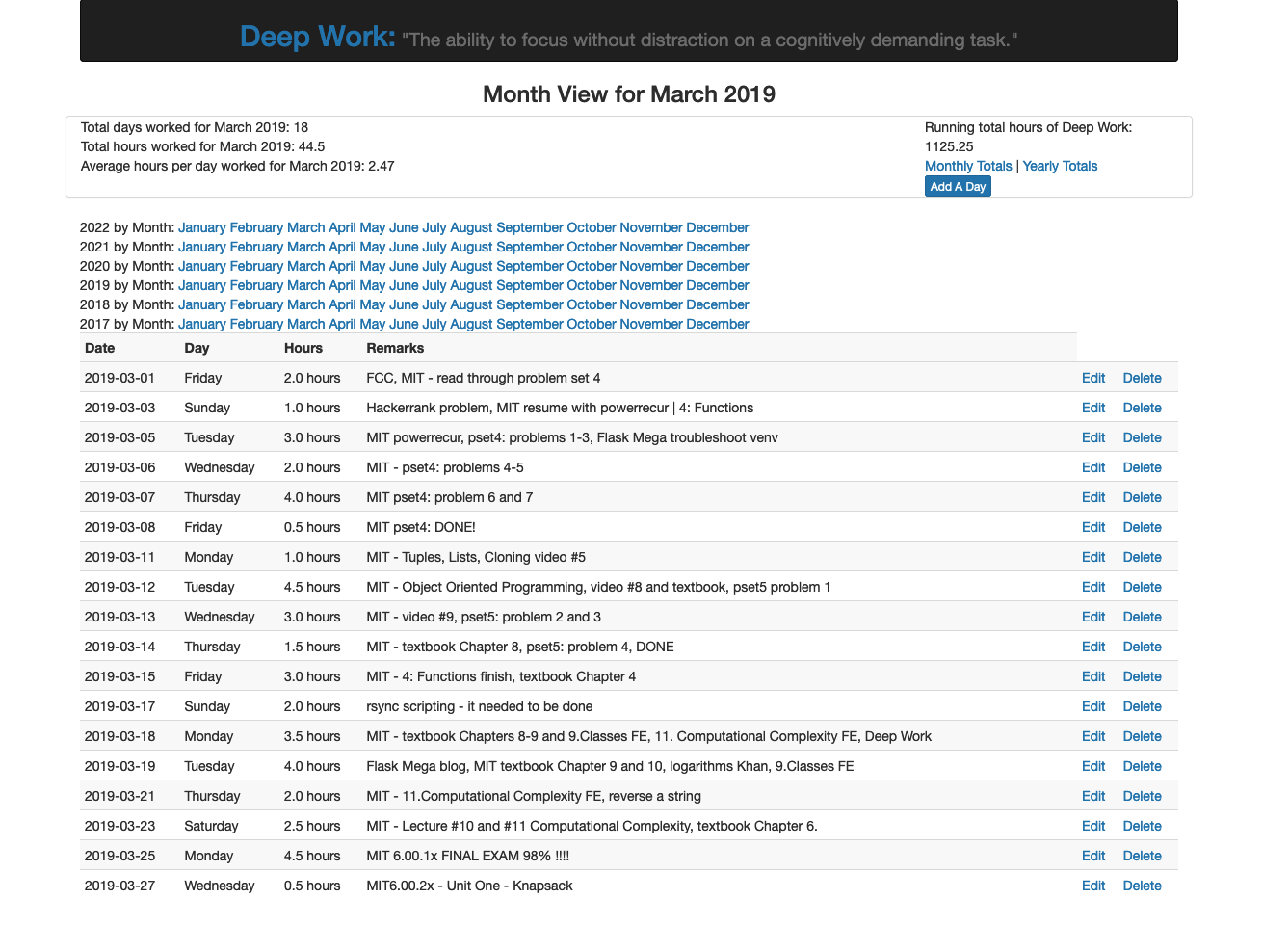
- Flask (Python web micro-framework)
- SQLite (lightweight SQL database engine)
- SQLAlchemy (database ORM) - flask-sqlalchemy
- Alembic (database migration) - flask-migrate
- Bootstrap (CSS styles) - flask-bootstrap
- Clone the repo on your local machine:
git clone https://github.com/thomasjohncole/deepwork2.git - Make a Python virtual environment:
python3 -m venv venv - Activate virtual environment:
. venv/bin/activate - Install requirements.txt:
pip install -r requirements.txt - Create the database, from the python REPL:
>>> from work import db
>>> db.create_all()
>>> exit()
- Add some data, from the sqlite prompt (
sqlite3 deepwork.db):INSERT INTO dailyhours VALUES ('2022-06-01', '4', 'Lorem ipsum dolor sit amet, consectetur adipiscing elit'); - Exit sqlite and start the server:
flask run - Point your browser to localhost:5005
- Fix header in edit and delete forms
- Make header modular and use include across templates
- Refactor based on best practices for file separation
- Add date picker on form templates
- Add WTForms for validation and security purposes
- Error processing for Add day page, can use WTForms here
- Make month links autogenerate based on what is in the db
- Add user login module - flask-login
- Deploy a demo of this app: Heroku, AWS, Linode, etc.
- Add some visualizations, graphs, charts, etc.
- Add an about page
test edit for new SSH key