
Let’s re-describe your code as your own friendly domain-specific language.
- Execution: You can execute mruby code (a lightweight Ruby) in Godot and emit signals from mruby to Godot.
- Editing: You can write and edit Ruby files in the Godot Editor.
- REPL: You can try out Ruby interactively in Godot.
extends Node

@onready var res := ReDScribe.new()

func _ready() -> void:
    res.method_missing.connect(_method_missing)
    res.channel.connect(_subscribe)
    res.perform("""

        Alice says: "Hello Ruby! ❤️"

        puts "Welcome to the world of Ruby v#{RUBY_VERSION}, powered by #{RUBY_ENGINE} 💎"

        Godot.emit_signal :spawn, { name: 'Alice', job: 'wizard', level: 1 }

    """)

func _method_missing(method_name: String, args: Array) -> void:
    print_debug('[method_missing] ', method_name, ': ', args)

func _subscribe(key: StringName, payload: Variant) -> void:
    print_debug('[subscribe] ', key, ': ', payload)


# -- Output --
#
#   [method_missing] Alice: [{ &"says": "Hello Ruby! ❤️" }]
#
#   Welcome to the world of Ruby v3.4, powered by mruby 💎
#
#   [subscribe] spawn: { &"name": "Alice", &"job": "wizard", &"level": 1 }
#
- Properties
- String boot_file
- String exception
- Methods
- void set_boot_file(path: String)
- void perform(dsl: String)
- Signals
- channel(key: StringName, payload: Variant)
- method_missing(method_name: String, args: Array)
| mruby | description |
|---|---|
require 'path/to/file' |
loads res://path/to/file.rb file. |
puts 'something' |
prints something to the Output panel in Godot. |
| Object#method_missing | emits method_missing signal.(method_name: String, args: Array) |
Godot.emit_signal(key, payload) |
emits channel signal.(key: StringName, payload: Variant) |
Godot::VERSION |
Godot version |
| mruby | GDScript | |
|---|---|---|
| true | ⇒ | true |
| false | ⇒ | false |
| nil | ⇒ | null |
| Float | ⇒ | float |
| Integer | ⇒ | int |
| Symbol | ⇒ | StringName |
| String | ⇒ | String |
| Hash | ⇒ | Dictionary |
| Array | ⇒ | Array |
| Range | ⇒ | Array |
| Time | ⇒ | Dictionary |
| (others) | ⇒ | String (#inspect called) |
see: demo/test/gdextension/test_variant.gd
- Download the addons.tar.gz from the release.
- Extract the addons.tar.gz and place the
redscribedirectory into(Your godot project root)/addonsdirectory. - Open the project settings and enable
ReDScribe.

Note
For @ and :, syntax highlighting requires a following whitespace to work correctly.

Caution
In the REPL, local variables are undefined in the next input.
I have created some libraries.
If you'd like to use them, add require 'addons/redscribe/mrblib/xxx' at the top of your script.
see more: doc/addons/mrblib.md
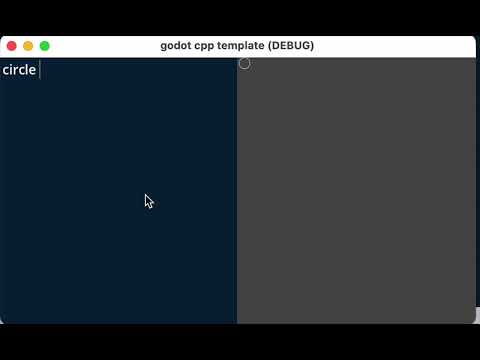
see more: doc/examples/1_live_coding.md
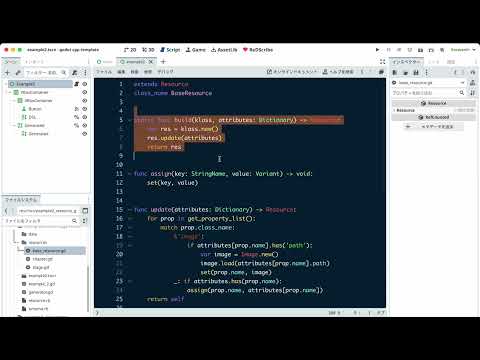
see more: doc/examples/2_resource_generator.md
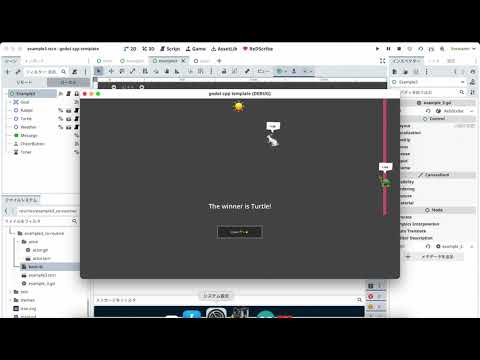
see more: doc/examples/3_actor.md
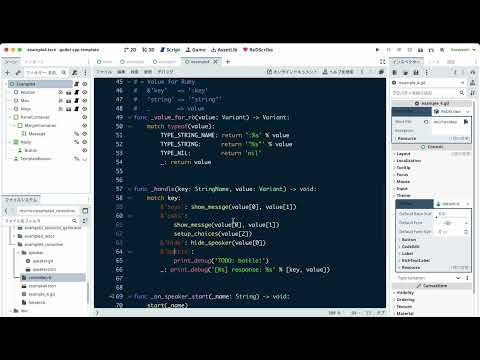
see more: doc/examples/4_coroutine.md
English : https://tkmfujise.github.io/redscribe-docs
日本語 : https://tkmfujise.github.io/redscribe-docs/ja
After installing the required packages, run the following command.
$ rake
see: Rakefile
- method_missing signal
- channel signal
- Godot module
- puts
- boot.rb
- require
- Editor
- REPL
- compile
- debug/release
- windows
- mac
- Document
- doc/*.adoc
- README
- Godot help
- Demo
- Example0: Basic
- Example1: Live Coding
- Example2: Resource generator
- Example3: Actor
- Example4: Coroutine
- Document
- Wiki
- Editor
- Support multiple files open
- Support search text
- Code completion
- Snippet
- require
- User definable theme
- User definable syntax
- REPL
- boot_file enabled
- mrblib
- core_ext like ActiveSupport
- Duration (e.g.
1.day.ago)
- Duration (e.g.
- core_ext like ActiveSupport
- src/*.cpp
- Regexp support (call Godot RegEx)
- remove global variables
- fix bugs
-
.rbfiles cannot be displayed on the first launch.
-
- compile
- use github workflow
- target
- windows.x86_64
- windows.x86_32
- macos
- linux.x86_64
- linux.arm64
- linux.rv64
- android.x86_64
- android.arm64
- ios