A documentation generator for Godot.
-
Ruby
-
tree-sitter
# Ubuntu (Windows WSL)
$ sudo apt install libtree-sitter-dev

# macOS
$ brew install tree-sitter-cli$ git clone --depth 1 --recurse-submodules git@github.com:tkmfujise/gd-doc.git
$ cd gd-doc
$ bundle install
$ rake build
$ ls tree-sitters/
# Ubuntu (Windows WSL)
gdscript.so godot-resource.so
# macOS
gdscript.dylib godot-resource.dylib$ cd your_godot_project
$ ls project.godot
project.godot
$ gd-doc install # Install gd-doc into `gd_doc` directory.
or
$ gd-doc install doc # Install gd-doc into `doc` directory.The gd-doc install command shows output like this:
cp -r /path/to/gd-doc/templates gd_doc
Next steps:
---------------------
$ cd gd_doc
$ bundle install  # Only if needed
$ rake
---------------------
The files are generated for Nanoc static-site generator.
$ ls gd_doc/
Gemfile       Rules      layouts     output
Gemfile.lock  config.rb  lib         tmp
Rakefile content nanoc.yaml|
Tip
|
To customize GdDoc, edit the GdDoc.configure do |config|
# = Configure the Godot project directory
# config.project_dir = '../' # Path to project.godot directory
config.project_dir = '../'
# = Configure the documentation directory to compile
# config.doc_dir = '.' # Current directory
config.doc_dir = '.'
# = Configure the paths to ignore during compilation
# config.ignoring_paths = ['addons', 'test', 'tmp']
config.ignoring_paths = [
'addons',
'test',
'tmp',
]
# = Configure asset text extensions
# config.asset_text_extensions = %w[txt rb json po sh bat csv gdshader]
config.asset_text_extensions = %w[txt rb json po sh bat csv gdshader]
end |
$ cd gd_doc

$ rake
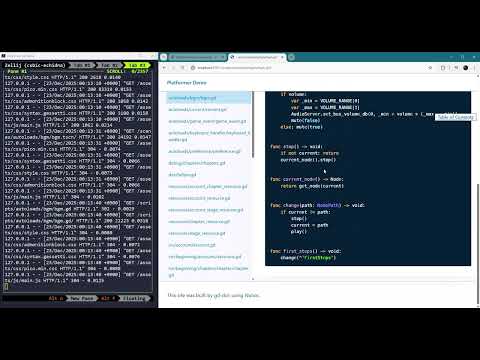
rake analyzes your Godot project, generates AsciiDoc files, and starts the server.
gd-doc update
write ./content/index.adoc
write ./content/scenes/path/to/scene_name.tscn.adoc
⋮
bundle exec nanoc
Loading site… done
Compiling site…
create  [0.01s]  output/path/to/scene_name.tscn/index.html
⋮
Site compiled in 3.00s.
bundle exec nanoc view --host 0.0.0.0 --port 3001
View the site at http://0.0.0.0:3001/
Puma starting in single mode...
* Puma version: 7.1.0 ("Neon Witch")
* Ruby version: ruby 3.4.7 (2025-10-08 revision 7a5688e2a2) +PRISM [x86_64-linux]
*  Min threads: 0
*  Max threads: 5
*  Environment: development
*          PID: 165097
* Listening on http://0.0.0.0:3001
Use Ctrl-C to stop
Once the server starts, you can access the generated documentation at http://localhost:3001.

$ cd gd_doc

$ rake -T
rake c        # Alias for `rake compile`
rake compile  # Compile *.adoc files to *.html
rake default  # Update *adoc files and compile, then run server
rake s        # Alias for `rake server`
rake server   # Run server
rake update   # Update *.adoc files
rake w        # Alias for `rake watch`
rake watch    # Run live reloading server and watch files