How to build and setup on Arch.md
To build under Arch Linux, you should use the package serioussam from AUR.
sudo pacman -S --needed base-devel
sudo pacman -S cmake git wget sdl2 nasm zlib libogg libvorbis vulkan-headers vulkan-validation-layerswget https://aur.archlinux.org/cgit/aur.git/snapshot/serioussam-vk.tar.gz
wget https://aur.archlinux.org/cgit/aur.git/snapshot/serioussam-xplus.tar.gztar -xzvpf serioussam-vk.tar.gz
tar -xzvpf serioussam-xplus.tar.gz
cd serioussam-vk
makepkg
sudo pacman -U serioussam-vk-1.10.5-2-x86_64.pkg.tar.zst
cd ..
cd serioussam-xplus
makepkg
sudo pacman -U serioussam-xplus-1.10.5-1-x86_64.pkg.tar.zstwget https://aur.archlinux.org/cgit/aur.git/snapshot/serioussam-alpha.tar.gztar -xzvpf serioussam-alpha.tar.gz
cd serioussam-alpha
makepkg
sudo pacman -U serioussam-alpha-1.5-2-x86_64.pkg.tar.zstTo start the game, you'll need the original resurces of a licensed copy of Serious Sam: The First Encounter and Serious Sam: The Second Encounter.
If you have a digital copy of the game on Steam then the resources can be found in ~/.local/share/Steam/steamapps/common/Serious Sam Classic The Second Encounter/ (the default Steam game installation directory on Linux).
sudo cp -vfr "$HOME/.local/share/Steam/steamapps/common/Serious Sam Classic The First Encounter/"{*.gro,Levels,Help} /usr/share/serioussam
sudo cp -vfr "$HOME/.local/share/Steam/steamapps/common/Serious Sam Classic The Second Encounter/"{*.gro,Levels,Help} /usr/share/serioussamseIf you bought a digital on GOG, you can unpack the resources with the innoextract CLI tool. To install innoextract via your package manager, run:
sudo pacman -S innoextractCopy files "setup_serious_sam_the_first_encounter_2.0.0.10.exe" and "setup_serious_sam_the_second_encounter_2.1.0.8.exe" to a home directory and run the following commands:
innoextract --gog setup_serious_sam_the_first_encounter_2.0.0.10.exe
sudo cp -vfr "app/"{*.gro,Levels,Help} /usr/share/serioussam
rm setup_serious_sam_the_first_encounter_2.0.0.10.exe
rm -rf app
rm -rf tmp
innoextract --gog setup_serious_sam_the_second_encounter_2.1.0.8.exe
sudo cp -vfr "app/"{*.gro,Levels,Help} /usr/share/serioussamse
rm setup_serious_sam_the_first_encounter_2.0.0.10.exe
rm -rf app
rm -rf tmp
rm -rf commonappdataIf you bought a physical copy of the game and you have an ISO of your disk, you can unpack the resources with the any archive manager. Game resources are located in the Install directory of the disk. Just copy all content from there to directories /usr/share/serioussam and /usr/share/serioussamse, respectively, for games Serious Sam: The First Encounter and Serious Sam: The Second Encounter.
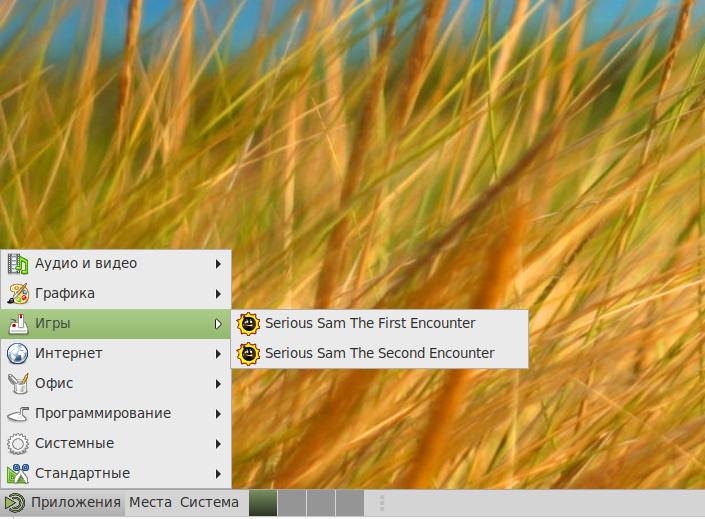
After installation, shortcuts for launching games will appear in the menu,