This repository contains the documentation source for RBrowser, an RNA-centric, multi-omics genome & transcriptome browser.
- User guides and tutorials for RBrowser
- Configuration and deployment instructions
- Developer notes and advanced usage examples
Site: https://doc.rbrowser.org
How to collaboratively edit documentation pages?
-
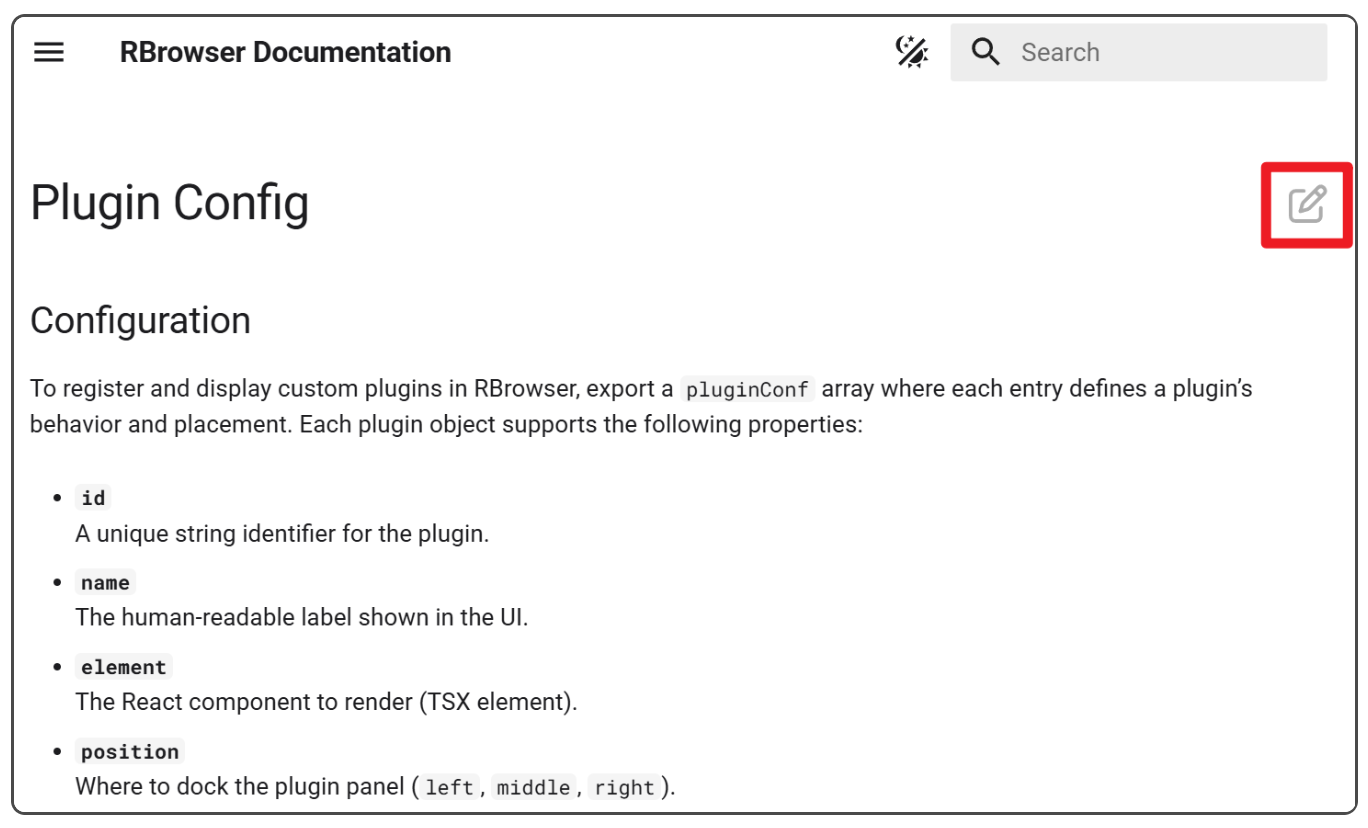
Each page has an edit button in the upper right corner. You can click it directly to edit.
-
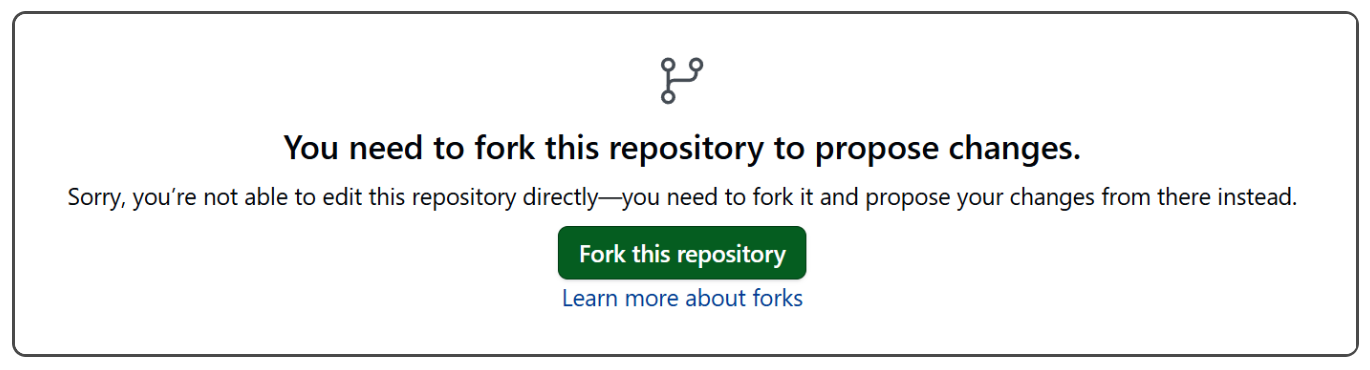
The first time you edit, you need to fork the current repository. Just click the green button.
-
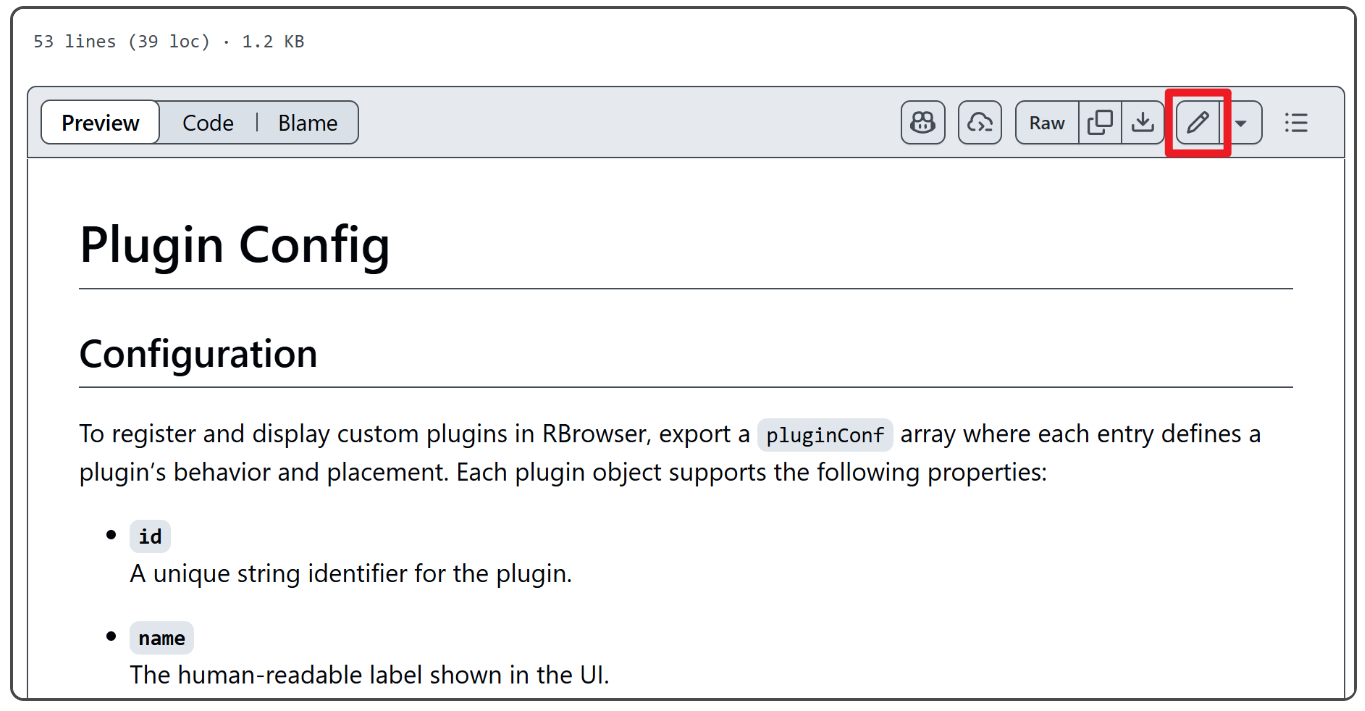
Click the edit button in the upper right corner to enter the editing page. We use Markdown files. You may need to learn about Markdown format, which is quite simple.
-
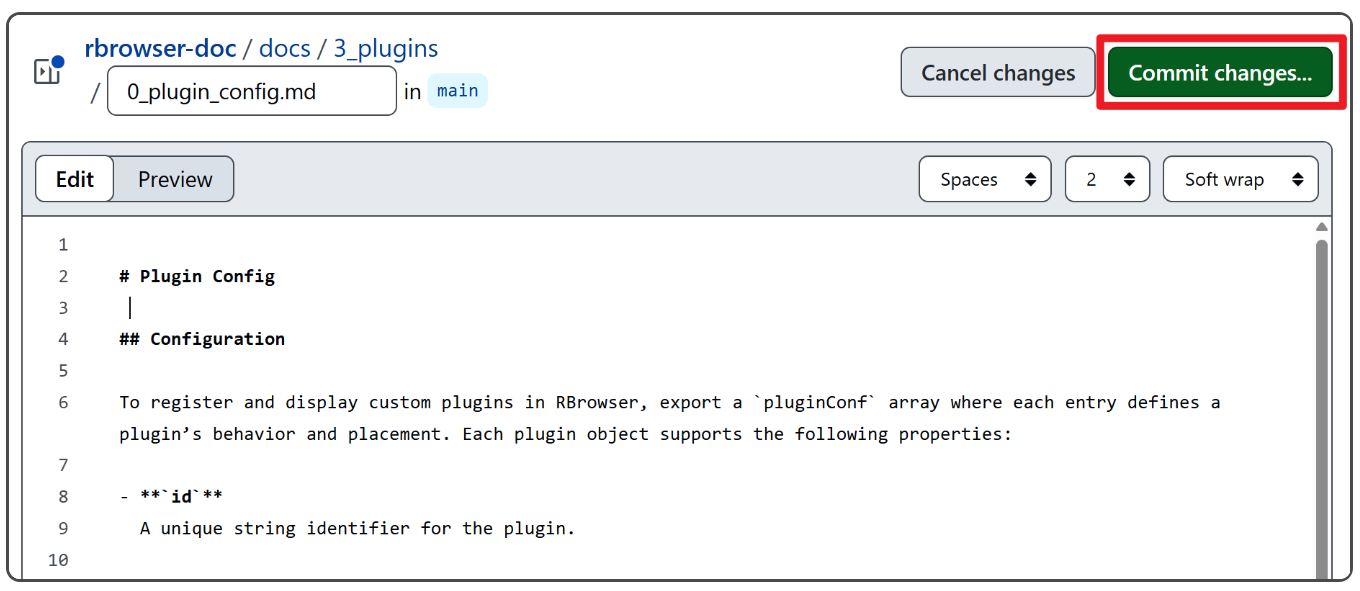
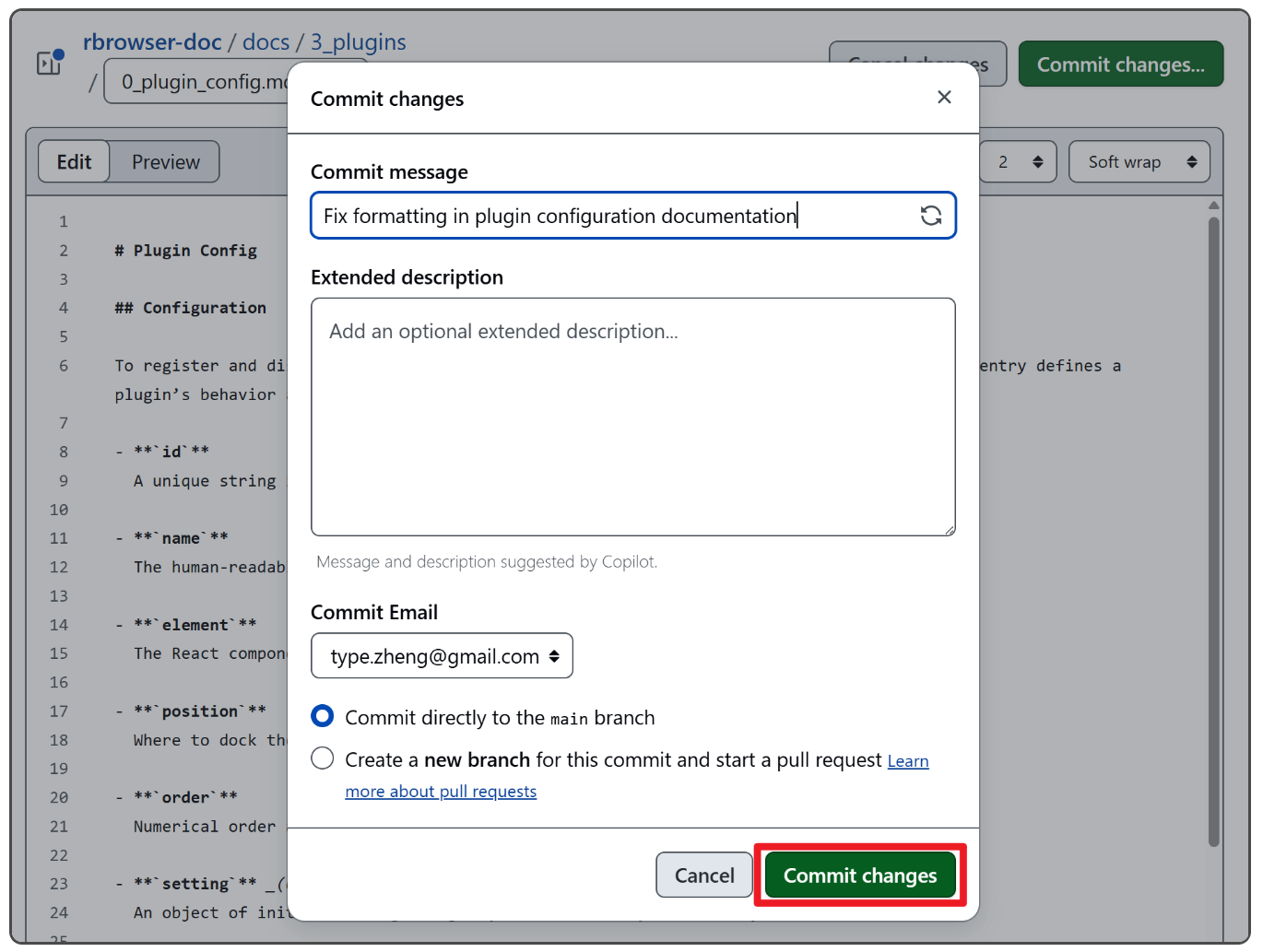
When the modification is complete, click "Commit changes"
-
Fill in a brief description of the modification on the page. If the review is approved, the modified content will appear directly in the RBrowser Documentation. The commit message is required. GitHub will automatically generate some description for the Extended description field.
-
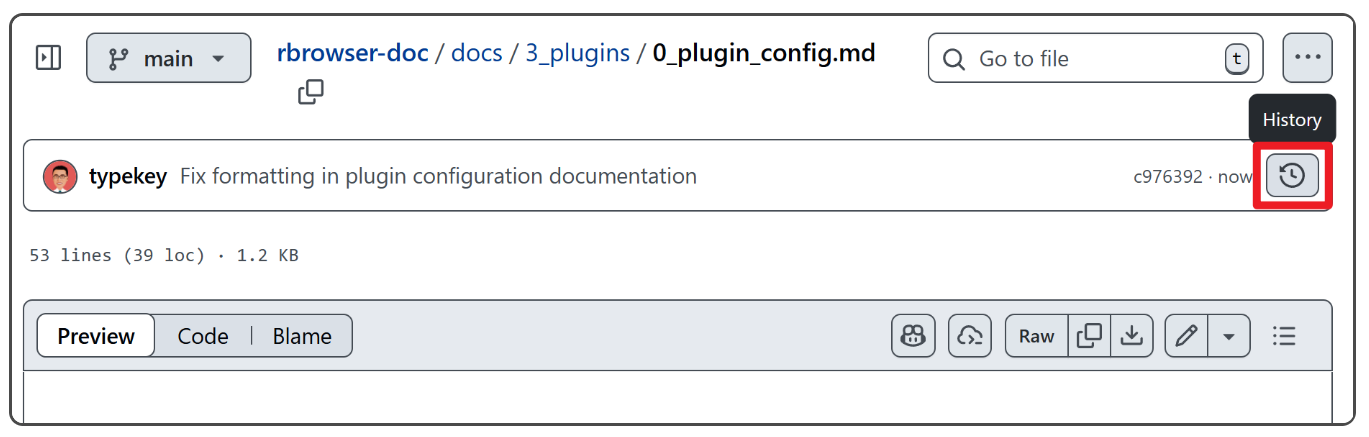
On the source file page of each page, you can see the commit history of that page.
-
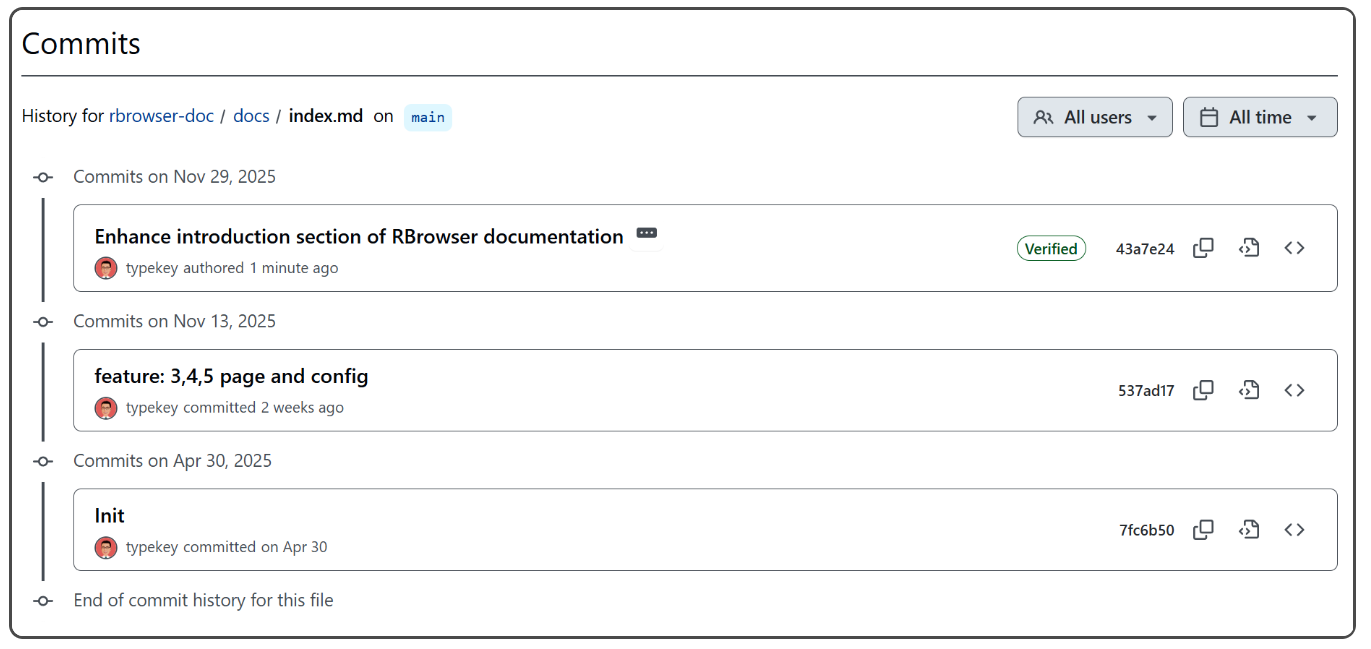
In the history page, you can see the commit history of that page.
If you want to collaborate on editing the documentation, please:
-
Clone the repository:
git clone https://github.com/typekey/rbrowser-doc.git cd rbrowser-doc -
Create a feature branch (recommended):
git checkout -b docs/feature-my-update -
Run the local server and edit files under
docs/. -
Check that everything builds:
mkdocs build -
Commit your changes:
git status git add docs/path/to/changed-file.md git commit -m "docs: update XYZ section" -
Push your branch:
git push origin docs/feature-my-update -
Open a Pull Request against
typekey/rbrowser-docon GitHub.
If you have direct push access and are making small fixes (typos, minor formatting), you may push directly, but using feature branches and pull requests is preferred.
To work with this documentation repository, you will need:
- Python: Version 3.8+ (recommended 3.9 or newer)
- pip: Python package manager
- git: To clone and update the repository
Optional but recommended:
- A virtual environment tool:
venv(bundled with Python)- or
conda/mambaif you already use them
First, clone the repository:
git clone https://github.com/typekey/rbrowser-doc.git
cd rbrowser-doc
Then proceed with the instructions for your operating system.
-
Create and activate a virtual environment (recommended):
python3 -m venv .venv source .venv/bin/activate -
Install dependencies:
pip install -r requirements.txt # If requirements.txt is not available, install at least: # pip install mkdocs mkdocs-material -
Make the run script executable (first time only):
chmod +x run.sh -
Start the documentation server:
./run.sh -
Open your browser and navigate to:
http://localhost:8131
-
Create and activate a virtual environment:
python3 -m venv .venv source .venv/bin/activate -
Install dependencies:
pip install -r requirements.txt # Or: pip install mkdocs mkdocs-material -
Ensure
run.shis executable:chmod +x run.sh -
Start the documentation server:
./run.sh -
Open your browser and navigate to:
http://localhost:8131
If you are running on a remote Linux server, you can use SSH port forwarding:
ssh -L 8131:localhost:8131 user@your-server
# Then open http://localhost:8131 in your local browser.
-
Clone the repository and enter the directory:
git clone https://github.com/typekey/rbrowser-doc.git cd rbrowser-doc -
Create and activate a virtual environment:
py -m venv .venv .\.venv\Scripts\Activate.ps1 # PowerShell # or, in CMD: # .venv\Scripts\activate.bat -
Install dependencies:
pip install -r requirements.txt # Or: pip install mkdocs mkdocs-material -
Run MkDocs directly (instead of run.sh):
mkdocs serve -a localhost:8131 -
Open your browser and navigate to:
http://localhost:8131
The texts, code, images, photos, and videos in this repository are licensed under CC BY-NC-SA 4.0.